Tax Revenue

Collection System

UX Case Study
Product Overview

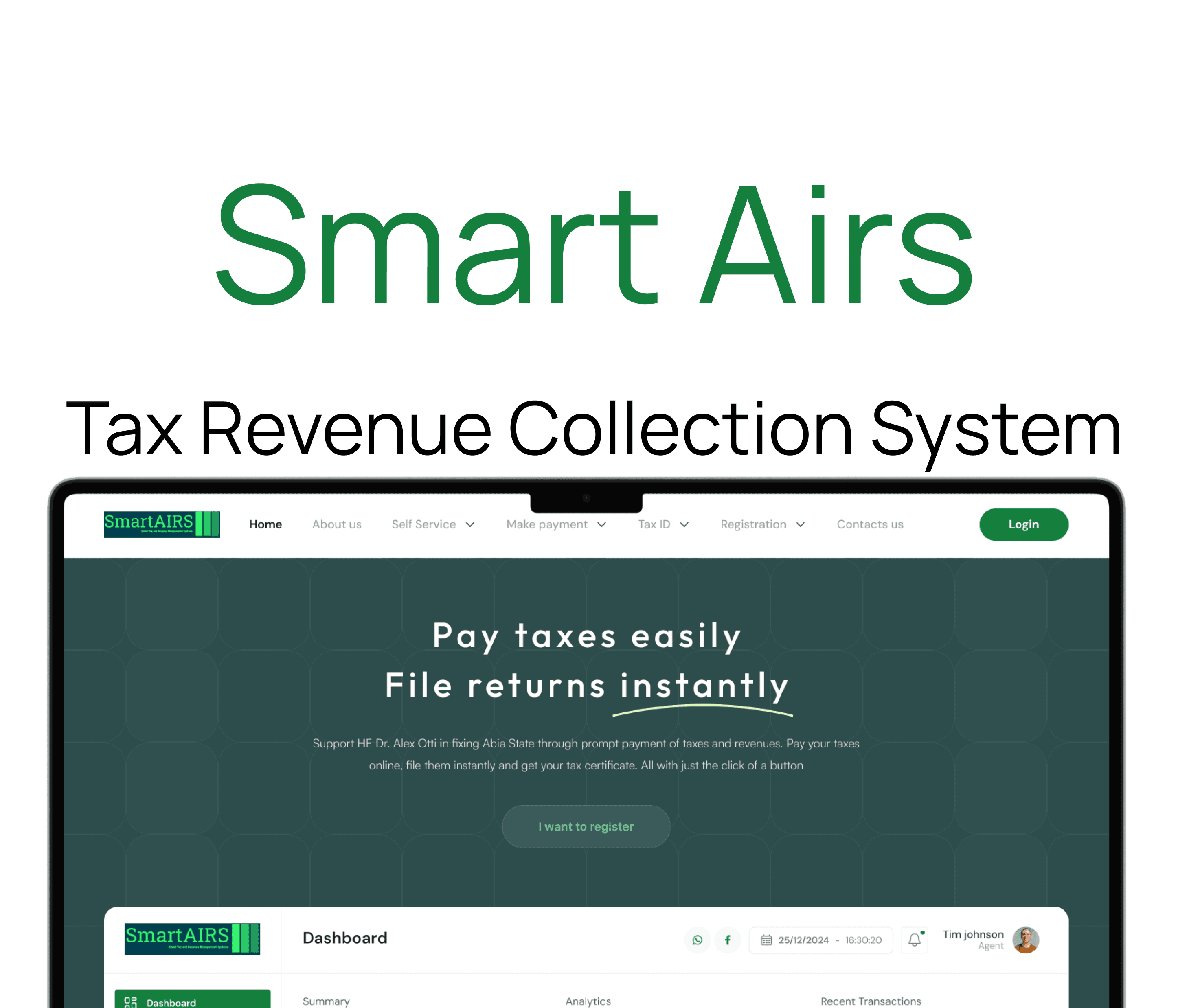
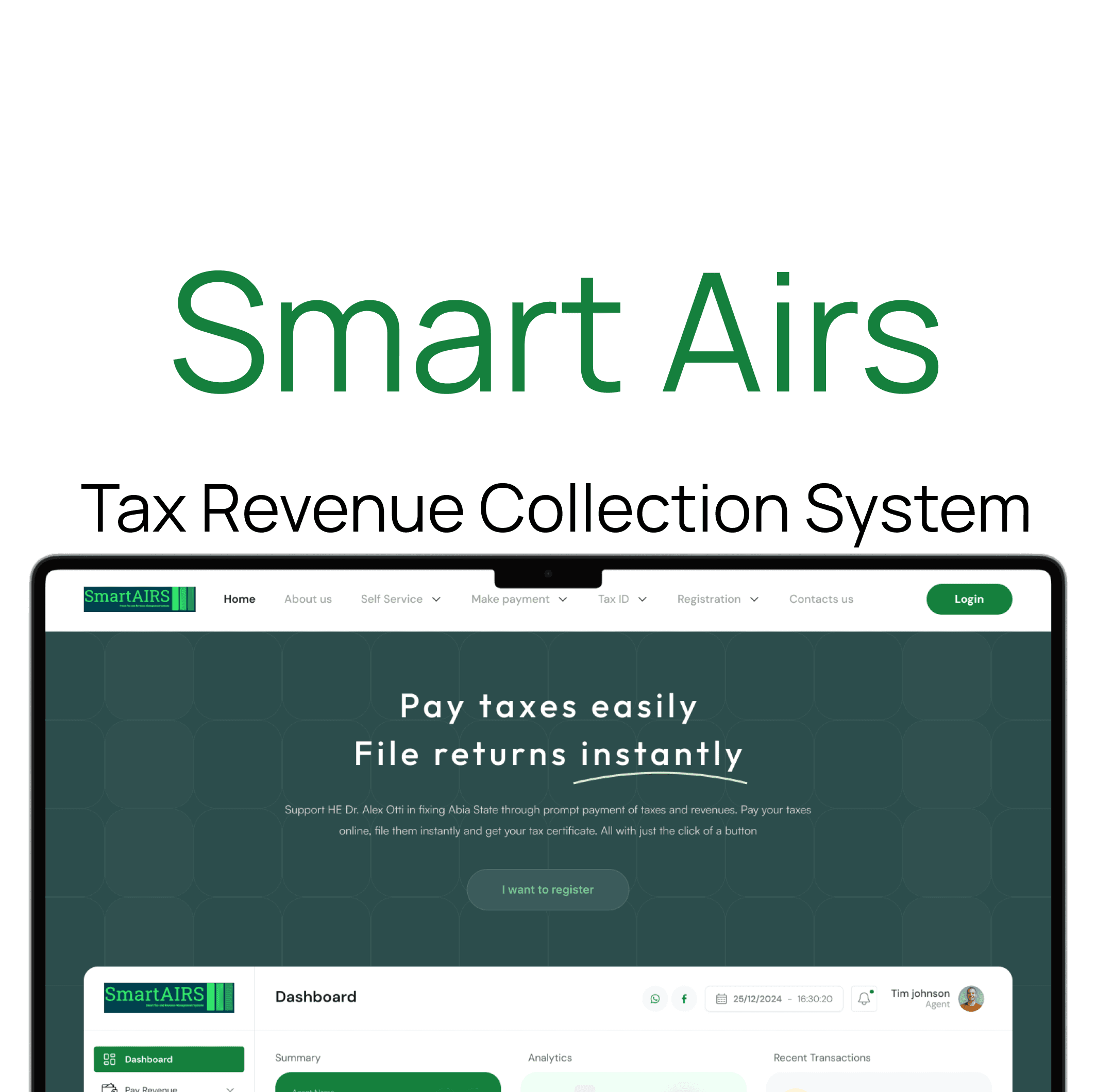
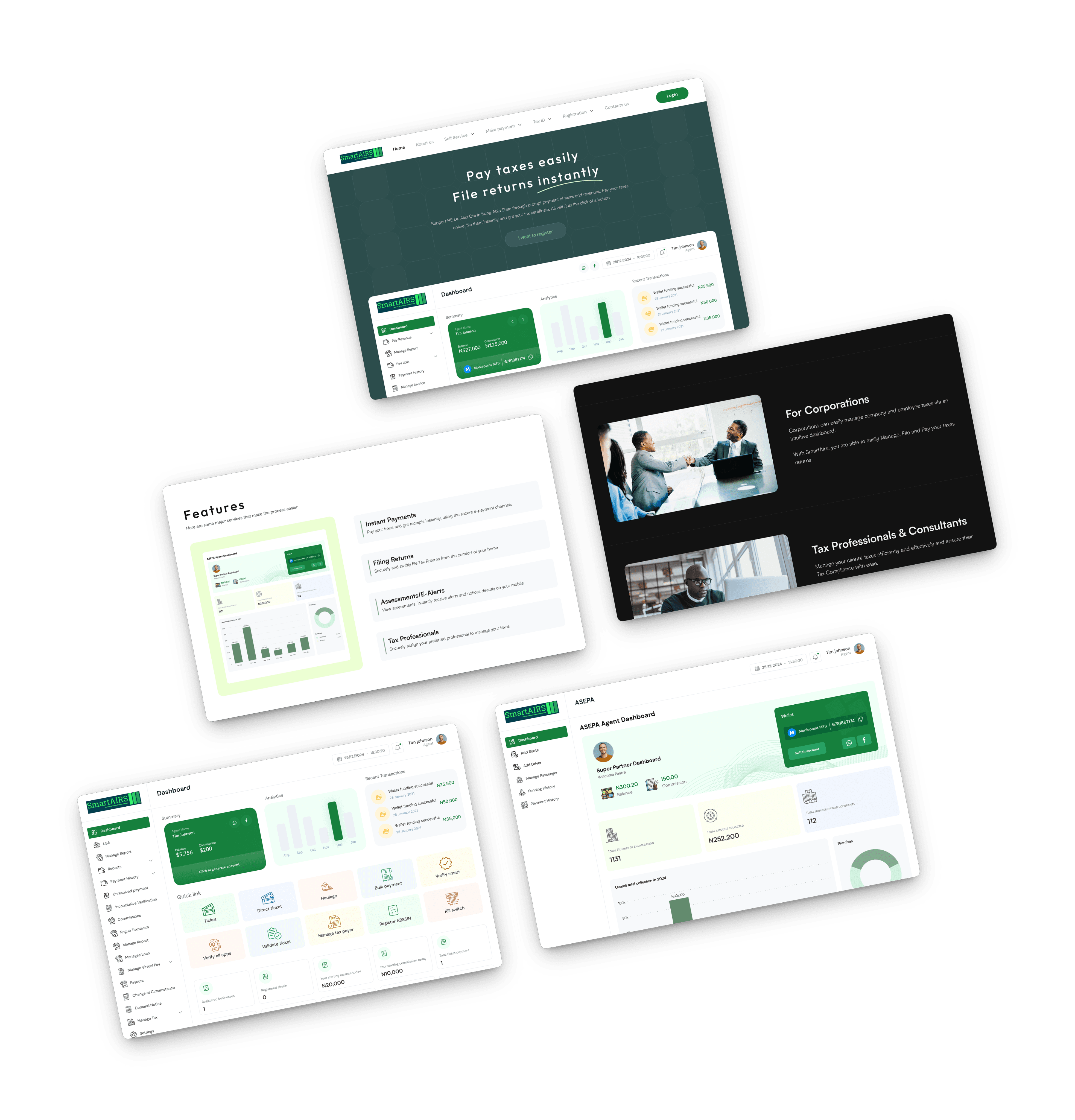
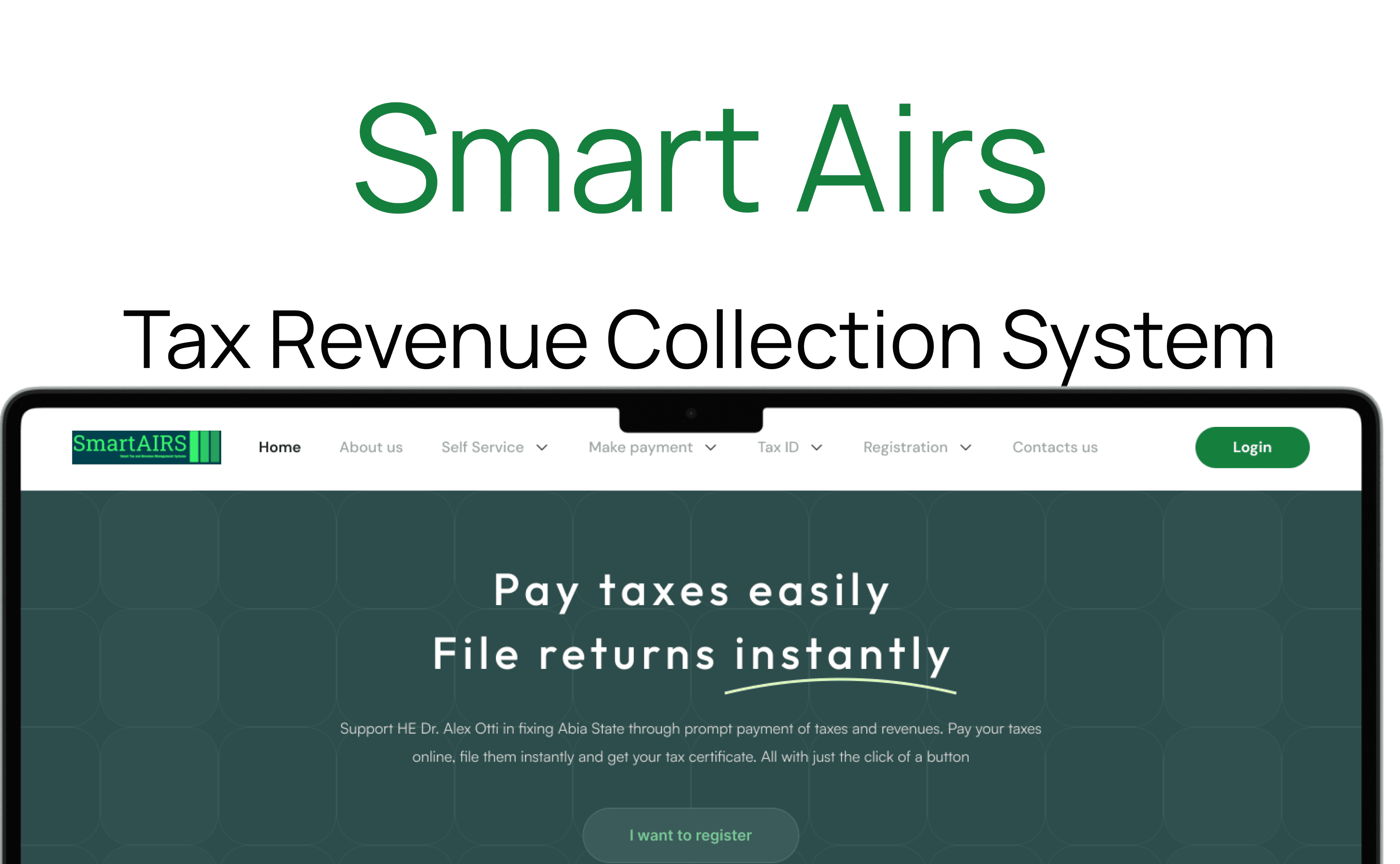
Smart Airs is a digital tax revenue collection system that streamlines tax administration by automating filing, payments, and compliance, providing real-time analytics, ensuring security, and promoting transparency and efficiency for governments and taxpayers. Smart Airs enables agents to collect taxes seamlessly through a dedicated dashboard, ensuring real time record keeping and monitoring of all transactions and also empowers users to pay their taxes conveniently via their mobile phones, offering a secure and user-friendly digital payment experience.

Role

UX Researcher

UX UI Designer

Duration

8 Weeks

Tools

Figma

Jira

Client

Bems Soft

Problem Statement

The problem with traditional tax collection methods is that they are manual, inefficient, error-prone, and lack transparency, leading to revenue loss, delays, and compliance issues. Tax authorities struggle with real-time monitoring and data management, while taxpayers find processes complex and hard to access.

Goal

The goal of Smart Airs is to streamline and enhance the efficiency of tax revenue collection by automating processes such as filing, payments, and compliance management. It aims to provide real-time analytics, ensure data security, promote transparency, and facilitate easier access to tax services for both government authorities and taxpayers. Ultimately, Smart Airs seeks to increase revenue collection, reduce administrative costs, and improve overall transparency and compliance in the tax system.

Goal

The goal of Smart Airs is to streamline and enhance the efficiency of tax revenue collection by automating processes such as filing, payments, and compliance management. It aims to provide real-time analytics, ensure data security, promote transparency, and facilitate easier access to tax services for both government authorities and taxpayers. Ultimately, Smart Airs seeks to increase revenue collection, reduce administrative costs, and improve overall transparency and compliance in the tax system.

Design Process

This process involves understanding user needs and business goals, conducting research, creating wireframes and visual designs, testing with users, iterating based on feedback, and collaborating with development teams to deliver an intuitive, user-centered product.

01

Step

Understand

User Research

User Interview

Competitve Analysis

02

Step

Define

User Personas

Empathy Map

User Journey

03

Step

Ideate

User Flow

Information Architecture

04

Step

Design

Wireframe

Hi-Fi Designs

Prototype

05

Step

Test

Feedbacks

Conclusion

Future Concept

Target Audience

Smart Airs is designed for tax authorities, taxpayers, financial institutions, and auditors, providing a platform to streamline tax collection, filing, payments, and data analysis for greater transparency and efficiency.

Competitive Analysis

Avalara Ava Tax

Avalara AvaTax is a cloud-based sales tax automation software designed to help businesses calculate, collect, and file sales taxes accurately across different regions.

Features

Real-Time Tax Calculation: Automatically calculates the correct sales tax rate based on the customer’s location during checkout, reducing errors and ensuring compliance.

Automatic Filing and Remittance: Handles the filing of sales tax returns and remittance to tax authorities on behalf of businesses, saving time and reducing penalties.


TurboTax

TurboTax is a user-friendly tax preparation software that guides individuals and small business owners through the process of filing federal and state taxes.

Features

Guided Interview Process: Provides a step-by-step interview style interface that asks questions about your financial situation to help identify deductions and credits you may qualify for.

E-Filing and Direct Deposit: Enables users to electronically submit their tax returns directly to the IRS and receive refunds via direct deposit for faster processing.

Unique Features

Comprehensive Tax Revenue Collection System: Covers a wide range of taxpayers including traders, marketers, transporters, and commercial building owners, ensuring broad tax coverage across different sectors.

Agent Network with Dashboards: Deploys physical agents equipped with their own dashboards who go on the ground to collect taxes, monitor collections, and update records in real-time.

Commission and Incentive Management: Incorporates a system to manage agent commissions, incentivizing agents to efficiently collect taxes and ensuring transparent reward distribution.

Mobile Integrated Application: Provides a user-friendly app for individuals and businesses to pay taxes conveniently via smartphones. It features quick registrations, payments, receipt generations and it also offers notifications and reminders for upcoming or overdue taxes.
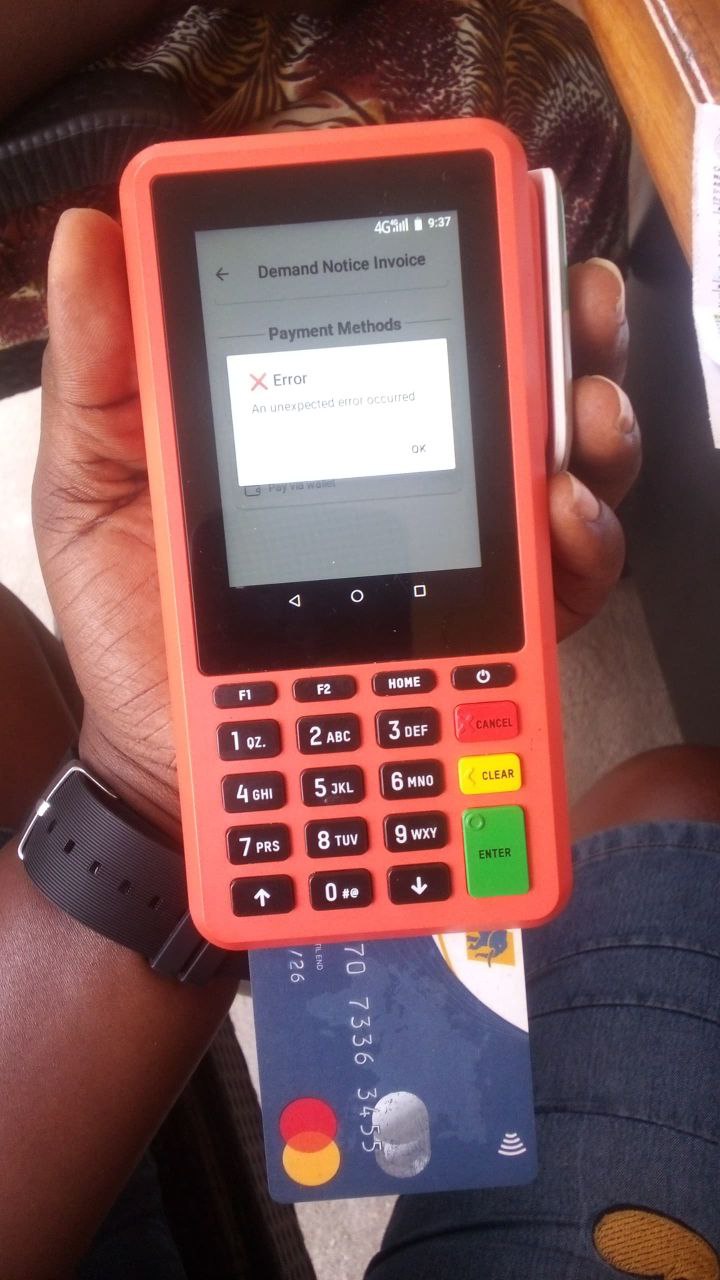
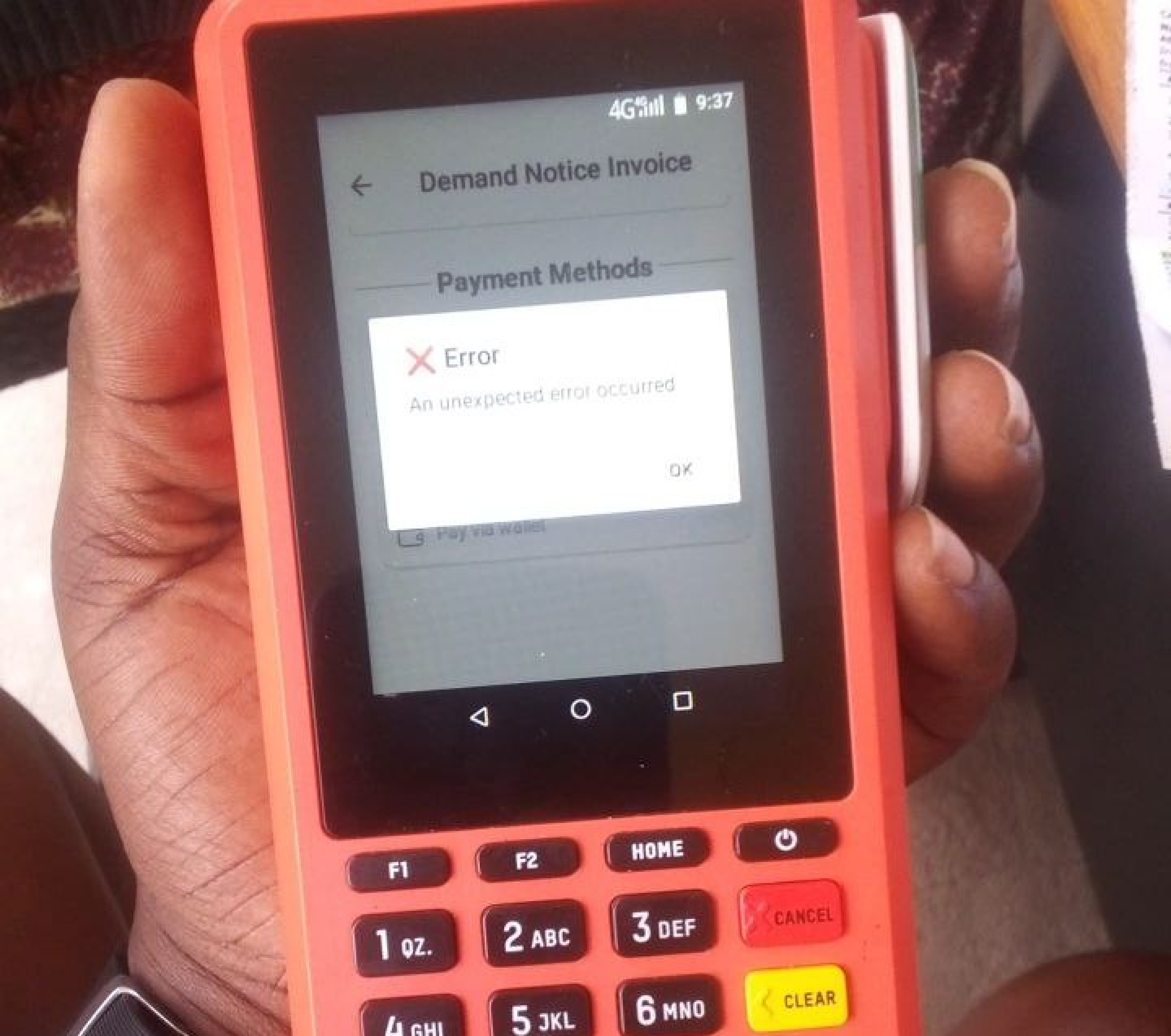
Smart Airs Tax Agents

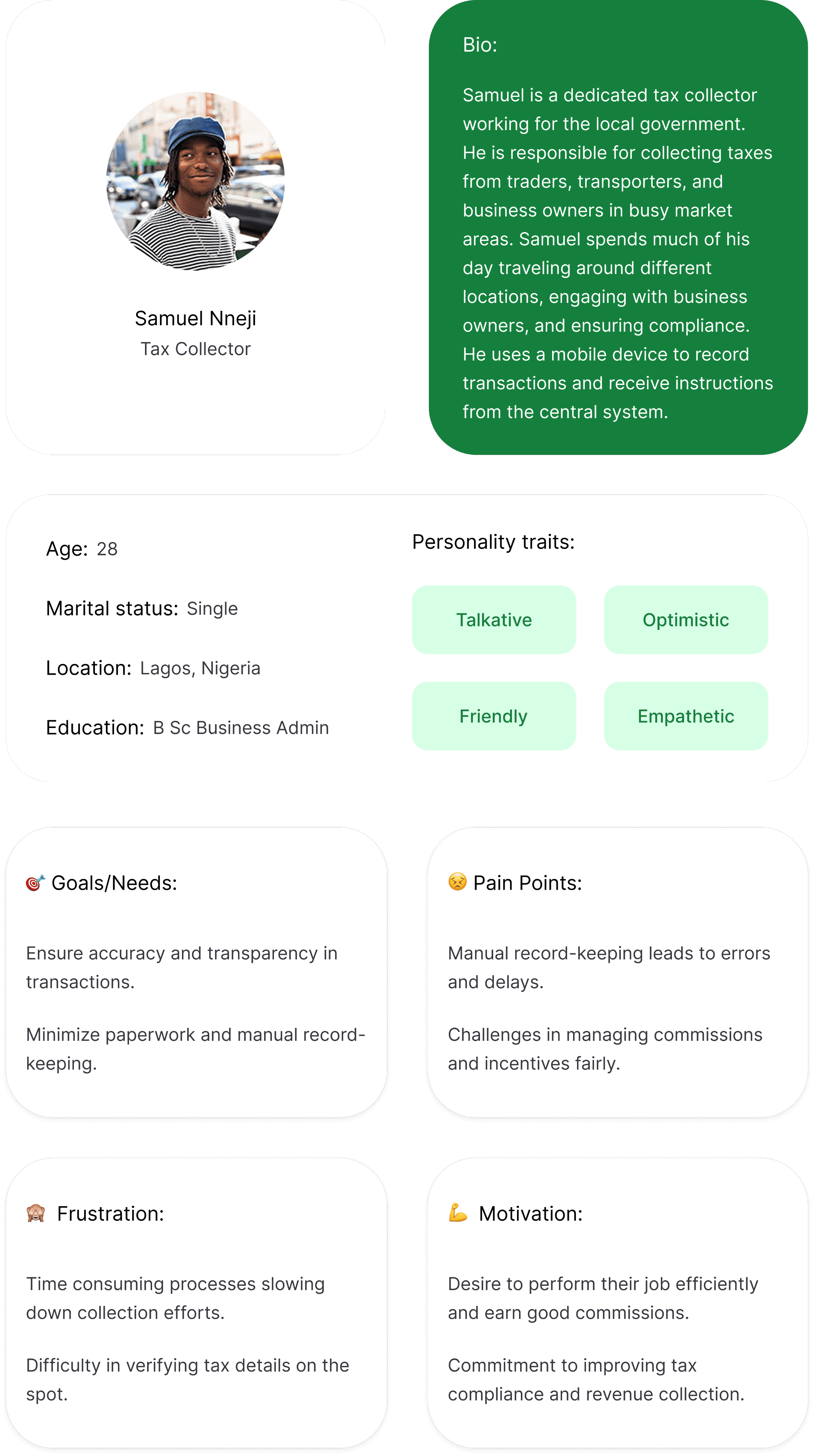
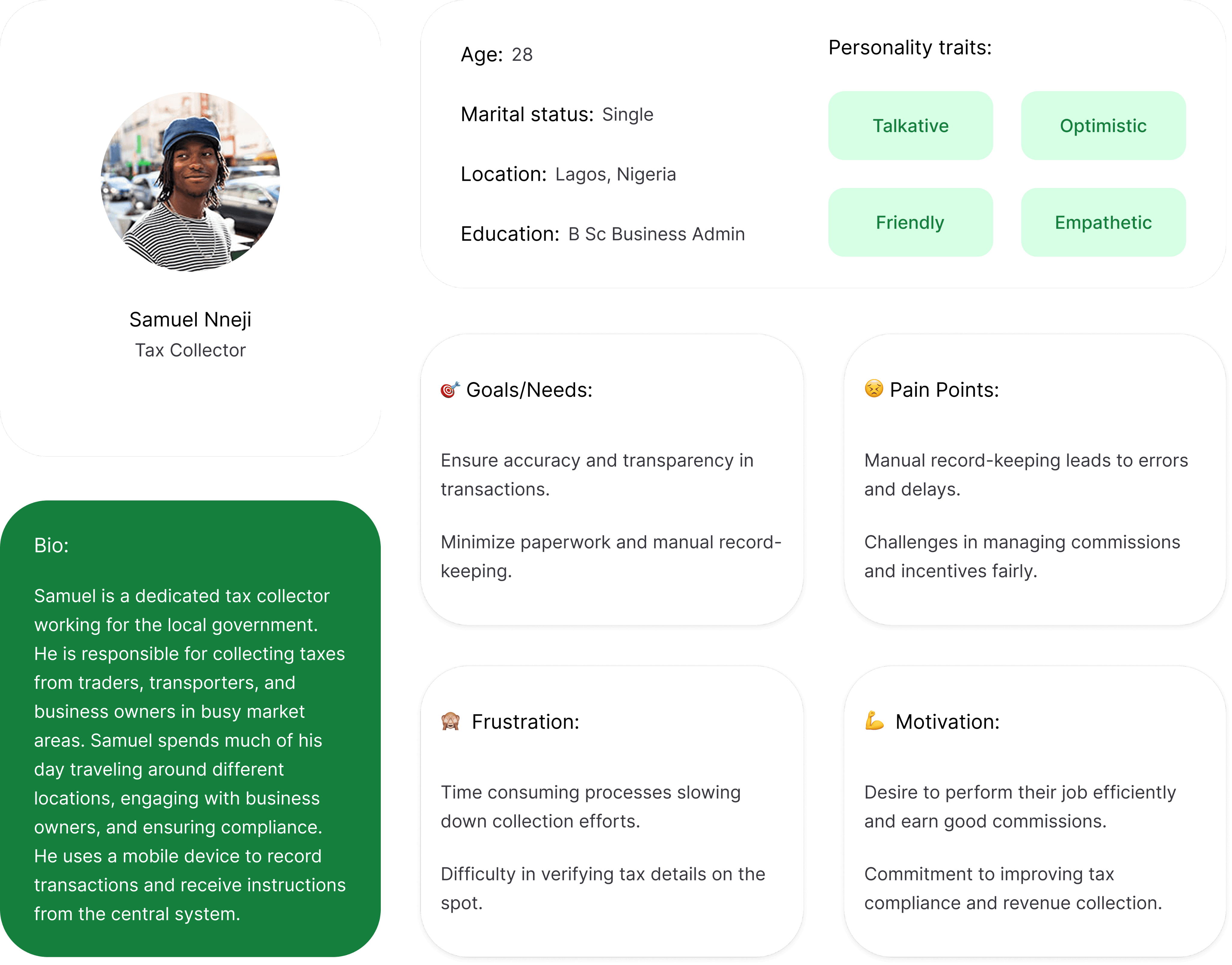
User Persona for Agents
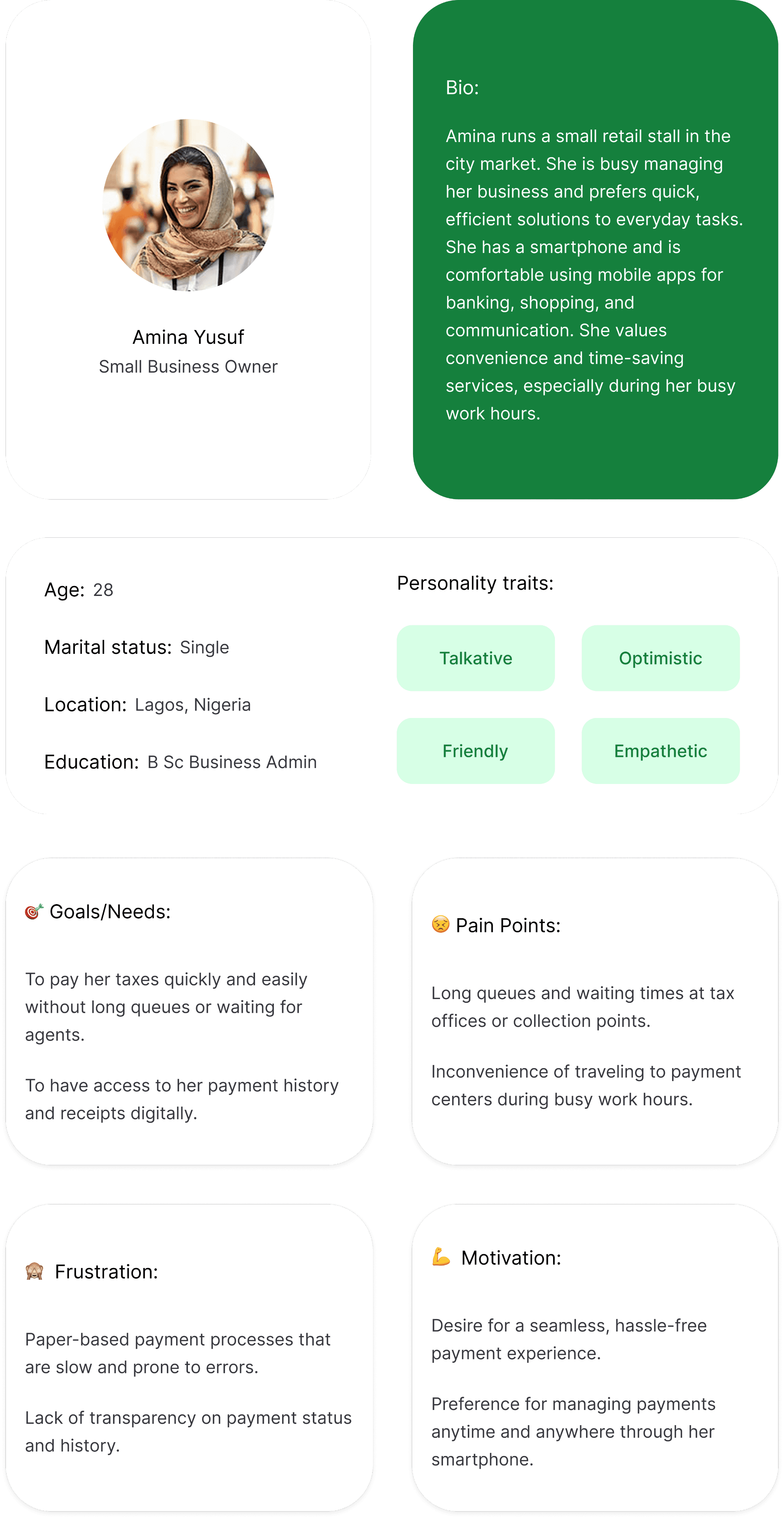
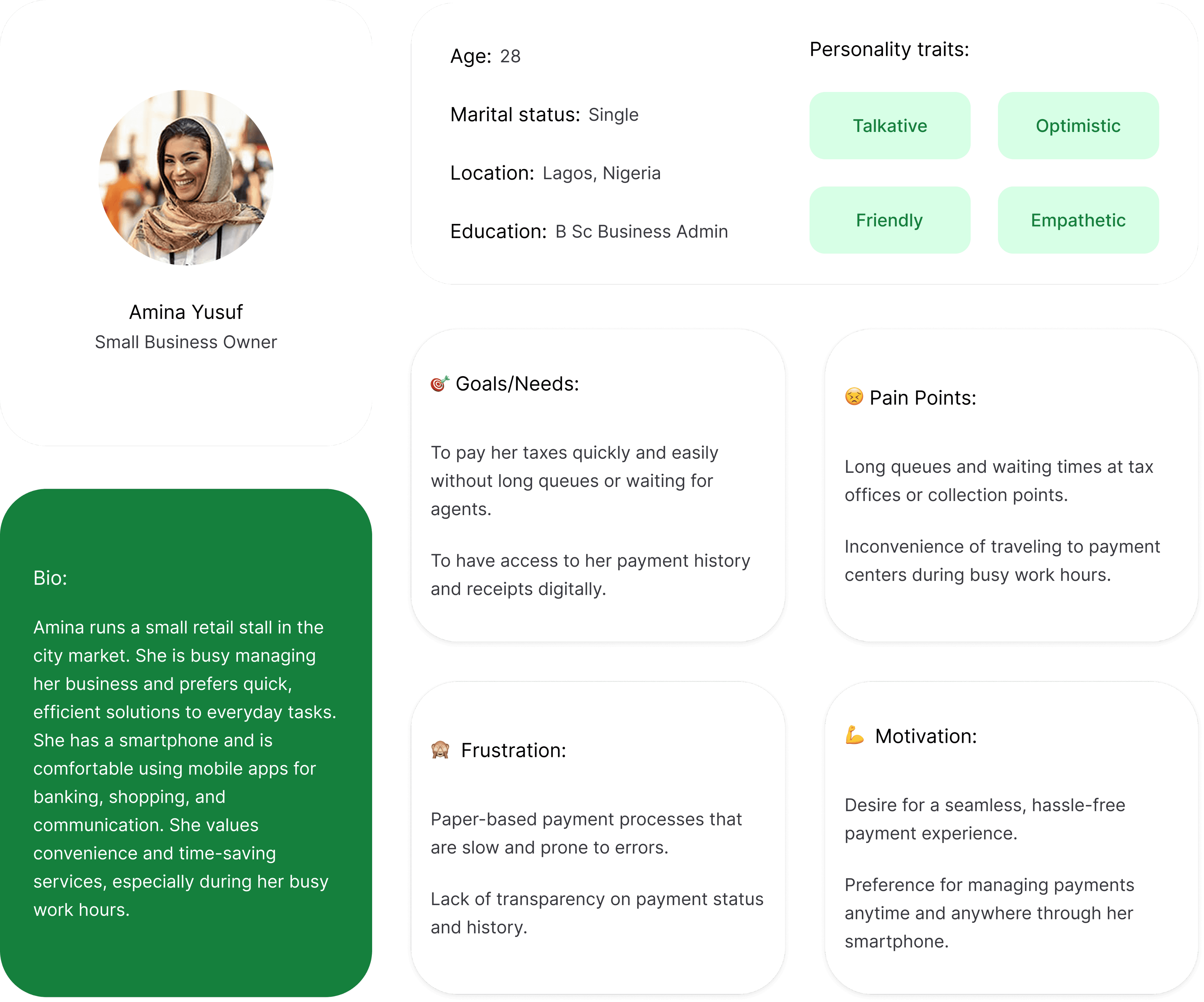
User Persona for Tax payers
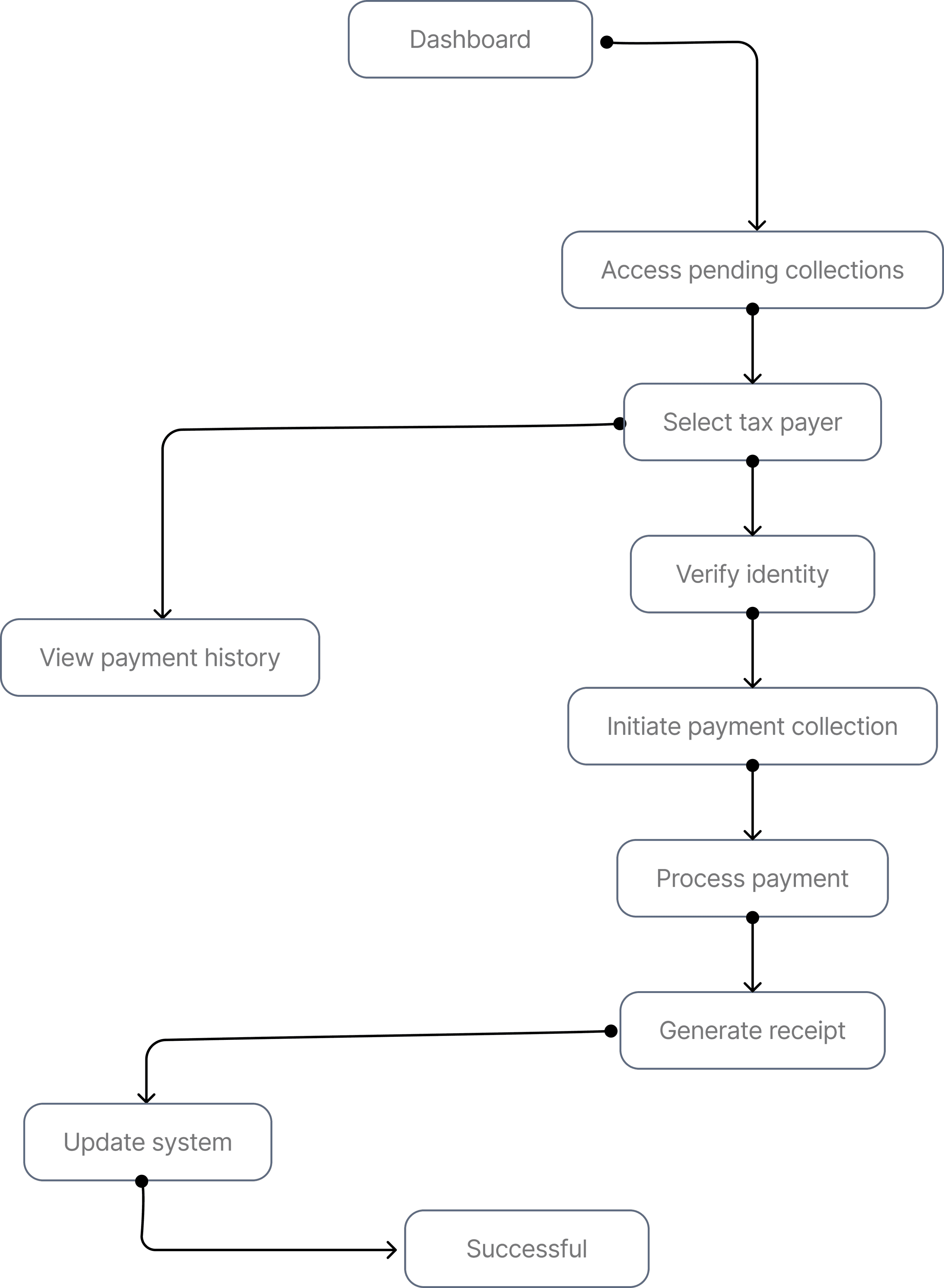
Task Flow 1

Agent Collect Tax payment
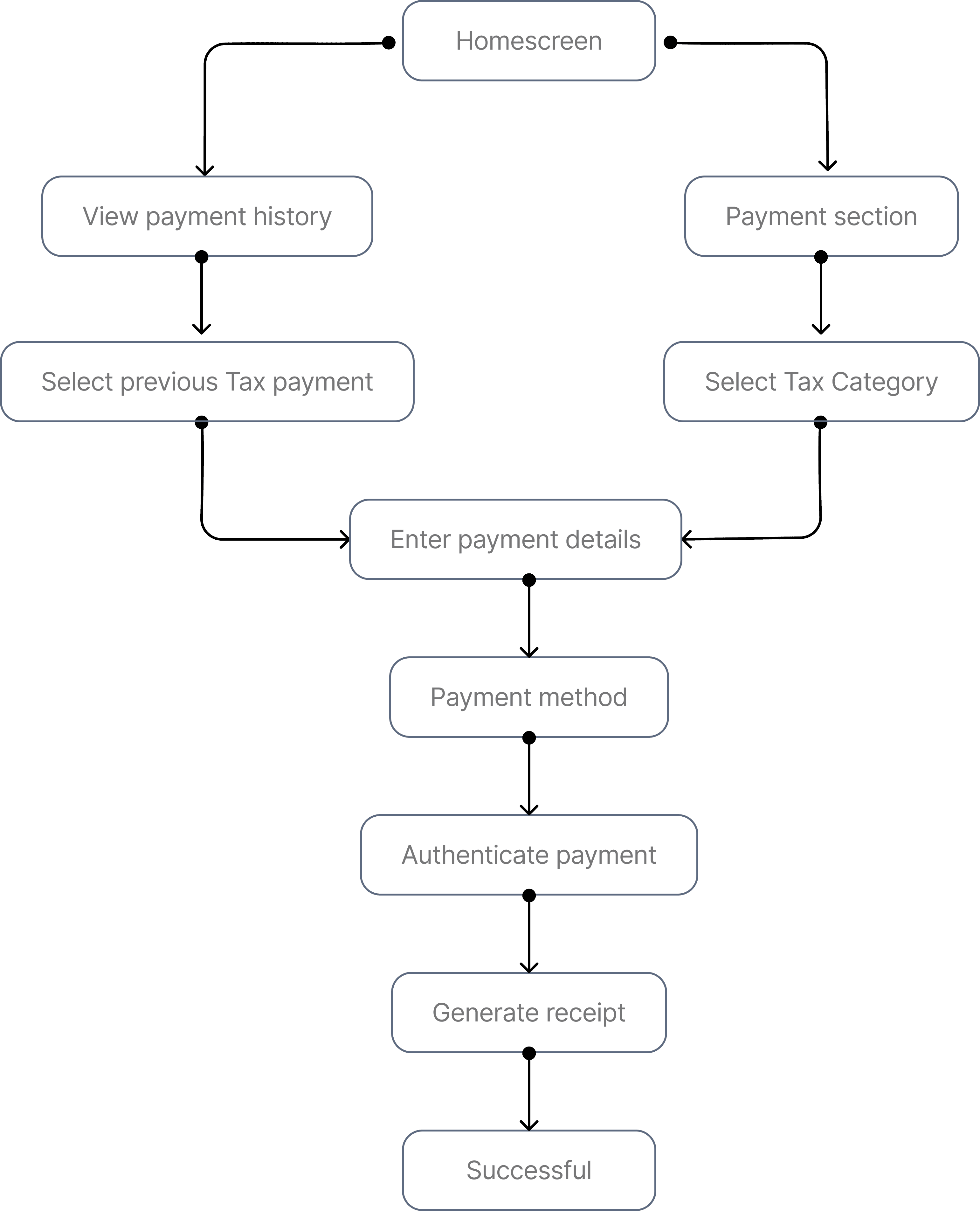
Task Flow 2

User Tax Payment
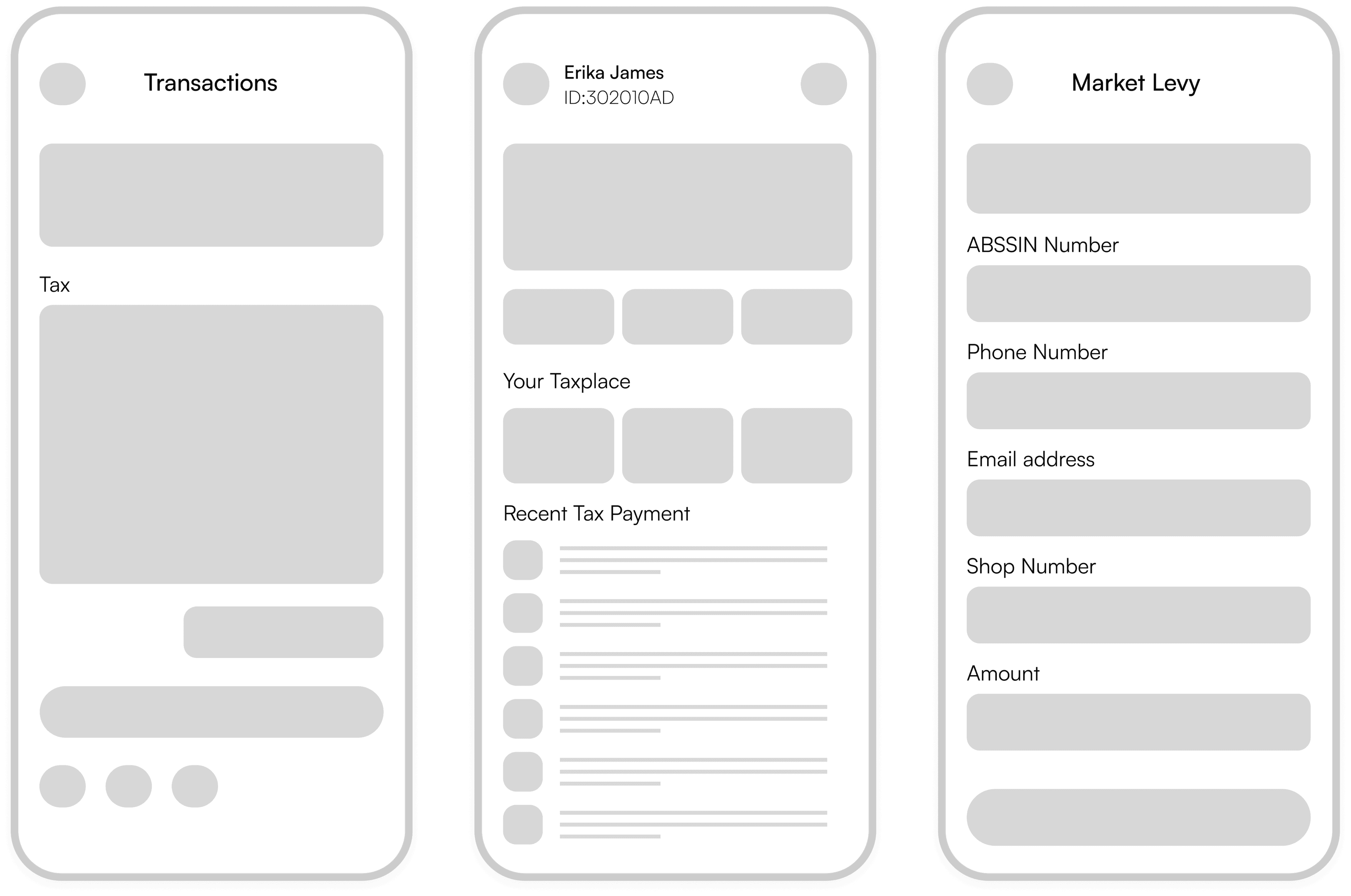
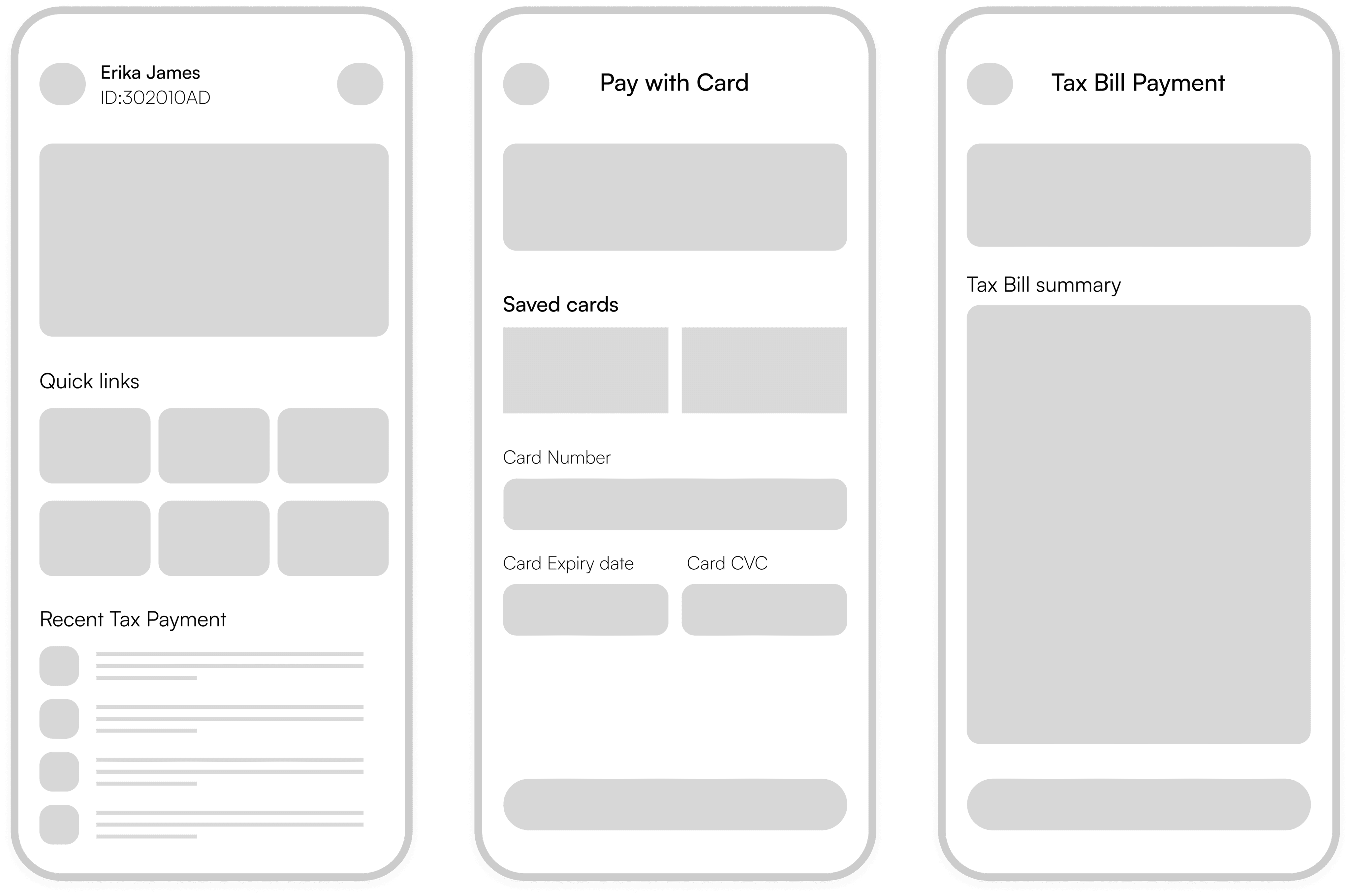
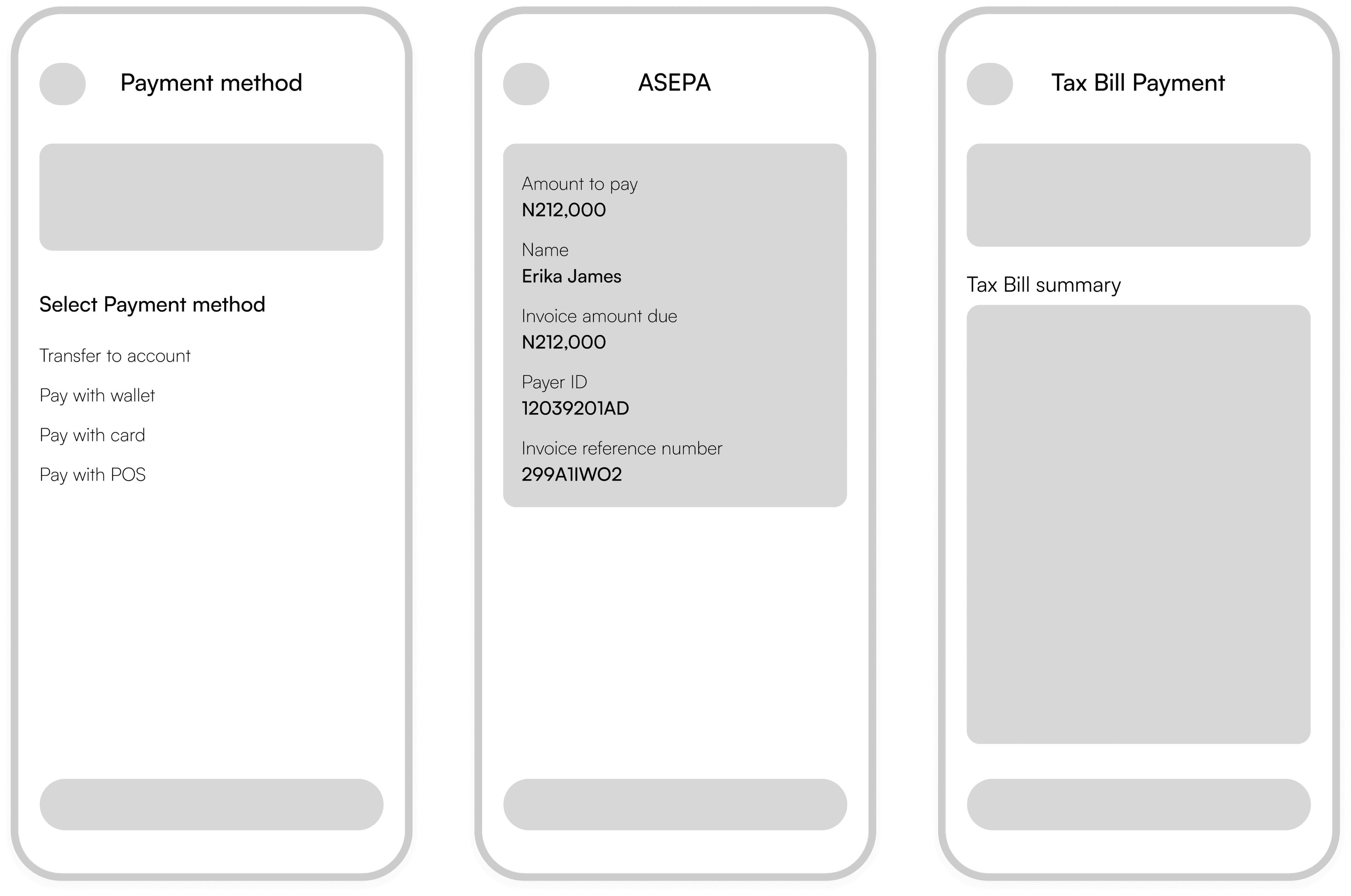
Agents & Tax Payers Low-fidelity Wireframes
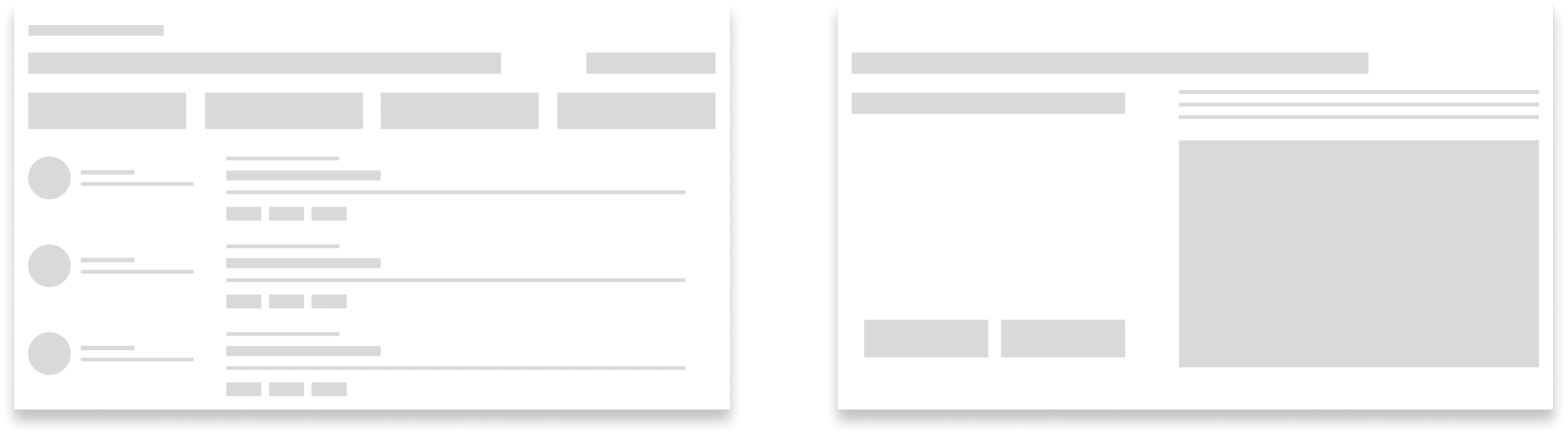
Super Admin Low Fidelity Wireframes

Agent Dashboard & Market Levy Screens

1

2

1

Agent Dashboard

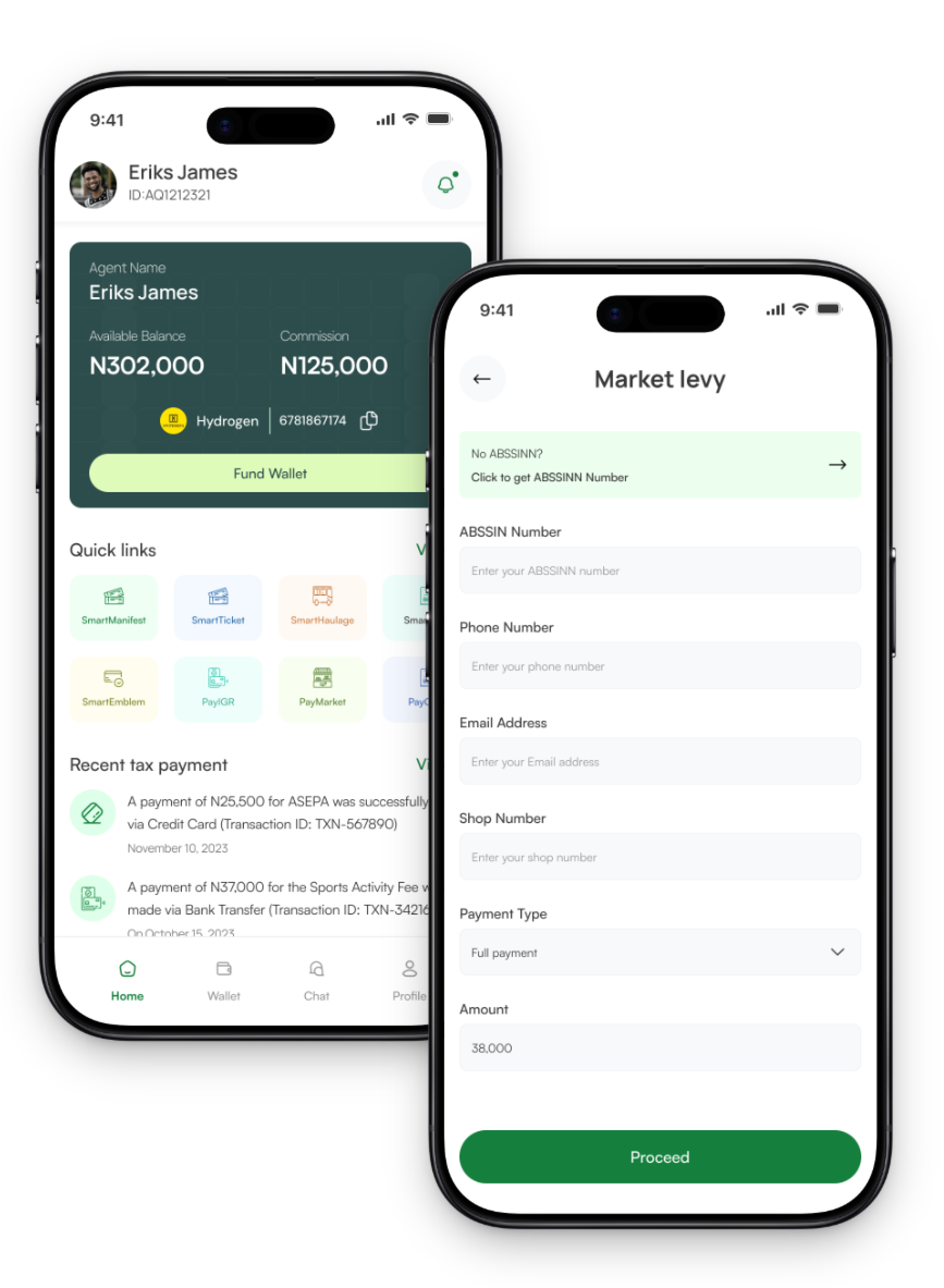
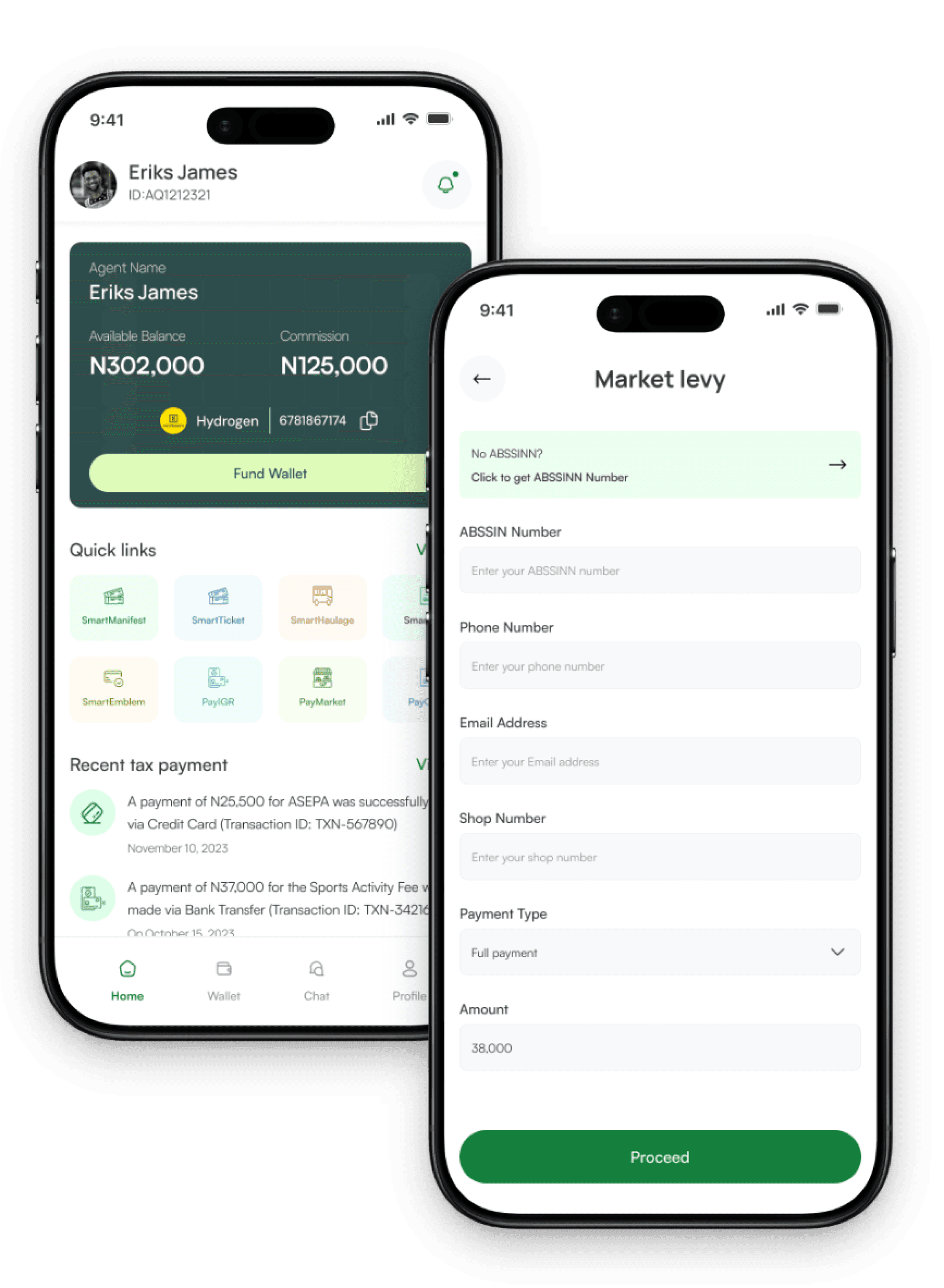
The agent's dashboard enables tax agents to monitor transactions and compliance in real time, ensuring secure access and promoting transparency and accuracy.

2

Market Levy

Market levy payment details provide tax payers with the information they need to pay their taxes efficiently. This includes the amount of levy due, payment deadlines, and payment methods.

1

2

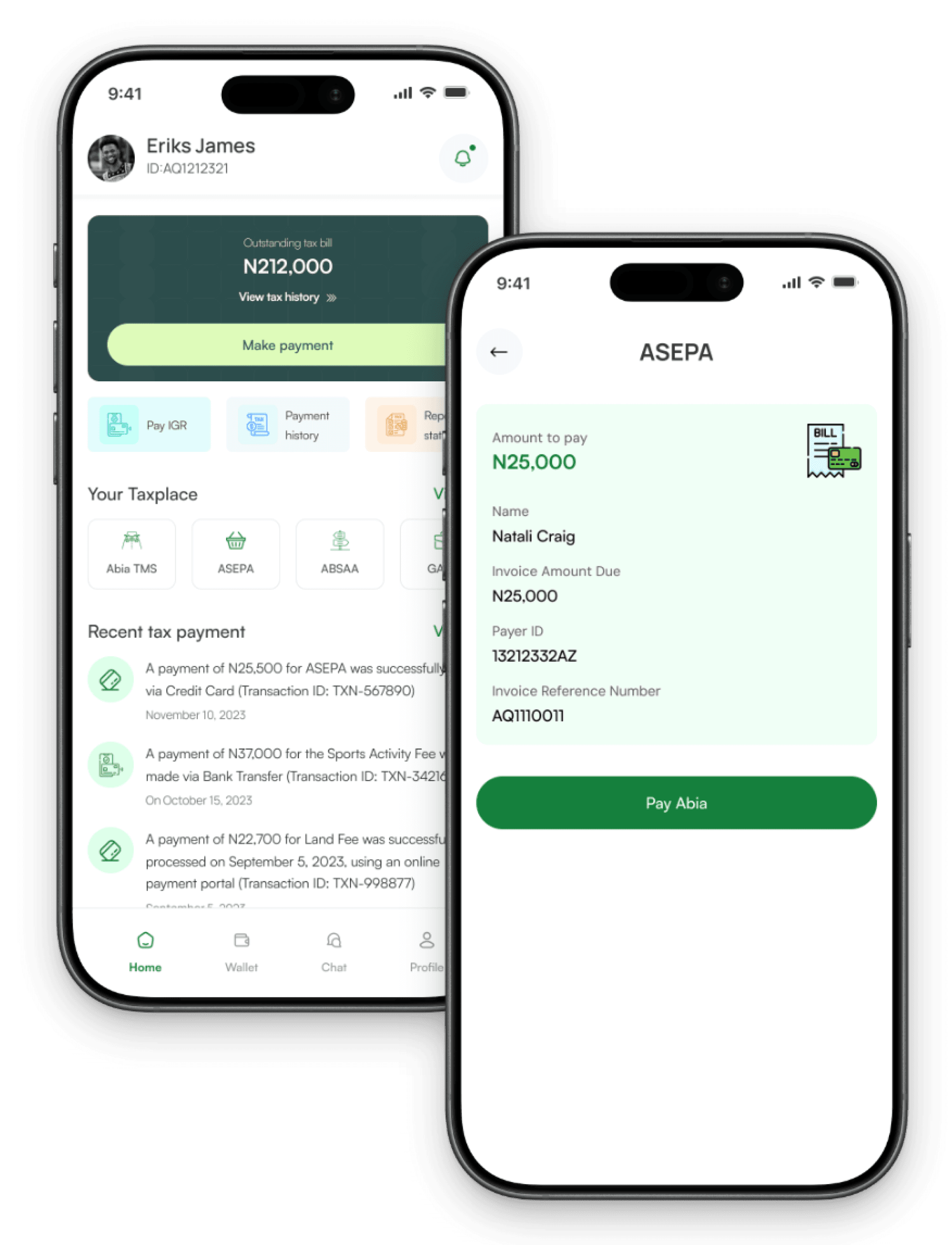
Tax Bill Payment & Transaction Receipt Screens

1

Tax Bill Payment

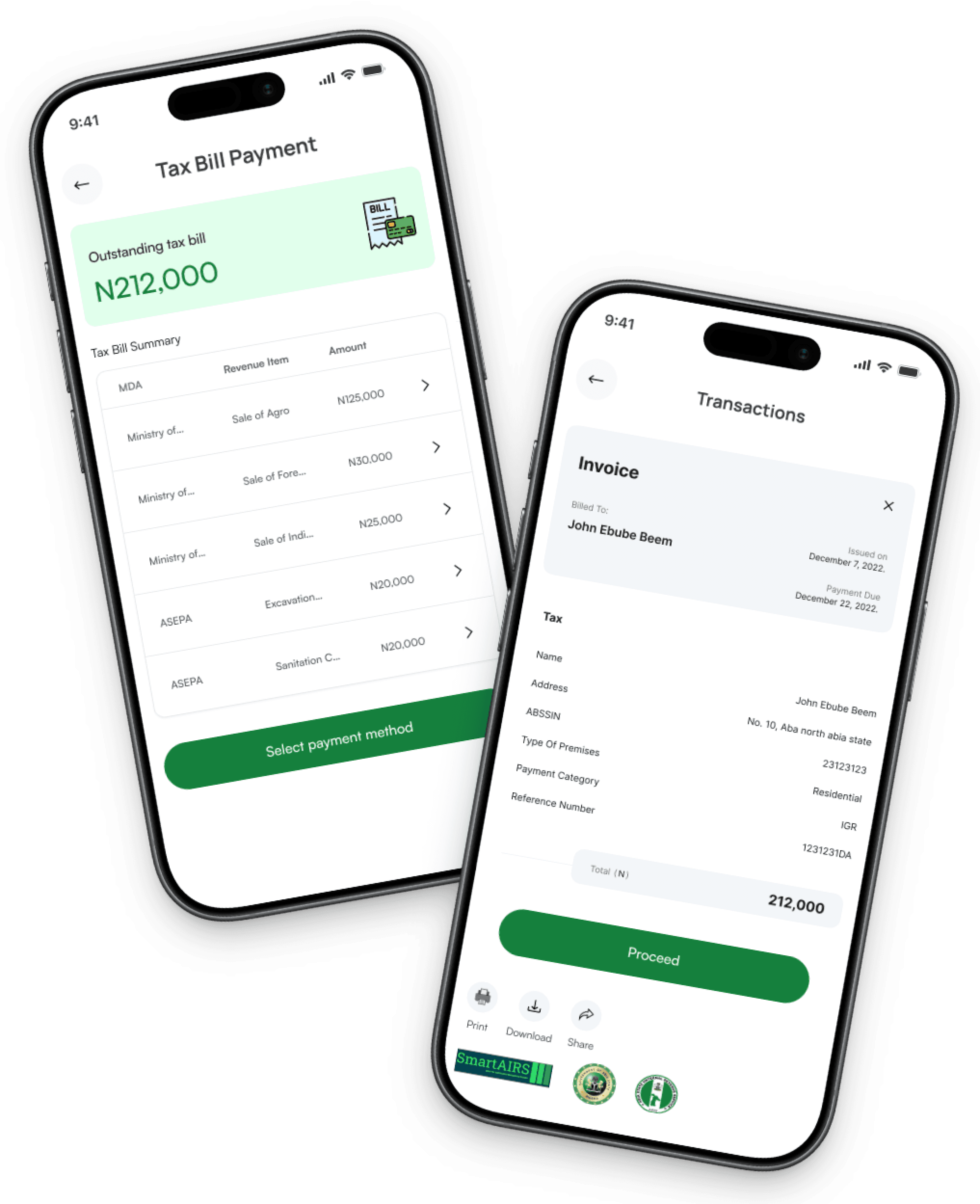
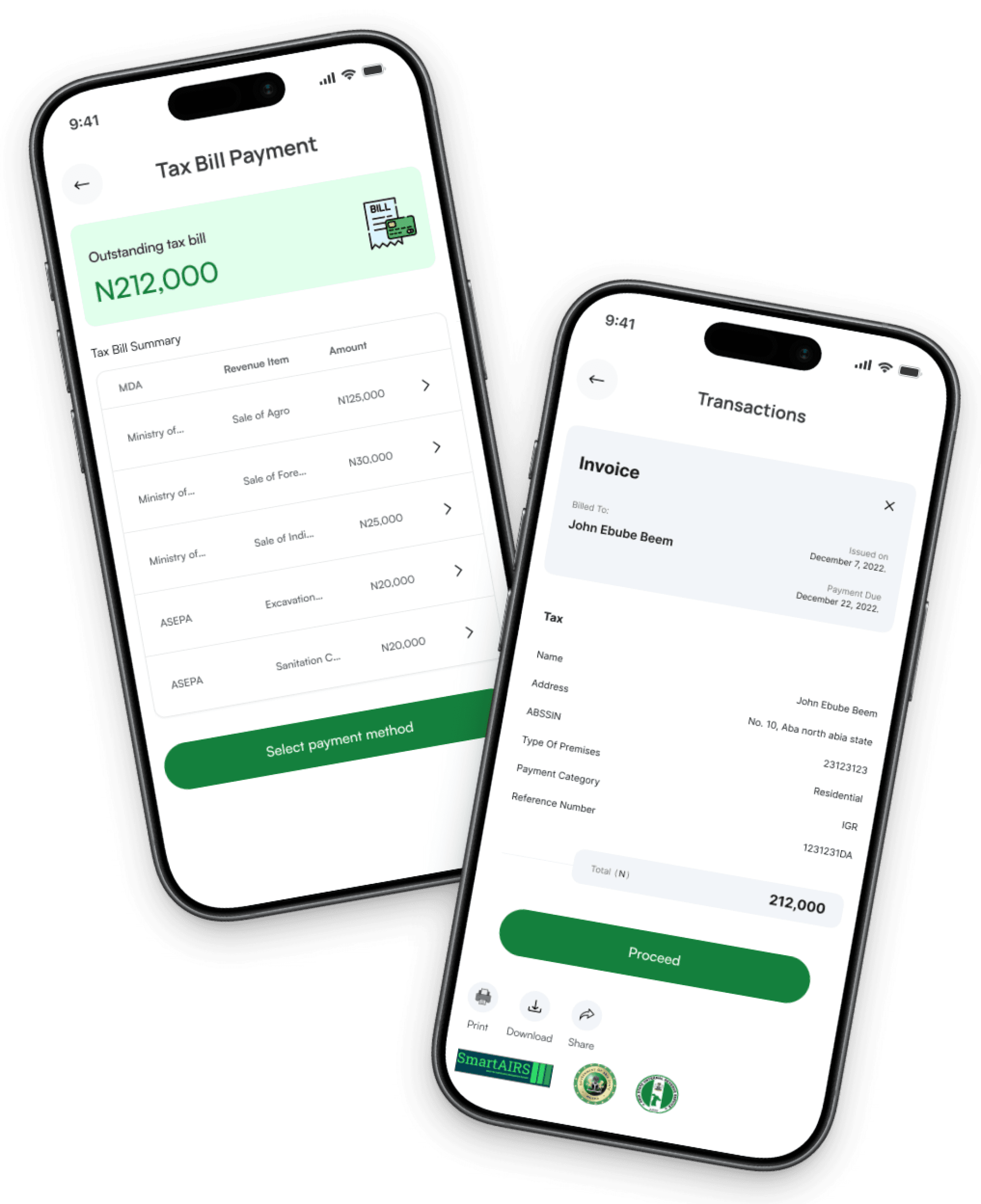
The tax bill payment screen is where users can view their outstanding tax bills, including details like the amount due, due date, and payment options.

2

Transaction Receipt

The transaction receipt screen displays a confirmation of a completed payment or transaction. It typically includes details such as the transaction ID, date and time, amount paid, payment method, and status

Tax Bill Payment & Transaction Receipt Screens

1

Tax Bill Payment

The tax bill payment screen is where users can view their outstanding tax bills, including details like the amount due, due date, and payment options.

2

Transaction Receipt

The transaction receipt screen displays a confirmation of a completed payment or transaction. It typically includes details such as the transaction ID, date and time, amount paid, payment method, and status

1

2

Tax Payer Dashboard & Payment Confirmation details Screens

1

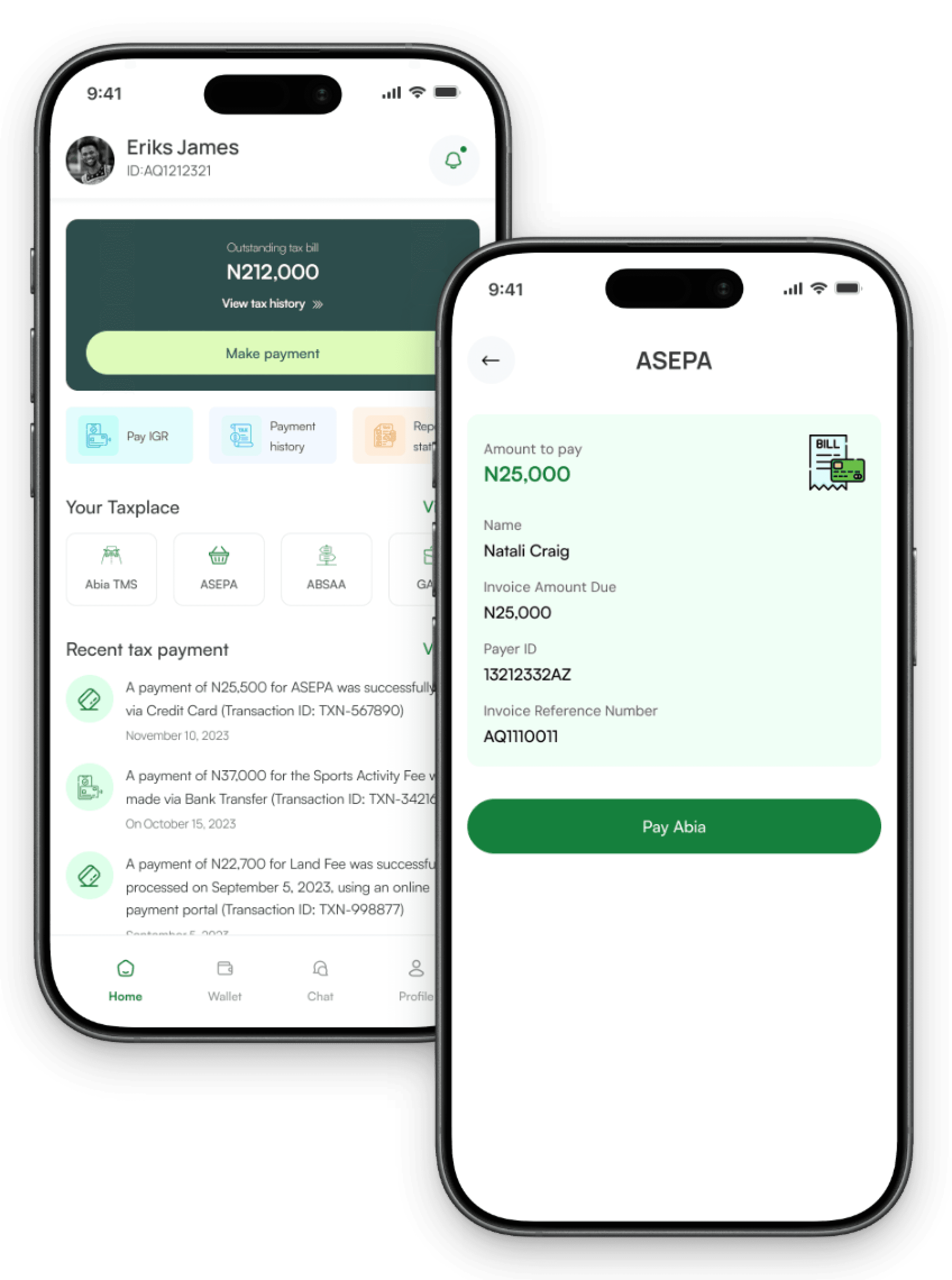
Tax Payer Dashboard

The taxpayer dashboard allows taxpayers to view and manage their tax information, including profile details, filings, payment status, deadlines, and notifications.

2

Payment Confirmation Details

Payment confirmation details provides a summary of a specific payment, including information such as the payment amount, date, method, transaction ID, and status. It helps users verify and confirm the details of their payment to ensure accuracy and record-keeping.

1

2

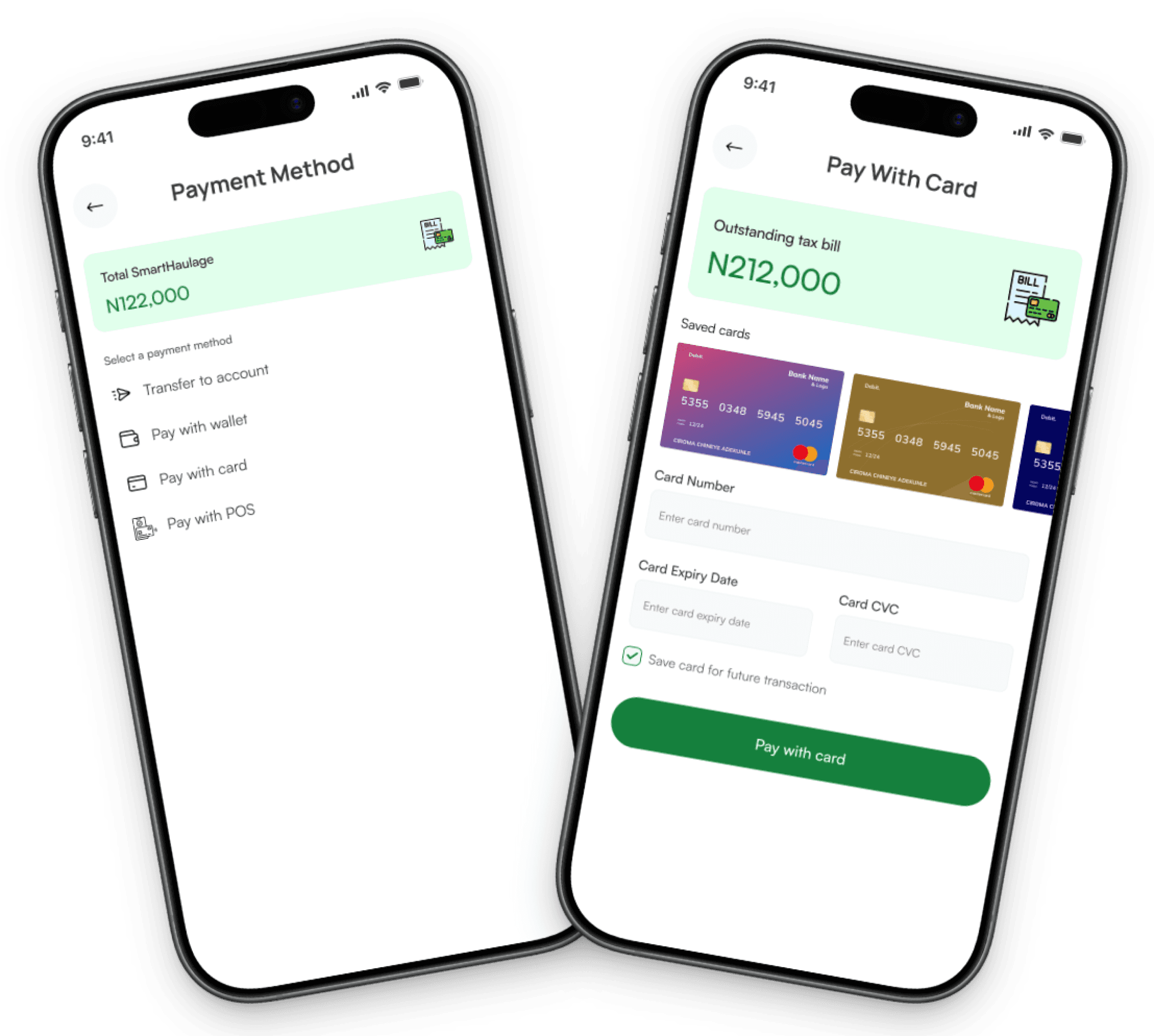
Payment Method & Payment with Card Screens

1

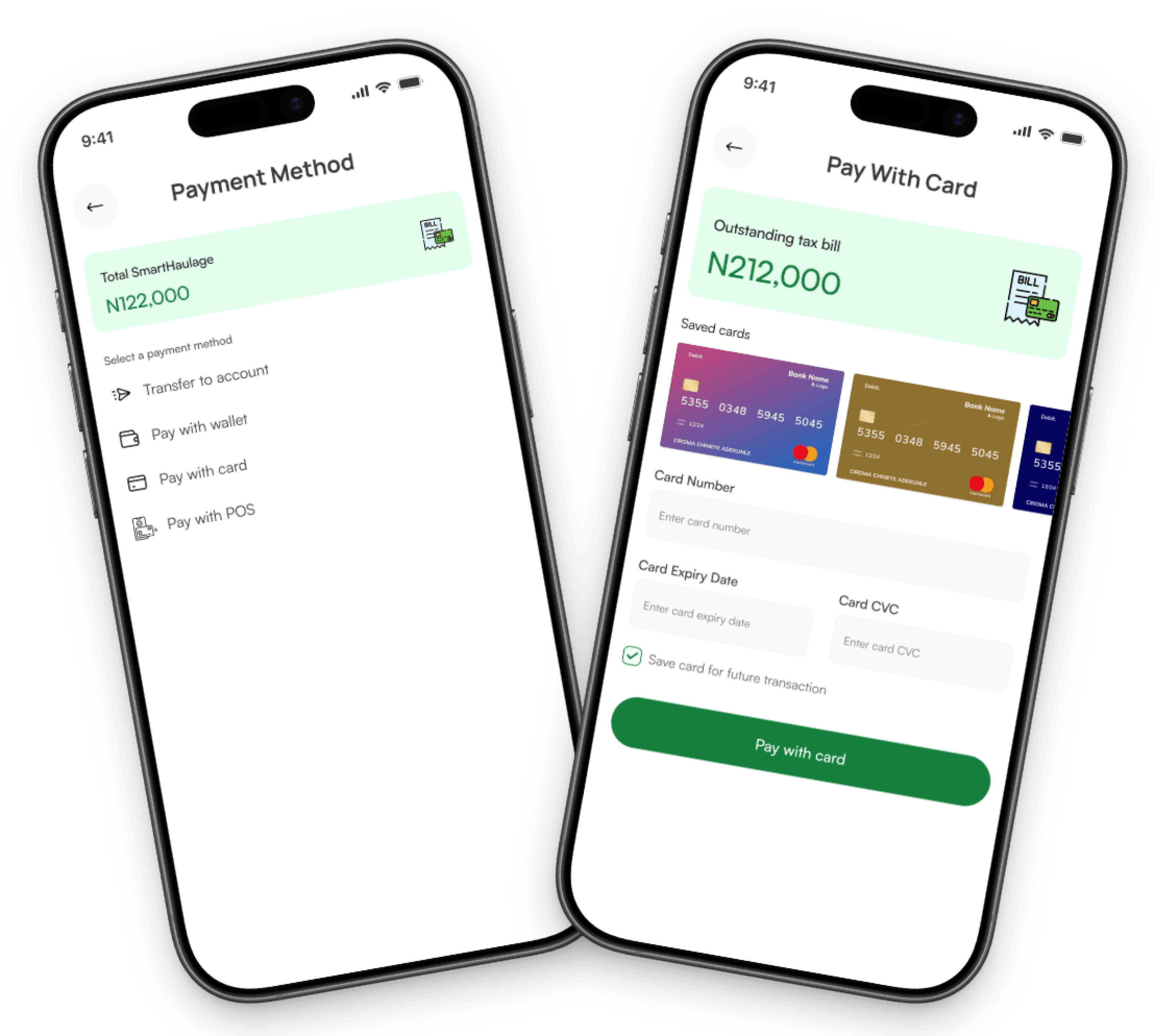
Payment Method

This screen allows users to select or manage their preferred payment options, such as credit/debit cards, bank transfers, or digital wallets.

2

Payment with Card

This screen allows users to enter their credit or debit card details, such as card number, expiration date, and CVV, to complete a payment securely.

1

2

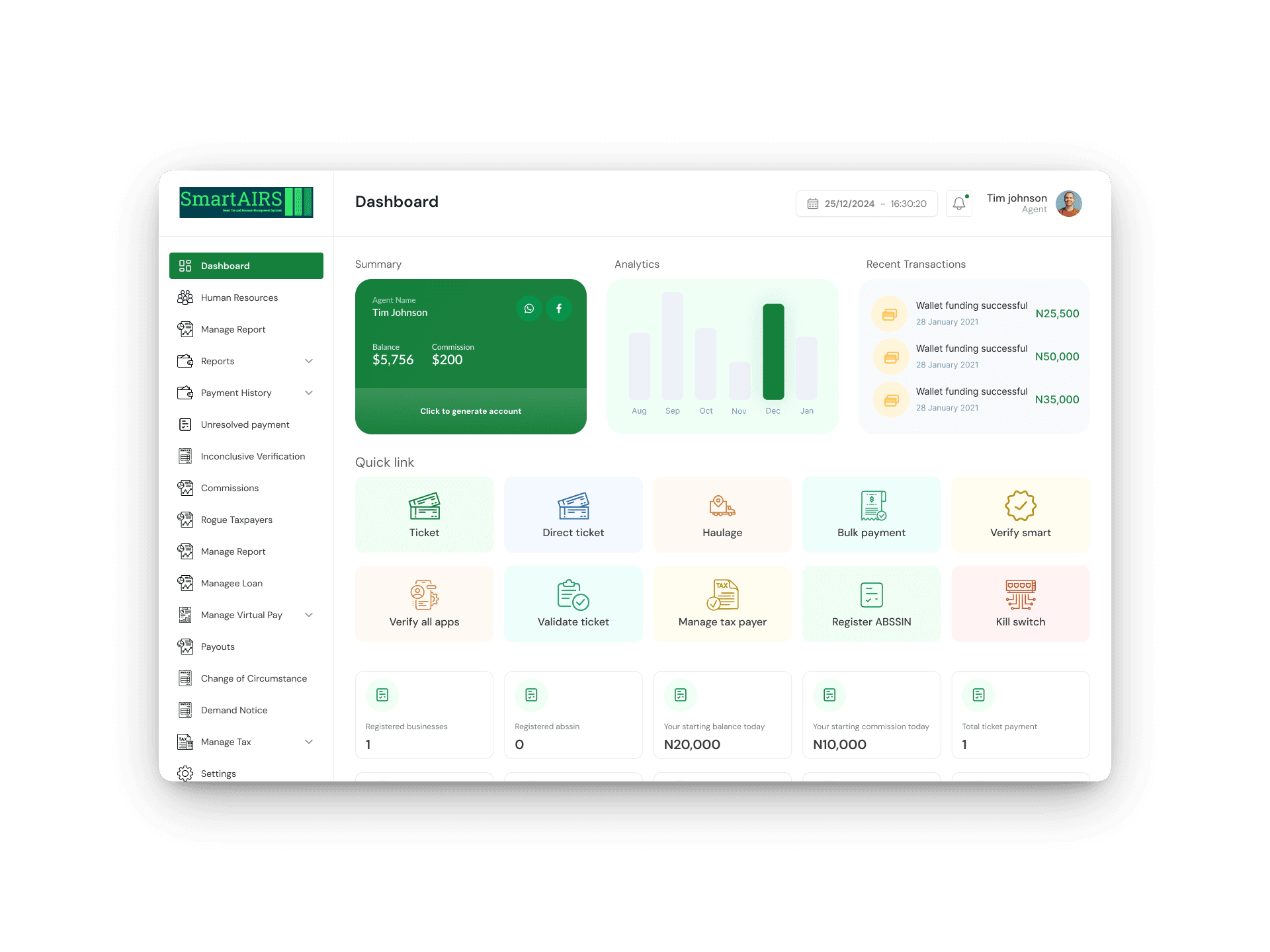
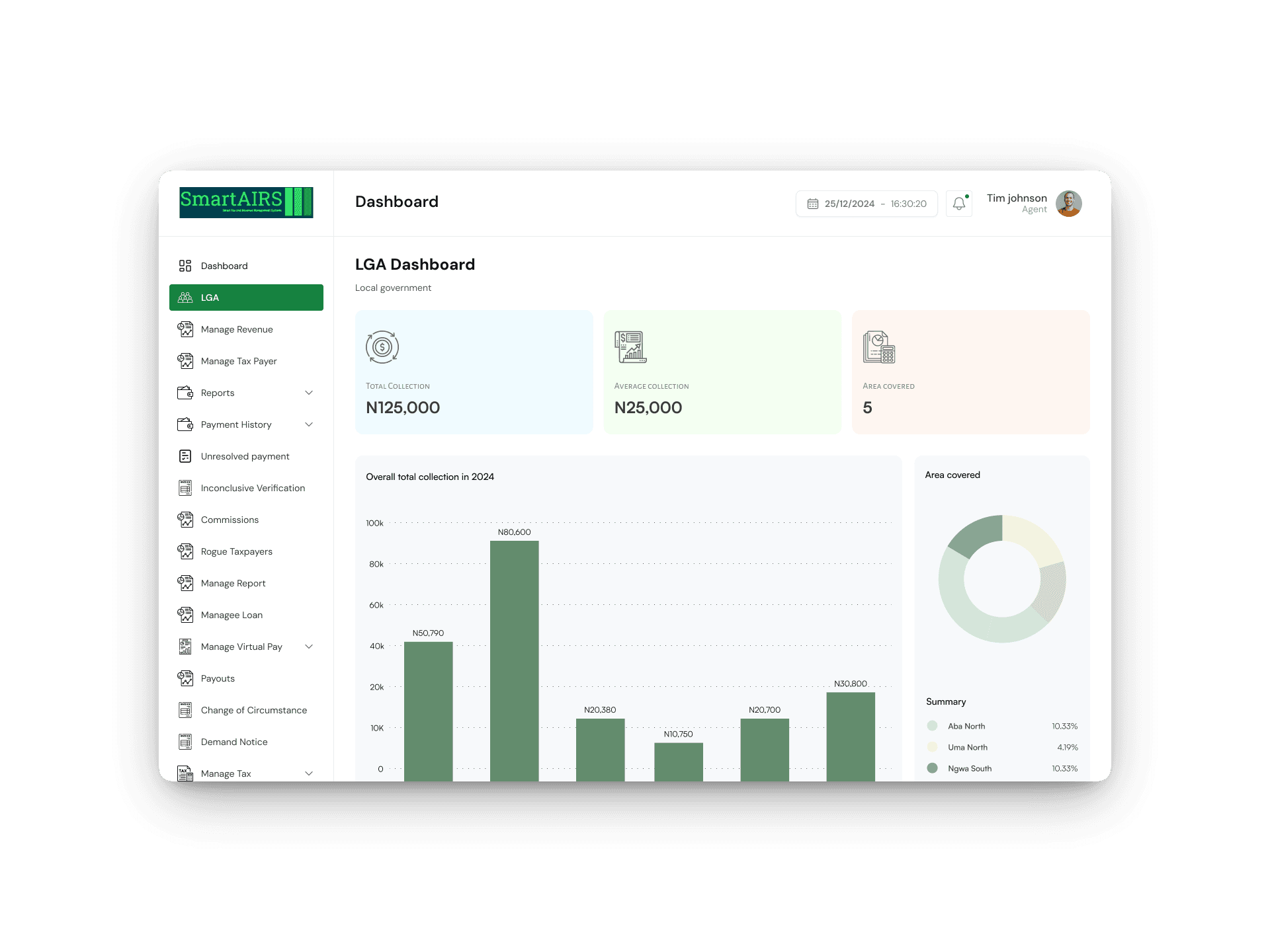
Super Admin Dashboard & LGA Revenue Screens

1

Super Admin Dashboard

The Super Admin Dashboard is a control panel for managing the system, including user management, settings, analytics, and administrative functions, enabling efficient oversight and configuration.

2

LGA Revenue Section

This section displays the income generated within a Local Government Area (LGA). It typically shows revenue sources, totals, and trends, helping officials track and manage local government finances effectively.

1

2

Manage Revenue & Add Revenue Screens

1

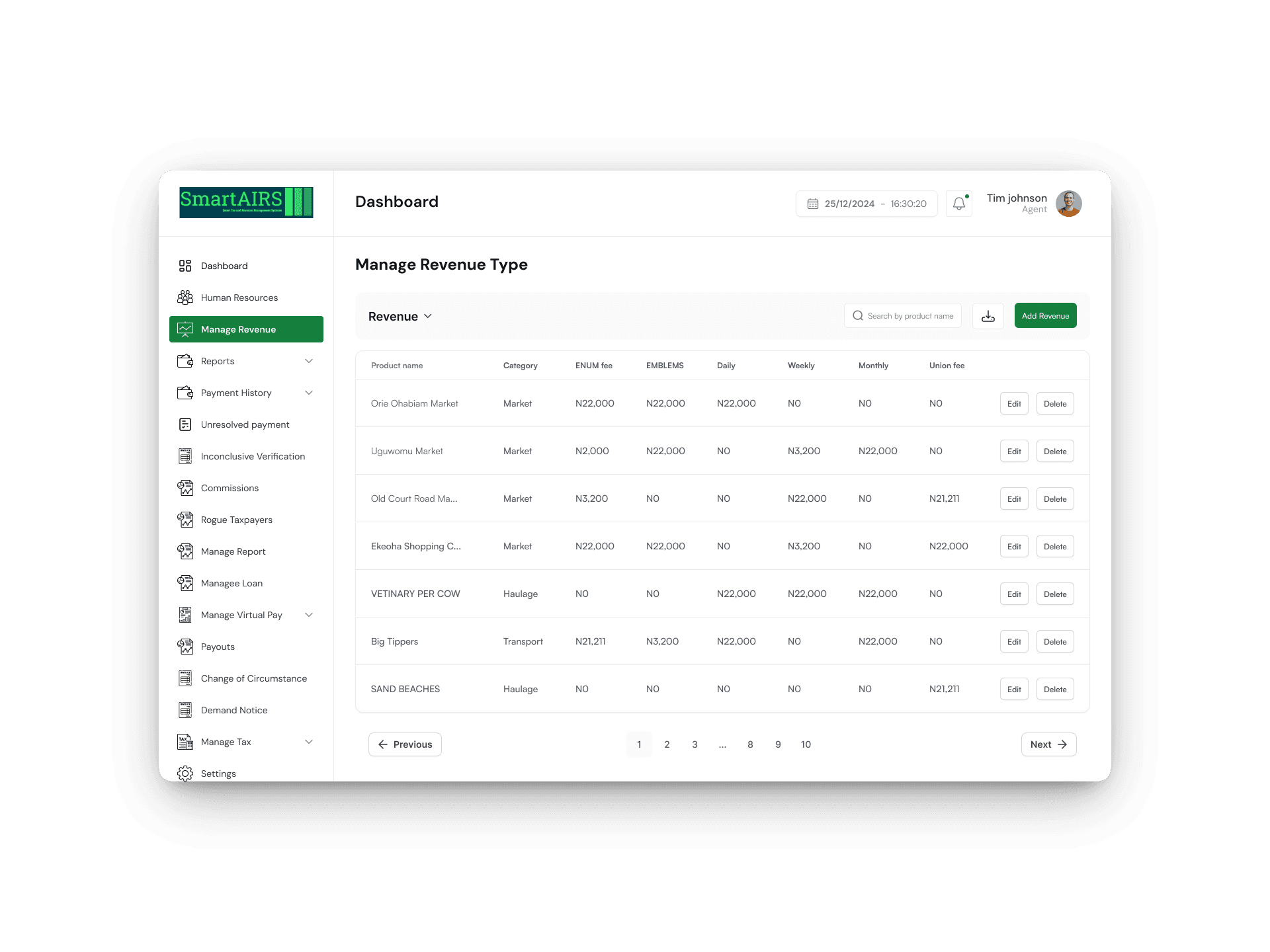
Manage Revenue Section

The section enables the Super Admin to oversee and control revenue collection processes. It includes features like adding, editing, and monitoring revenue sources, ensuring accurate and efficient management of income streams.

2

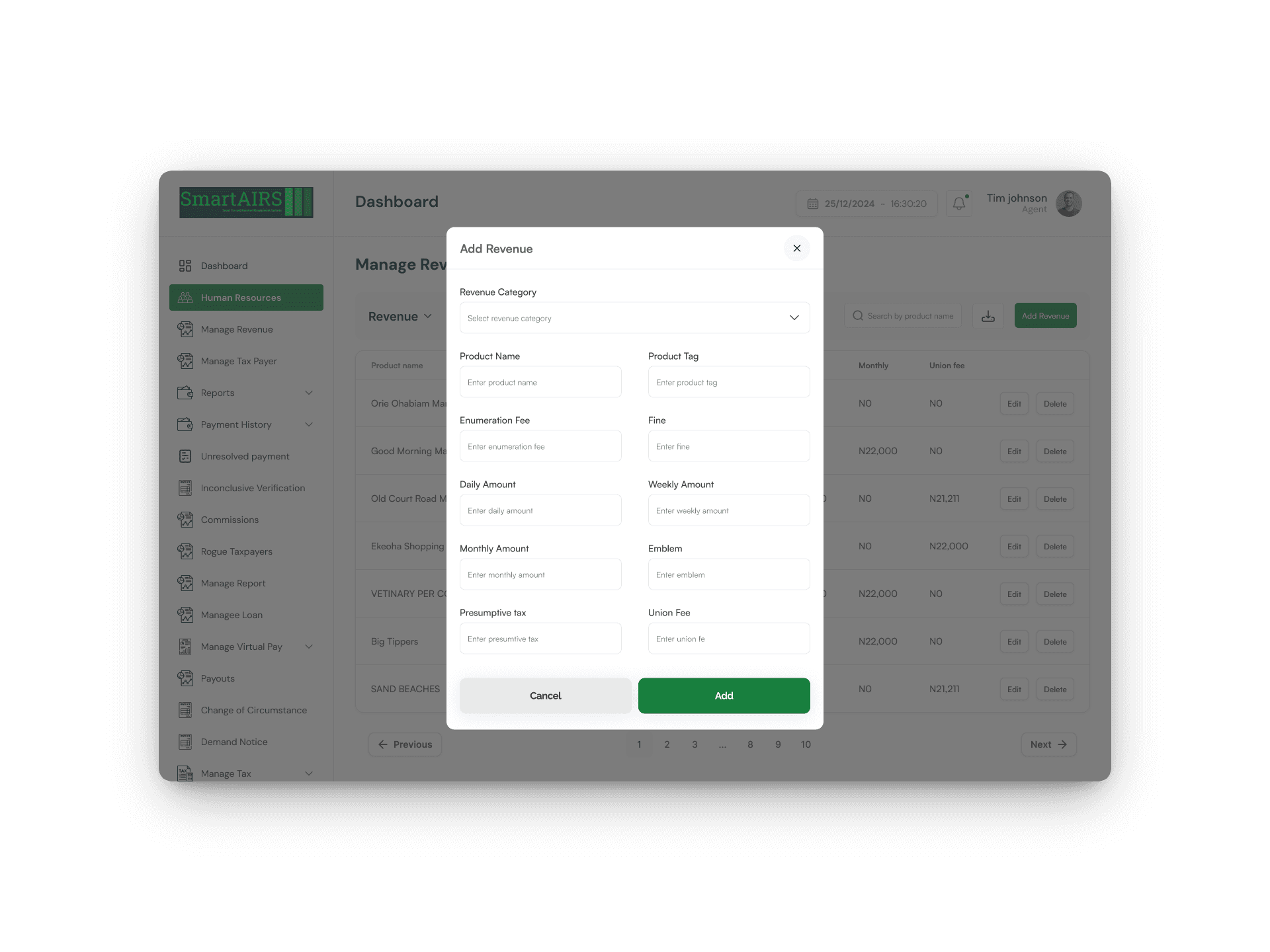
Add Revenue Section

The section enables the Super Admin to record new revenue sources or income entries. It typically involves inputting details such as the revenue type, amount, date, and relevant descriptions to ensure accurate tracking of incoming funds.

1

2

Human Resource Management & Tax Payer details screens

1

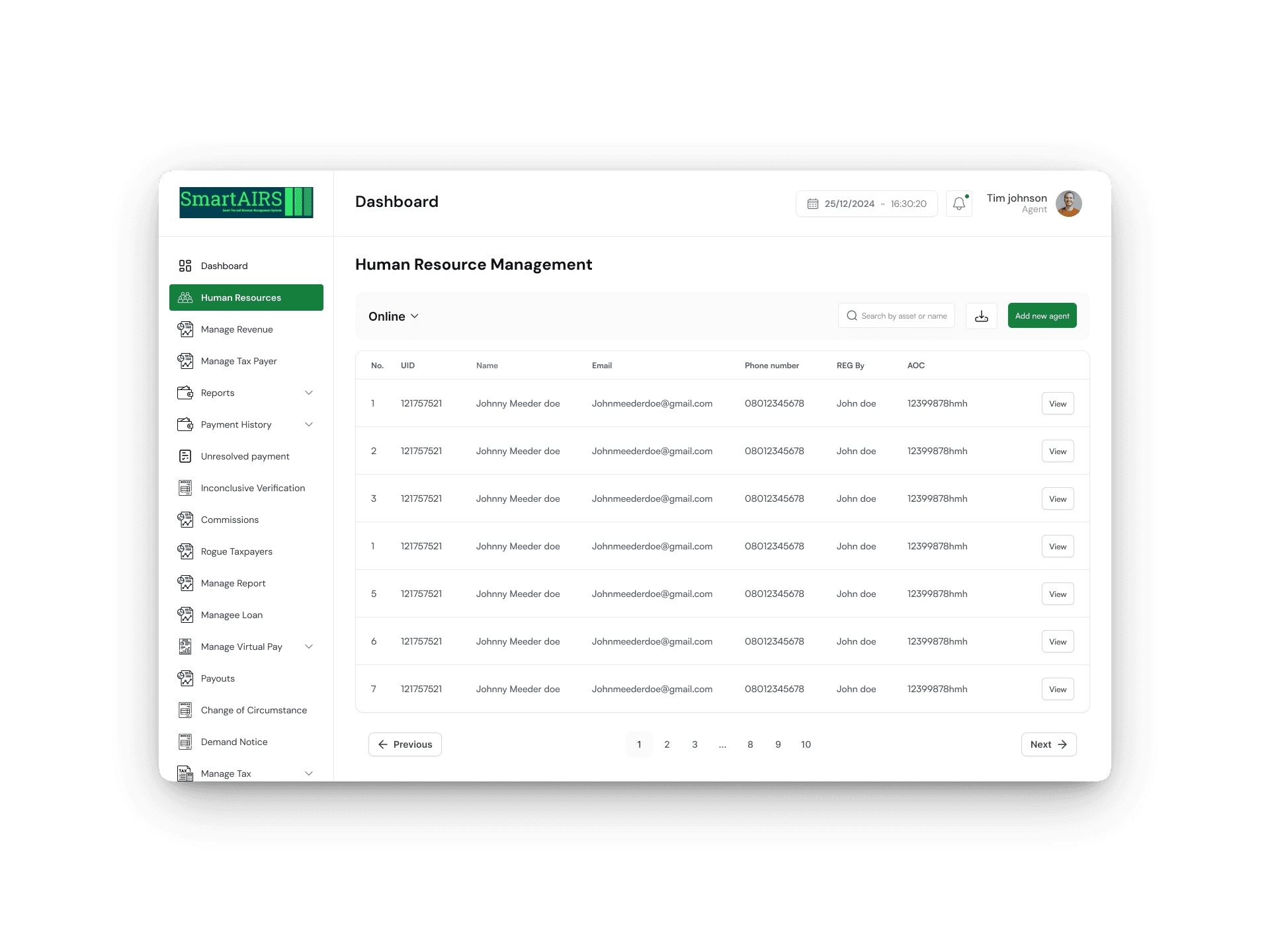
Human Resource Management Section

The section enables the Super Admin to view, organize, and maintain information about taxpayers. It includes features for adding, updating, and managing taxpayer details to ensure accurate record-keeping and efficient handling of tax-related activities.

2

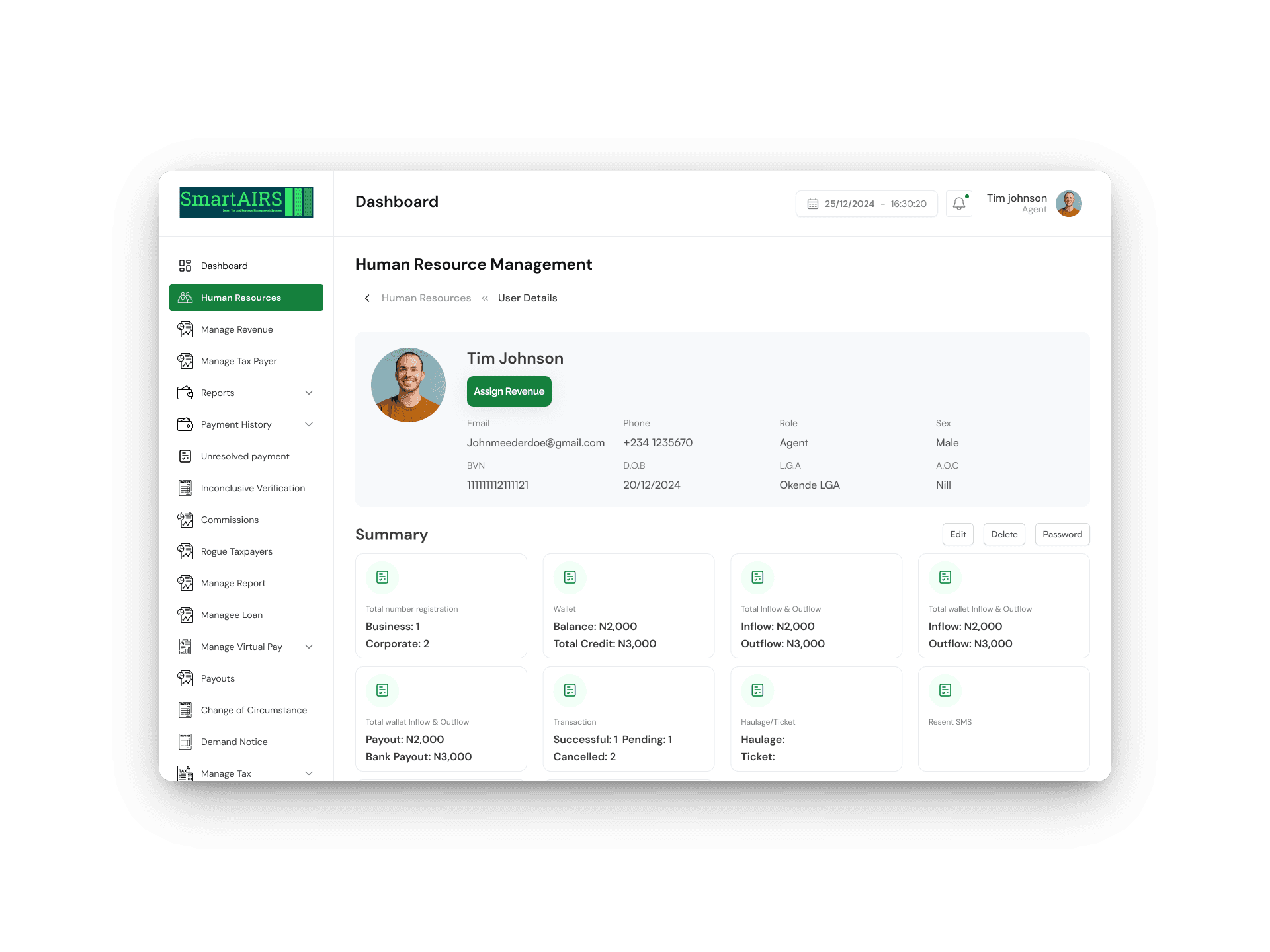
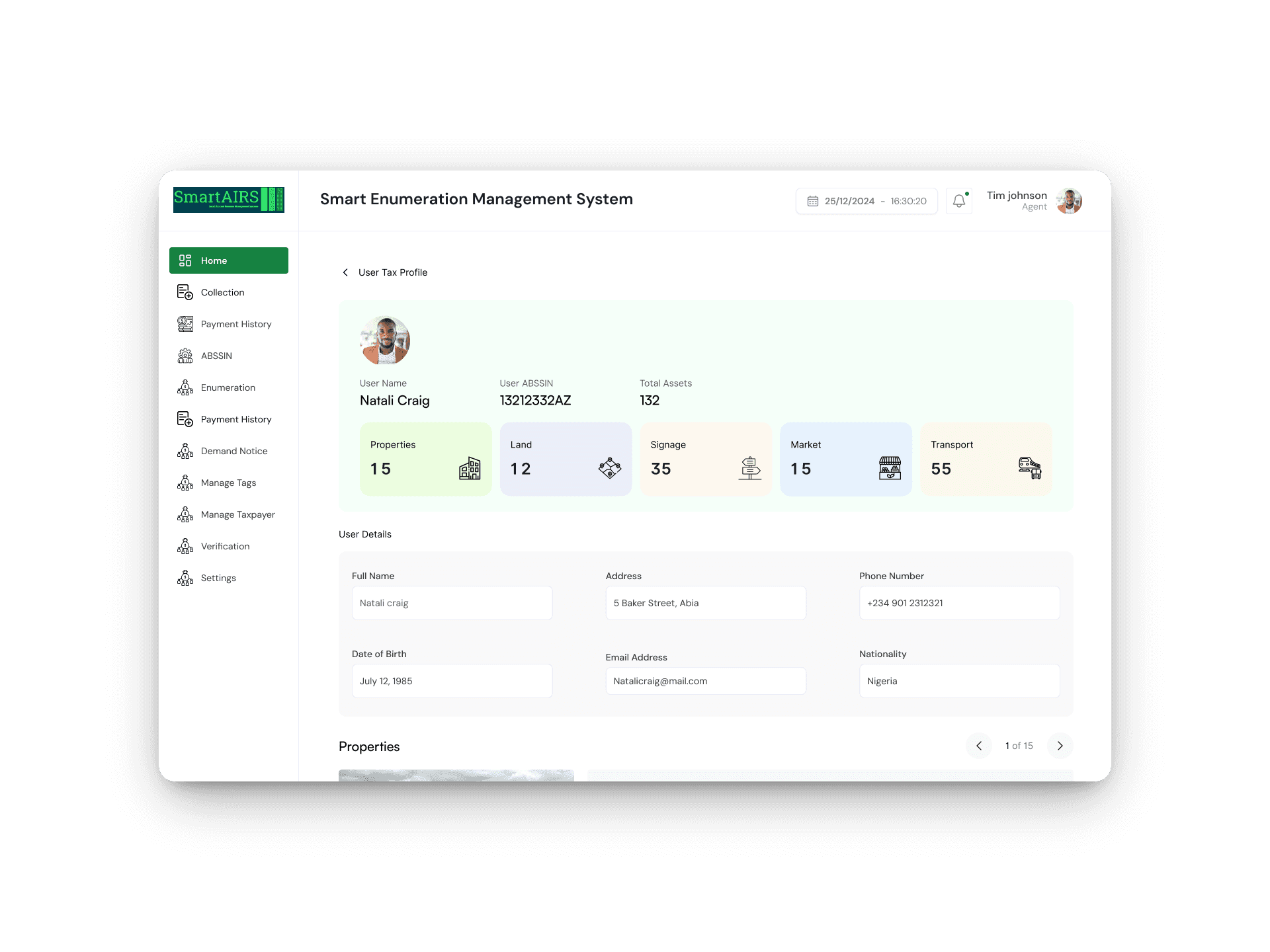
Tax Payer Details

This section provides specific information about an individual taxpayer, such as their name, contact information, identification number, and other relevant data. It helps in accurately identifying and managing taxpayer records.

1

2

Enumeration & Property Enumeration details Screens

1

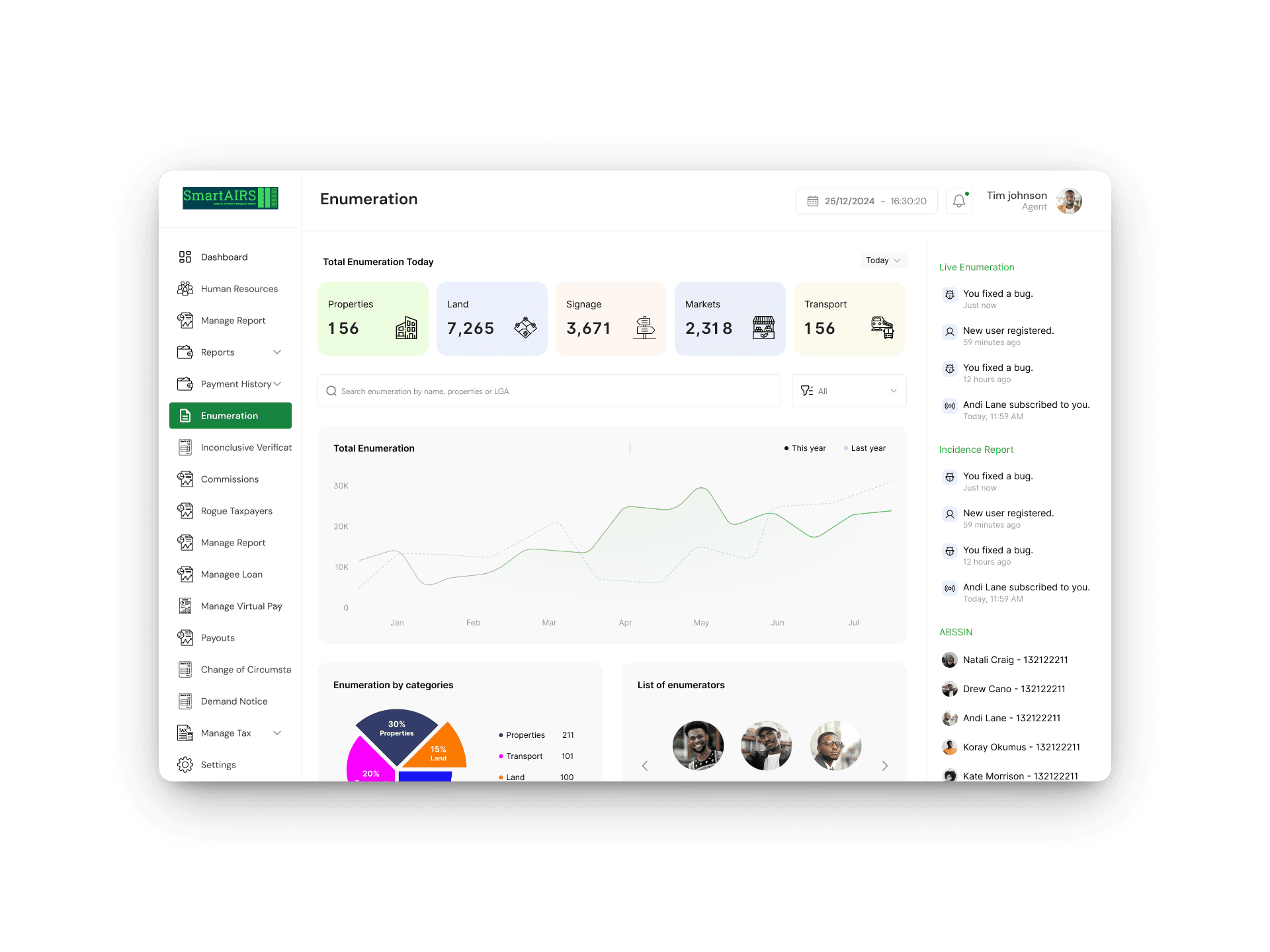
Enumeration Section

This Dashboard displays and manages detailed information about properties within a specific area. It enables the Super Admin to track property data, monitor enumeration progress, and analyze property-related statistics efficiently.

2

Property Enumeration Details

This section provides specific information about individual properties, including attributes such as location, size, type, and ownership details. It helps in accurately recording and managing property data.

1

2

1

2

Tax Payer Dashboard & Payment Confirmation Details

1

Tax Payer Dashboard

The taxpayer dashboard allows taxpayers to view and manage their tax information, including profile details, filings, payment status, deadlines, and notifications.

2

Payment Confirmation Details

Payment confirmation details provides a summary of a specific payment, including information such as the payment amount, date, method, transaction ID, and status. It helps users verify and confirm the details of their payment to ensure accuracy and record-keeping.

1

2

Payment Method & Payment with Card Screens

1

Payment Method

This screen allows users to select or manage their preferred payment options, such as credit/debit cards, bank transfers, or digital wallets.

2

Payment with Card

This screen allows users to enter their credit or debit card details, such as card number, expiration date, and CVV, to complete a payment securely.

1

2

Super Admin Dashboard & LGA Revenue Screens

1

Super Admin Dashboard

The Super Admin Dashboard is a control panel for managing the system, including user management, settings, analytics, and administrative functions, enabling efficient oversight and configuration.

2

LGA Revenue Section

This section displays the income generated within a Local Government Area (LGA). It typically shows revenue sources, totals, and trends, helping officials track and manage local government finances effectively.

1

2

Manage Revenue & Add Revenue Screens

1

Manage Revenue Section

The section enables the Super Admin to oversee and control revenue collection processes. It includes features like adding, editing, and monitoring revenue sources, ensuring accurate and efficient management of income streams.

2

Add Revenue Section

The section enables the Super Admin to record new revenue sources or income entries. It typically involves inputting details such as the revenue type, amount, date, and relevant descriptions to ensure accurate tracking of incoming funds.

1

2

Human Resource Management & Tax Payer details Screens

1

Human Resource Management Section

The section enables the Super Admin to view, organize, and maintain information about taxpayers. It includes features for adding, updating, and managing taxpayer details to ensure accurate record-keeping and efficient handling of tax-related activities.

2

Tax Payer Details

This section provides specific information about an individual taxpayer, such as their name, contact information, identification number, and other relevant data. It helps in accurately identifying and managing taxpayer records.

1

2

Enumeration & Property Enumeration details Screens

1

Enumeration Section

This Dashboard displays and manages detailed information about properties within a specific area. It enables the Super Admin to track property data, monitor enumeration progress, and analyze property-related statistics efficiently.

2

Property Enumeration Details

This section provides specific information about individual properties, including attributes such as location, size, type, and ownership details. It helps in accurately recording and managing property data.

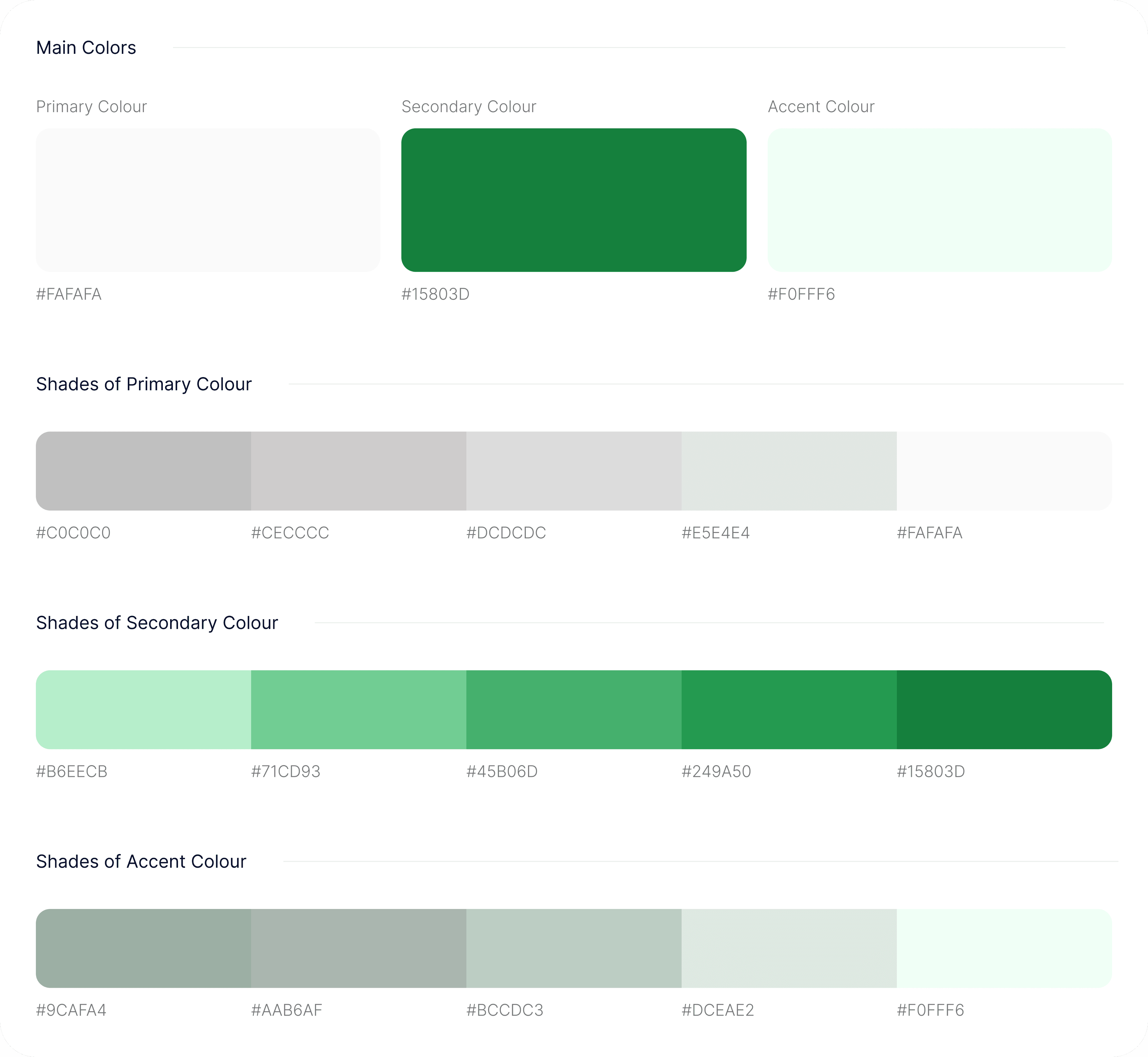
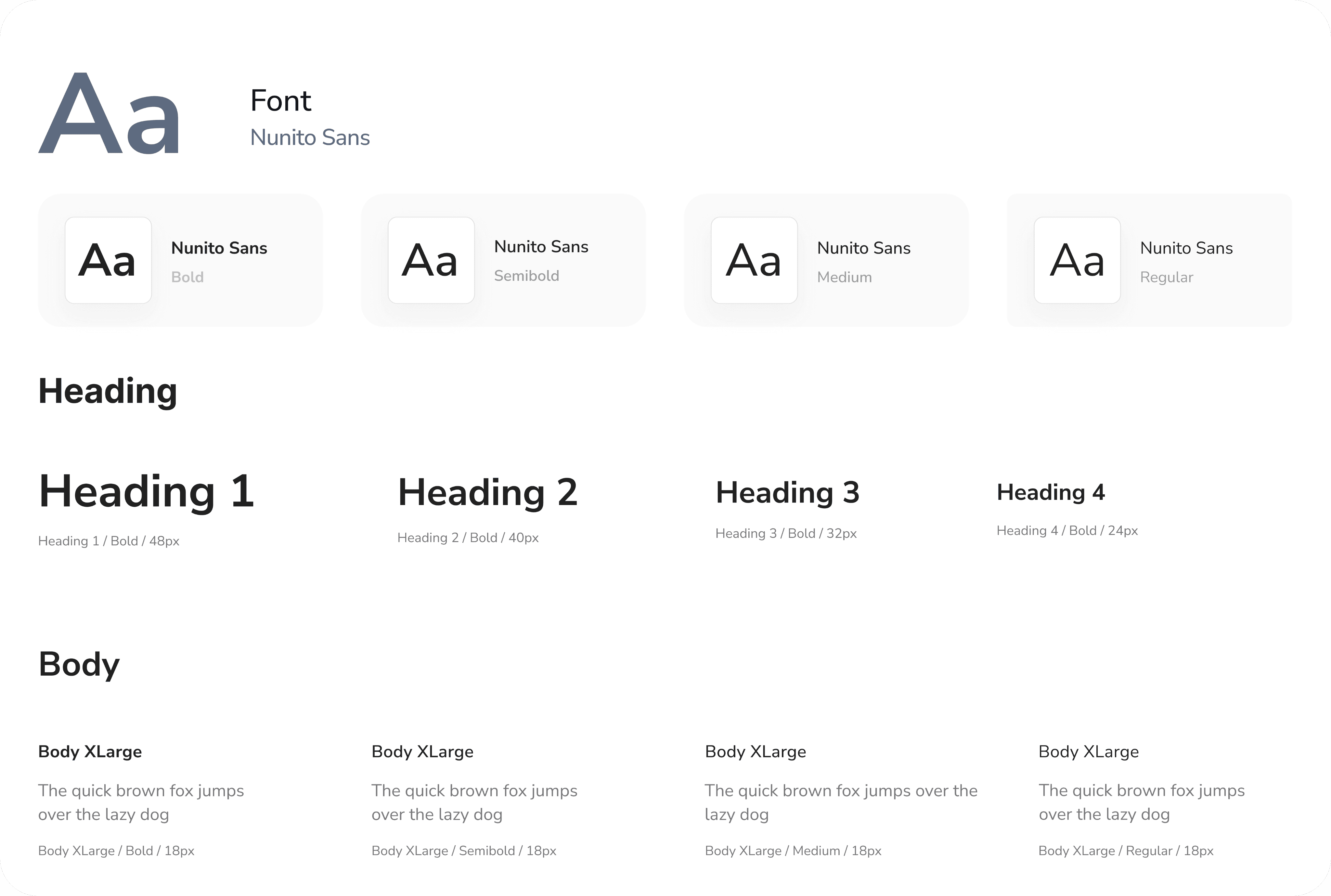
Style Guide

Typography
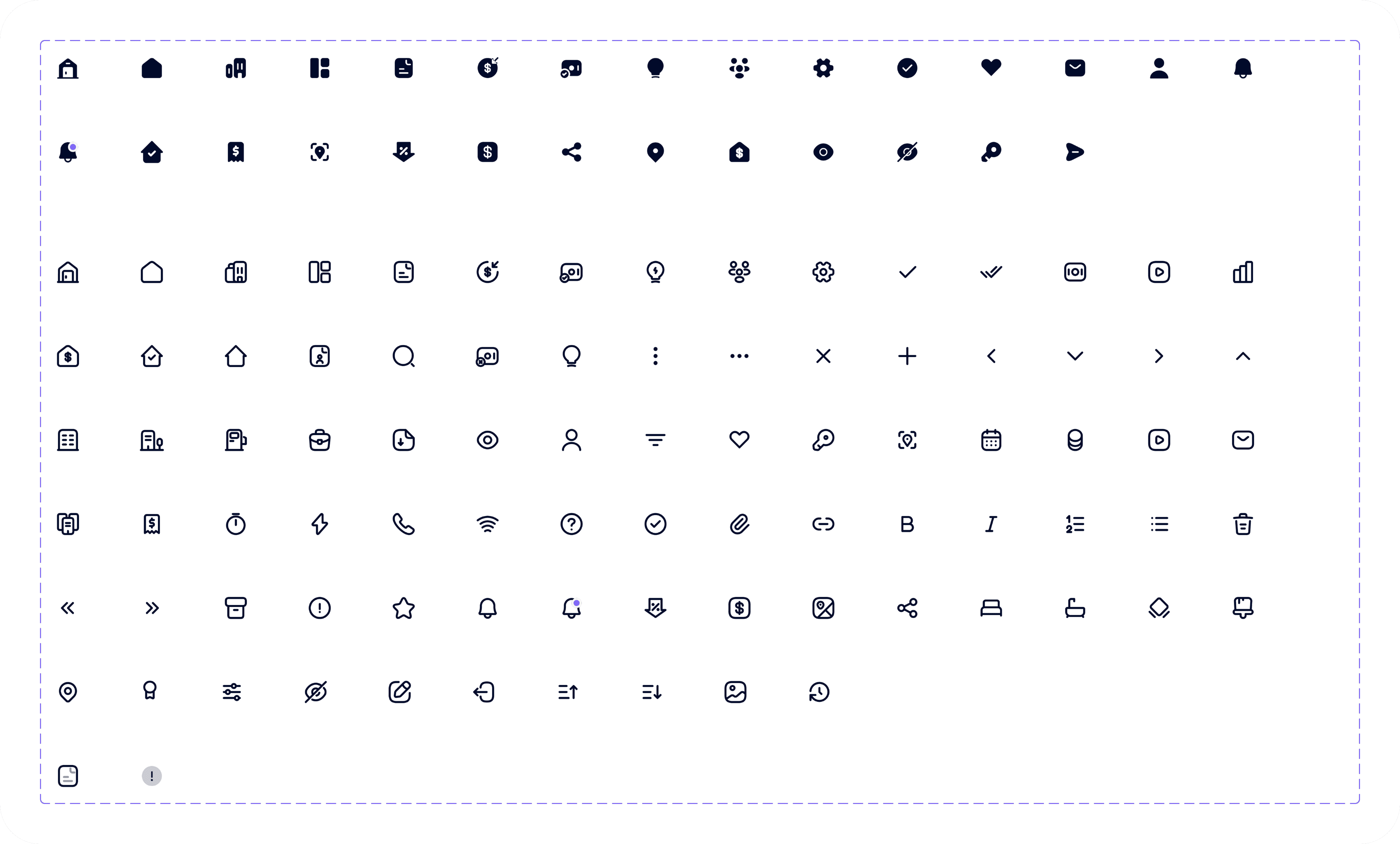
Iconography
Proven Results

The implementation of Smart Airs in Umuahia, Abia State, has yielded significant positive results, including a 35% increase in tax revenue collection within the first year, a 50% reduction in processing time for tax filings, and a 40% improvement in taxpayer compliance rates. Additionally, the system has enhanced transparency and data accuracy, leading to increased trust between taxpayers and the government. These outcomes demonstrate the effectiveness of Smart Airs in streamlining tax administration and boosting revenue efficiency in the region.

Have an idea? Let's talk about it!

Have an idea? Let's talk about it!

Fill out the form, or reach out directly. I’ll respond within 24 hours.

Let’s chat!

+2349061588702

designswithgravity@gmail.com

© Copyright 2026. All rights Reserved.

Agent Dashboard & Market Levy Screens

1

Agent's Dashboard

The agent's dashboard enables tax agents to monitor transactions and compliance in real time, ensuring secure access and promoting transparency and accuracy.

2

Market Levy

Market levy payment details provide tax payers with the information they need to pay their taxes efficiently. This includes the amount of levy due, payment deadlines, and payment methods.

1

2

Product Overview

Smart Airs is a digital tax revenue collection system that streamlines tax administration by automating filing, payments, and compliance, providing real-time analytics, ensuring security, and promoting transparency and efficiency for governments and taxpayers. Smart Airs enables agents to collect taxes seamlessly through a dedicated dashboard, ensuring real time record keeping and monitoring of all transactions and also empowers users to pay their taxes conveniently via their mobile phones, offering a secure and user-friendly digital payment experience.

Role

UX Researcher

UX UI Designer

Duration

6 Weeks

Tools

Figma

Client

Bems Soft

Design Process

This process involves understanding user needs and business goals, conducting research, creating wireframes and visual designs, testing with users, iterating based on feedback, and collaborating with development teams to deliver an intuitive, user-centered product.

01

Step

Understand

User Research

User Interview

Competitve Analysis

02

Step

Define

User Personas

Empathy Map

User Journey

03

Step

Ideate

User Flow

Information Architecture

04

Step

Design

Wireframe

Hi-Fi Designs

Prototype

05

Step

Test

Feedbacks

Conclusion

Future Concept

Design Process

This process involves understanding user needs and business goals, conducting research, creating wireframes and visual designs, testing with users, iterating based on feedback, and collaborating with development teams to deliver an intuitive, user-centered product.

01

Step

Understand

User Research

User Interview

Competitve Analysis

02

Step

Define

User Personas

Empathy Map

User Journey

03

Step

Ideate

User Flow

Information Architecture

04

Step

Design

Wireframe

Hi-Fi Designs

Prototype

05

Step

Test

Feedbacks

Conclusion

Future Concept

Have an idea? Let's talk about it!

Fill out the form, or reach out directly. I’ll respond within 24 hours.

Let’s chat!

+2349061588702

designswithgravity@gmail.com

© Copyright 2026. All rights Reserved.

Create a free website with Framer, the website builder loved by startups, designers and agencies.