Church

Management System

UX Case Study
Product Overview

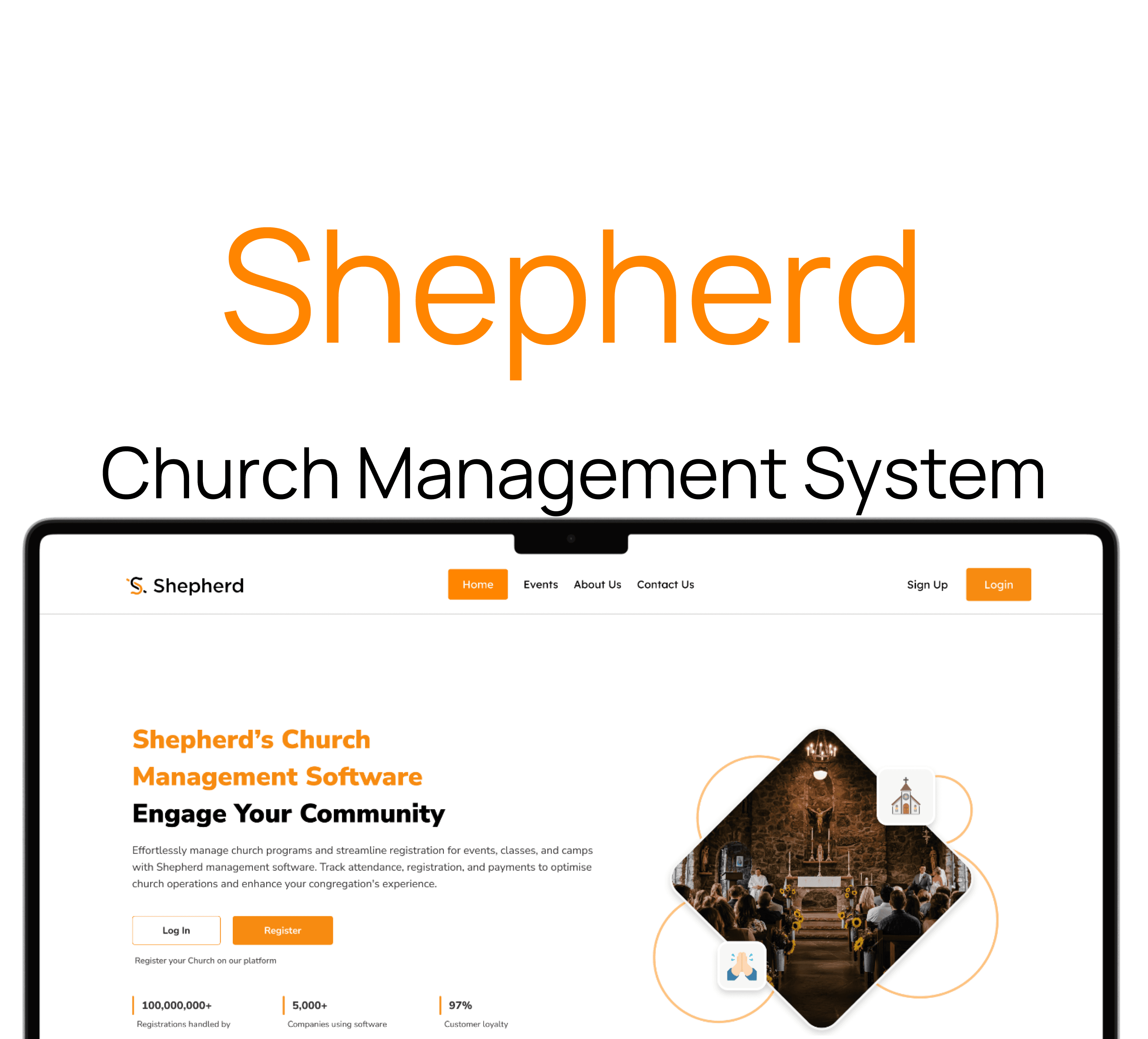
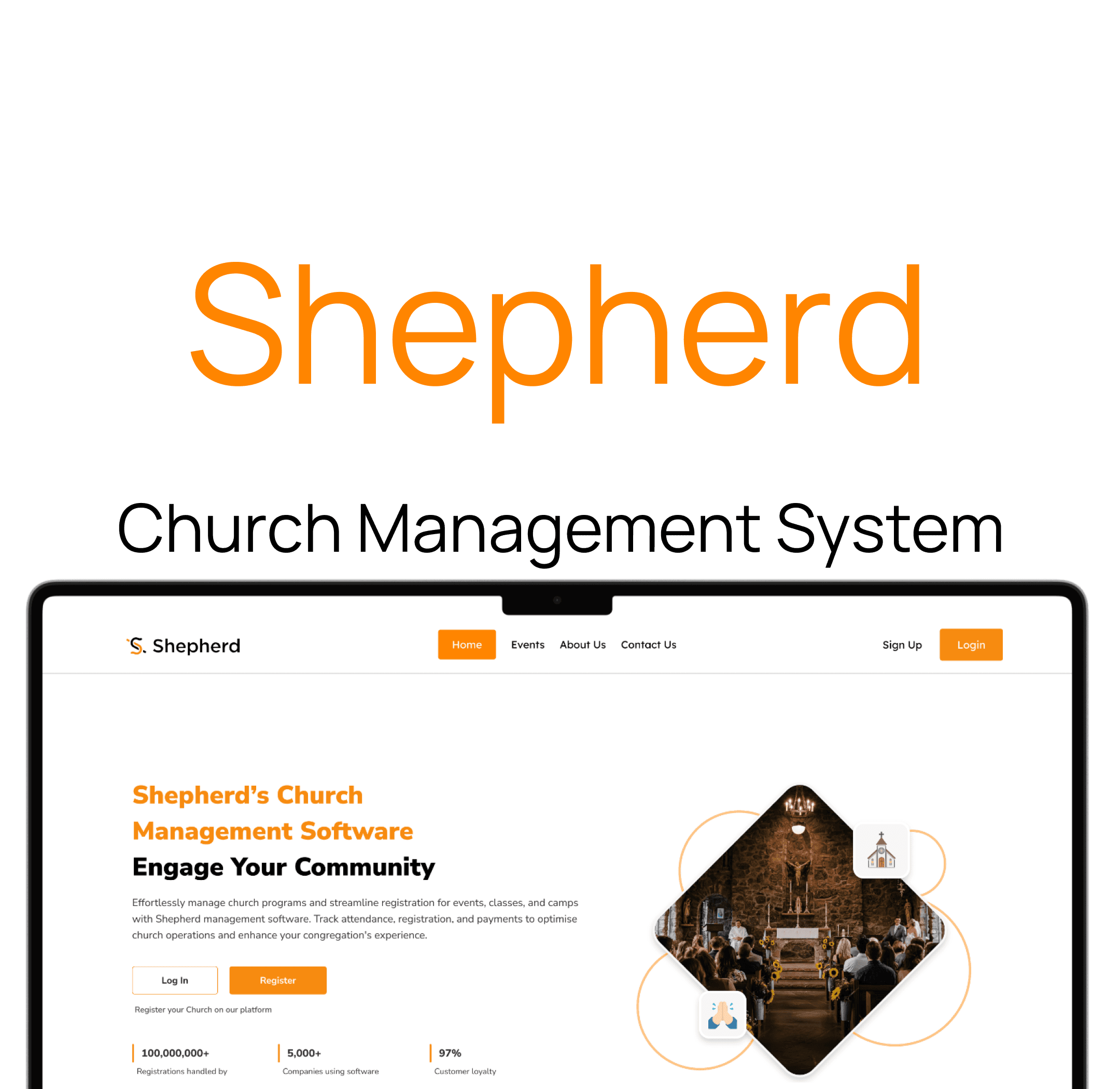
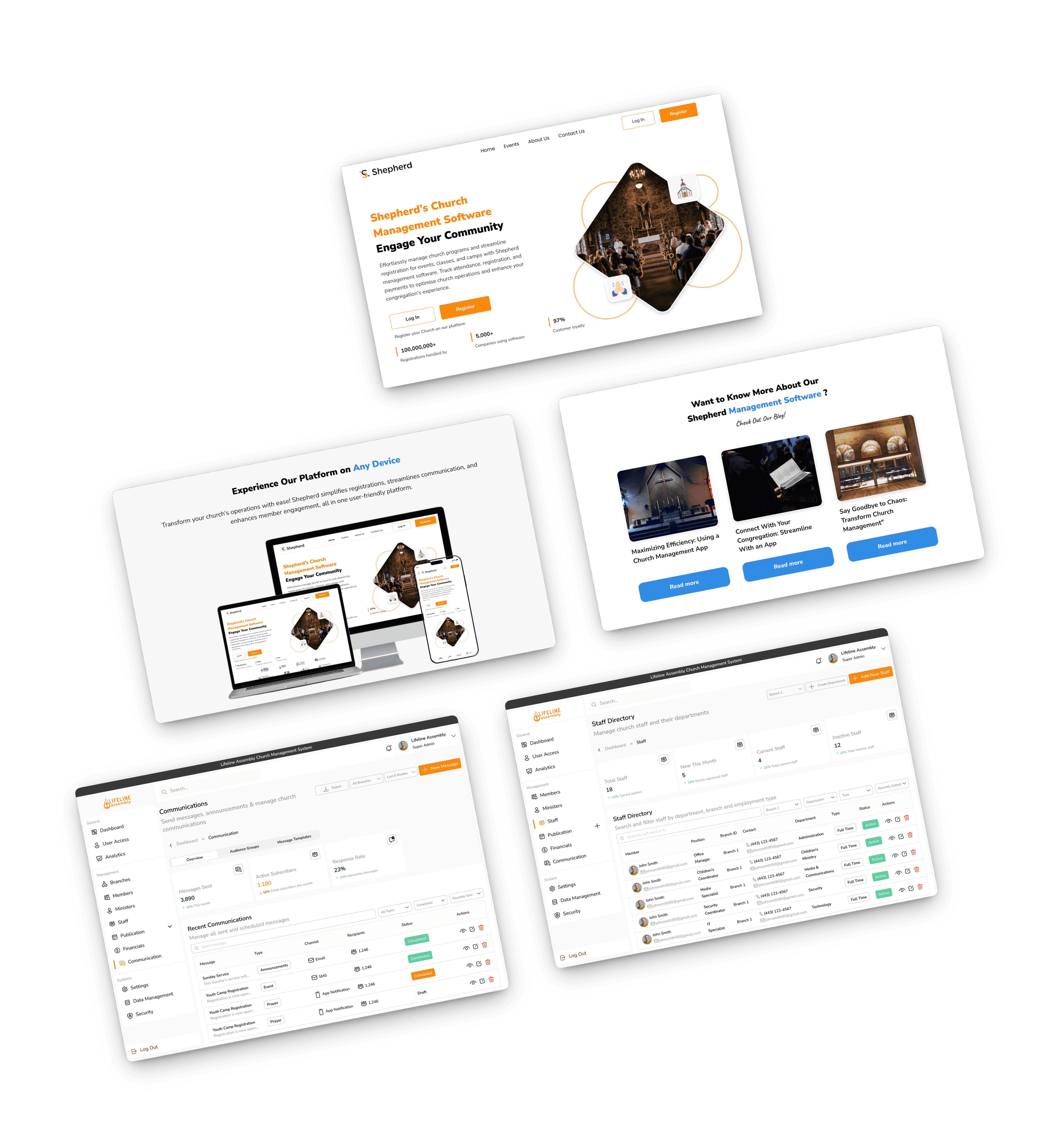
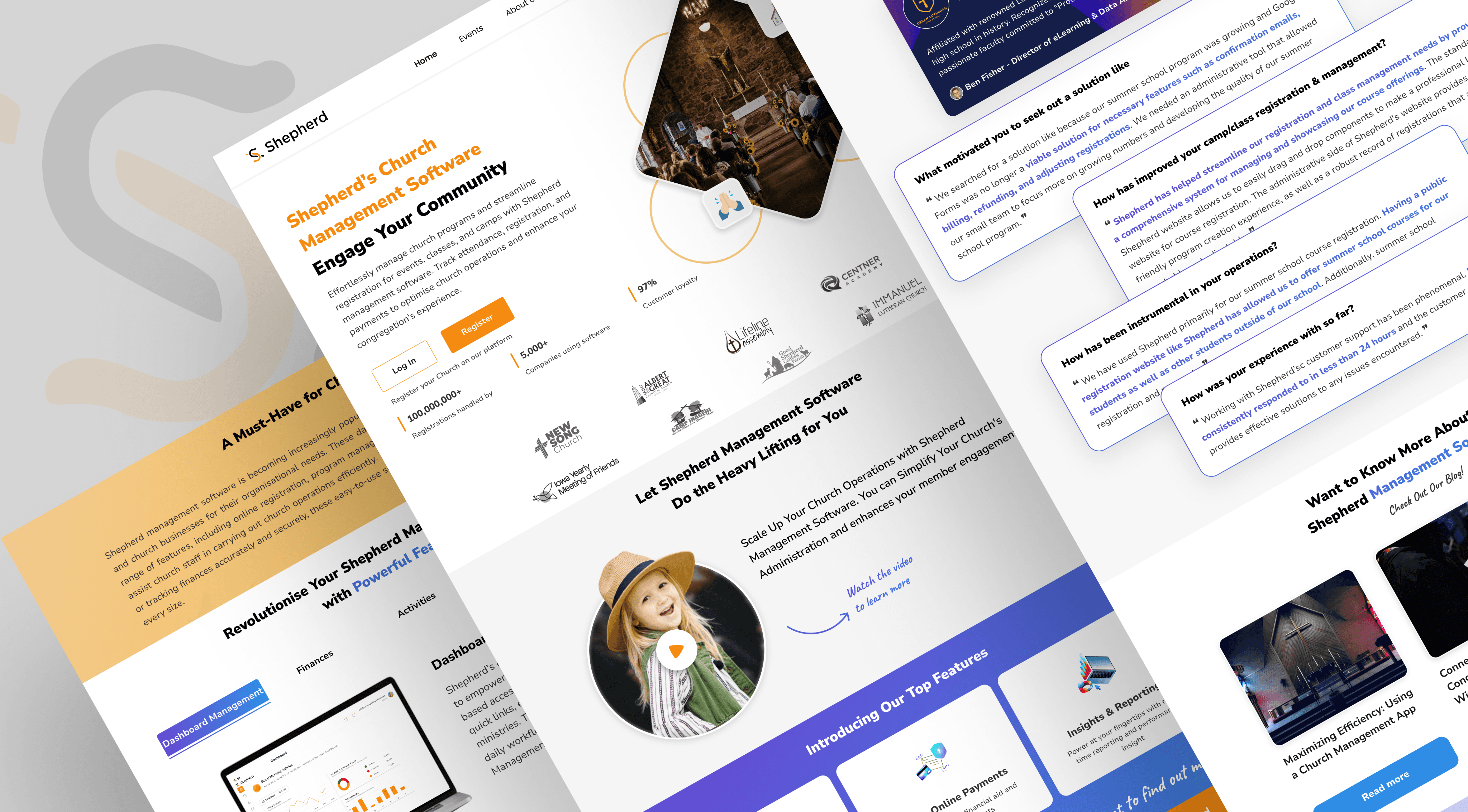
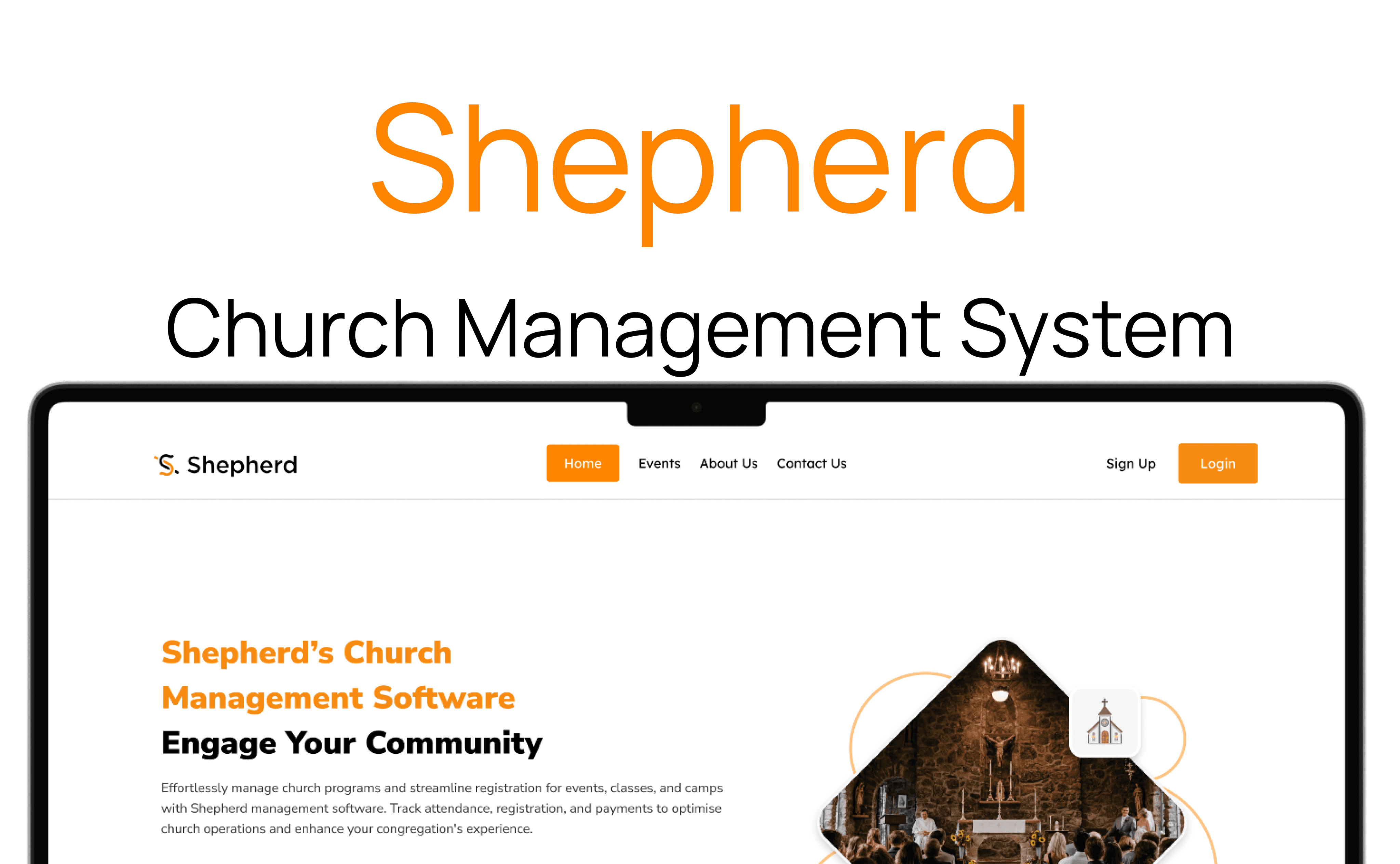
Shepherd Church Management System is a user-friendly platform that streamlines church administration by managing member data, attendance, events, donations, and communication. it also includes a mobile app "Omnipresent" that keeps members connected, enabling them to contact pastors, stream sermons, listen to gospel music, read e-books, and join community groups to foster engagement and spiritual growth.

Role

UX Researcher

UX UI Designer

Duration

8 Weeks

Tools

Figma

Jira

Claude AI

Client

Bems Soft

Problem Statement

Many churches face challenges in efficiently managing their administrative tasks, member engagement, and communication due to reliance on manual processes and outdated systems. This often results in disorganized data, poor attendance tracking, ineffective communication, and limited opportunities for community involvement. Additionally, members have limited access to church resources, sermons, and spiritual content outside of physical church services, which can hinder spiritual growth and community cohesion.

Goal

The goal of the Shepherd Church Management System and Mobile Application is to streamline church administration, enhance member engagement, and facilitate effective communication within the church community. By providing a centralized platform for managing member data, attendance, donations, and events, along with a mobile app that offers access to sermons, spiritual resources, and community groups, the system aims to foster a more connected, organized, and spiritually enriching environment for both church leadership and members.

Design Process

This process involves understanding user needs and business goals, conducting research, creating wireframes and visual designs, testing with users, iterating based on feedback, and collaborating with development teams to deliver an intuitive, user-centered product.

01

Step

Understand

User Research

User Interview

Competitve Analysis

02

Step

Define

User Personas

Empathy Map

User Journey

03

Step

Ideate

User Flow

Information Architecture

04

Step

Design

Wireframe

Hi-Fi Designs

Prototype

05

Step

Test

Feedbacks

Conclusion

Future Concept

01

Step

Understand

User Research

User Interview

Competitve Analysis

02

Step

Define

User Personas

Empathy Map

User Journey

03

Step

Ideate

User Flow

Information Architecture

04

Step

Design

Wireframe

Hi-Fi Designs

Prototype

05

Step

Test

Feedbacks

Conclusion

Future Concept

Target Audience

The target audience includes church leaders, staff, volunteers, and congregation members, aiming to support both administrative tasks and access to spiritual resources and communication within the church community.

Competitive Analysis

Planning Center

Planning Center is a comprehensive church management software designed to streamline various church activities such as service planning, volunteer scheduling, event management, and attendance tracking

Features

Service Planning: Allows users to design detailed service orders, including the sequence of songs, prayers, readings, and media cues.

Volunteer Scheduling: Helps assign volunteers to specific roles such as ushers, musicians, tech team, or children's ministry.


Breeze chms

Breeze Church Management Software is a cloud-based platform aimed at simplifying church administration, including membership management, event registration, donation tracking, and communication.

Features

Event Registration: Enables church staff to create detailed event pages with registration forms.

Membership Management: Stores comprehensive profiles for each member, including contact info, family relationships, attendance history, and participation records.

Unique Features

Management System

Comprehensive Administrative Dashboard: An integrated platform that streamlines member management, attendance tracking, event organization, donation handling, and communication efforts, all in one user-friendly interface.

Community Engagement Tools: Features designed to foster spiritual growth and boost congregation involvement through organized events and communication channels, enhancing overall operational efficiency.

Mobile Application

Seamless Spiritual Connection: Members can easily stream live sermons, listen to gospel music, and read Christian e-books, providing spiritual nourishment anytime and anywhere.

Interactive Community Features: Facilitates direct contact with pastors and connects members through various church community groups, strengthening relationships and fostering a sense of belonging.

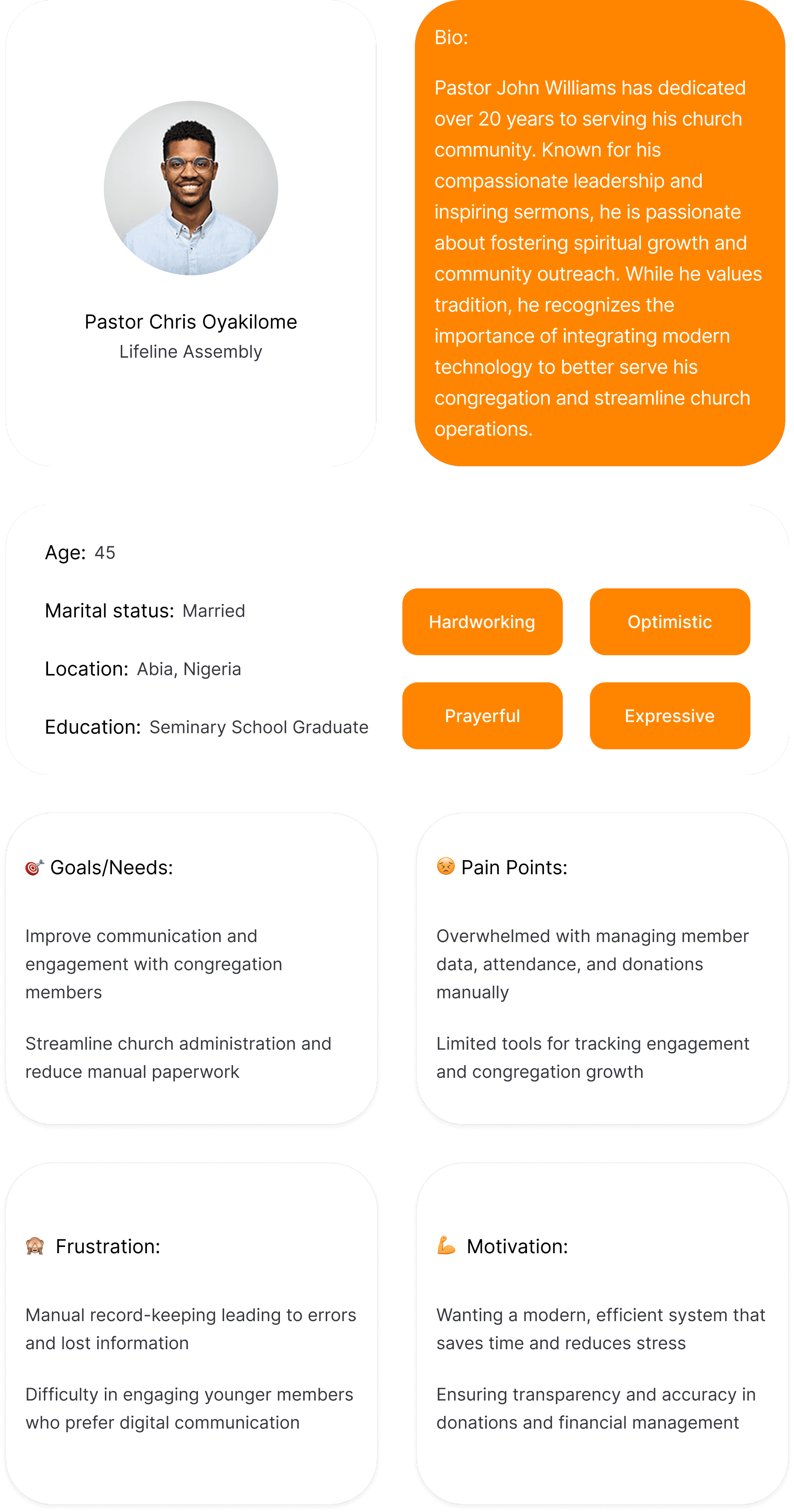
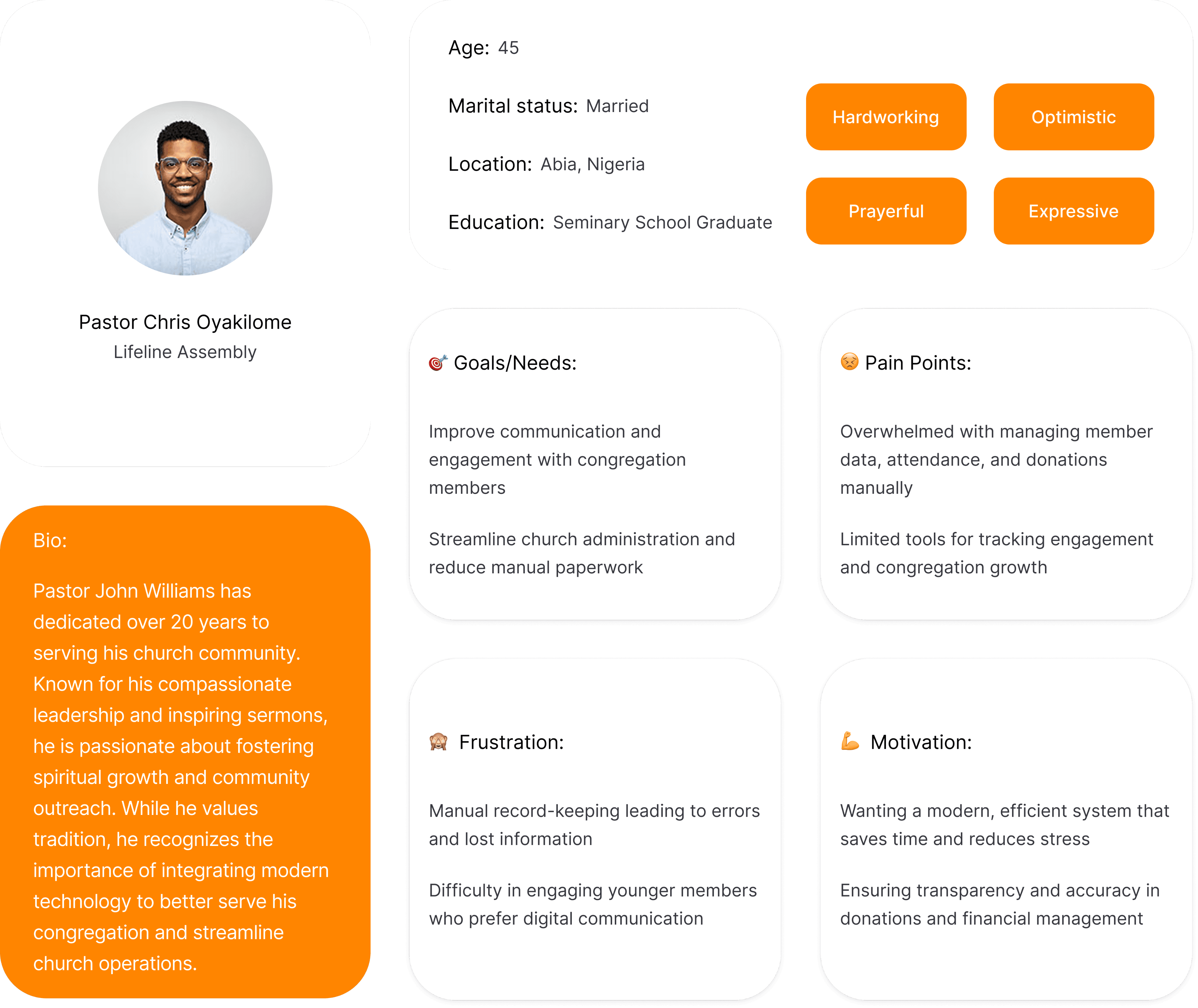
User Persona for Pastors
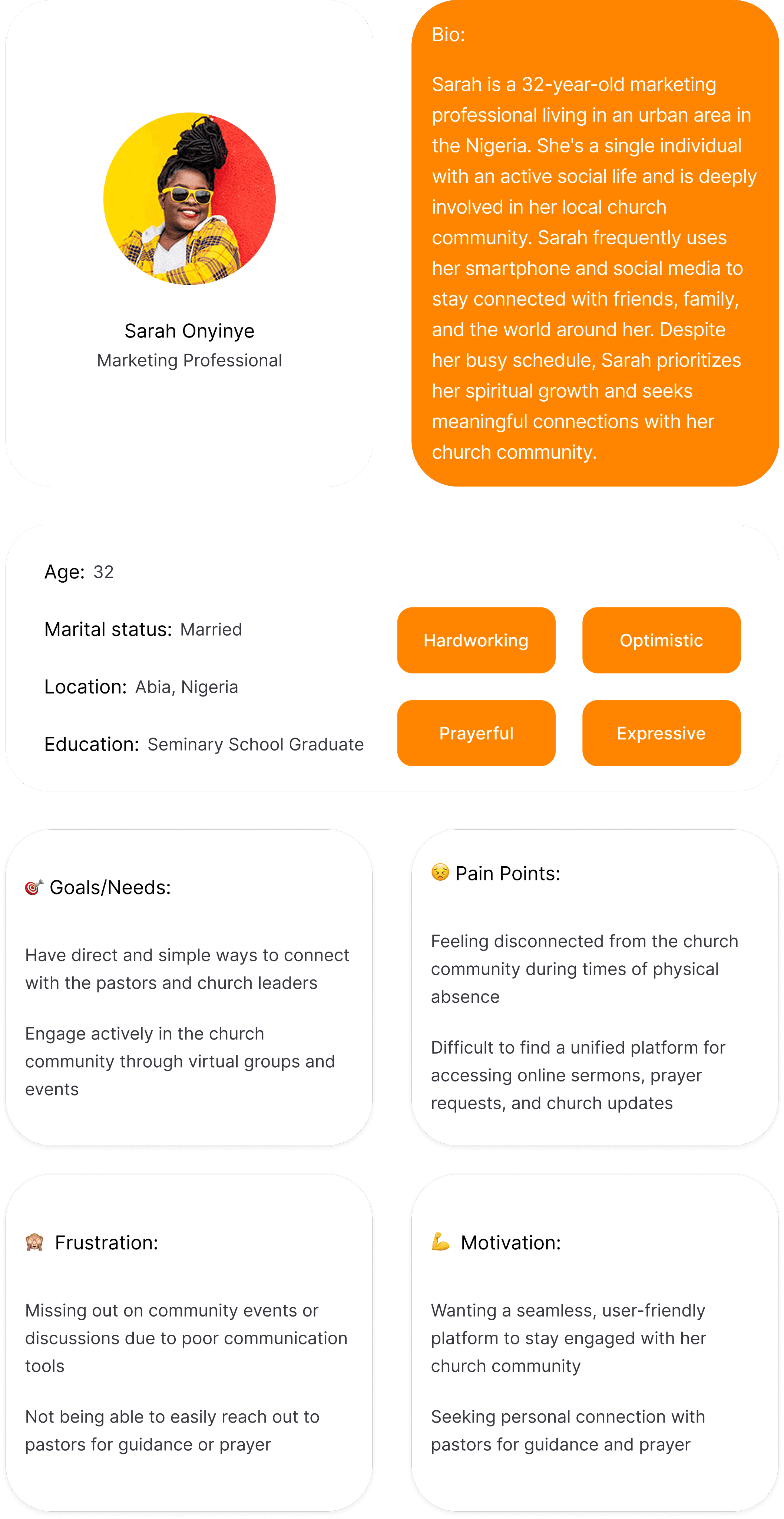
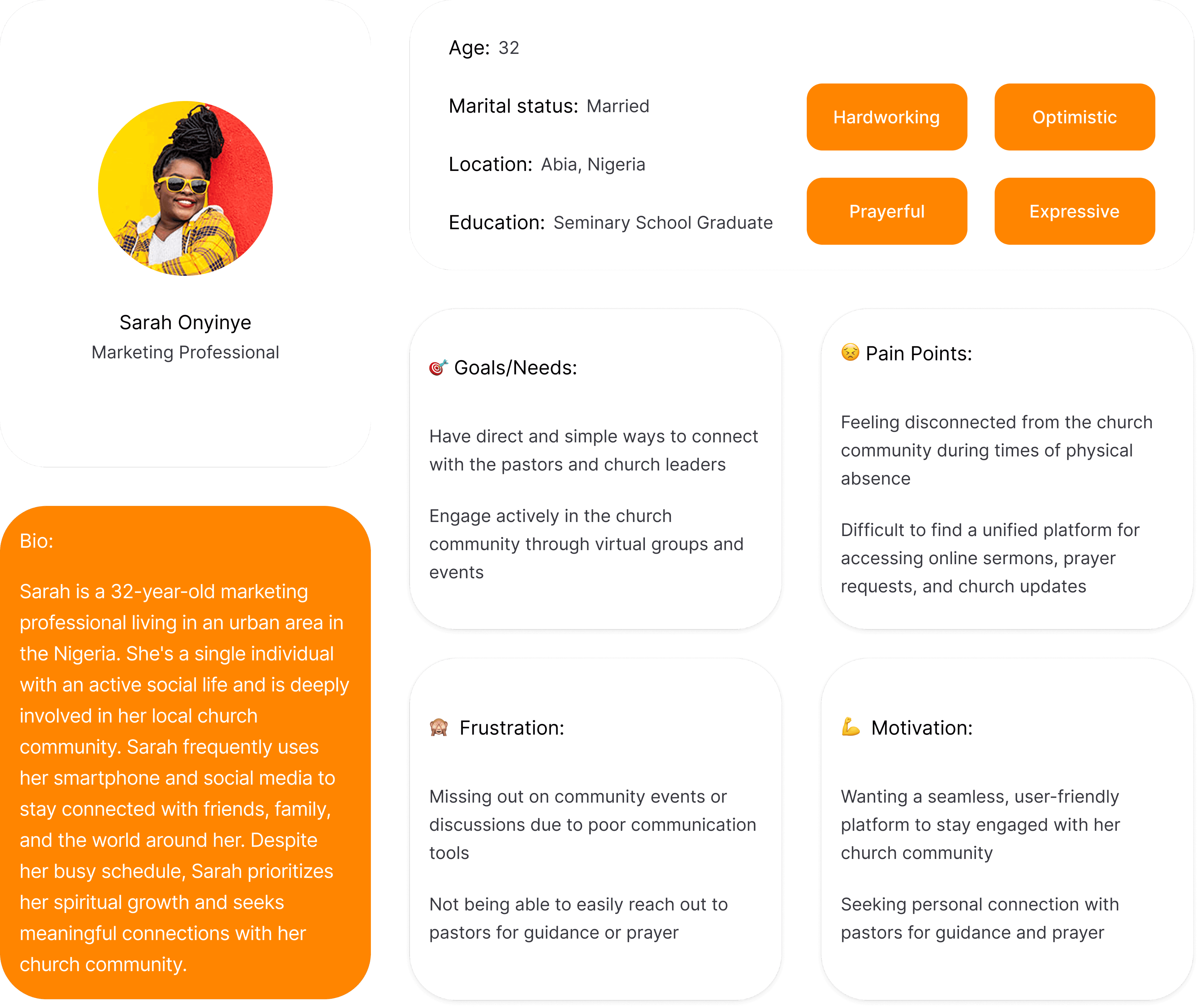
User Persona for Church Members
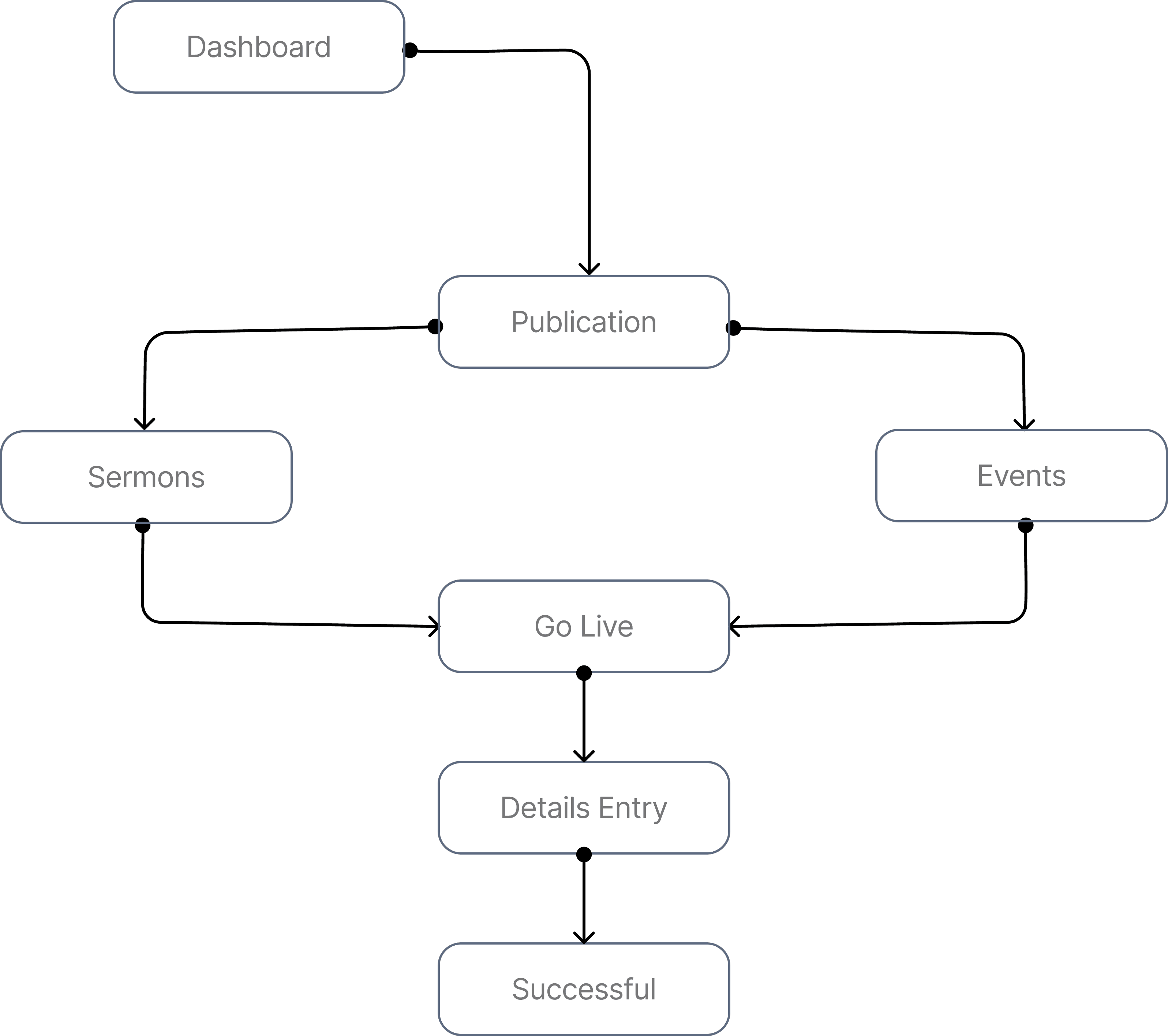
Task Flow 1

Start Live Sermon
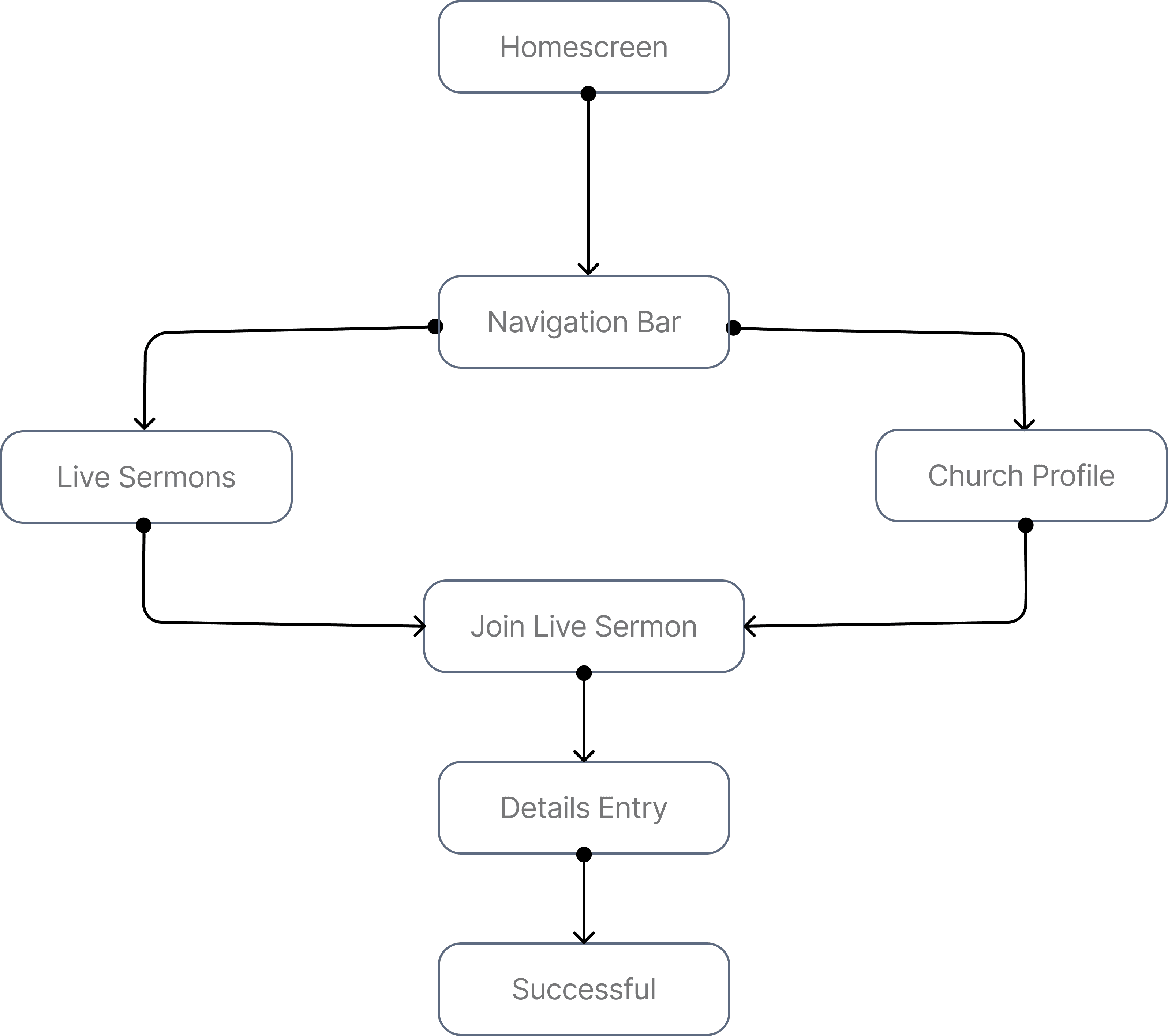
Task Flow 2

Join Live Sermon
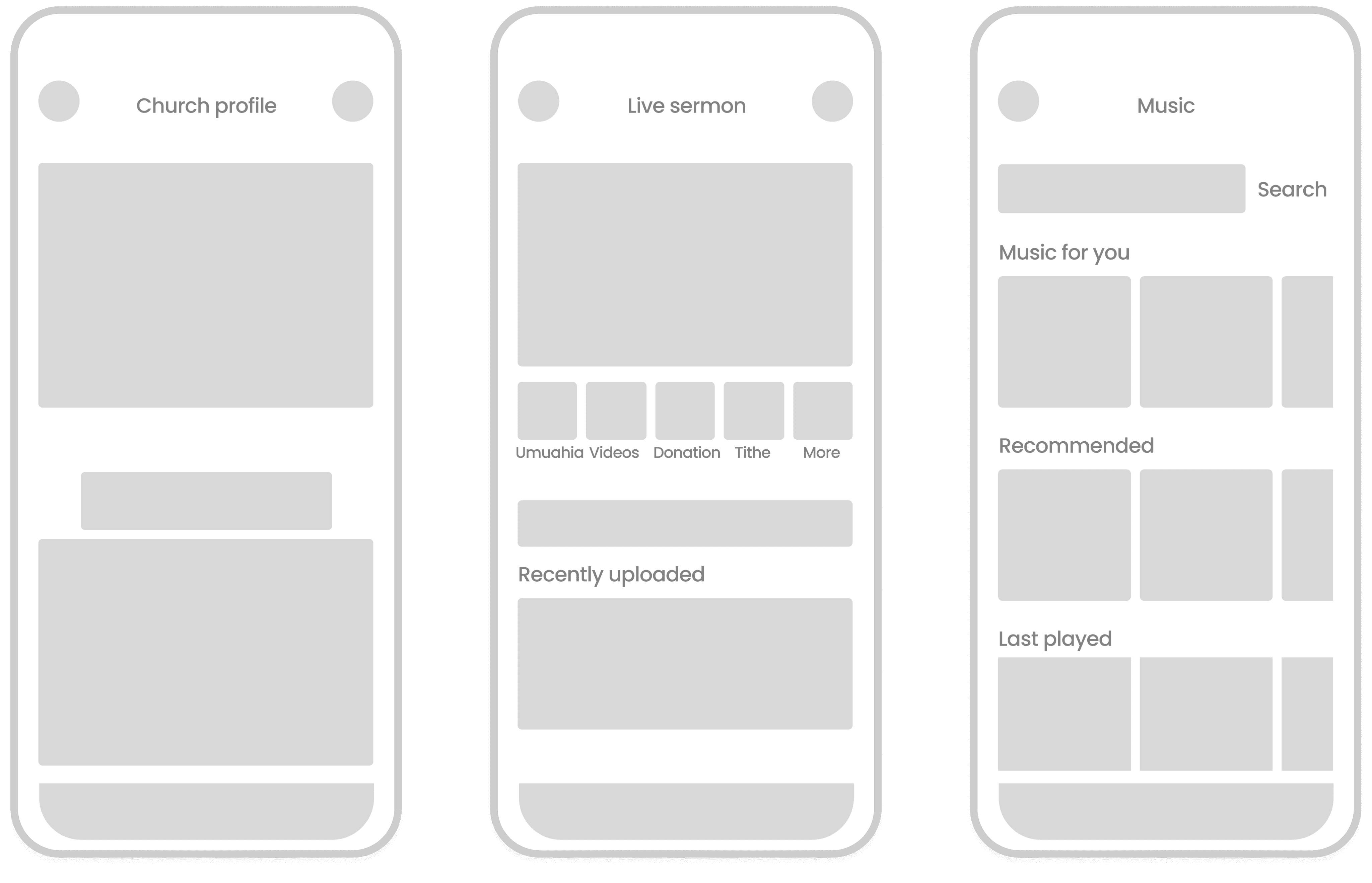
Agents & Tax Payers Low-fidelity Wireframes
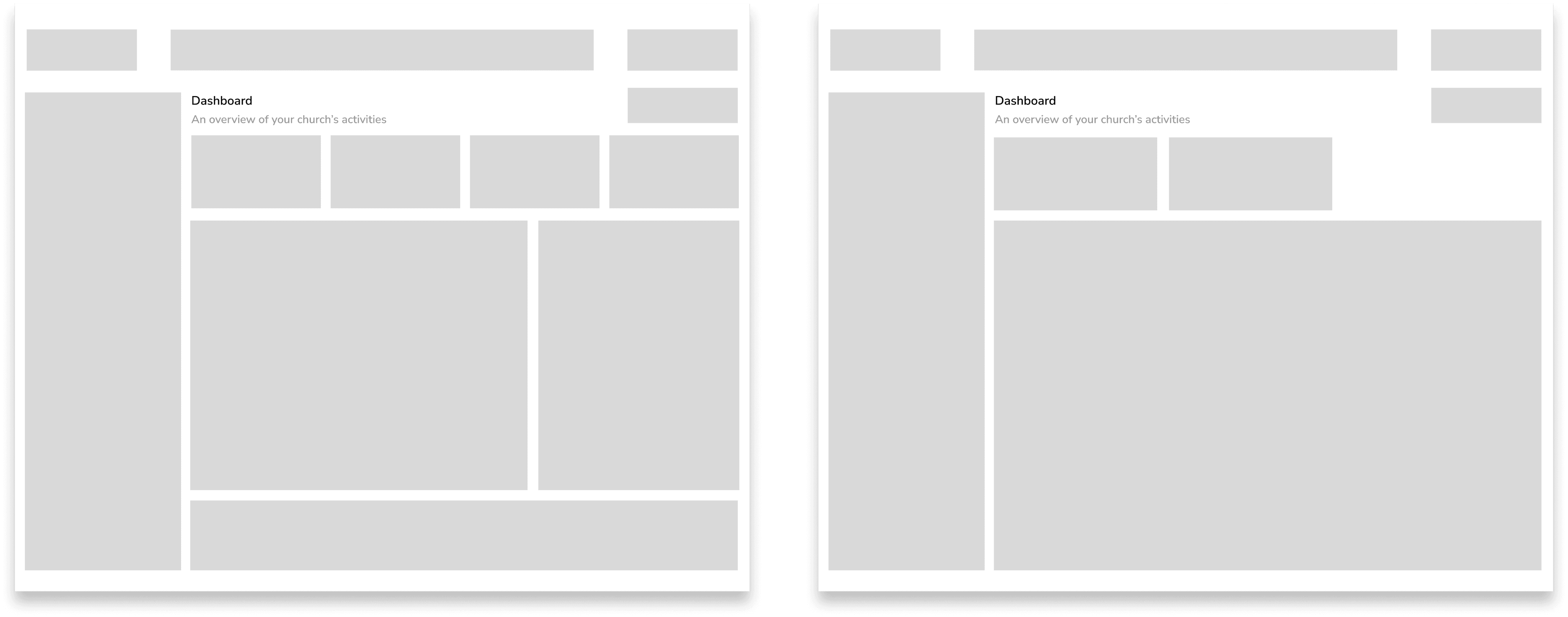
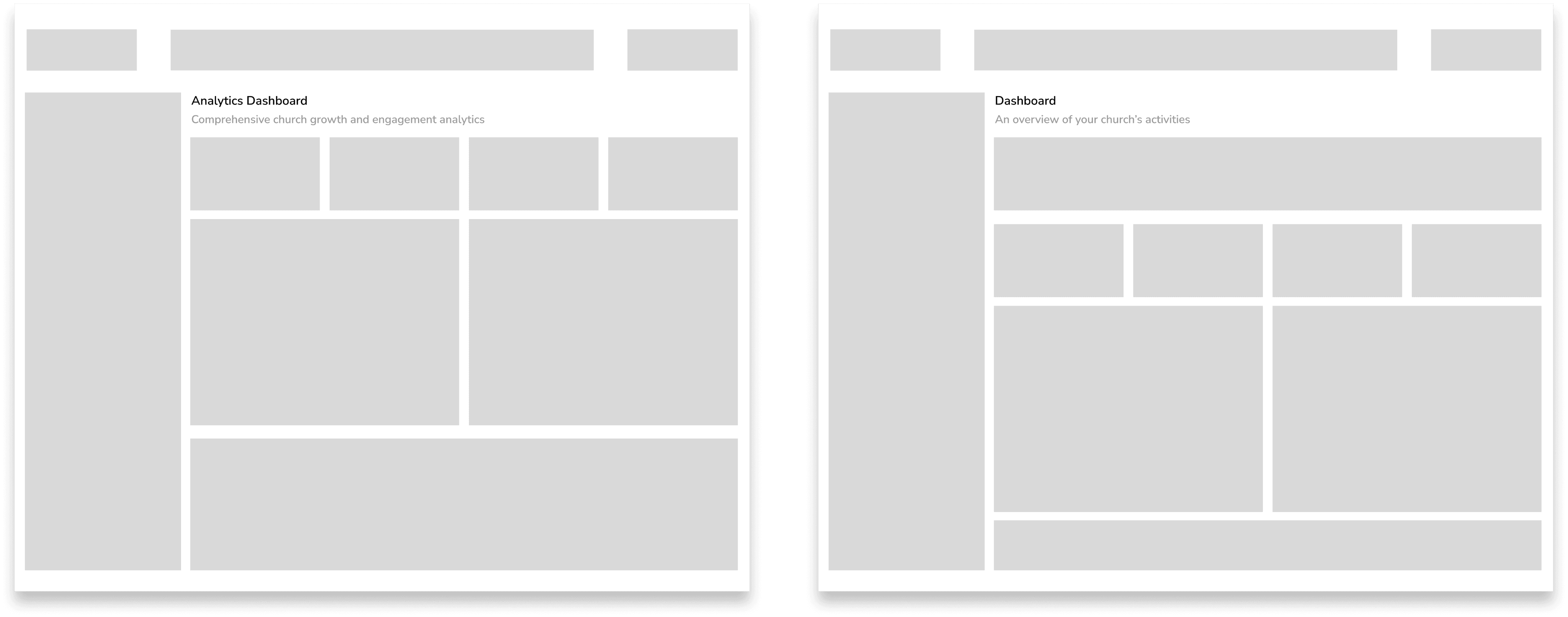
Super Admin Low Fidelity Wireframes
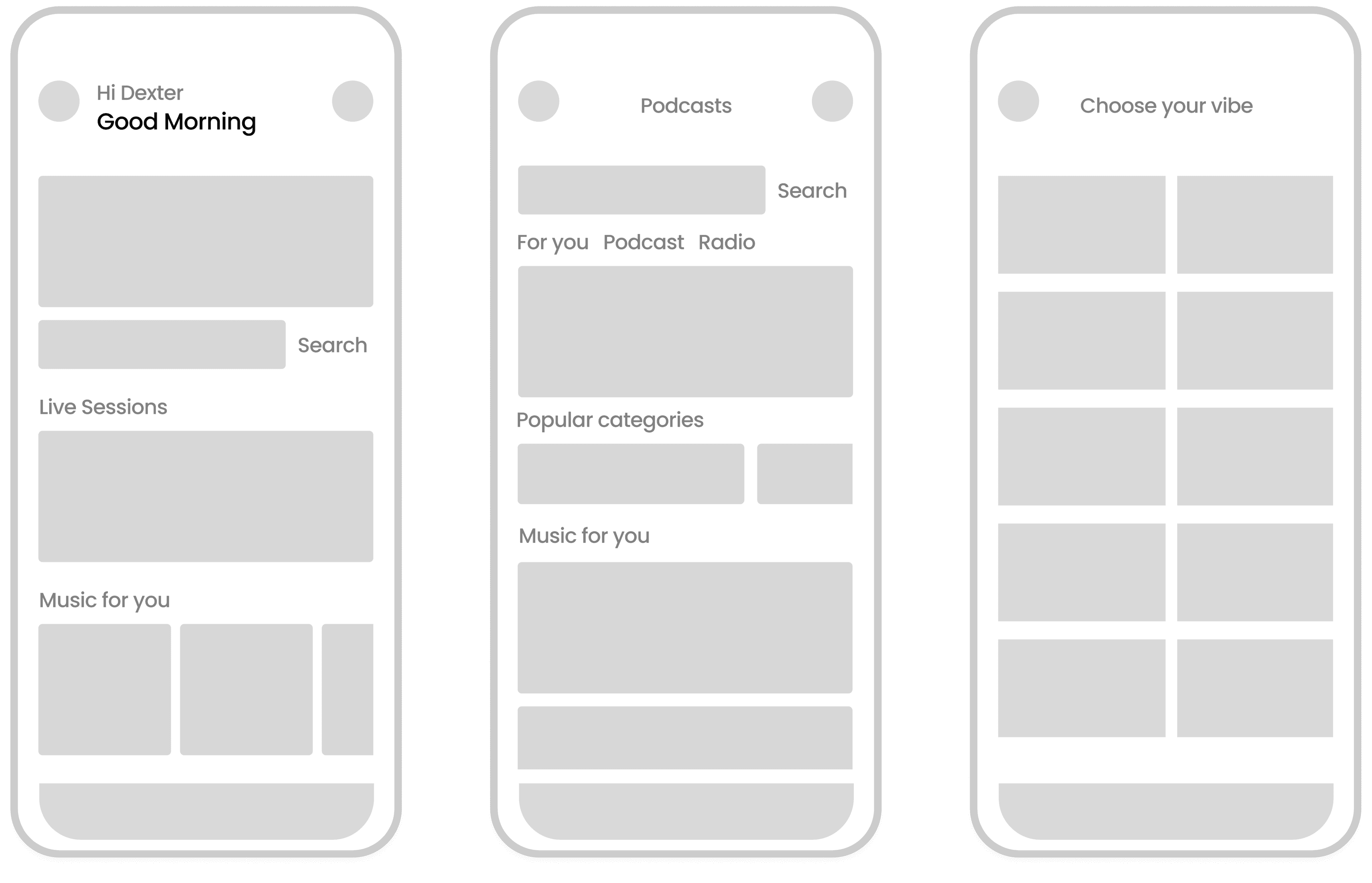
Homescreen & Podcasts Screens

1

2

1

Homescreen

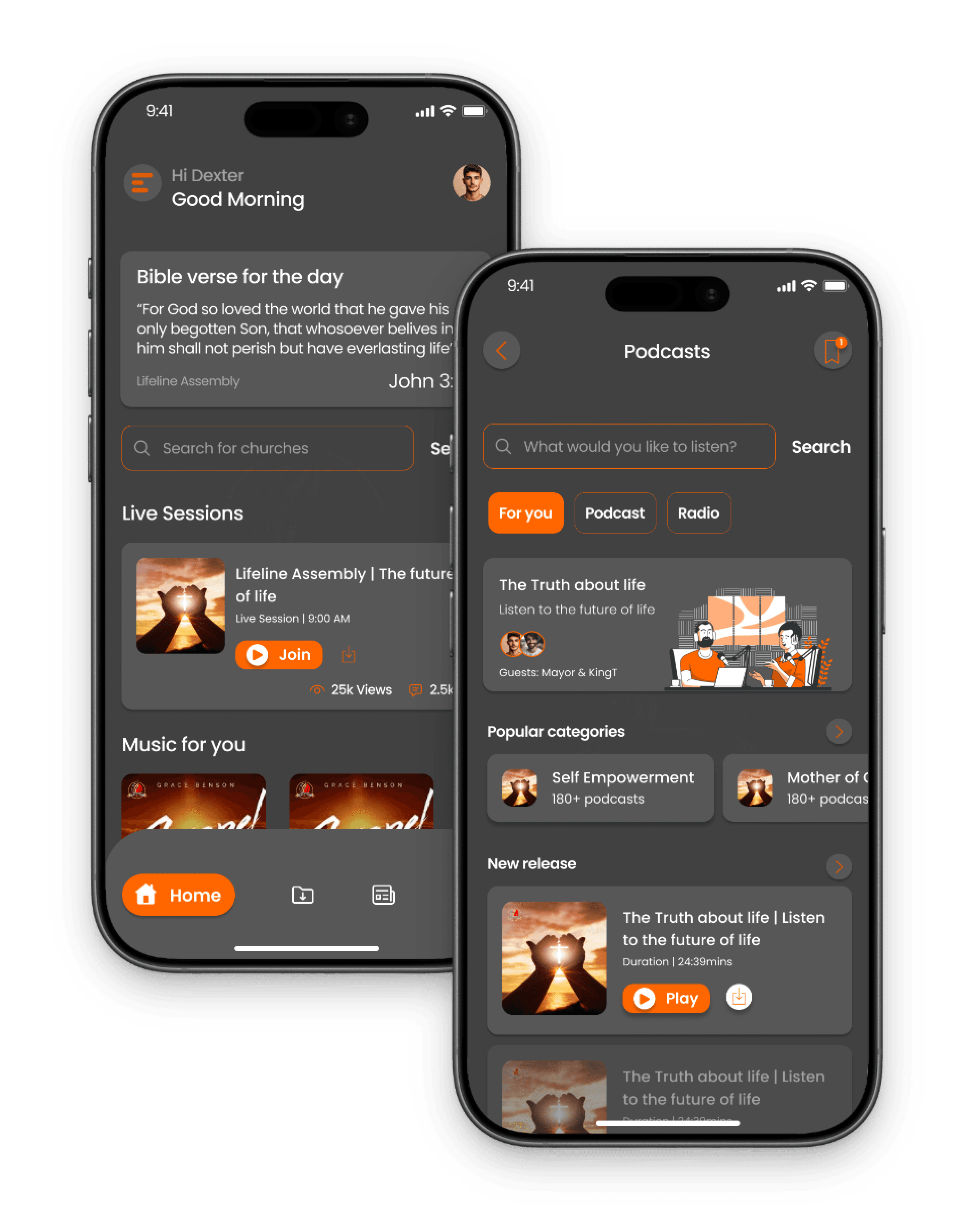
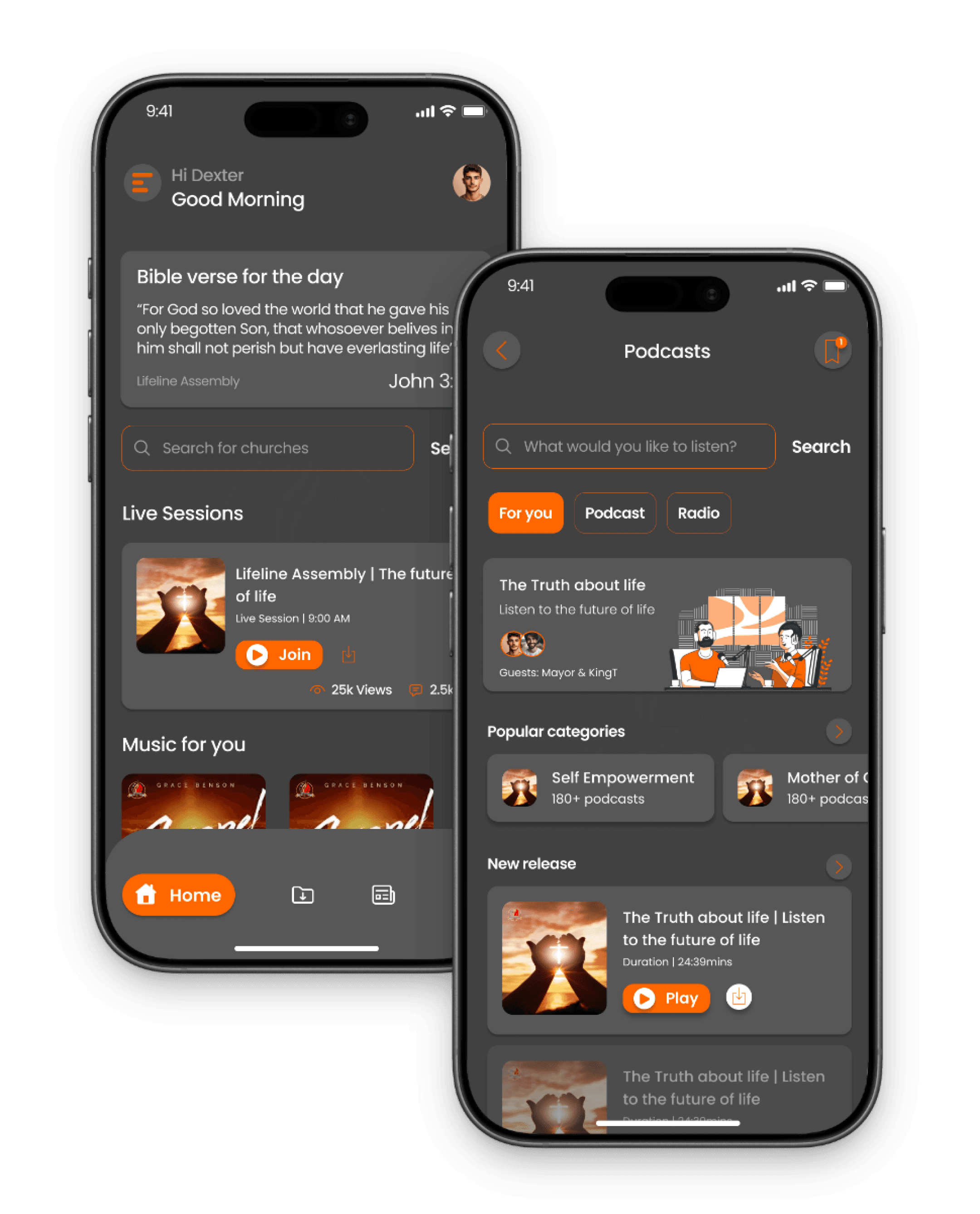
Home screen features a clean and intuitive layout, highlighting live church sermons at the top with a prominent video player. Below, users can easily access current gospel music playlists, featuring album art and playback controls.

2

Podcasts Screen

Podcasts screen offers a layout with various categories like Self Empowerment and Faith, highlights new releases, and allows users to listen via audio or watch videos, fostering easy exploration of spiritual and motivational content.

Music & Music Category Screens

1

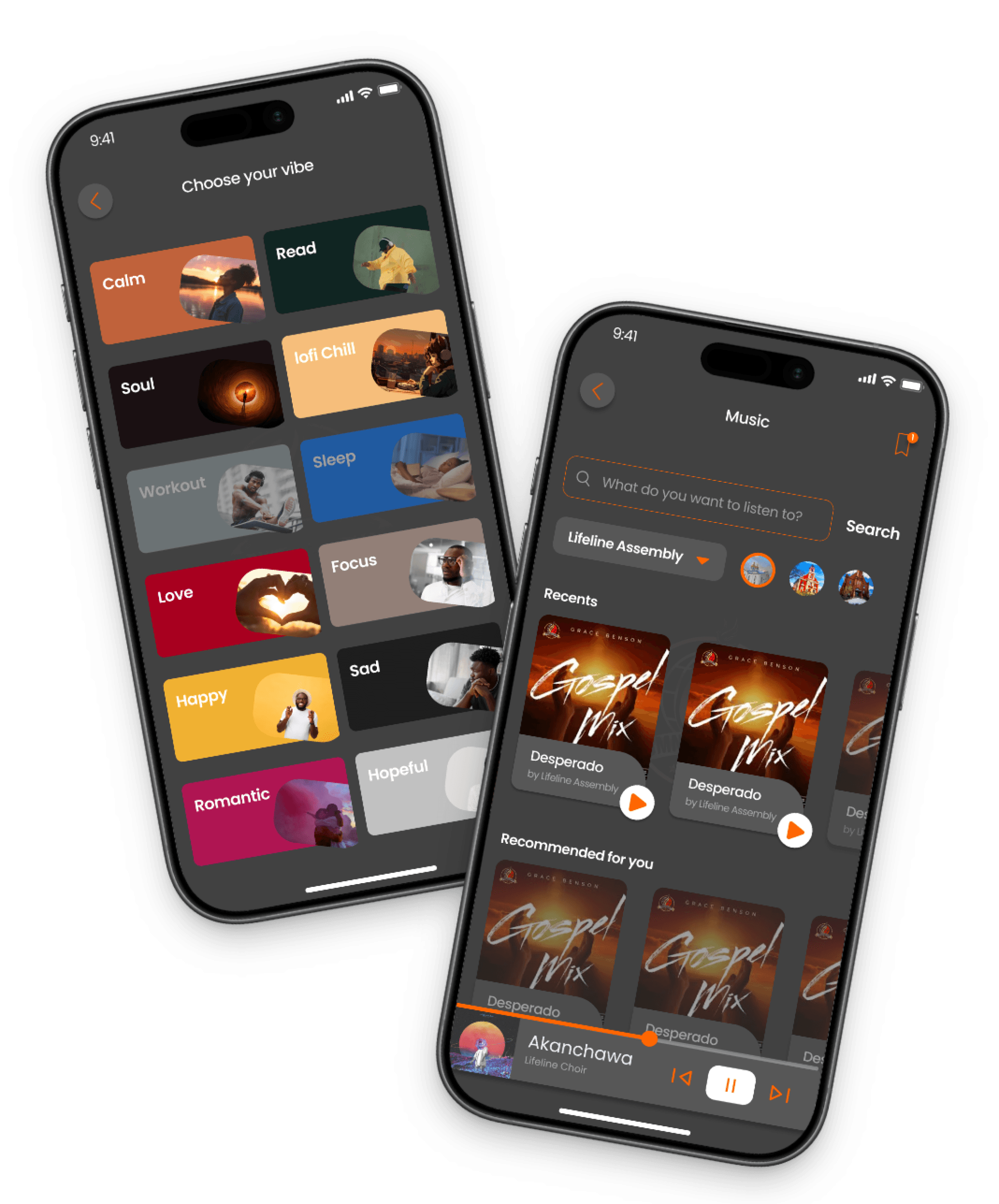
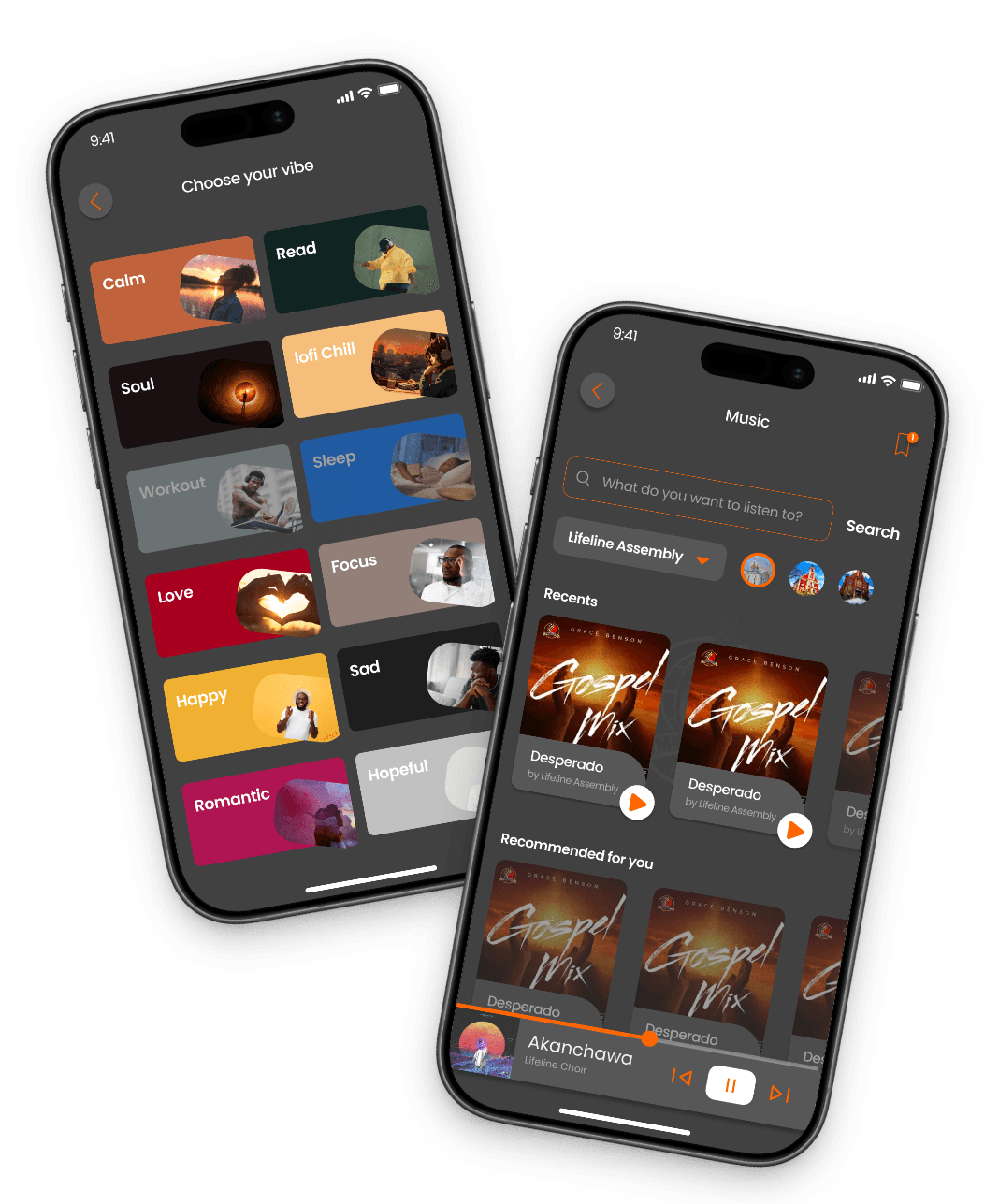
Music Category Screen

The music category screen features a sleek and organized layout that allows users to browse and select from a wide range of gospel music genres. The interface provides genre lists, enabling quick navigation and a personalized listening experience.

2

Music Screen

The Music screen displays a user-friendly interface featuring sections like "Recommended for You," showcasing personalized music suggestions; "Recently Played," allowing quick access to past listens; and "Now Playing," highlighting the current track with playback controls. This layout provides a seamless and engaging music experience tailored to the user.

1

2

Music & Music Category Screens

1

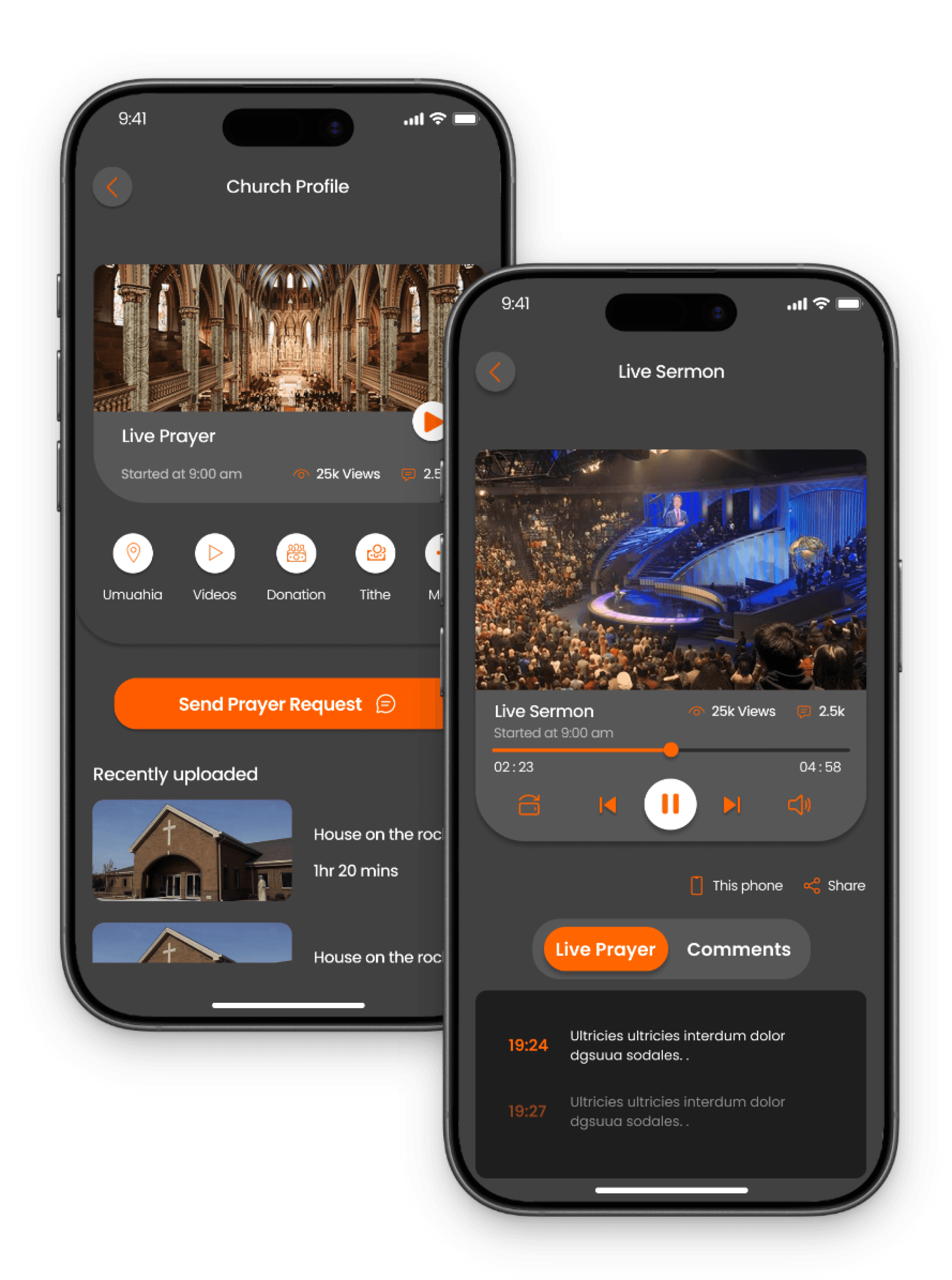
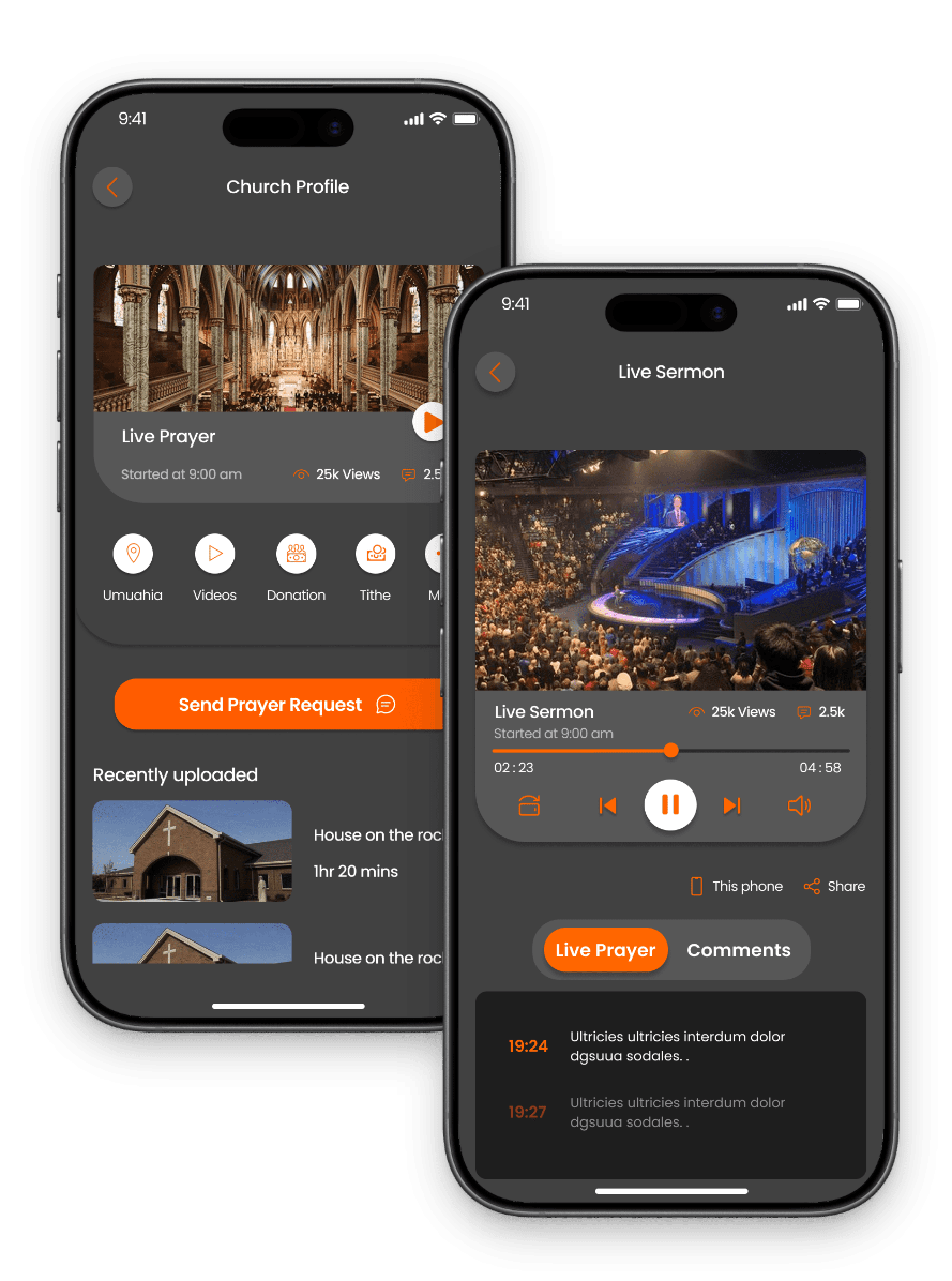
Church Profile Screen

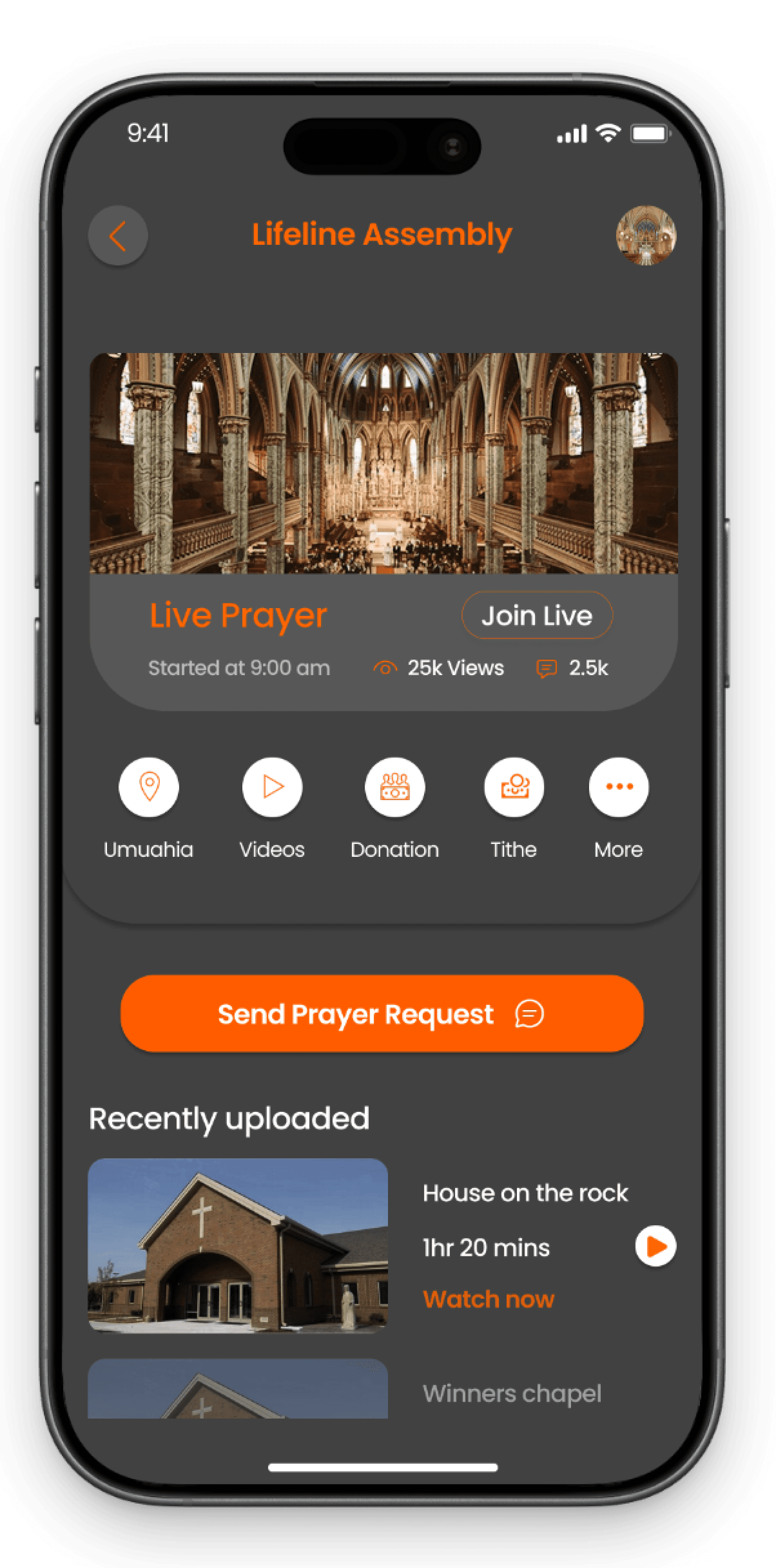
The church profile screen displays location details with CTA buttons for videos, tithes, donations, and a "Send Prayer Request" feature for easy access to services.

2

Live Sermon Screen

The live sermon screen has a top-positioned video player with controls for playback, sharing, chat, and prayer requests, providing an immersive live worship experience.

1

2

Music & Music Category Screens

1

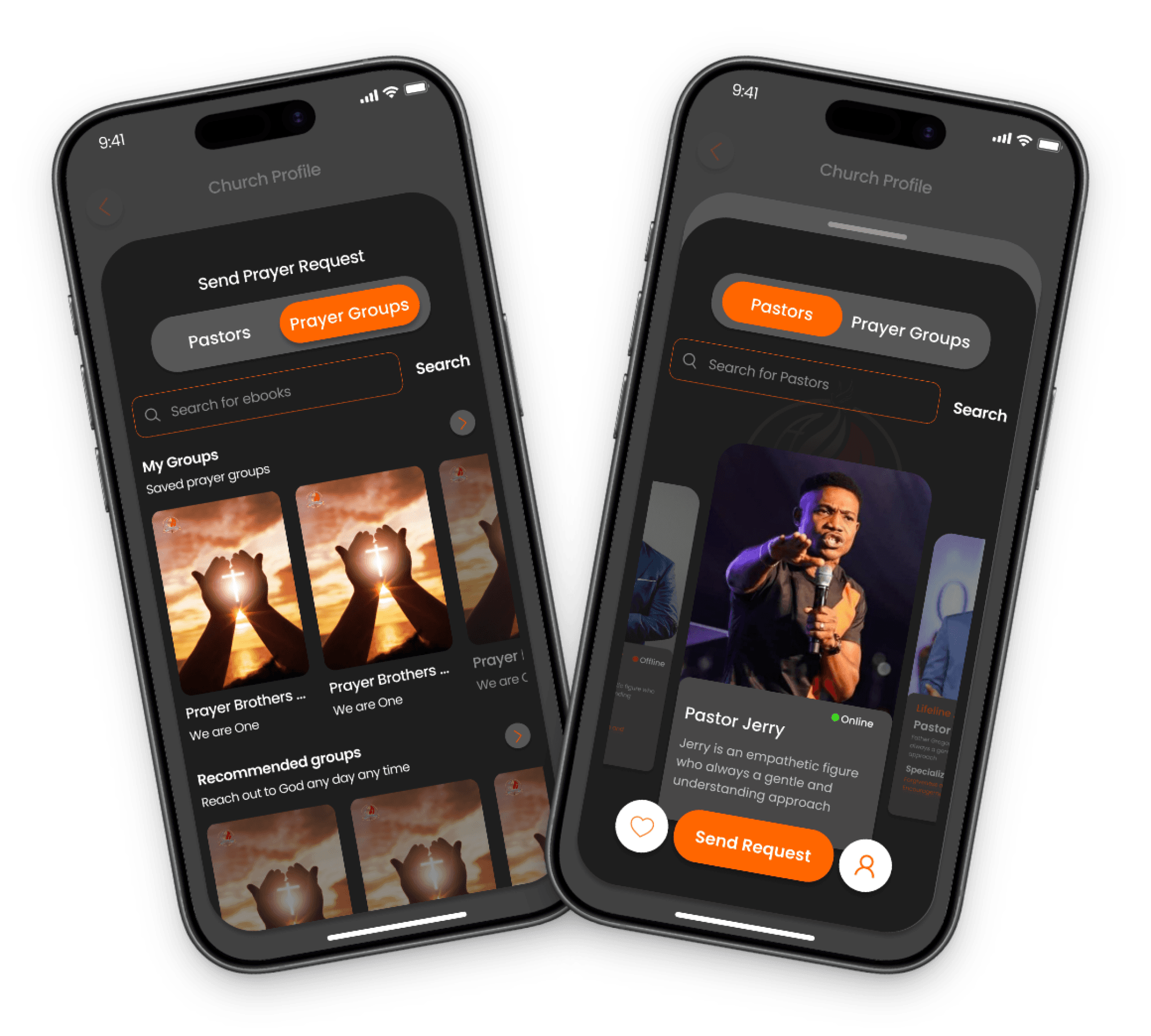
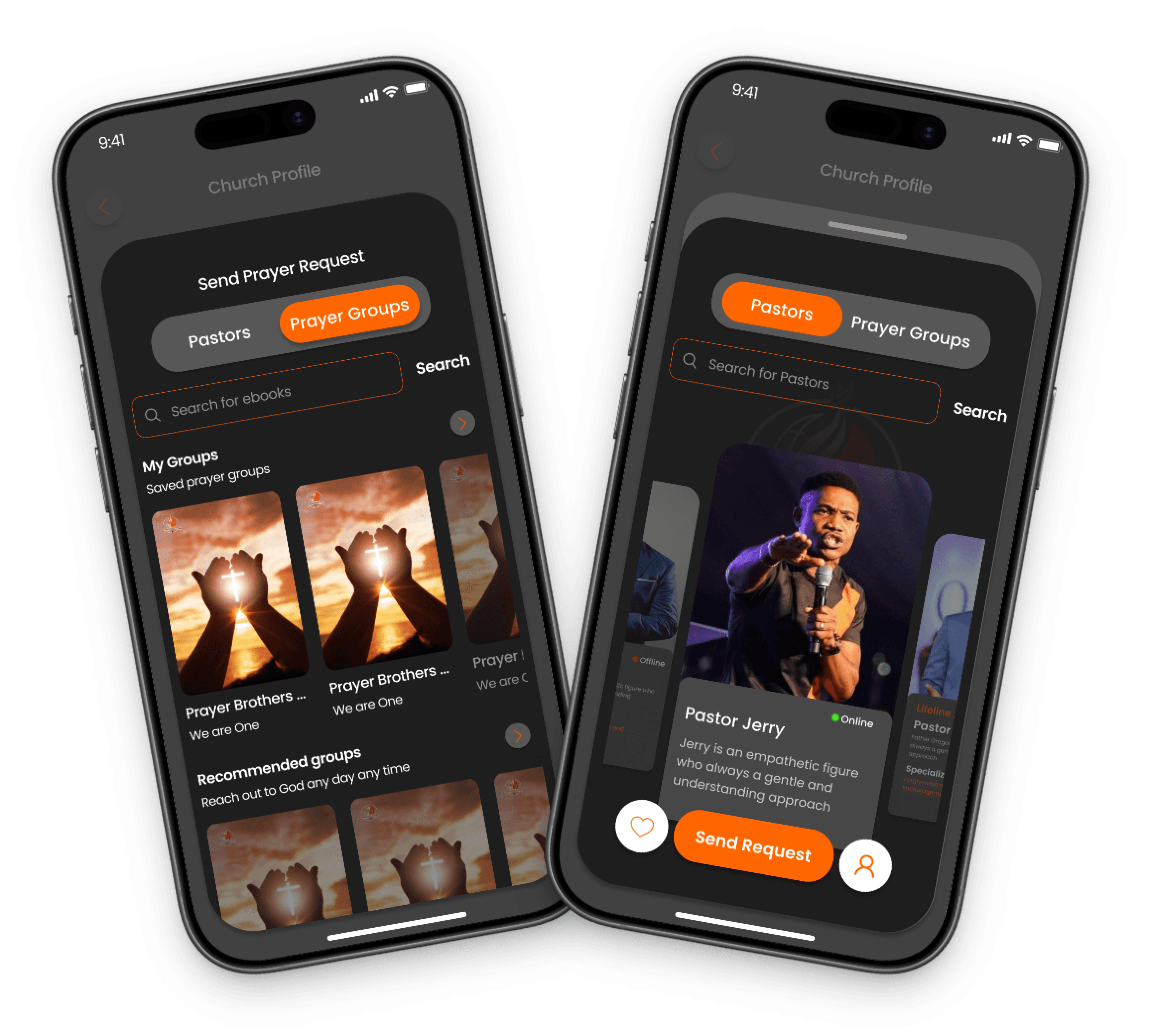
Prayer Groups Screen

The send prayer request screen appears as a pop-up after the user clicks the "Send Prayer Request" button. It displays a list of prayer groups that the user can select from to send their prayer request, making it easy to connect with specific groups for prayer support.

2

Pastors Screen

The send prayer request screen appears as a pop-up after the user clicks the "Send Prayer Request" button. It displays a list of pastors to whom the prayer request can be sent, allowing users to select their preferred pastor and submit their prayer request easily.

1

2

Super Admin Dashboard & User Access Screens

1

Super Admin Dashboard

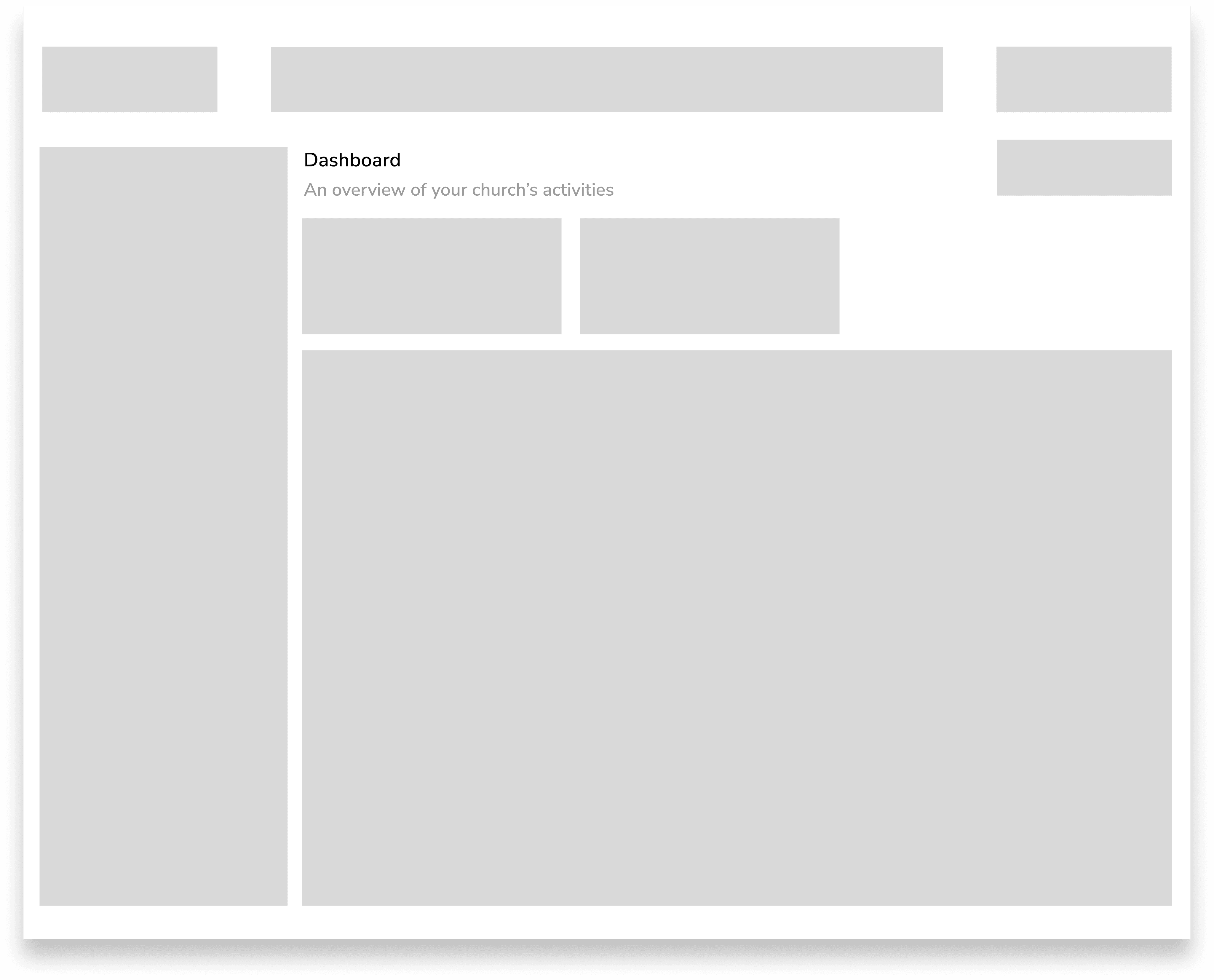
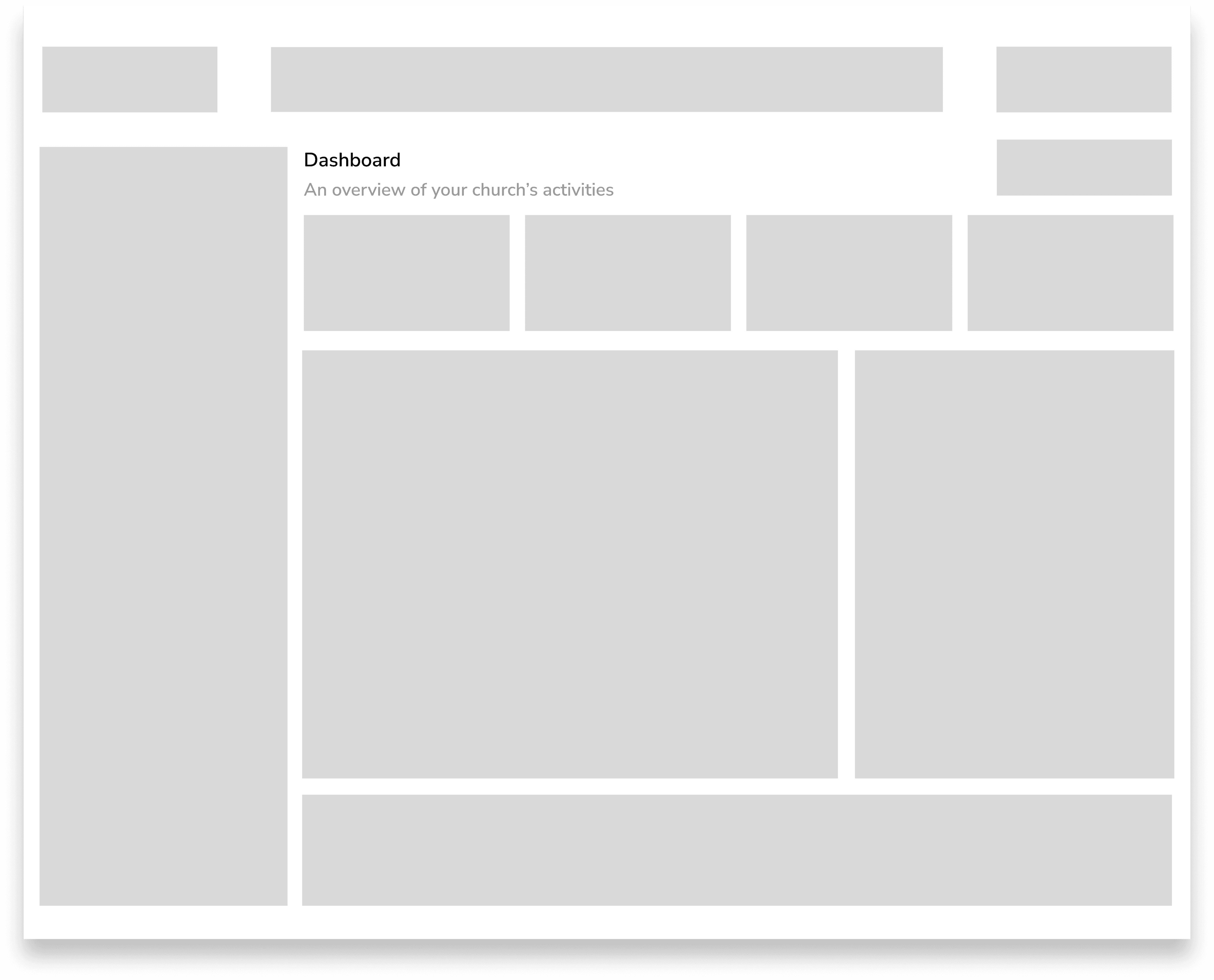
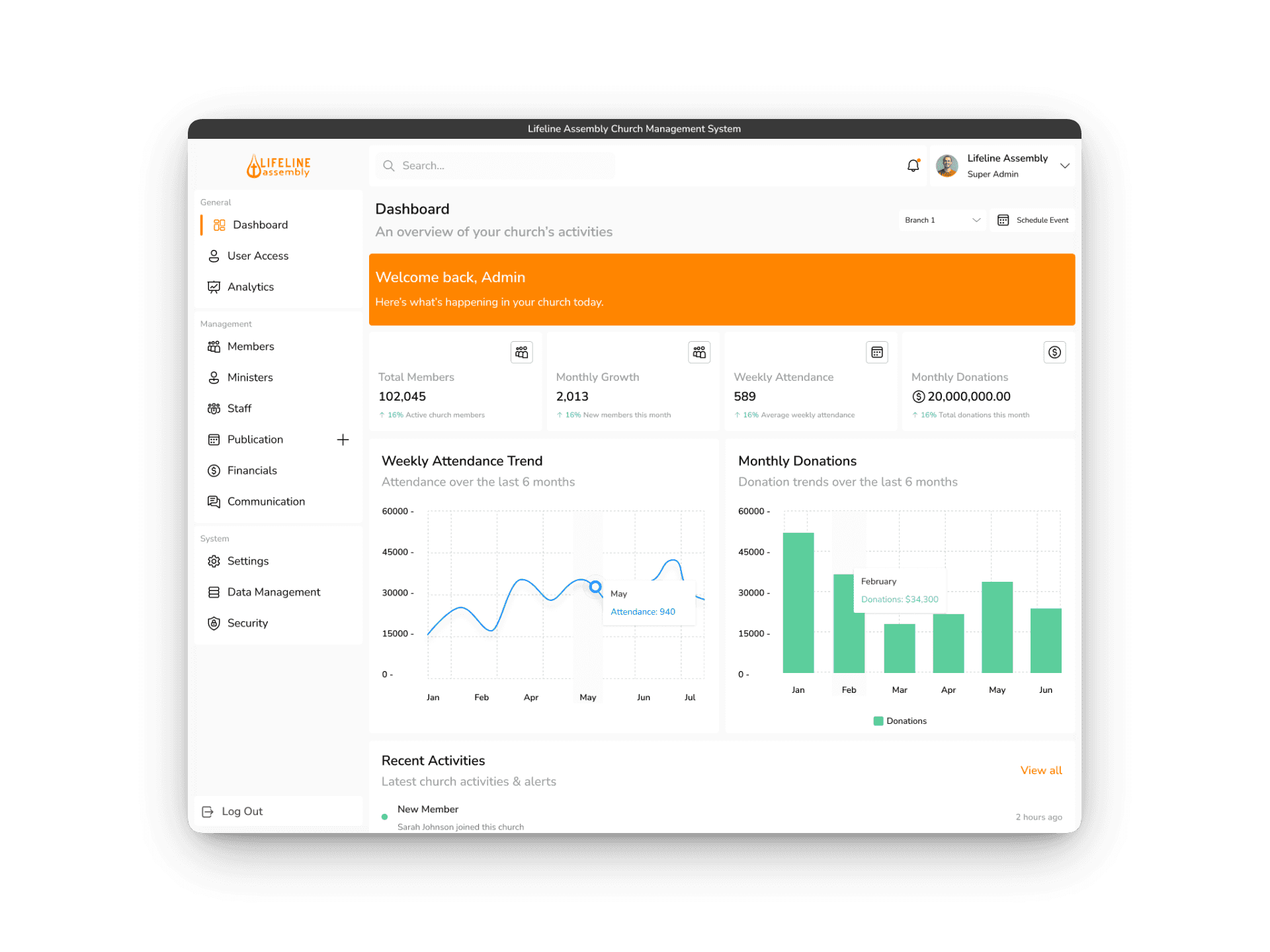
The Shepherd's Church Management System Super Admin Dashboard offers the church administrator full control over operations, including user access, analytics, member and staff management, and communication tools for efficient oversight.

2

User Acess Screen

This section facilitates registration, updates, and organization of member information, enabling smooth engagement and record-keeping through tools for viewing details, categorizing groups, tracking attendance, and managing communication.

1

2

Analytics Dashboard & Communications Screens

1

Analytics Dashboard

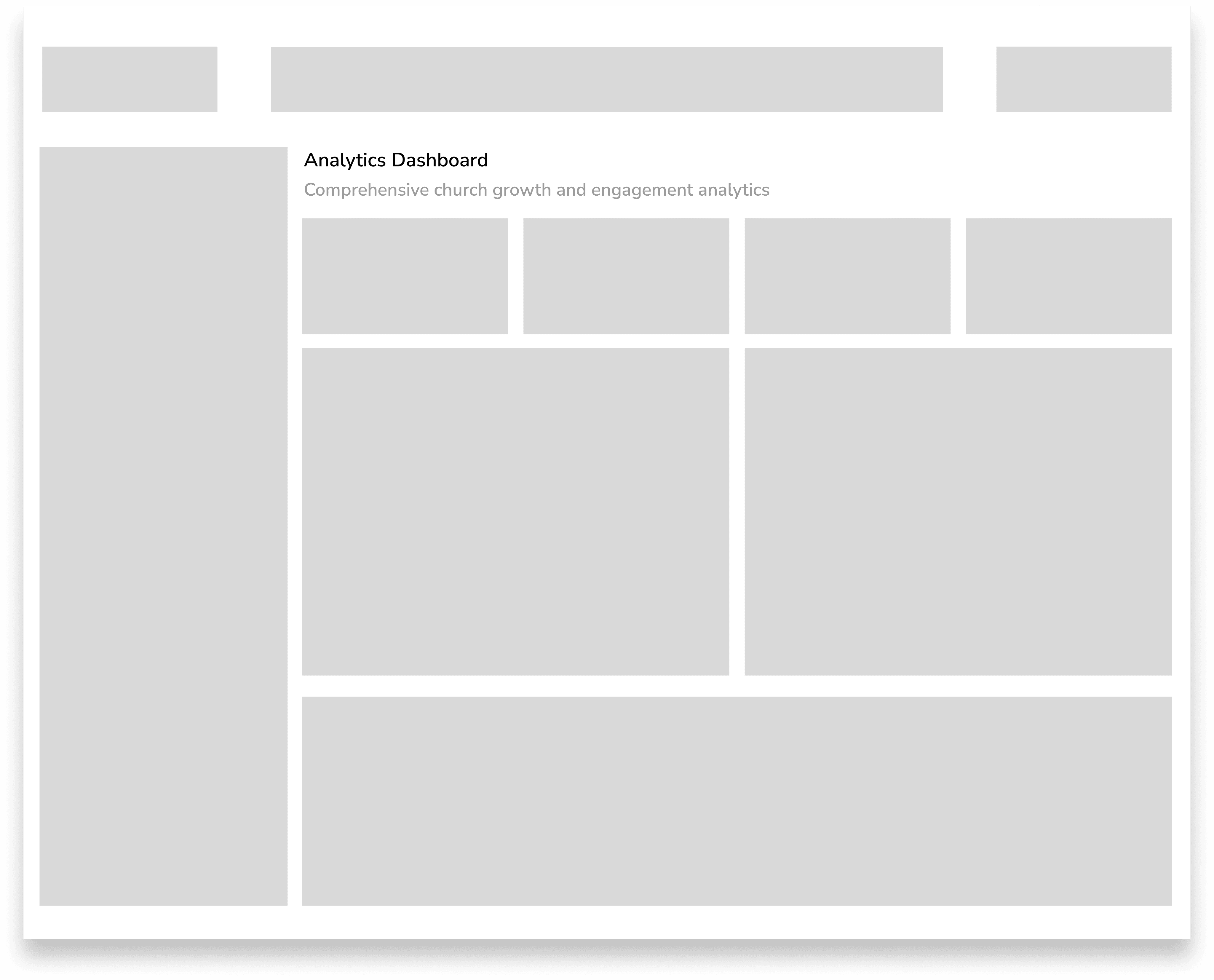
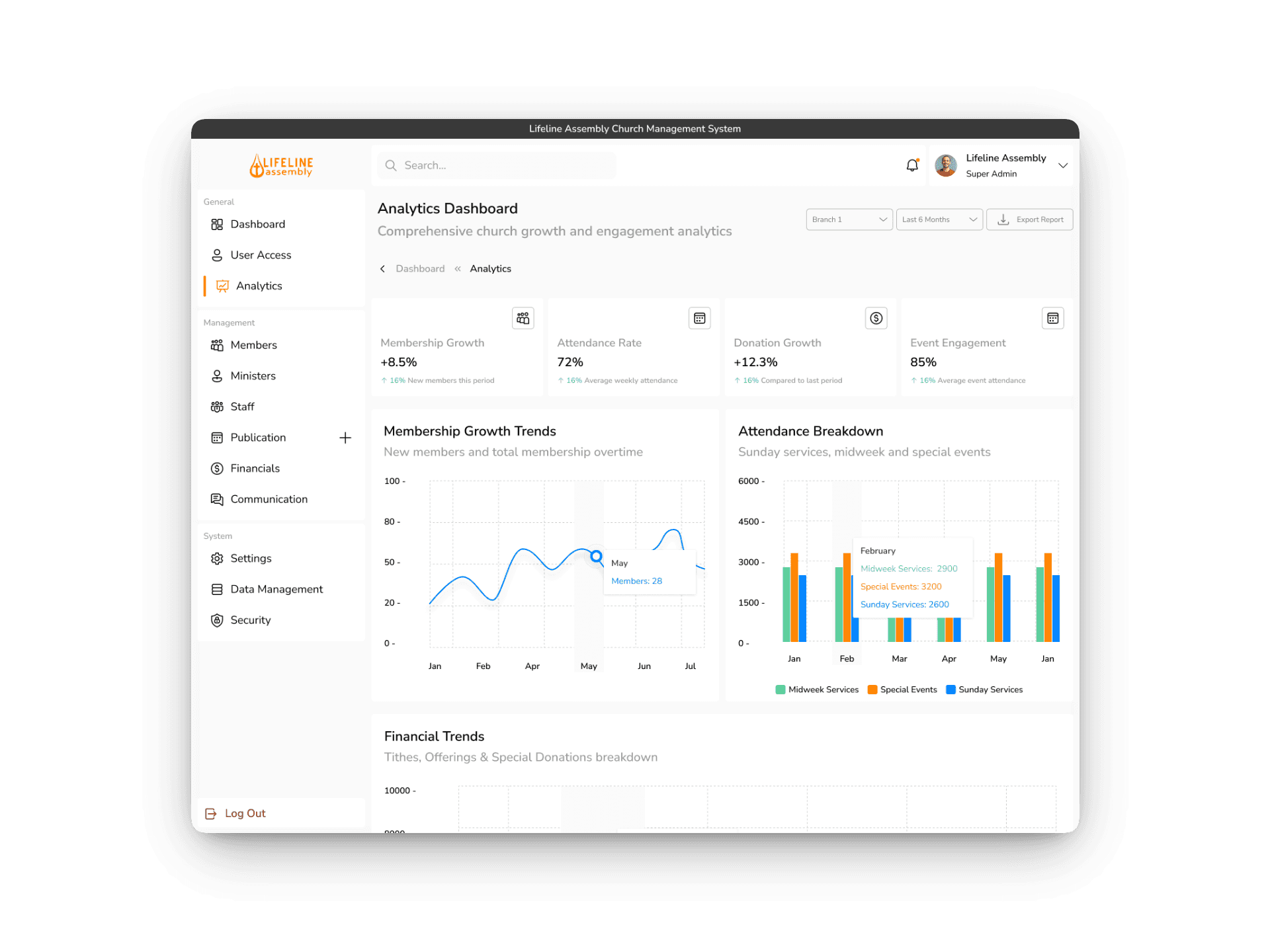
This section offers visual insights and reports on various church activities, such as attendance, donations, and engagement metrics. It helps leaders analyze trends, measure performance, and make informed decisions to support the church’s growth and effectiveness.

2

Communications Screen

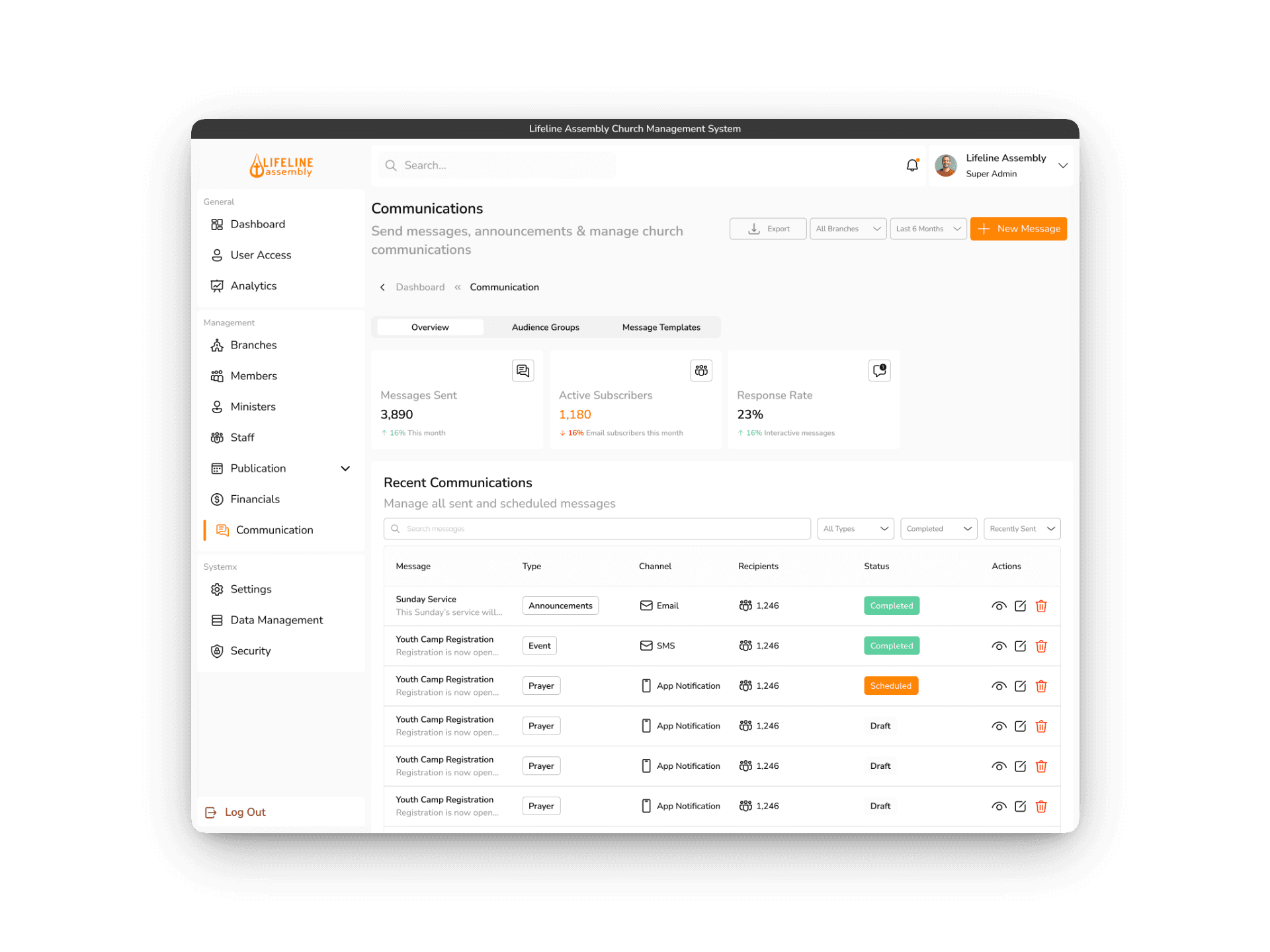
This section allows for efficient sending and managing of messages, emails, and notifications to members and groups. It helps ensure clear and timely communication, keeping everyone informed and engaged within the church community.

1

2

Financial Management & Members Management Screens

1

Financial Management (Budgets)

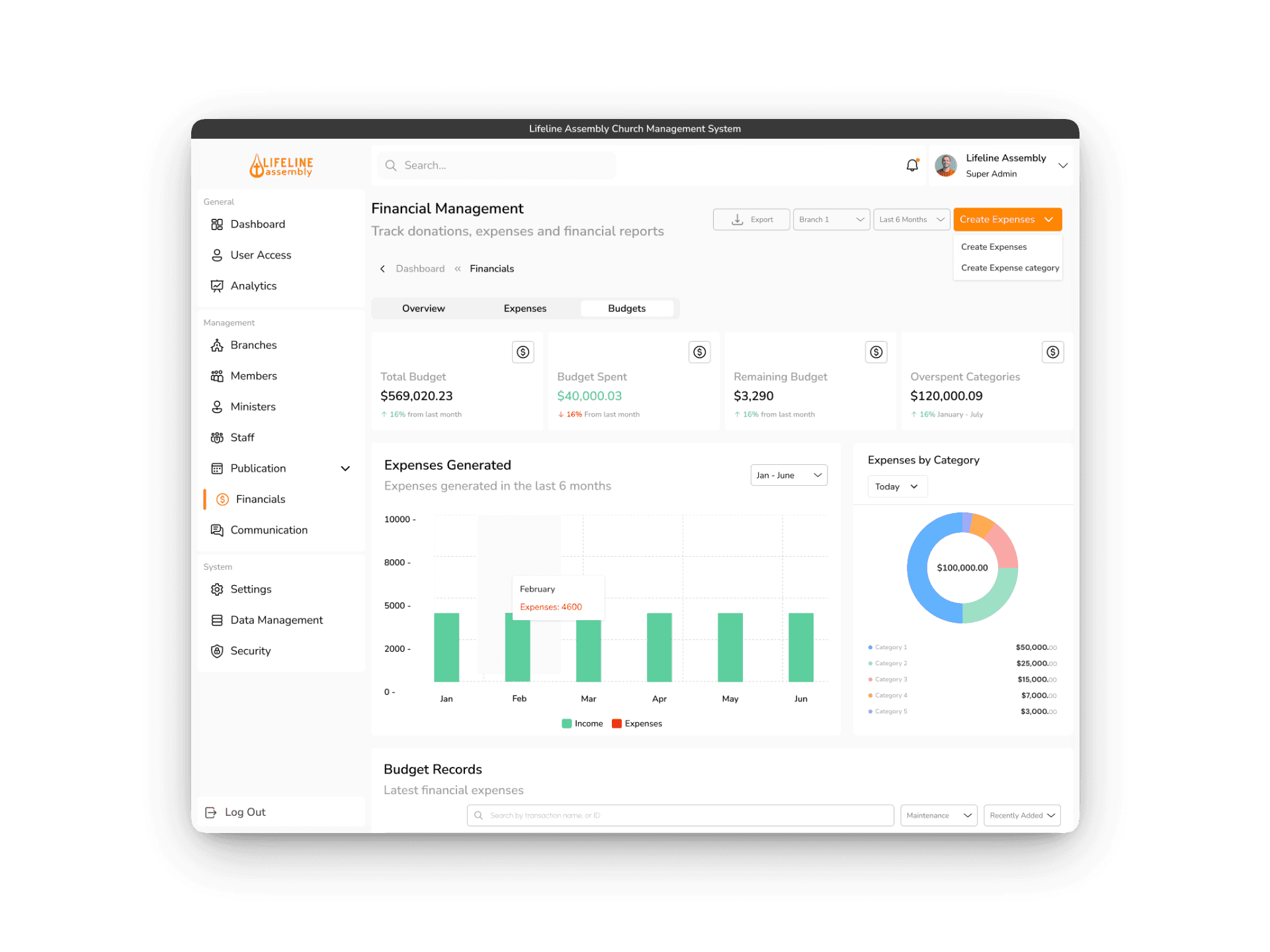
The financial management section provides an overview of the church’s finances, including total expenses and budgets, with visual dashboards to monitor spending, allocations, and trends, aiding in financial assessment and planning.

2

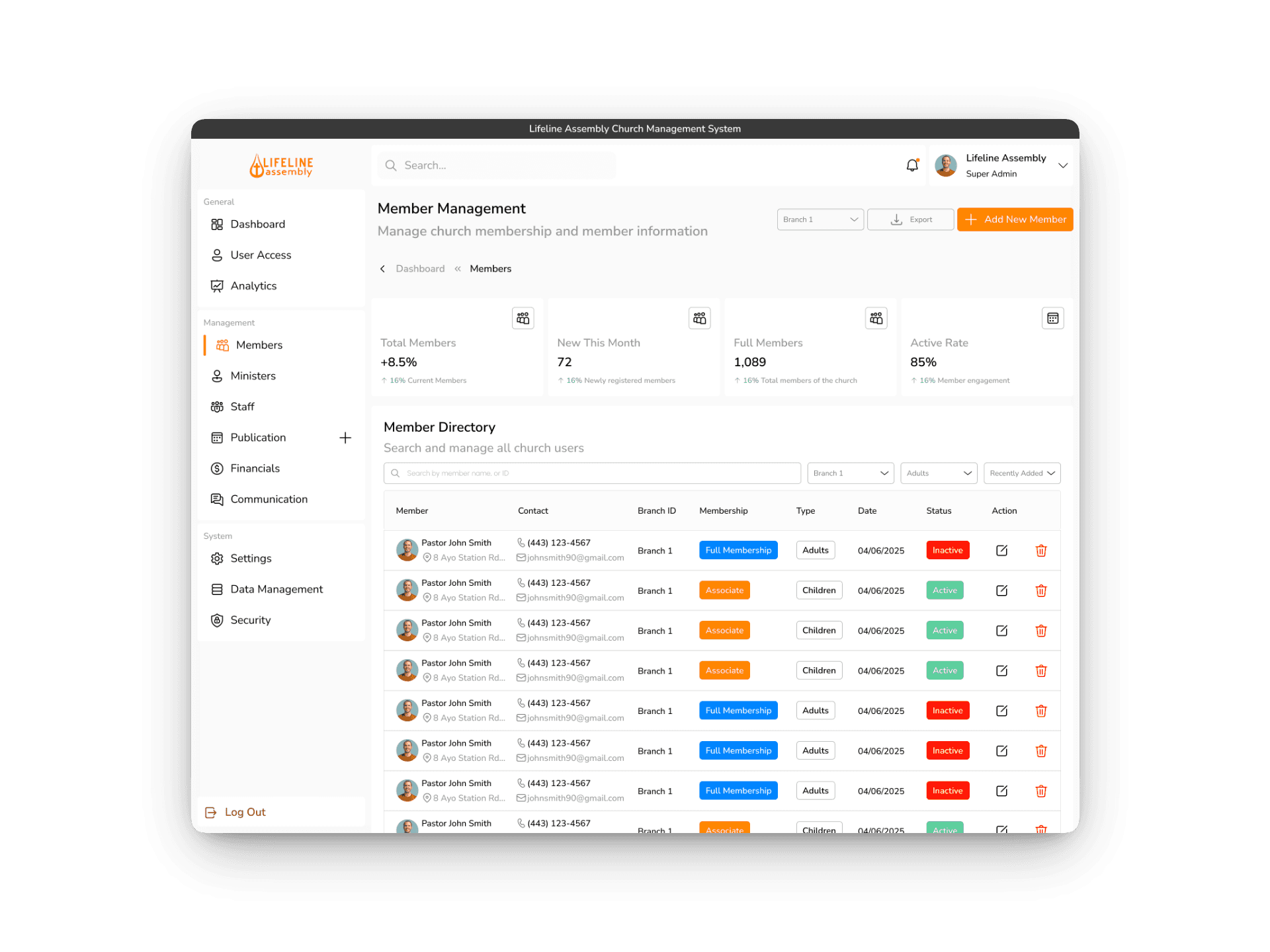
Member Management

This section facilitates registration, updates, and organization of member information, enabling smooth engagement and record-keeping through tools for viewing details, categorizing groups, tracking attendance, and managing communication.

1

2

1

2

Music & Music Category Screens

1

Music Category Screen

The music category screen features a sleek and organized layout that allows users to browse and select from a wide range of gospel music genres. The interface provides genre lists, enabling quick navigation and a personalized listening experience.

2

Music Screen

The Music screen displays a user-friendly interface featuring sections like "Recommended for You," showcasing personalized music suggestions; "Recently Played," allowing quick access to past listens; and "Now Playing," highlighting the current track with playback controls. This layout provides a seamless and engaging music experience tailored to the user.

1

2

Church Profile & Live Sermon Screens

1

Church Profile Screen

The church profile screen displays location details with CTA buttons for videos, tithes, donations, and a "Send Prayer Request" feature for easy access to services.

2

Live Sermon Screen

The live sermon screen has a top-positioned video player with controls for playback, sharing, chat, and prayer requests, providing an immersive live worship experience.

1

2

Prayer Groups & Pastors Screens

1

Prayer Groups Screen

The send prayer request screen appears as a pop-up after the user clicks the "Send Prayer Request" button. It displays a list of prayer groups that the user can select from to send their prayer request, making it easy to connect with specific groups for prayer support.

2

Pastors Screen

The send prayer request screen appears as a pop-up after the user clicks the "Send Prayer Request" button. It displays a list of pastors to whom the prayer request can be sent, allowing users to select their preferred pastor and submit their prayer request easily.

1

2

Super Admin Dashboard & User Access Screens

1

Super Admin Dashboard

The Shepherd's Church Management System Super Admin Dashboard offers the church administrator full control over operations, including user access, analytics, member and staff management, and communication tools for efficient oversight.

2

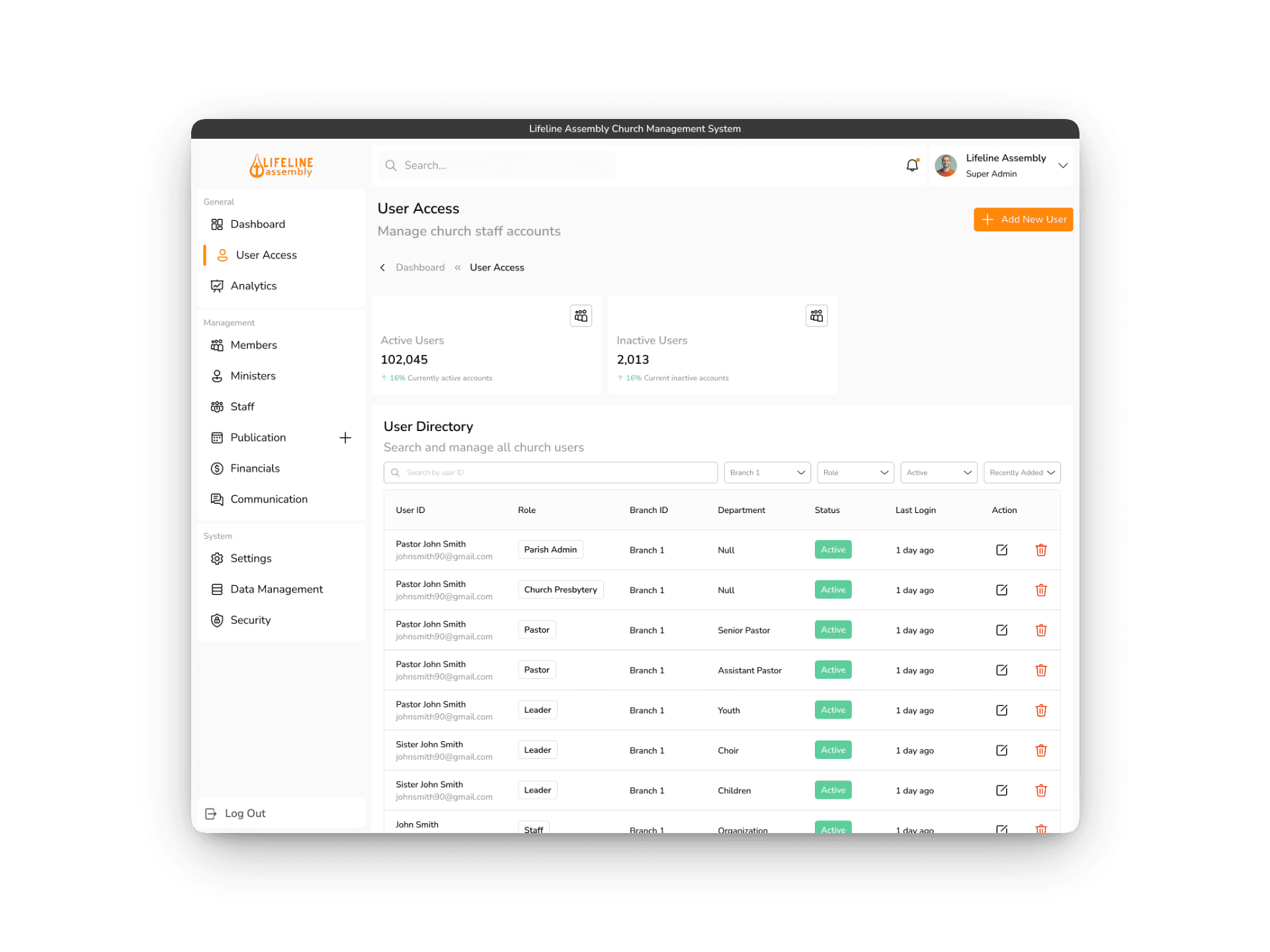
User Access Screen

User access screen in provides a clear overview of staff and pastors, allowing easy viewing, filtering, editing permissions, and managing user accounts to ensure security and efficient access management.

1

2

Financial Management & Members Management Screens

1

Financial Management (Budgets)

The financial management section provides an overview of the church’s finances, including total expenses and budgets, with visual dashboards to monitor spending, allocations, and trends, aiding in financial assessment and planning.

2

Member Management

This section facilitates registration, updates, and organization of member information, enabling smooth engagement and record-keeping through tools for viewing details, categorizing groups, tracking attendance, and managing communication.

1

2

Analytics Dashboard & Communications Screens

1

Analytics Dashboard

This section offers visual insights and reports on various church activities, such as attendance, donations, and engagement metrics. It helps leaders analyze trends, measure performance, and make informed decisions to support the church’s growth and effectiveness.

2

Communications

This section allows for efficient sending and managing of messages, emails, and notifications to members and groups. It helps ensure clear and timely communication, keeping everyone informed and engaged within the church community.

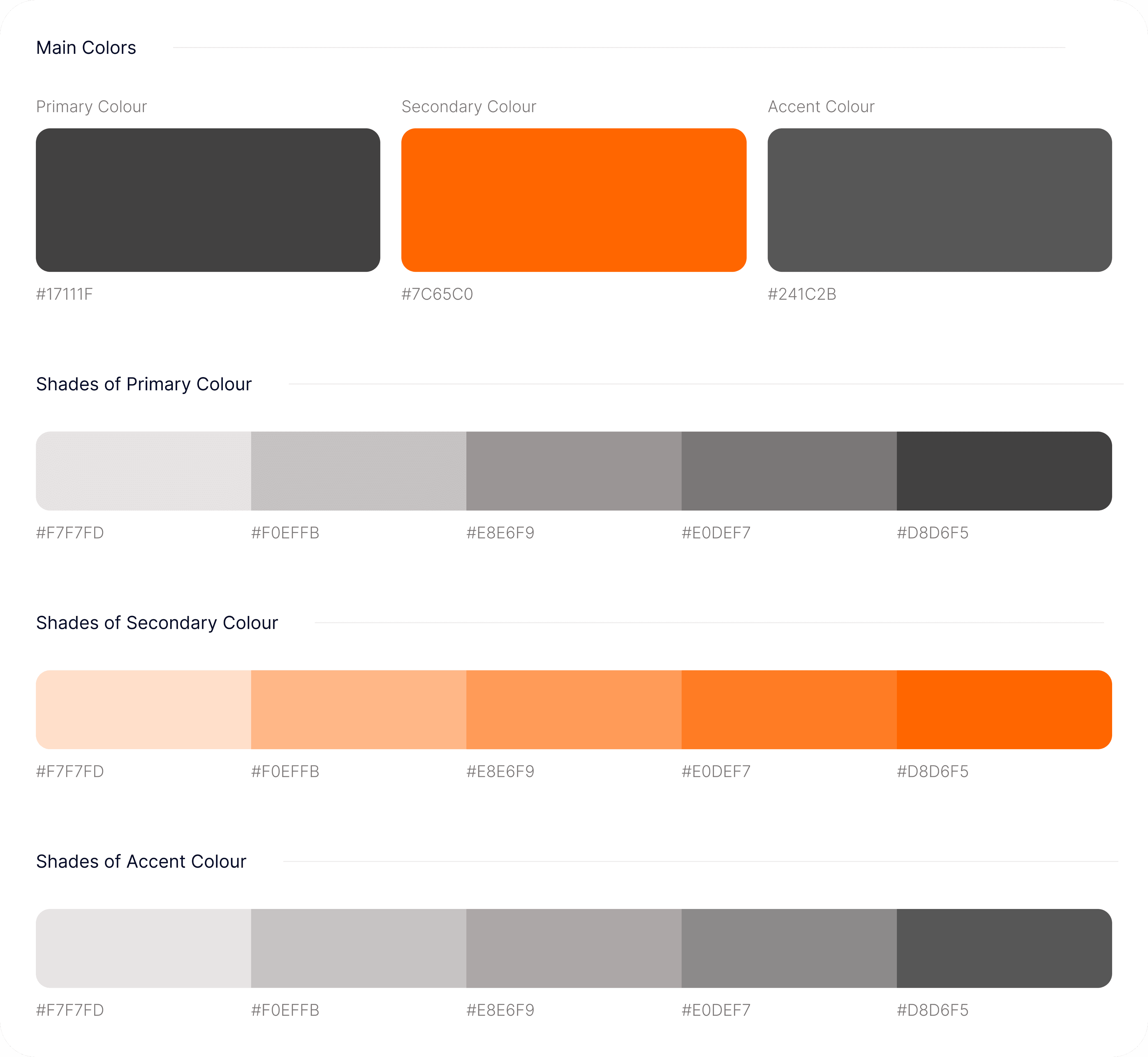
Style Guide

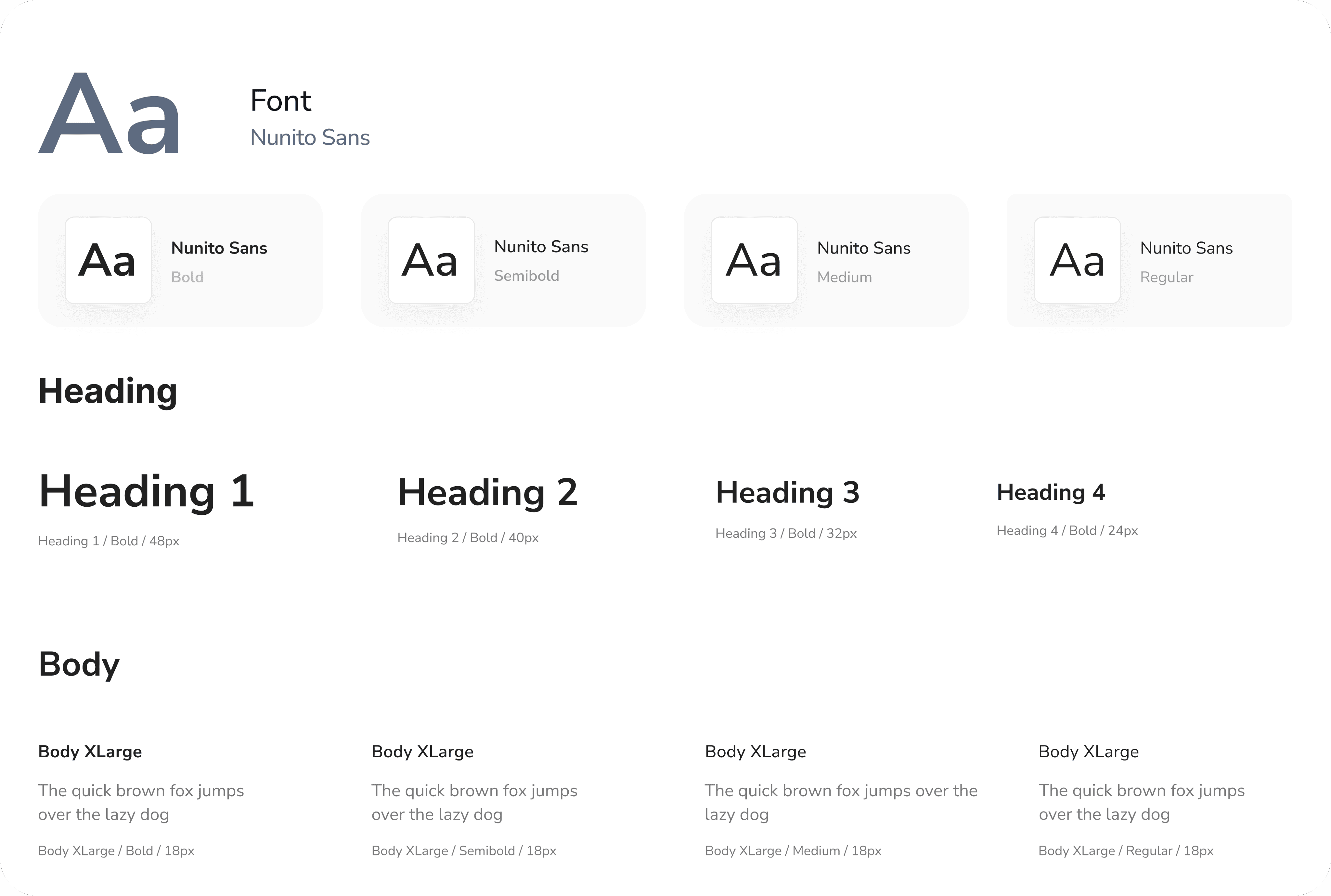
Typography
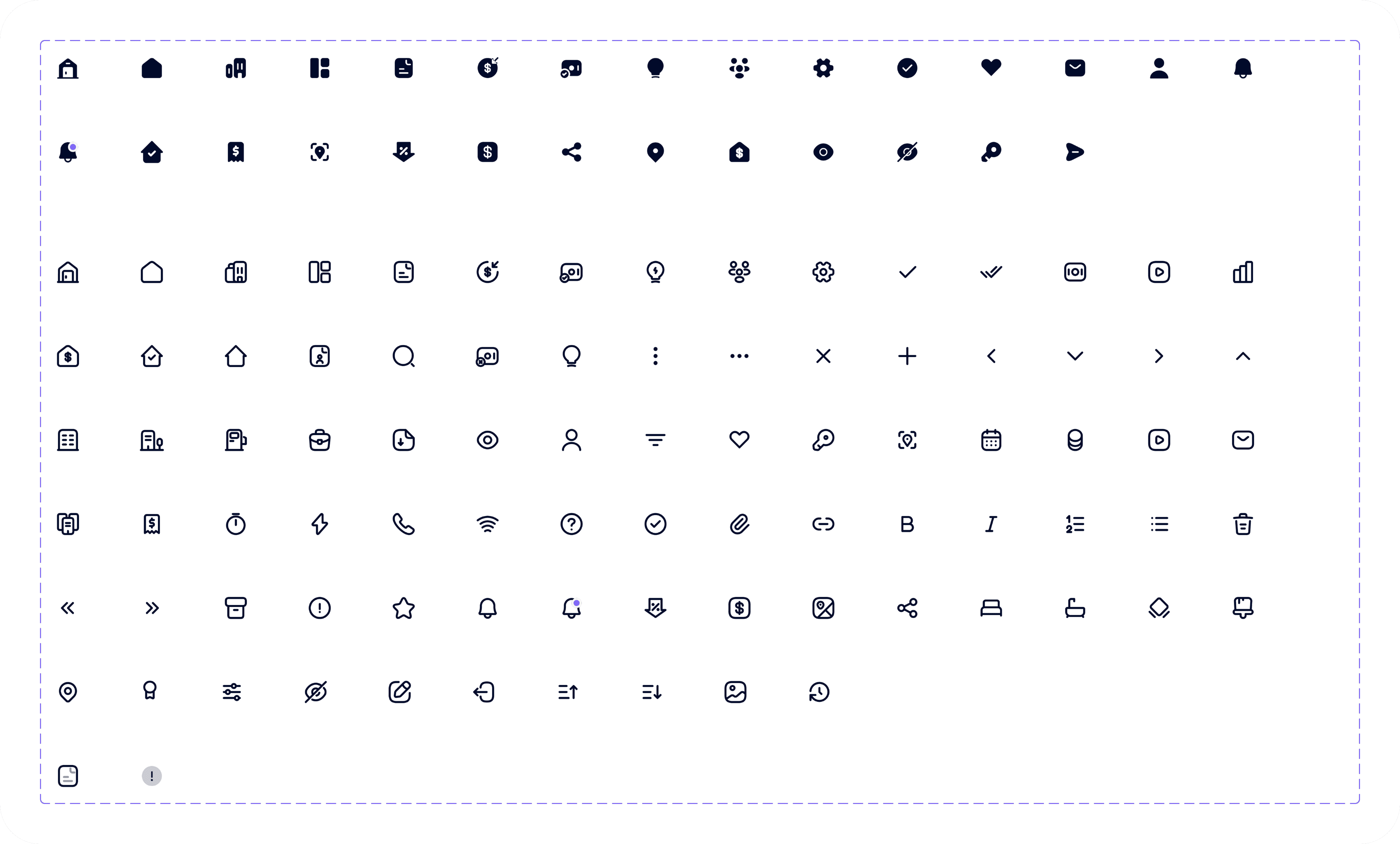
Iconography
Proven Results

The implementation of the Shepherd Church Management System and the Omnipresent Mobile Application has yielded several proven results, including a significant increase in online engagement, with a 25% rise in website traffic and a 15% increase in mobile app downloads. The system also facilitated a 30% increase in direct messaging with pastors, allowing members to connect with spiritual leaders more easily. Furthermore, the live sermon streams experienced a 40% increase in viewership, making spiritual growth and community building more accessible to a wider audience. These results demonstrate the effectiveness of the software in enhancing digital engagement, improving communication and fostering a sense of community.

Have an idea? Let's talk about it!

Fill out the form, or reach out directly. I’ll respond within 24 hours.

Let’s chat!

+2349061588702

designswithgravity@gmail.com

© Copyright 2026. All rights Reserved.

Have an idea? Let's talk about it!

Fill out the form, or reach out directly. I’ll respond within 24 hours.

Let’s chat!

+2349061588702

designswithgravity@gmail.com

© Copyright 2026. All rights Reserved.

Product Overview

Shepherd Church Management System is a user-friendly platform that streamlines church administration by managing member data, attendance, events, donations, and communication. it also includes a mobile app "Omnipresent" that keeps members connected, enabling them to contact pastors, stream sermons, listen to gospel music, read e-books, and join community groups to foster engagement and spiritual growth.

Role

UX Researcher

UX UI Designer

Duration

6 Weeks

Tools

Figma

Claude AI

Jira

Client

Bems Soft

Homescreen & Podcasts Screens

1

Homescreen

Home screen features a clean and intuitive layout, highlighting live church sermons at the top with a prominent video player. Below, users can easily access current gospel music playlists, featuring album art and playback controls.

2

Market Levy

Market levy payment details provide tax payers with the information they need to pay their taxes efficiently. This includes the amount of levy due, payment deadlines, and payment methods.

1

2

Design Process

This process involves understanding user needs and business goals, conducting research, creating wireframes and visual designs, testing with users, iterating based on feedback, and collaborating with development teams to deliver an intuitive, user-centered product.

01

Step

Understand

User Research

User Interview

Competitve Analysis

02

Step

Define

User Personas

Empathy Map

User Journey

03

Step

Ideate

User Flow

Information Architecture

04

Step

Design

Wireframe

Hi-Fi Designs

Prototype

05

Step

Test

Feedbacks

Conclusion

Future Concept

Have an idea? Let's talk about it!

Fill out the form, or reach out directly. I’ll respond within 24 hours.

Let’s chat!

+2349061588702

designswithgravity@gmail.com

© Copyright 2026. All rights Reserved.

Create a free website with Framer, the website builder loved by startups, designers and agencies.