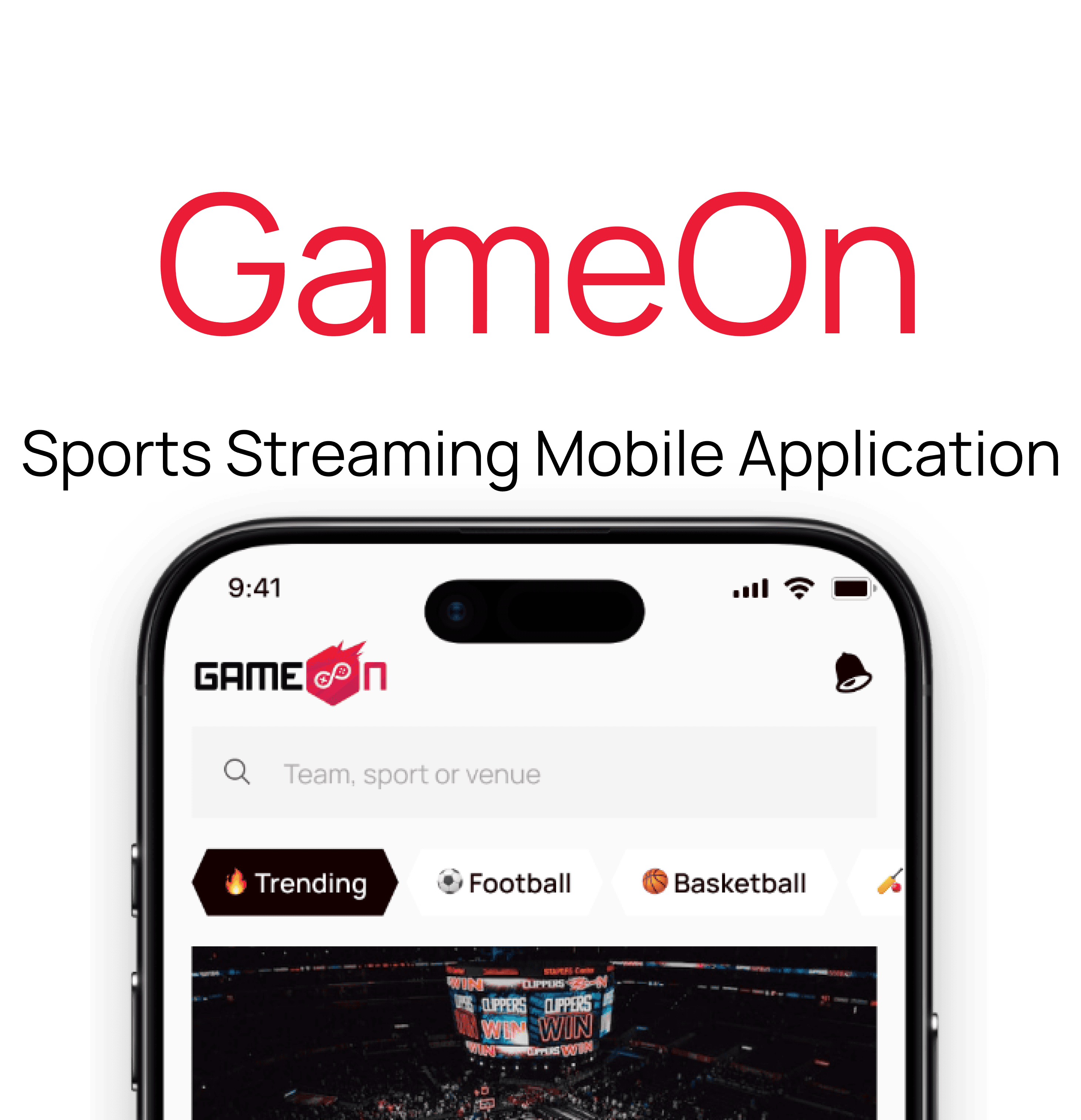
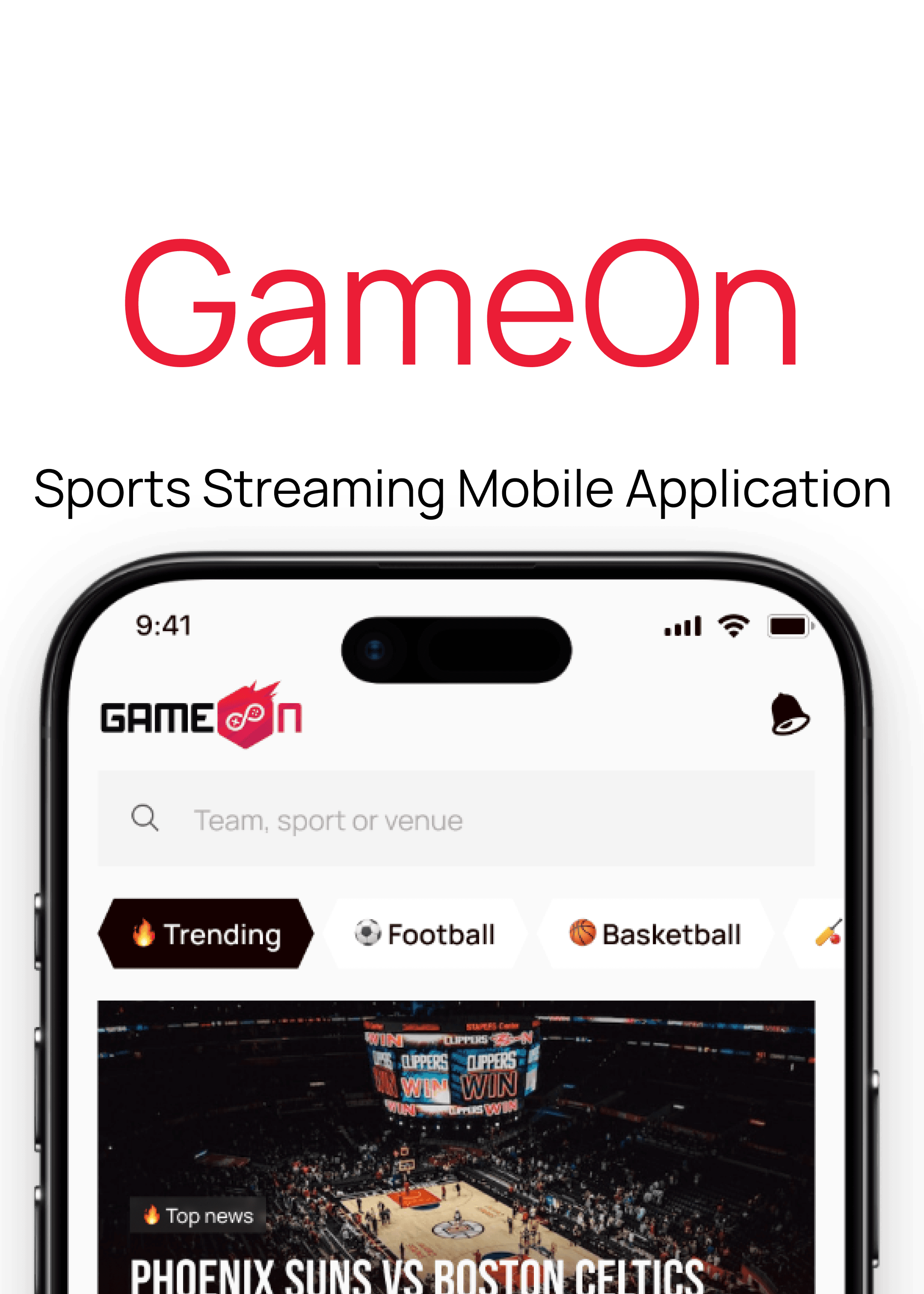
Sports

Streaming Mobile Application


UX Case Study
Product Overview

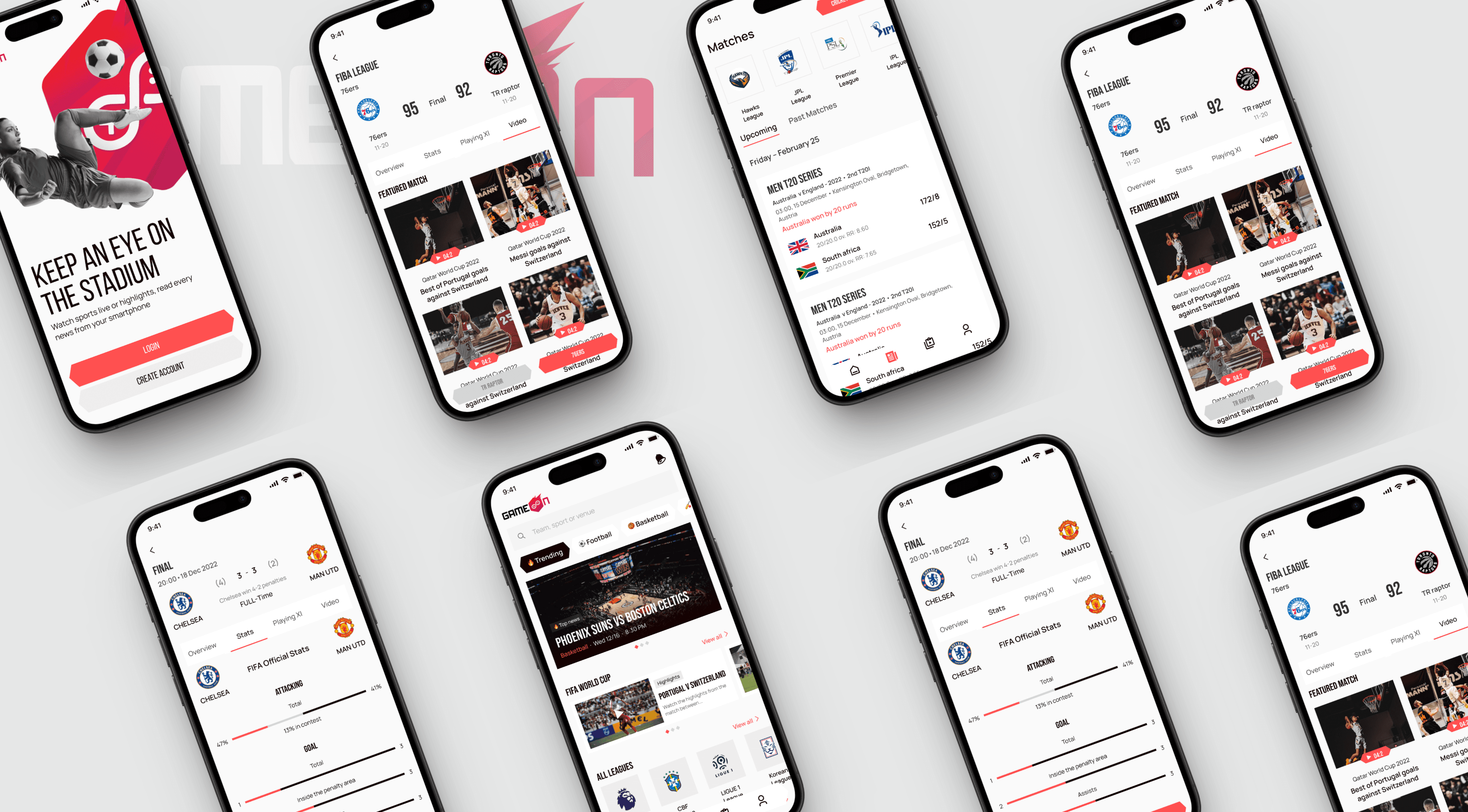
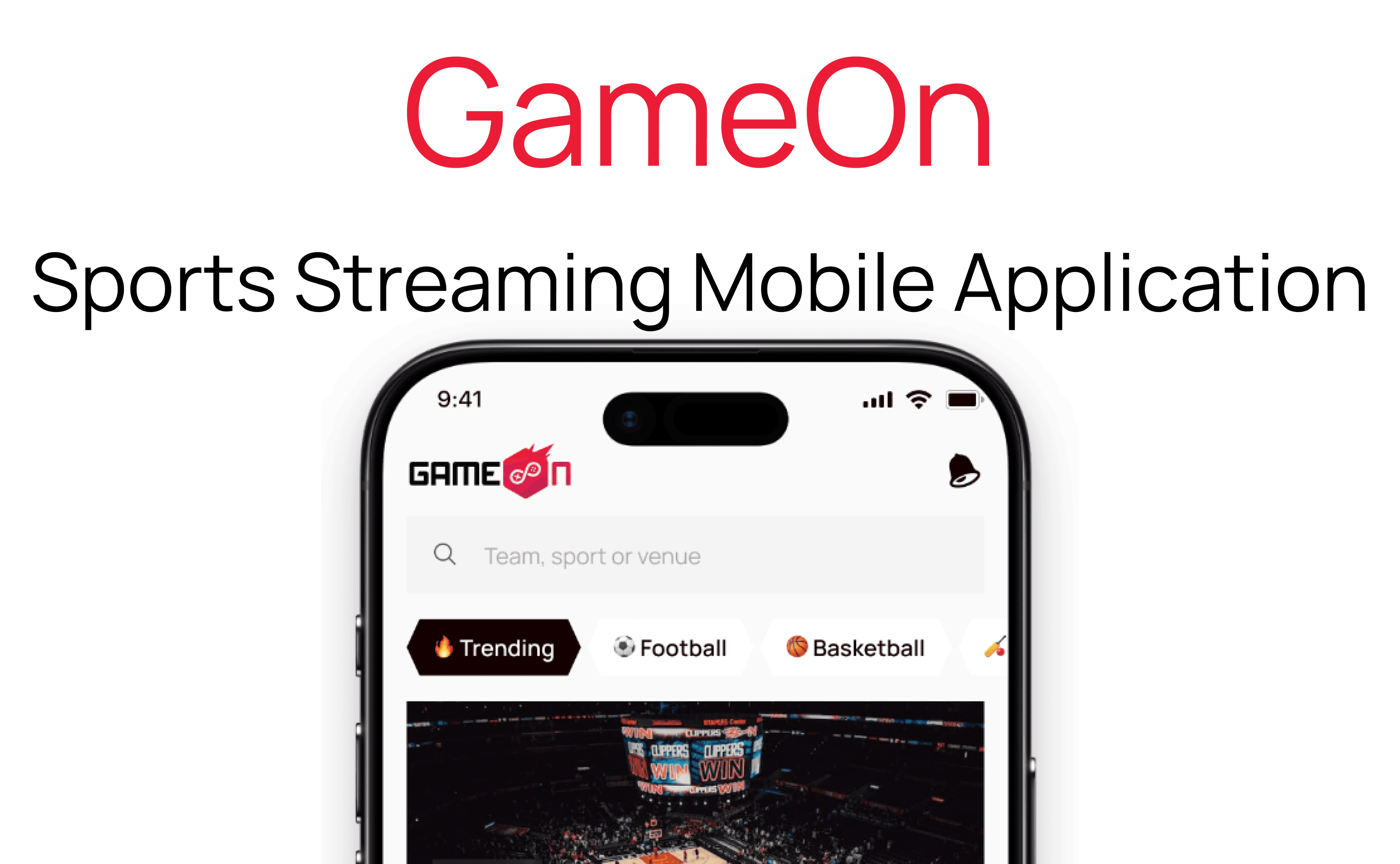
Game On is a comprehensive sports streaming mobile application designed to deliver live sports content directly to users’ smartphones. It provides access to live broadcasts of various sports leagues and events, real-time scores, highlights, and exclusive video content. The app features personalized notifications for upcoming games and scores, social sharing options, and interactive features such as live chat and community engagement. Its user-friendly interface and seamless streaming experience aim to keep sports fans connected, informed, and engaged with their favourite teams and sports anytime and anywhere.

Role

UX Researcher

UX UI Designer

Tools

Figma

Claude AI

Duration

32Weeks

Client

Bems Soft

Problem Statement

Sports fans struggle to access real-time updates, live broadcasts, and engaging content across different platforms, resulting in fragmented experiences. They need a single, convenient app that provides instant access to live games, scores, highlights, and interactive features to stay connected with their favourite sports and teams.

Goal

The goal of the Game On app is to offer sports fans a single platform for live broadcasts, scores, highlights, and exclusive content, enhancing engagement and connectivity through interactive features, and making sports viewing more accessible, personalized, and interactive.

Design Process

This process involves understanding user needs and business goals, conducting research, creating wireframes and visual designs, testing with users, iterating based on feedback, and collaborating with development teams to deliver an intuitive, user-centered product.

01

Step

Understand

User Research

User Interview

Competitve Analysis

02

Step

Define

User Personas

Empathy Map

User Journey

03

Step

Ideate

User Flow

Information Architecture

04

Step

Design

Wireframe

Hi-Fi Designs

Prototype

05

Step

Test

Feedbacks

Conclusion

Future Concept

Target Audience

The Game On app targets sports fans of all ages, from dedicated followers of various sports to casual viewers, especially those who enjoy interactive features like social sharing, live chats, and personalized updates for a convenient and engaging sports experience.

Competitive Analysis

DAZN

A sports app with live games, highlights, news, and analysis across many sports like football and basketball.

A sports app with live games, highlights, news, and analysis across many sports like football and basketball.

A sports app with live games, highlights, news, and analysis across many sports like football and basketball.

Features

Live sports coverage: Watch live games and matches from various sports like football, basketball, and more.

Live sports coverage: Watch live games and matches from various sports like football, basketball, and more.

Live sports coverage: Watch live games and matches from various sports like football, basketball, and more.

Custom alerts: Get notifications about scores, game times, and news for your favorite teams and sports.

Custom alerts: Get notifications about scores, game times, and news for your favorite teams and sports.

Custom alerts: Get notifications about scores, game times, and news for your favorite teams and sports.

ESPN

A sports streaming service focused on live and on-demand boxing, MMA, football, and more, with flexible subscriptions.

Features

Exclusive live events: Stream live sports like boxing, MMA, and football, often with exclusive content.

Exclusive live events: Stream live sports like boxing, MMA, and football, often with exclusive content.

Exclusive live events: Stream live sports like boxing, MMA, and football, often with exclusive content.

Multiple device streaming: Watch on different devices such as phones, tablets, and TVs, and switch easily between them

Unique Features

Augmented Reality (AR) Live Game Experience: Allows users to view live game stats, player info, and interactive overlays through AR during live matches, creating an immersive experience directly through their mobile device.

Personalized Skill Challenges & Trivia: Enables users to virtually meet or interact with their favorite athletes via exclusive live Q&A sessions, personalized video messages, or behind-the-scenes content.

Real-Time Skill Challenges & Leaderboards: Incorporated interactive mini-games or skill challenges related to different sports, with real-time leaderboards and rewards to boost engagement and friendly competition.

Community-Driven Content Creation: Allows users to create and share their own sports content, such as highlight reels, fan art, or commentary, fostering a vibrant community and encouraging user-generated content.

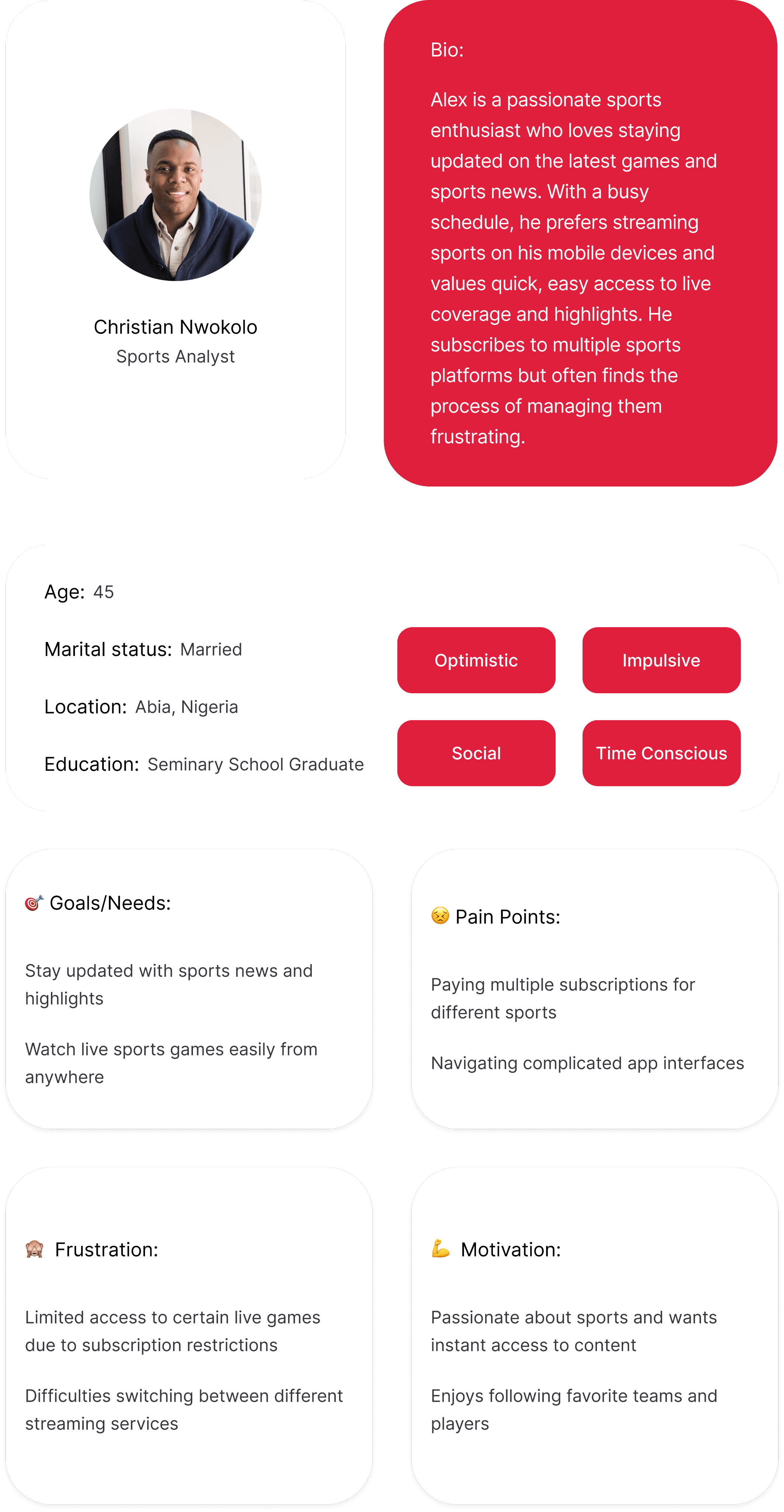
User Persona
Task Flow 1

Stream a Match
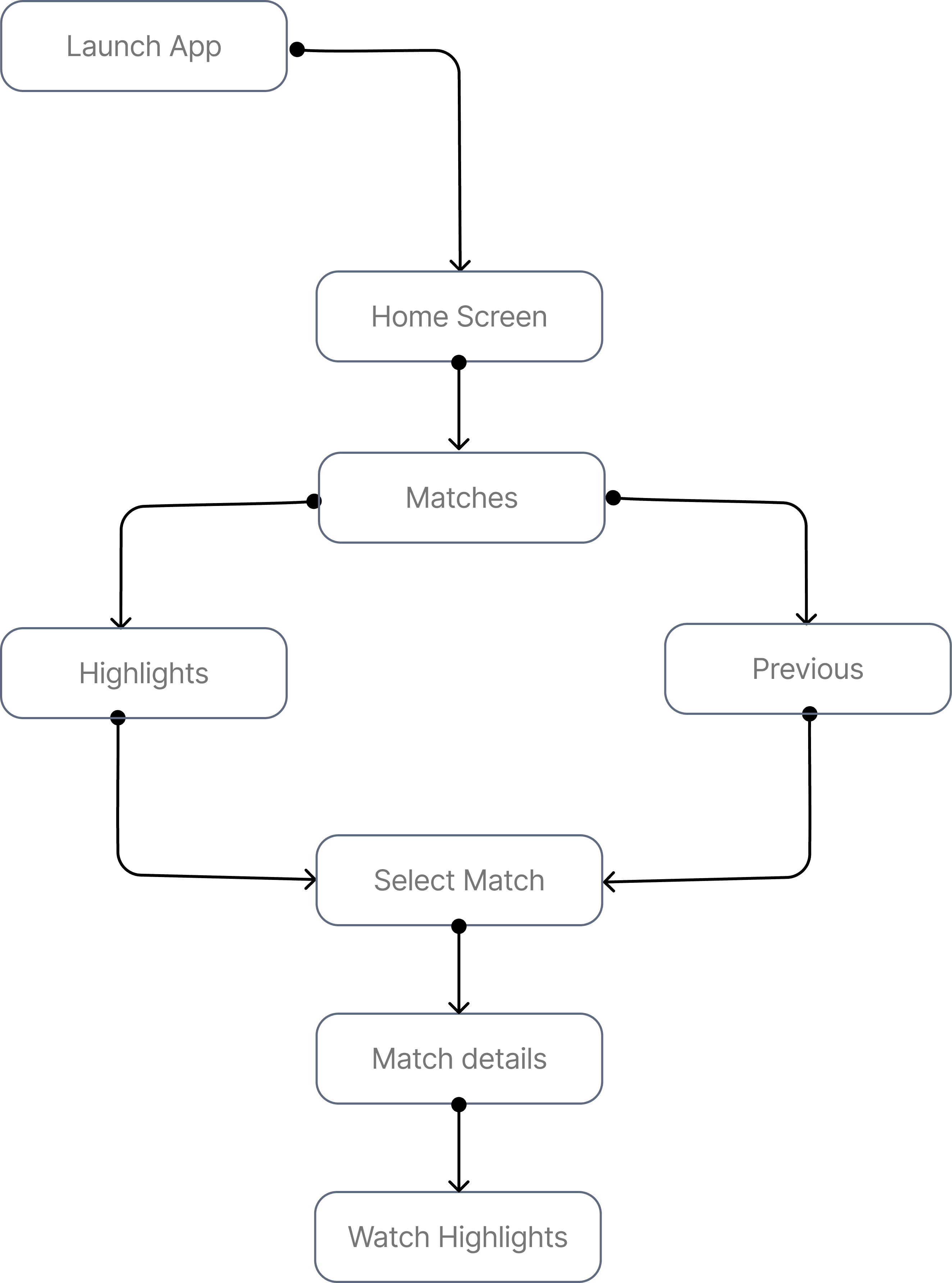
Task Flow 2

Watch Match Highlights
Sketches/Low-fidelity Wireframes

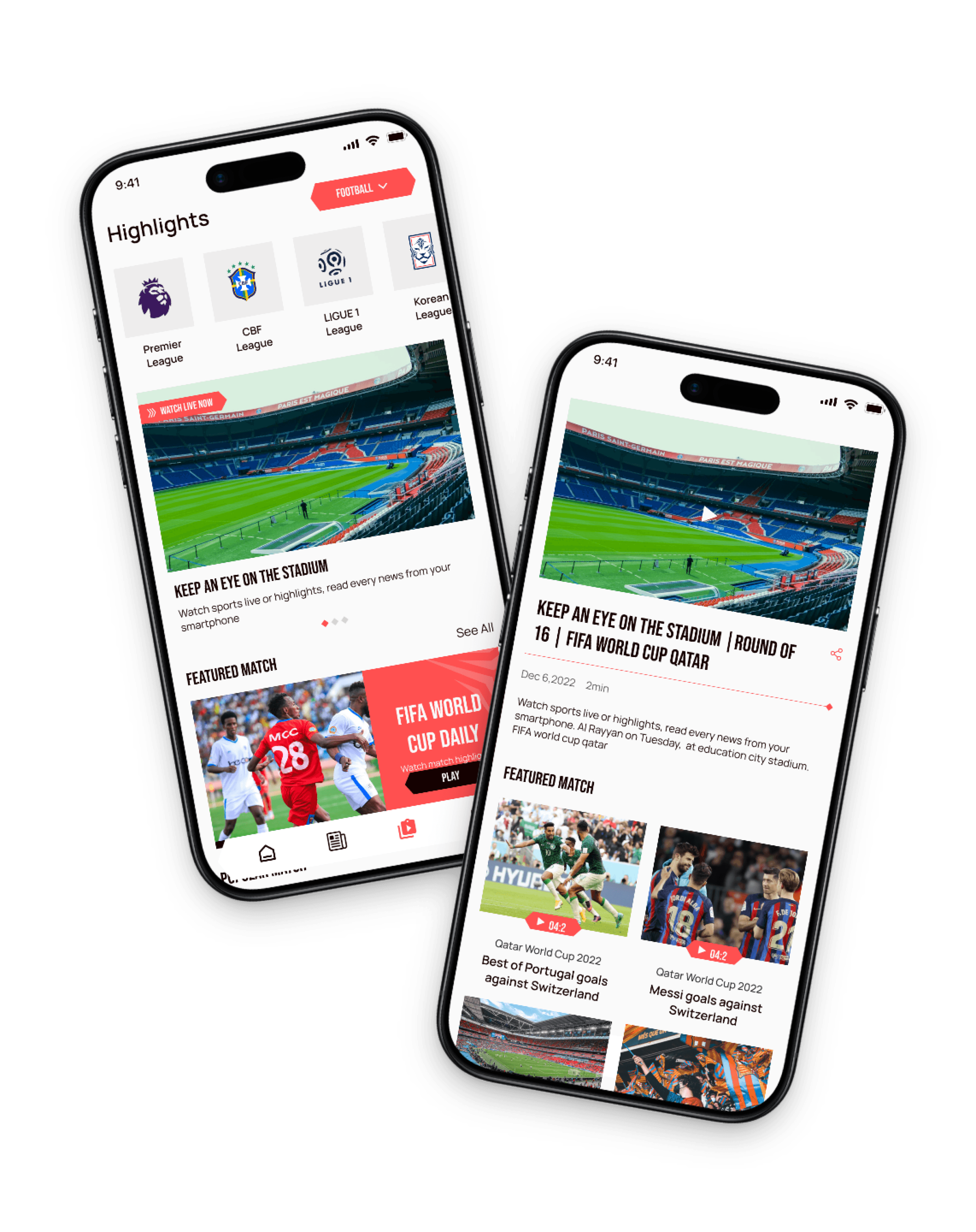
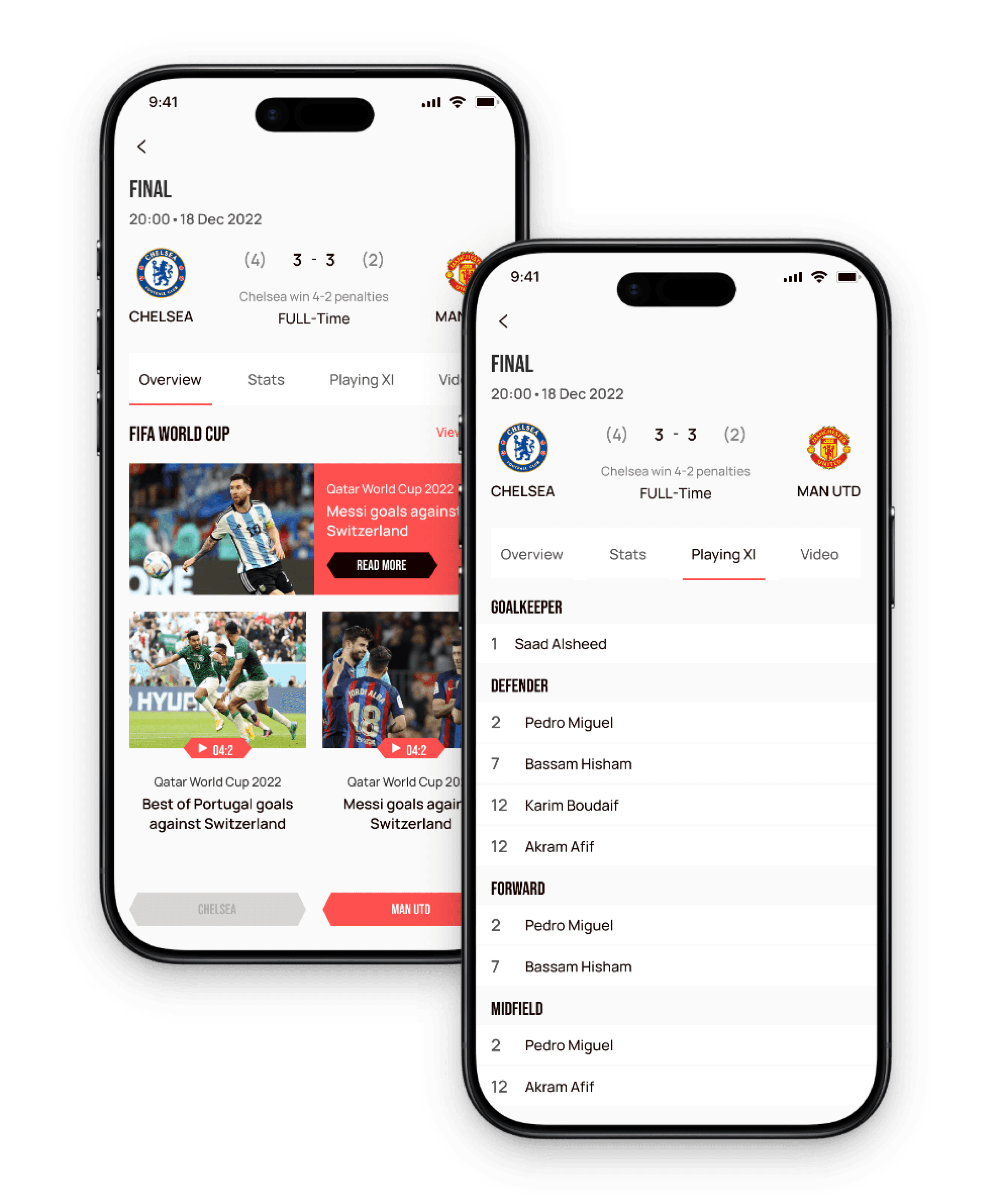
Home Screen & Match details Screens

1

2

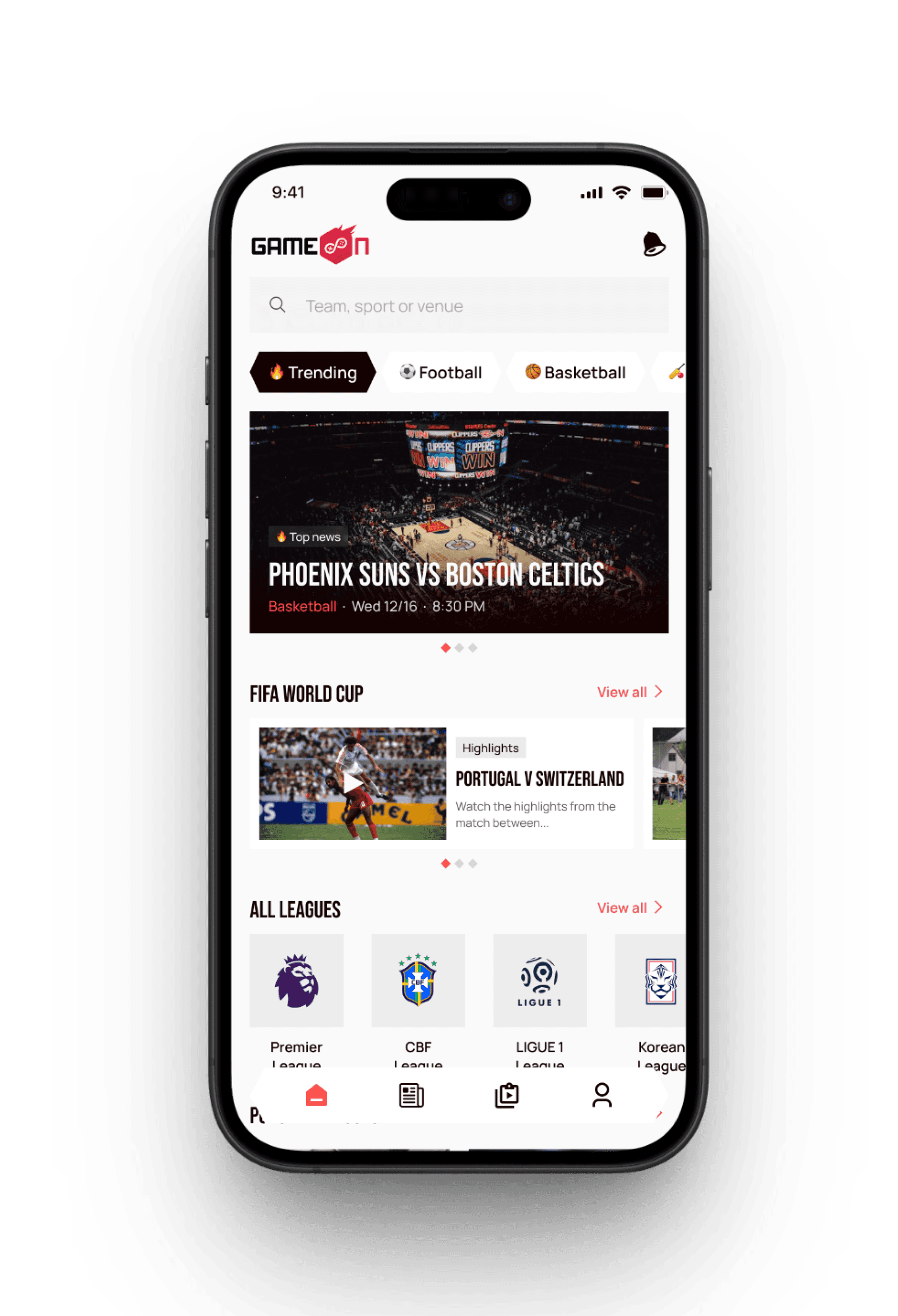
1

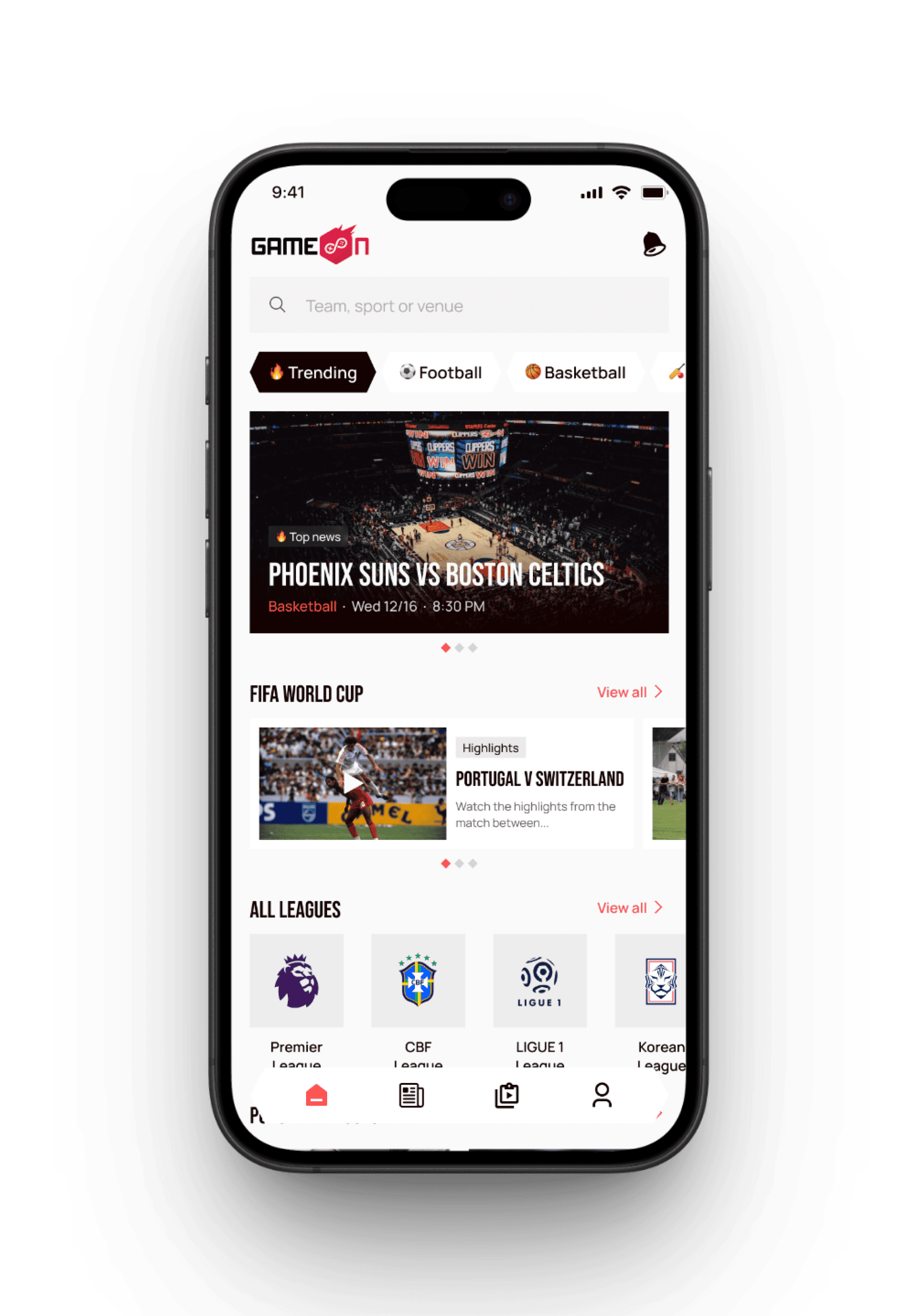
Home Screen

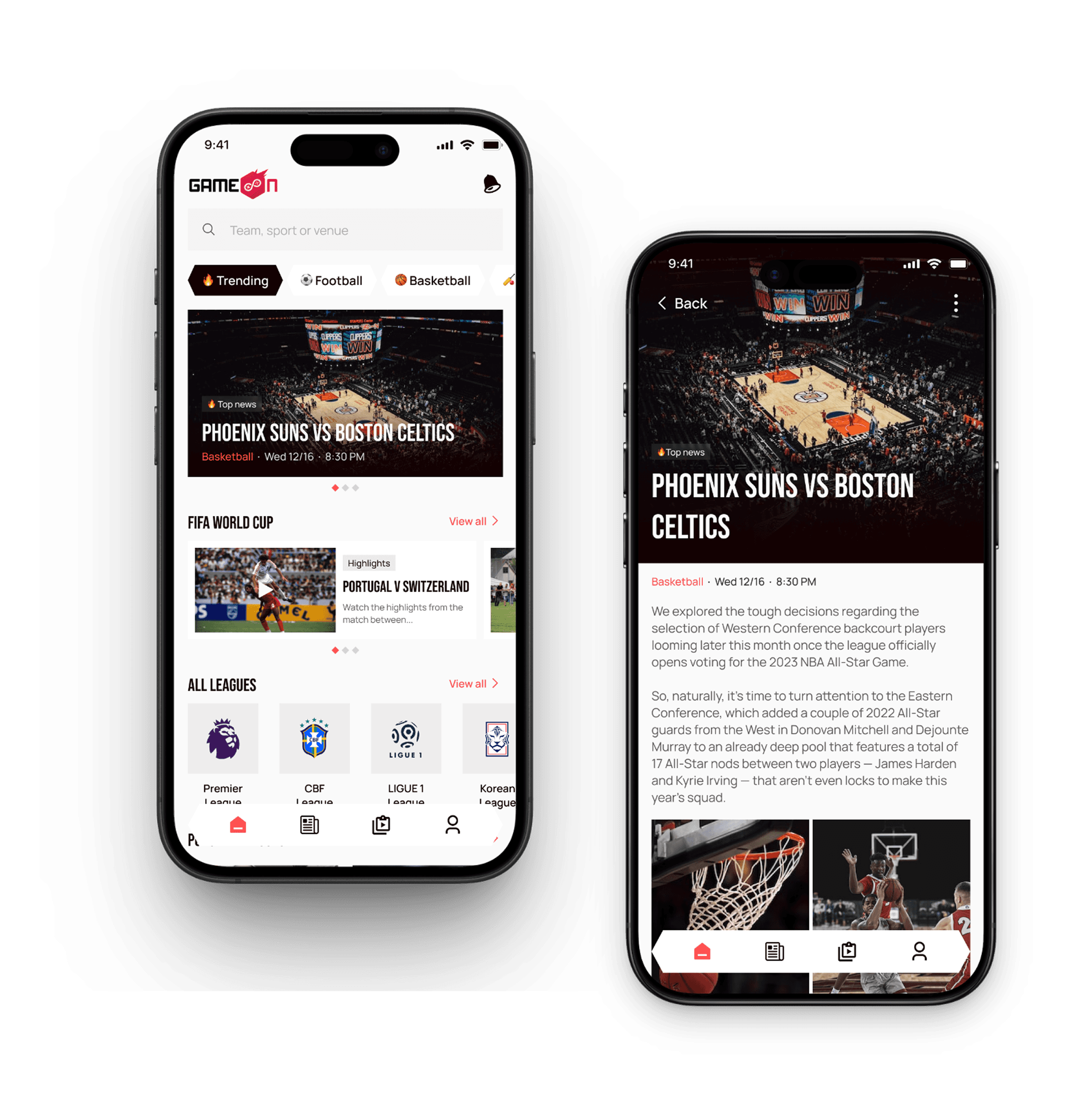
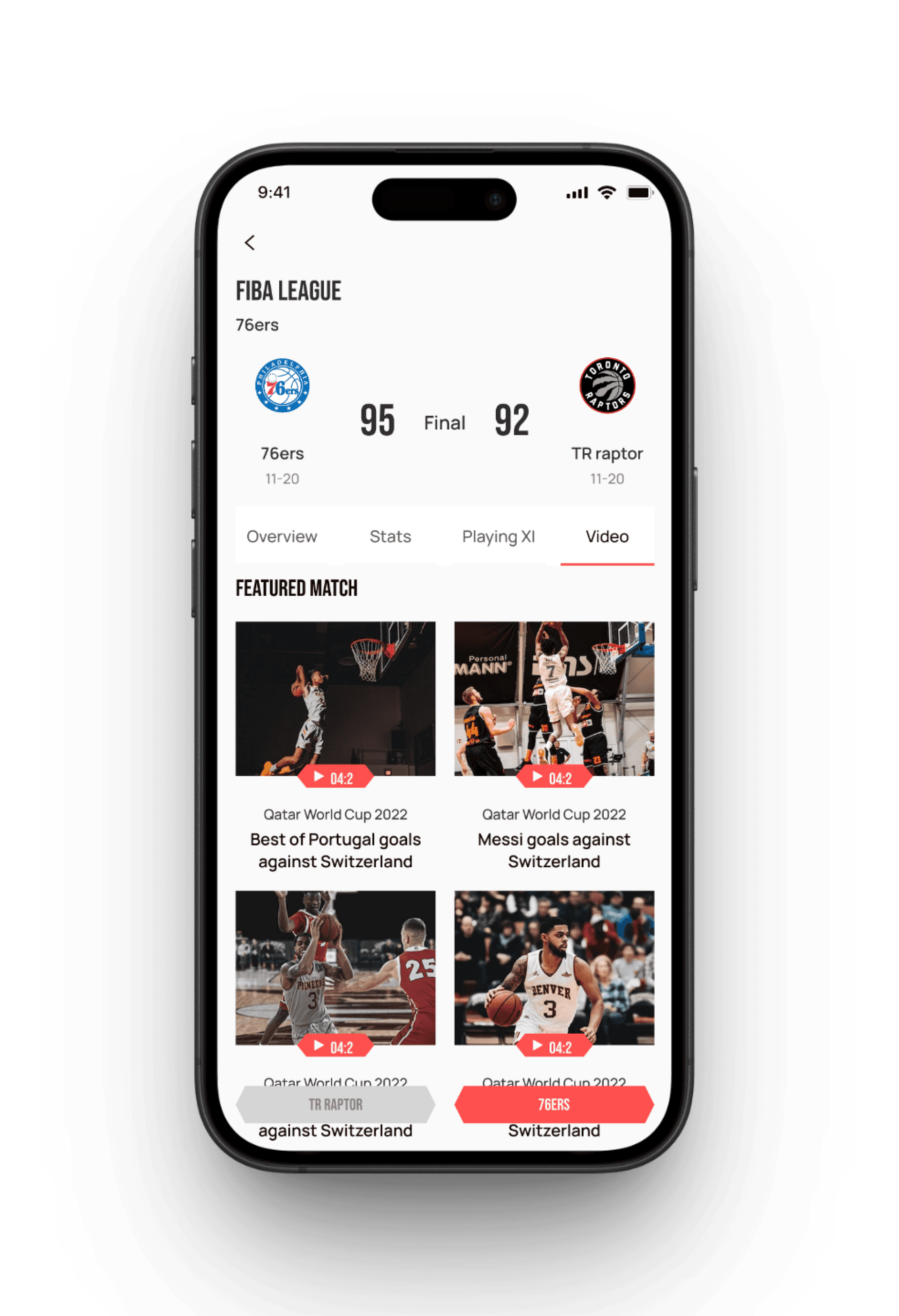
The Home Screen serves as the app's main hub, offering quick access to live matches, upcoming events, highlights, and personalized content with a clean layout for easy navigation.

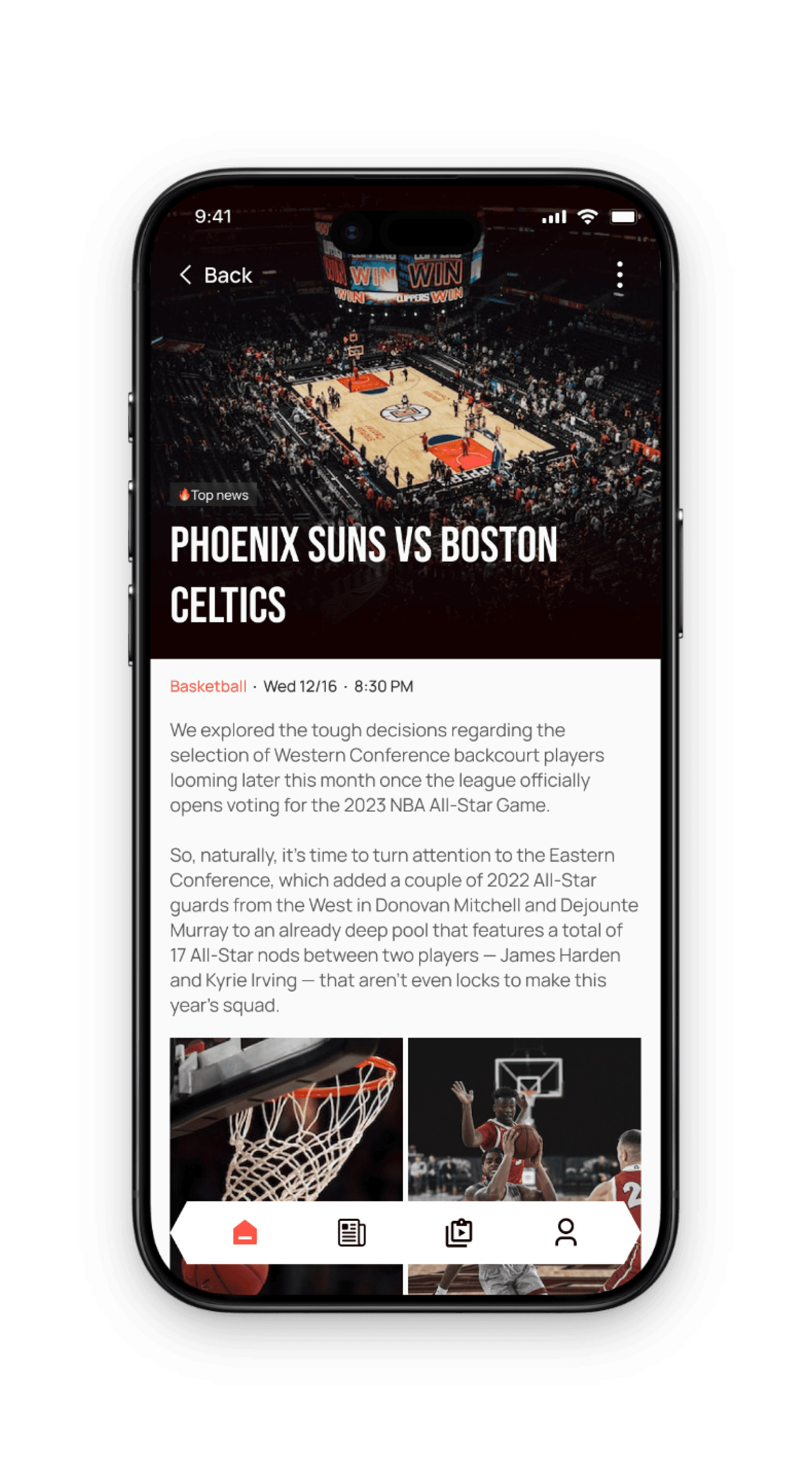
2

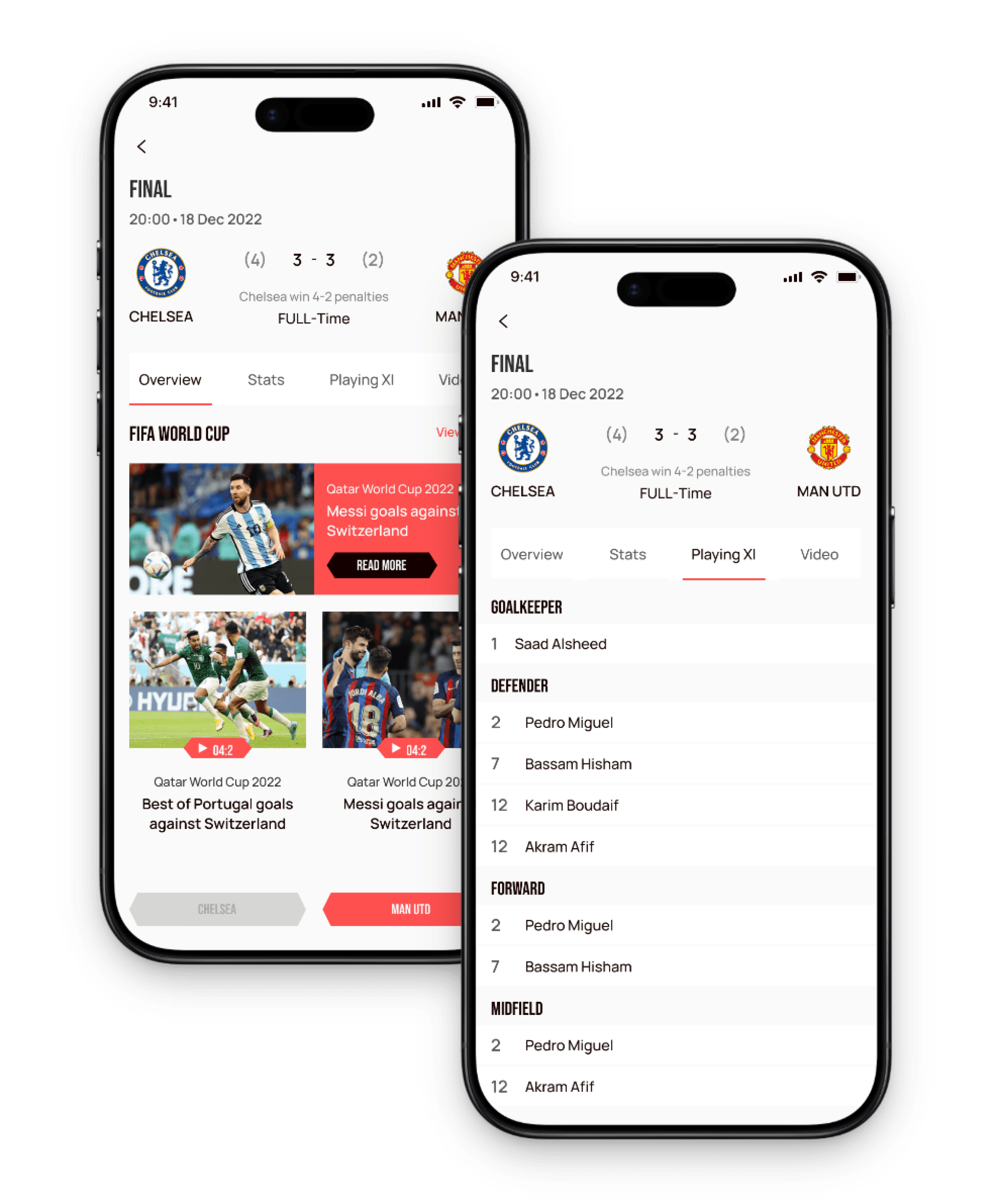
Match Details Screen

The Match Details Screen provides detailed information about a specific game, including live scores, team lineups, player stats, and key moments, along with options to watch streams, view commentary, and share updates, all aimed at delivering real-time insights and an engaging viewing experience.

Highlights & Highlights Details Screens

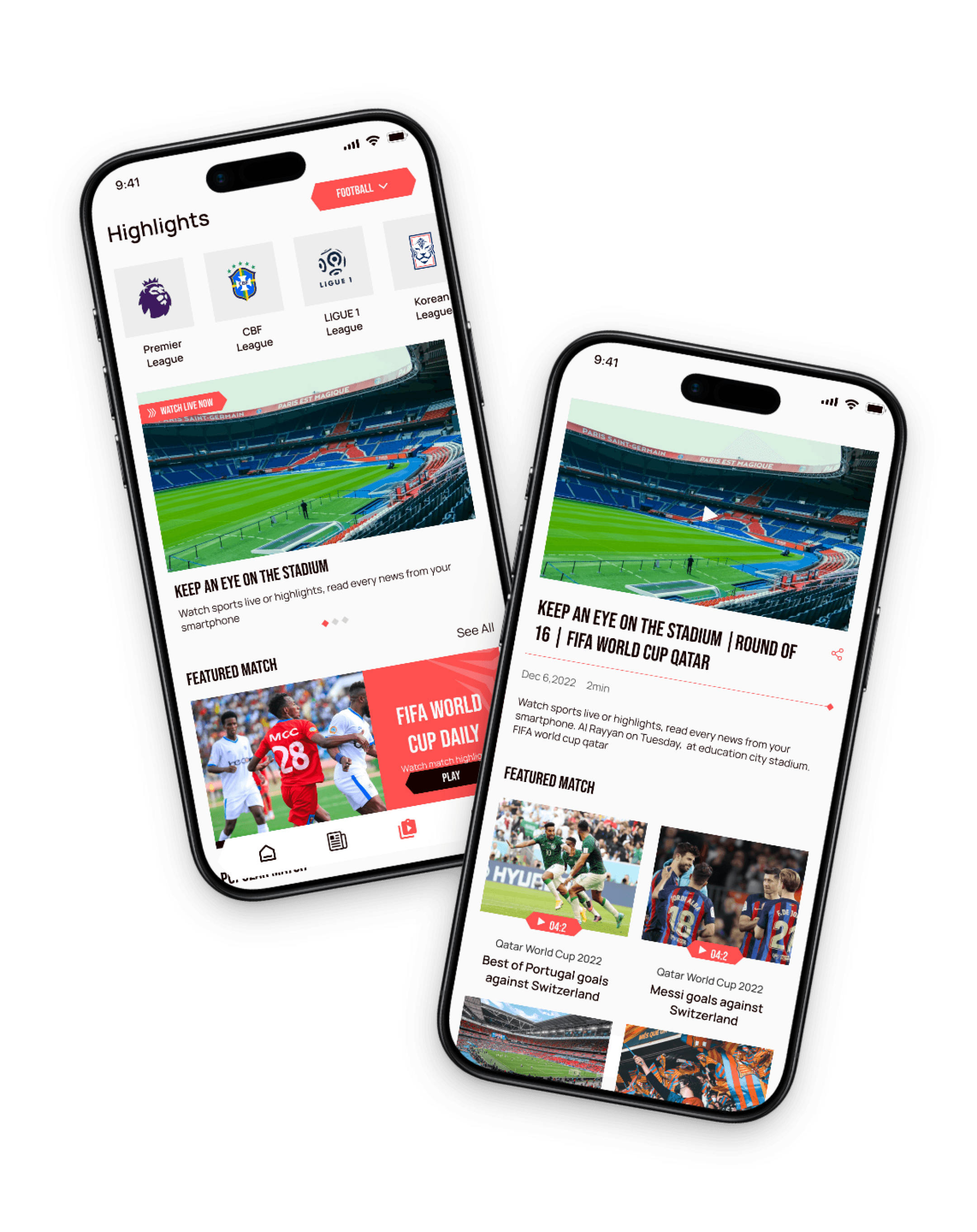
1

Highlights Screen

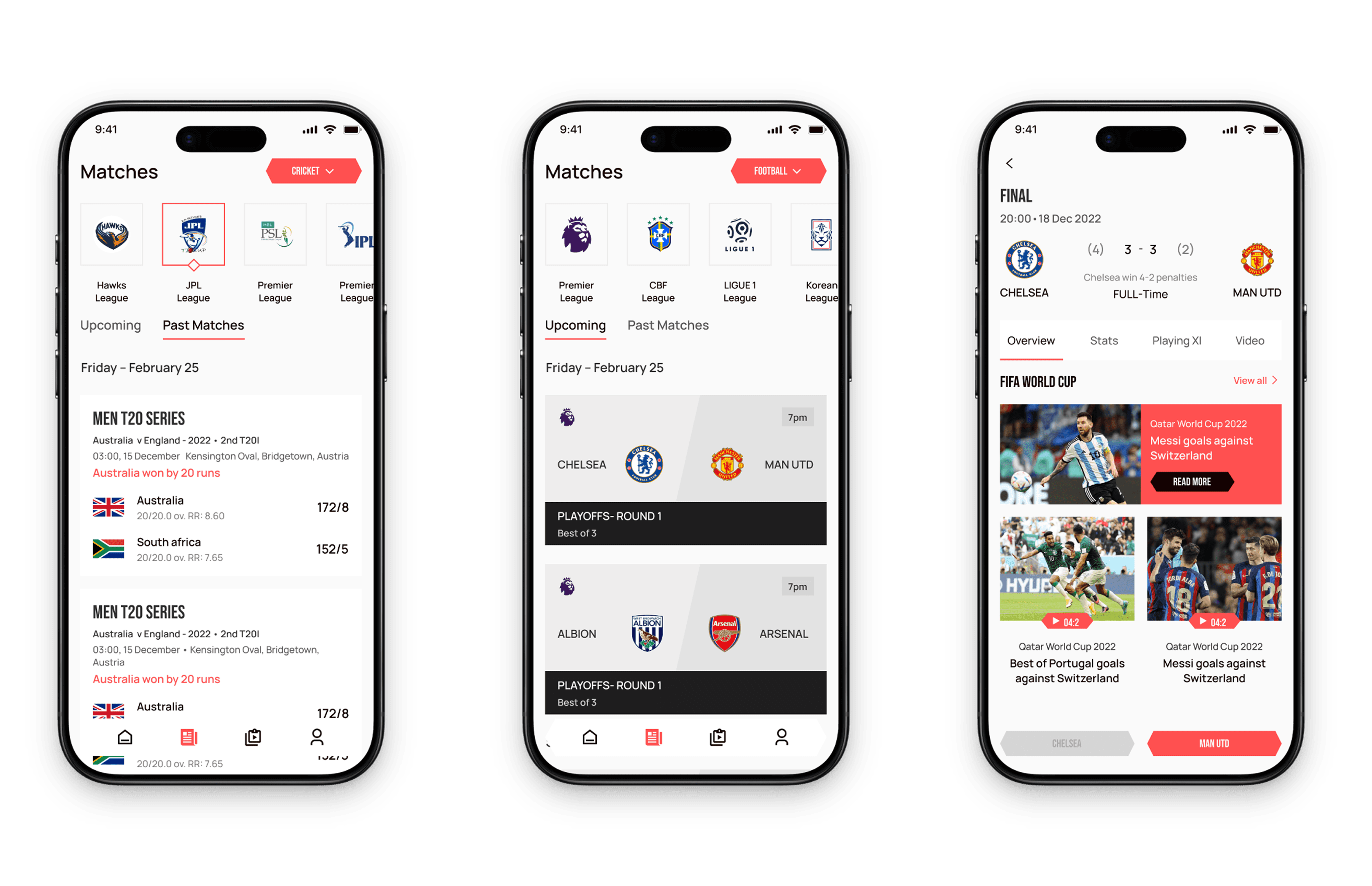
The Match Highlights Screen showcases key moments from a match, such as goals, assists, and critical plays. It features a series of video clips or images with timestamps, allowing users to quickly catch up on the most exciting parts of the game. This screen often includes options to replay highlights, view highlights by specific players or segments, and share clips on social media.

2

Highlights Details Screen

The Match Details Screen provides comprehensive, real-time information about a specific game. It includes live scores, match progress (timeline), team lineups, player statistics, and key events like goals, fouls, and substitutions. It also offers options for live commentary, viewing match stats in detail, and accessing related content like pre-match analysis or post-match summaries.

1

2

Past Matches & Match Stats Screens

1

Past Matches Screen

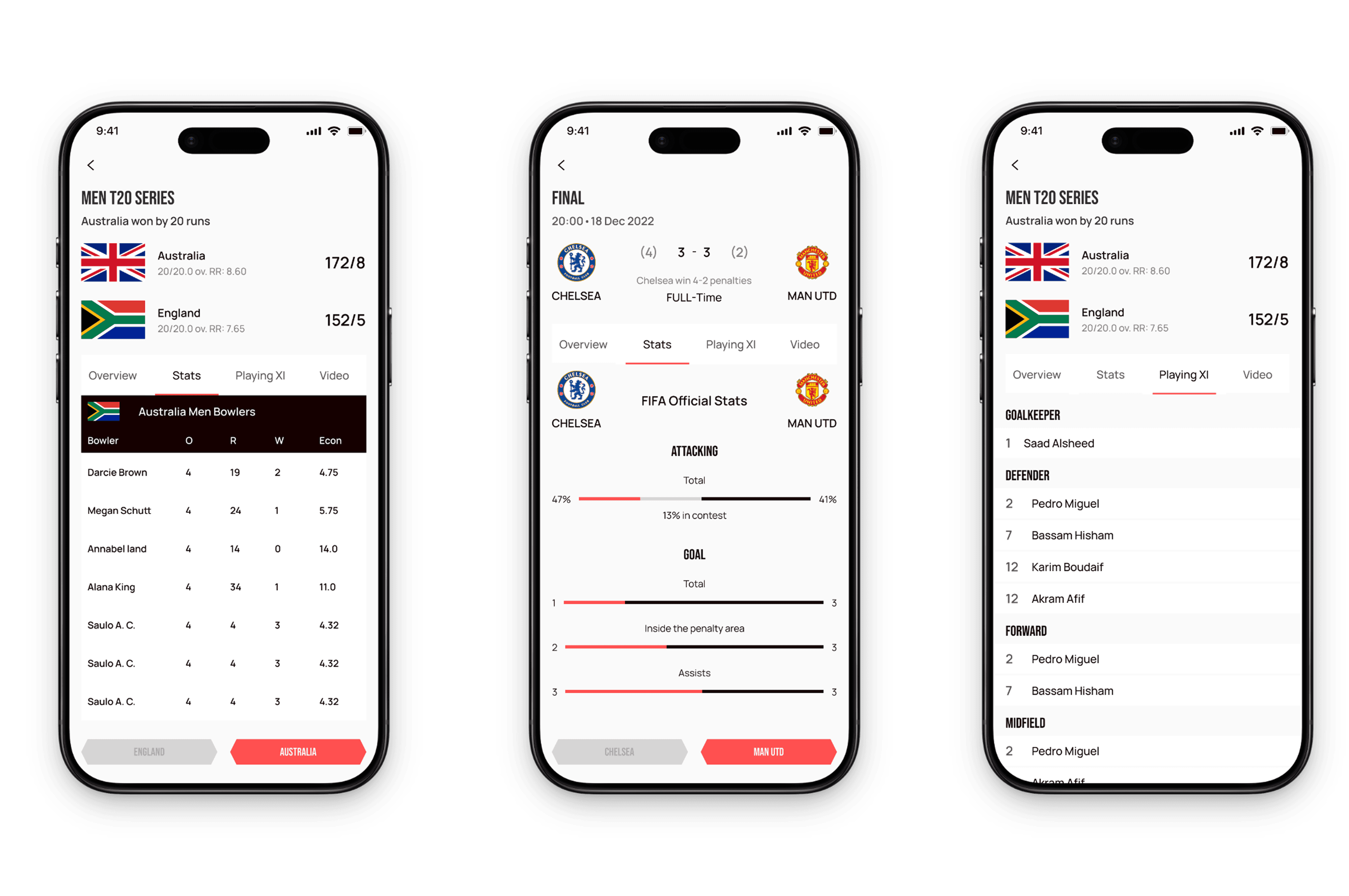
The Past Matches Screen displays a list of previous games, including scores, results, and brief summaries. It often allows users to browse through historical match data, view match dates, venues, and outcomes, and access detailed reports or highlights for each past game.

2

Match Stats Screen

The Match Stats Screen provides in-depth statistical analysis of a specific match. It includes data such as possession percentages, shots on target, fouls, corner kicks, player performances, and heatmaps. This screen helps users analyze team and player performance in detail.

1

2

1

2

Highlights & Highlights Details Screens

1

Highlights Screen

The Match Highlights Screen showcases key moments from a match, such as goals, assists, and critical plays. It features a series of video clips or images with timestamps, allowing users to quickly catch up on the most exciting parts of the game. This screen often includes options to replay highlights, view highlights by specific players or segments, and share clips on social media.

2

Highlights Details Screen

The Match Details Screen provides comprehensive, real-time information about a specific game. It includes live scores, match progress (timeline), team lineups, player statistics, and key events like goals, fouls, and substitutions. It also offers options for live commentary, viewing match stats in detail, and accessing related content like pre-match analysis or post-match summaries.

1

2

Past Matches & Match Stats Screens

1

Past Matches Screen

The Past Matches Screen displays a list of previous games, including scores, results, and brief summaries. It often allows users to browse through historical match data, view match dates, venues, and outcomes, and access detailed reports or highlights for each past game.

2

Match Stats Screen

The Match Stats Screen provides in-depth statistical analysis of a specific match. It includes data such as possession percentages, shots on target, fouls, corner kicks, player performances, and heatmaps. This screen helps users analyze team and player performance in detail.

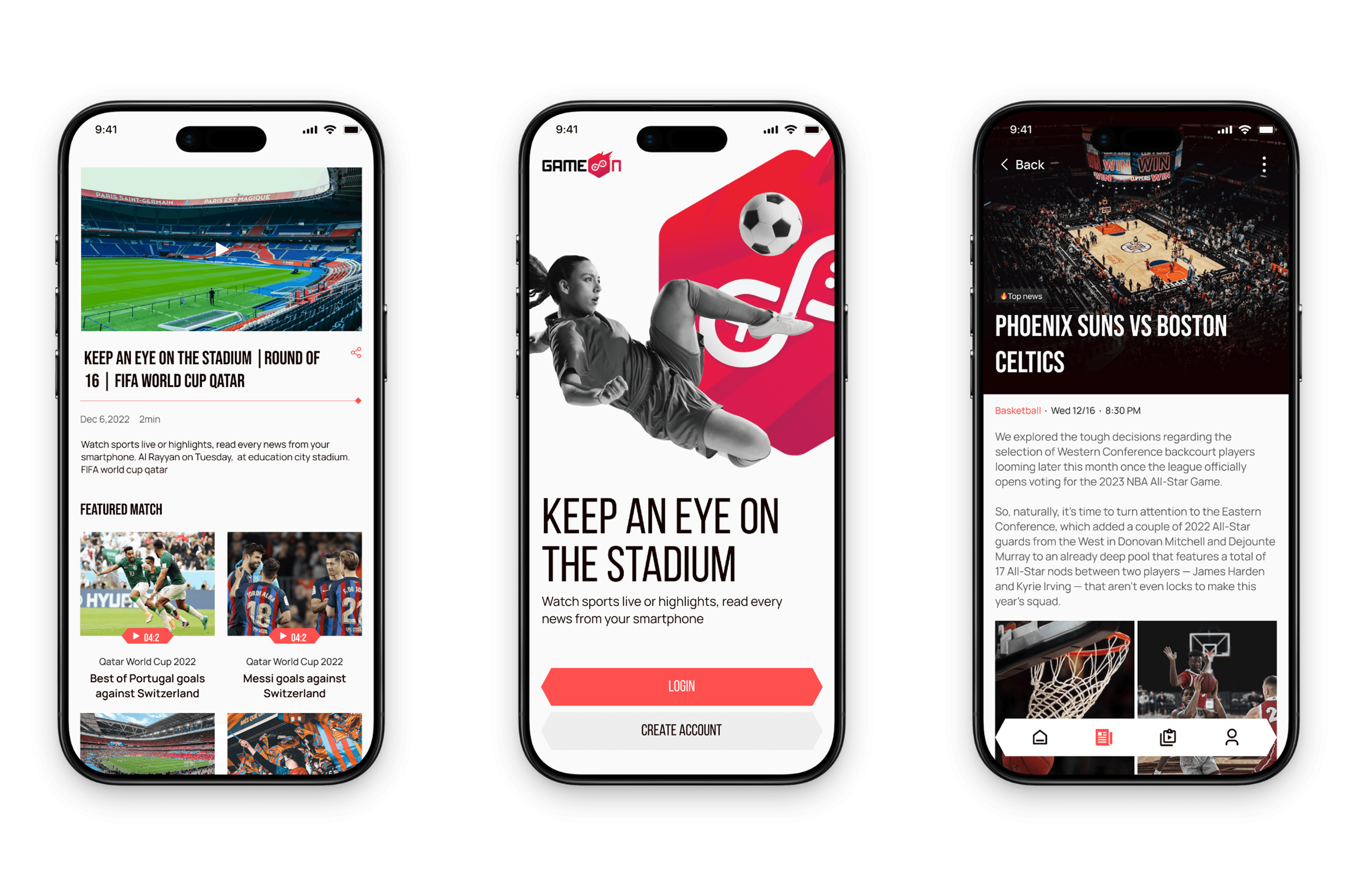
Other High Fidelity Screens

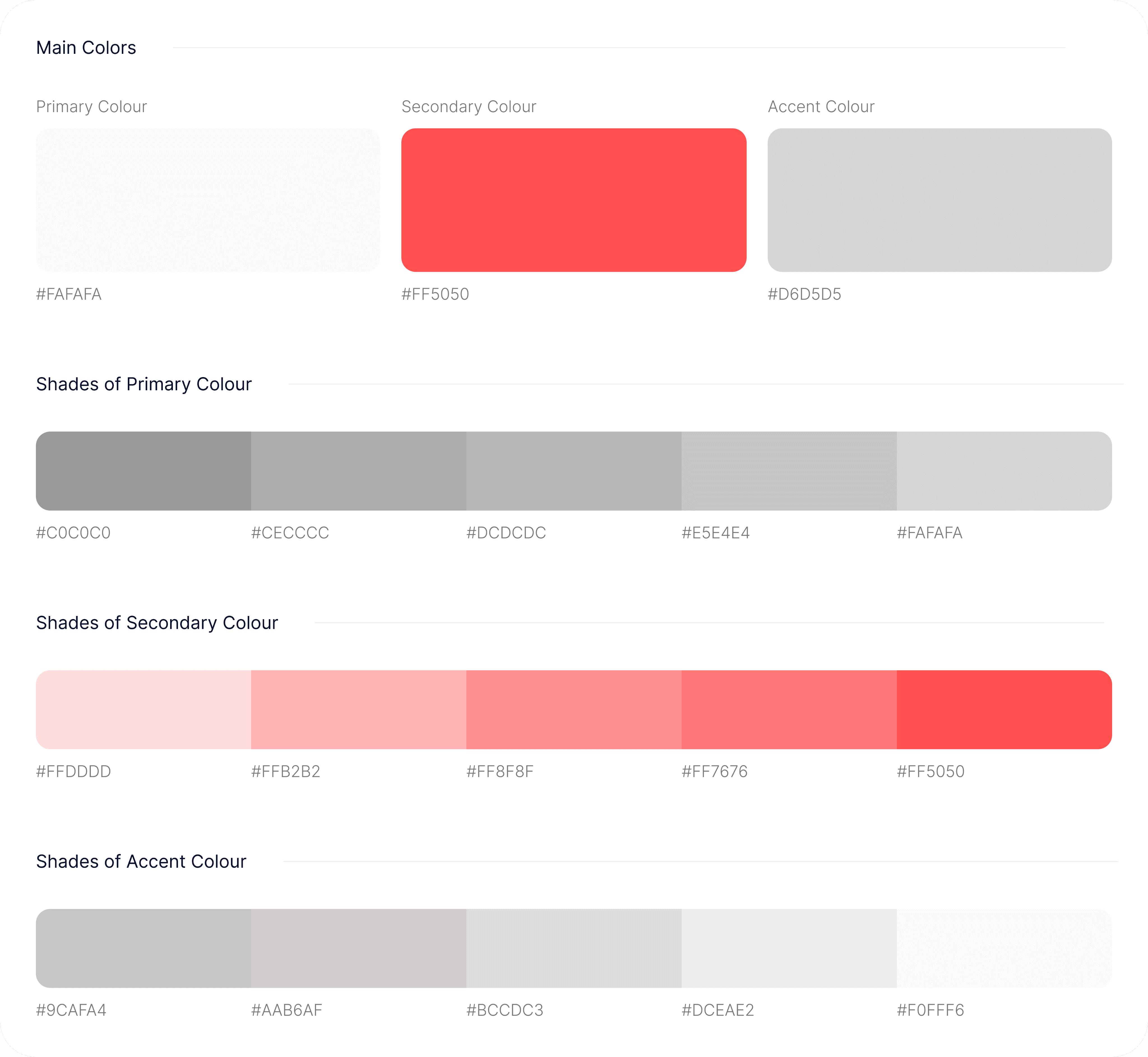
Style Guide
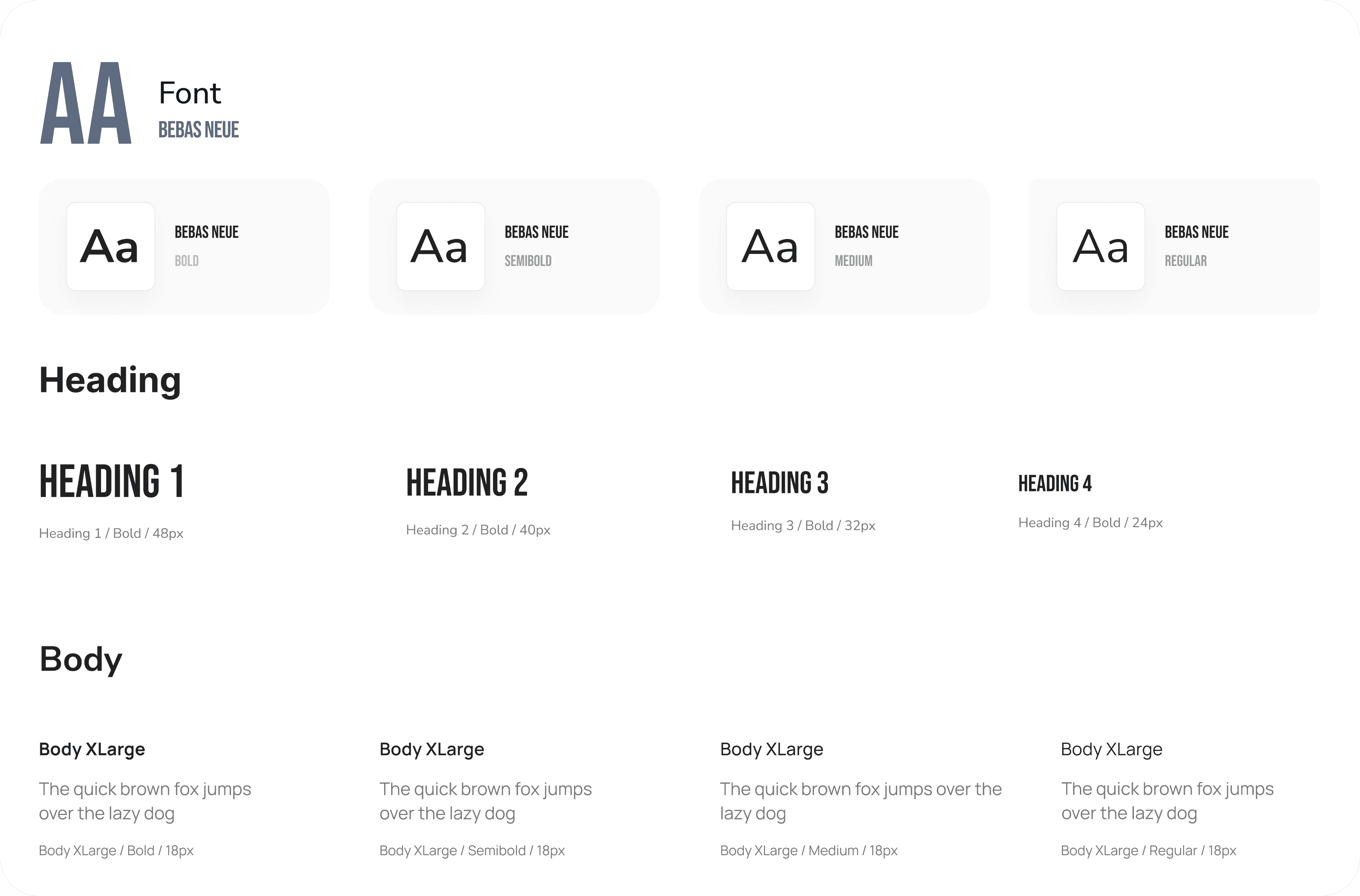
Typography
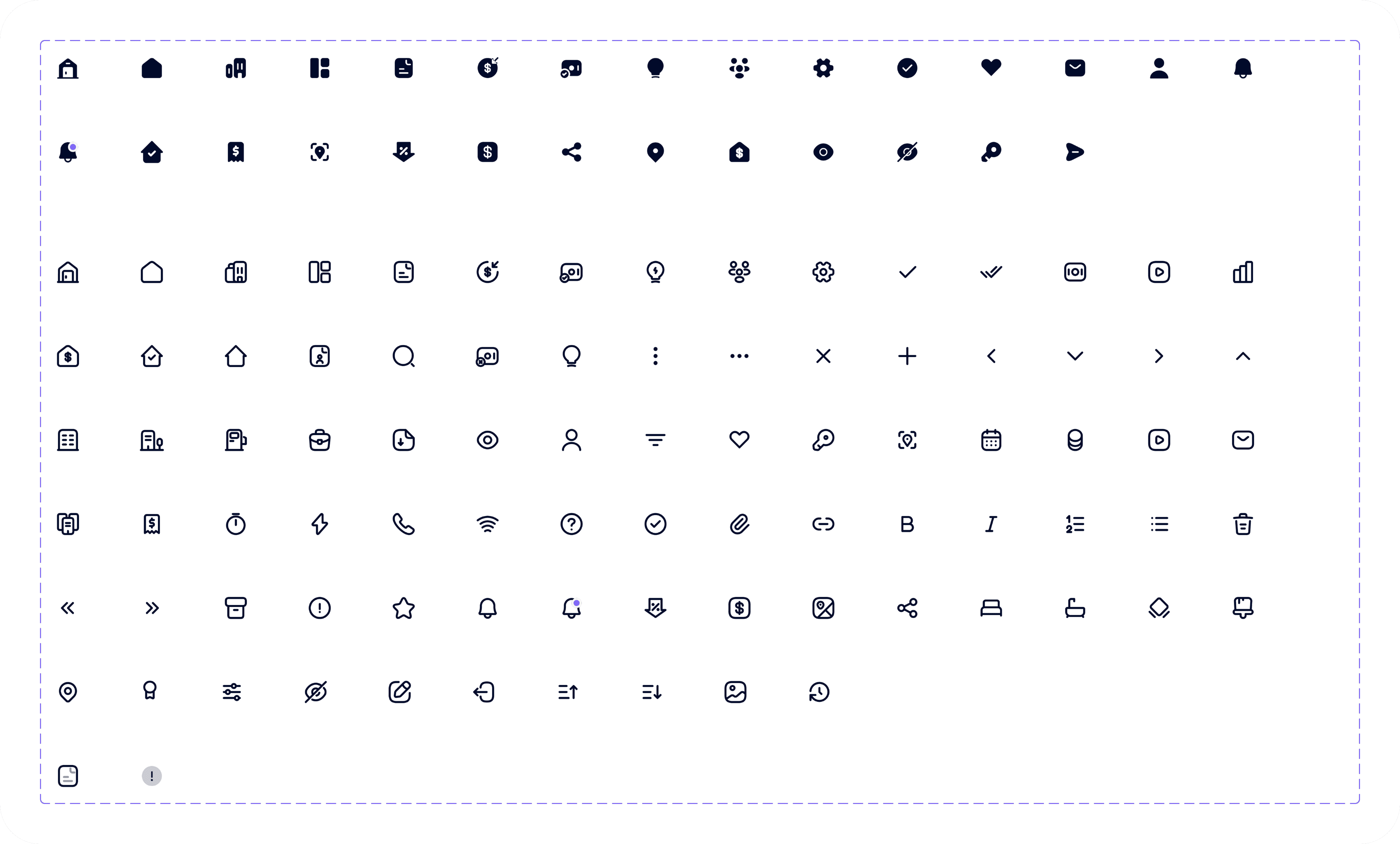
Iconography
Key Takeaway

GameOn provides sports enthusiasts with a comprehensive, user-friendly platform to access live matches, highlights, and schedules across multiple sports, personalized to their preferences. It enables seamless navigation between live matches, previous matches, and personalized updates, enhancing the overall viewing experience with features like favorites, notifications, and multi-device support. Ultimately, the app aims to keep sports fans engaged, informed, and connected to their favorite teams and events anytime and anywhere.

Have an idea? Let's talk about it!

Fill out the form, or reach out directly. I’ll respond within 24 hours.

Let’s chat!

+2349061588702

designswithgravity@gmail.com

© Copyright 2026. All rights Reserved.

Product Overview

Game On is a comprehensive sports streaming mobile application designed to deliver live sports content directly to users’ smartphones. It provides access to live broadcasts of various sports leagues and events, real-time scores, highlights, and exclusive video content. The app features personalized notifications for upcoming games and scores, social sharing options, and interactive features such as live chat and community engagement. Its user-friendly interface and seamless streaming experience aim to keep sports fans connected, informed, and engaged with their favourite teams and sports anytime and anywhere.

Role

UX Researcher

UX UI Designer

Tools

Figma

Claude AI

Duration

2 Weeks

Client

Bems Soft

Design Process

This process involves understanding user needs and business goals, conducting research, creating wireframes and visual designs, testing with users, iterating based on feedback, and collaborating with development teams to deliver an intuitive, user-centered product.

01

Step

Understand

User Research

User Interview

Competitve Analysis

02

Step

Define

User Personas

Empathy Map

User Journey

03

Step

Ideate

User Flow

Information Architecture

04

Step

Design

Wireframe

Hi-Fi Designs

Prototype

05

Step

Test

Feedbacks

Conclusion

Future Concept

Home Screen & Match details Screens

Home Screen & Match details Screens

1

Home Screen

The Home Screen serves as the app's main hub, offering quick access to live matches, upcoming events, highlights, and personalized content with a clean layout for easy navigation.

2

Match Details Screen

The Match Details Screen provides detailed information about a specific game, including live scores, team lineups, player stats, and key moments, along with options to watch streams, view commentary, and share updates, all aimed at delivering real-time insights and an engaging viewing experience.

1

2

Design Process

This process involves understanding user needs and business goals, conducting research, creating wireframes and visual designs, testing with users, iterating based on feedback, and collaborating with development teams to deliver an intuitive, user-centered product.

01

Step

Understand

User Research

User Interview

Competitve Analysis

02

Step

Define

User Personas

Empathy Map

User Journey

03

Step

Ideate

User Flow

Information Architecture

04

Step

Design

Wireframe

Hi-Fi Designs

Prototype

05

Step

Test

Feedbacks

Conclusion

Future Concept

Have an idea? Let's talk about it!

Fill out the form, or reach out directly. I’ll respond within 24 hours.

Let’s chat!

+2349061588702

designswithgravity@gmail.com

© Copyright 2026. All rights Reserved.

Create a free website with Framer, the website builder loved by startups, designers and agencies.