Product Overview
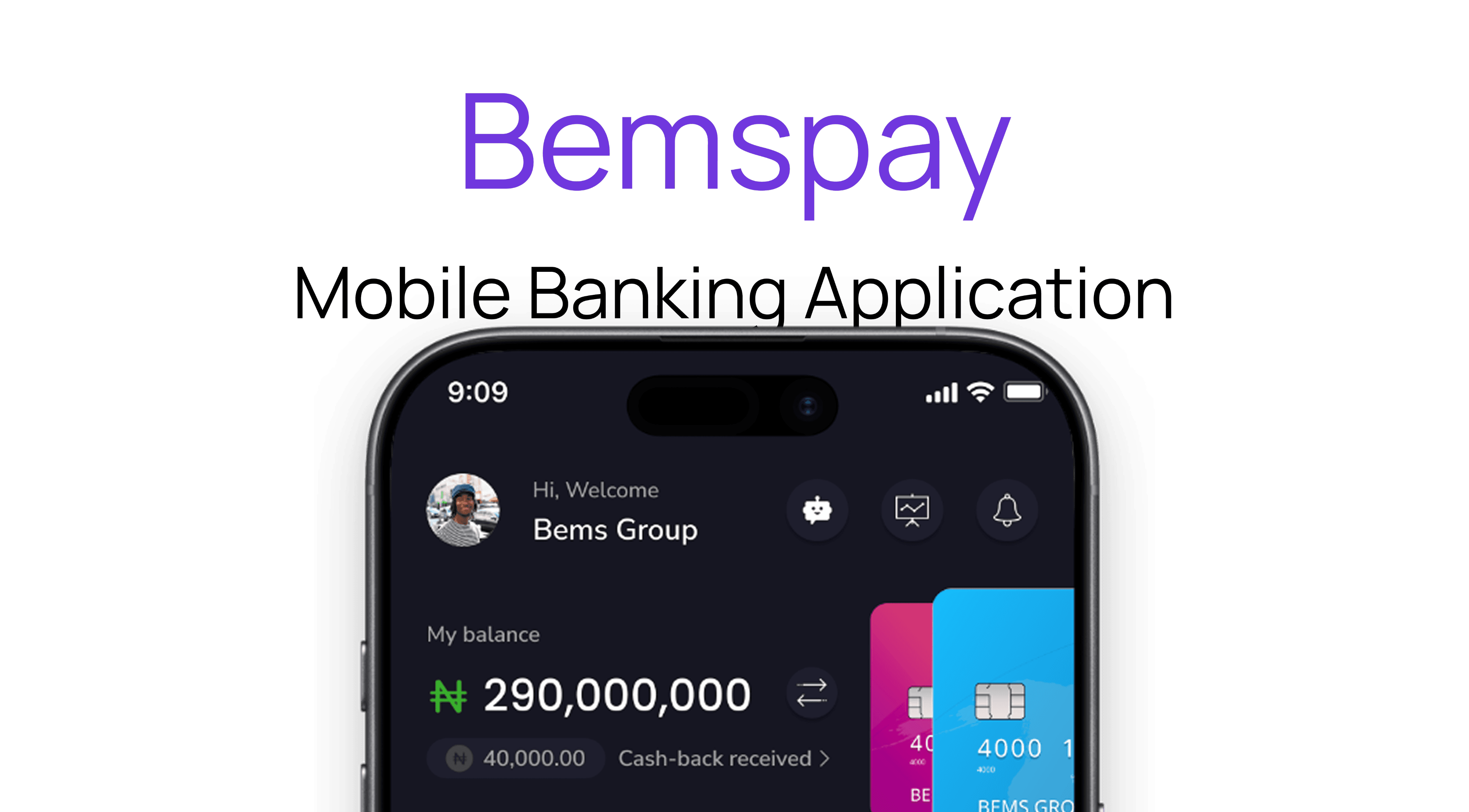
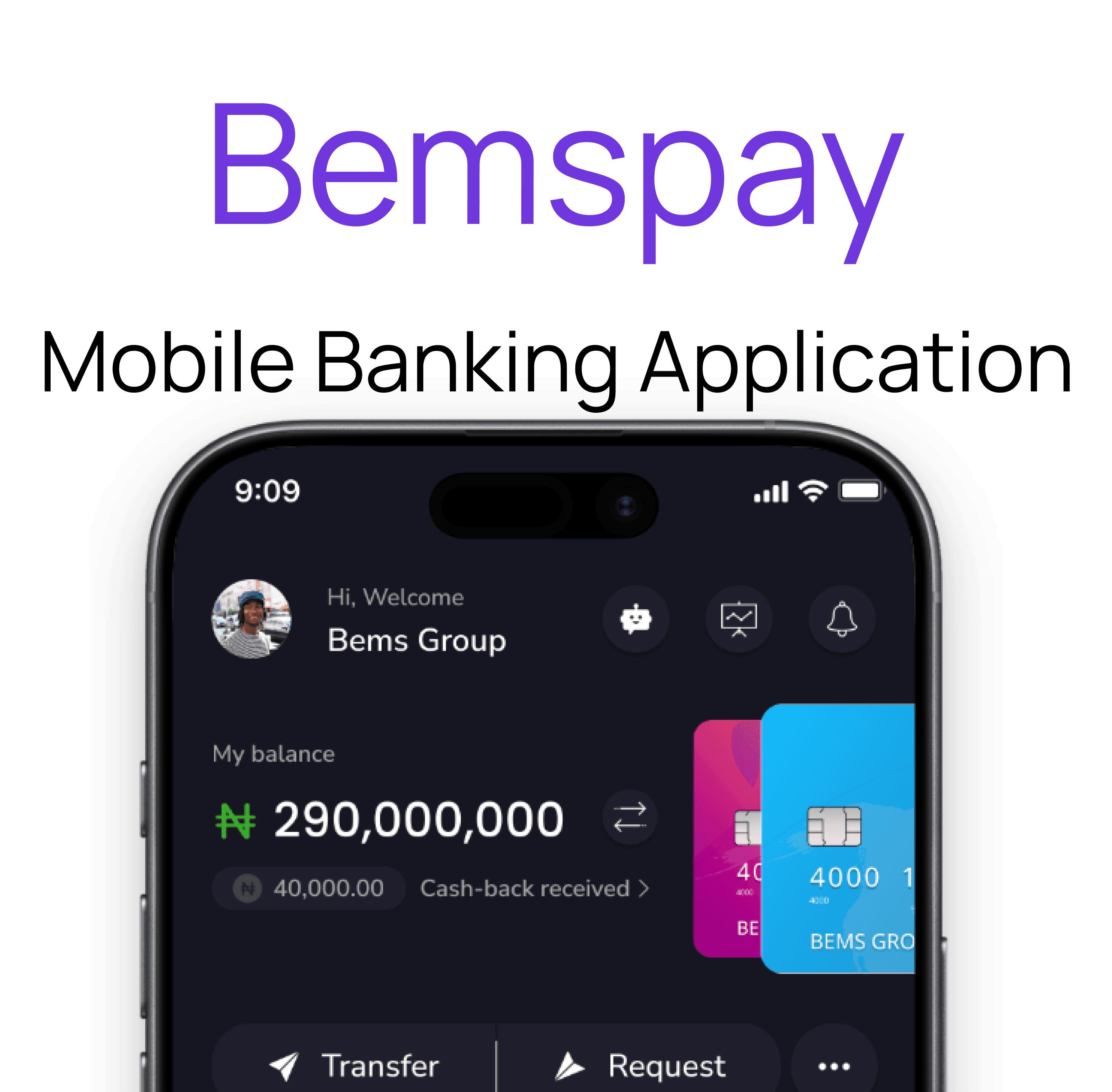
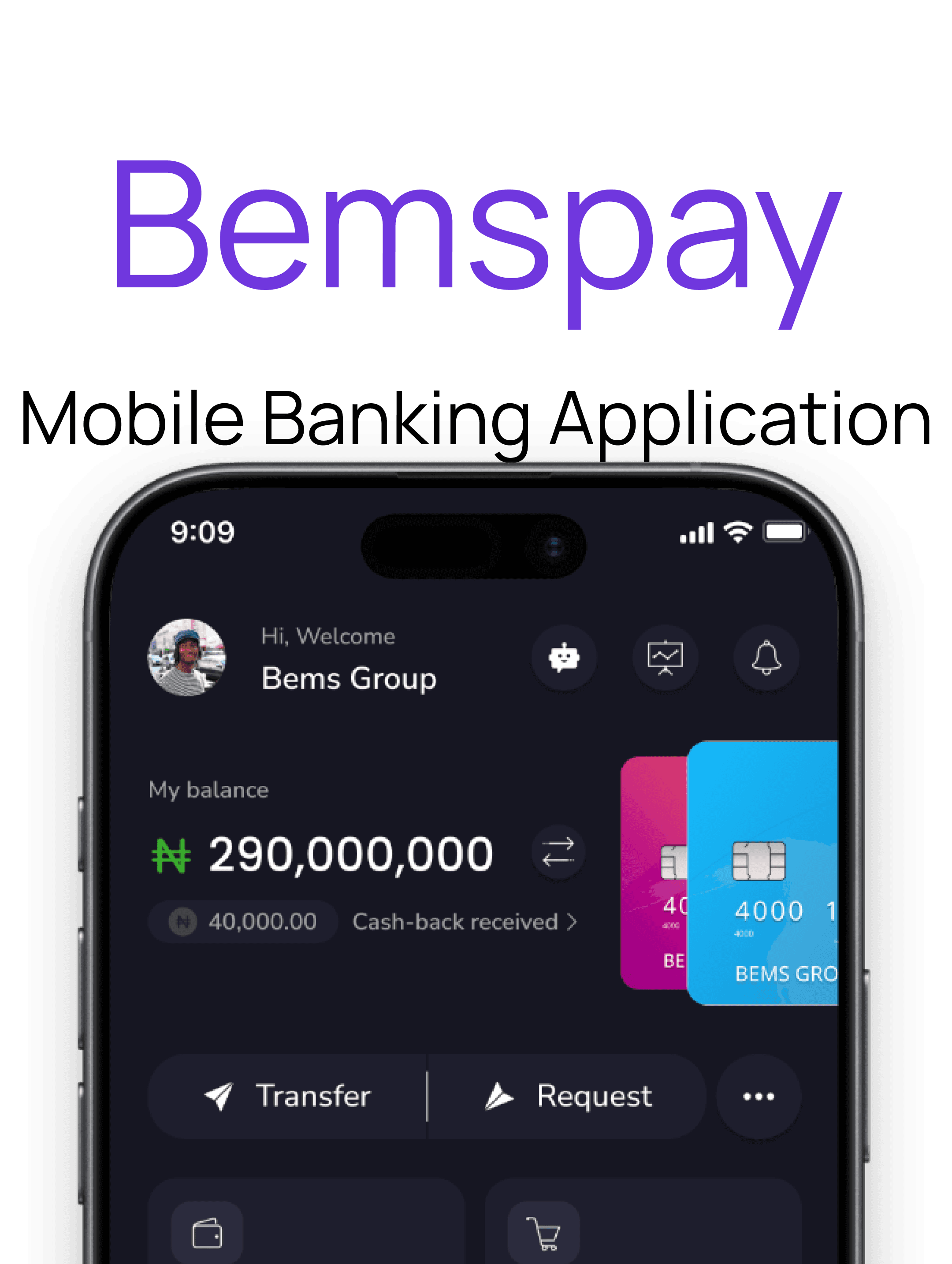
Bemspay is a mobile banking app that simplifies daily financial transactions, offering features like fund transfers, bill payments, QR code payments, savings management, and the ability to handle multiple bank accounts simultaneously for a comprehensive and convenient banking experience.
Role
UX Researcher
UX UI Designer
Tools
Figma
Duration
6 Weeks
Client
Bems Soft
Problem Statement
Users often face difficulties managing multiple bank accounts, performing quick and secure transactions, and making seamless payments in a convenient and integrated manner. Traditional banking methods may involve multiple steps, limited accessibility for instant payments, and lack of centralized control over various accounts and savings, leading to inefficiencies and frustration.
Goal
The goal of Bemspay is to provide users with a convenient, secure, and efficient mobile banking platform that simplifies the management of multiple bank accounts, enables quick and seamless transactions, facilitates easy bill and QR code payments, and helps users effectively manage their savings all within a single, user friendly application.
Problem Statement
Users often face difficulties managing multiple bank accounts, performing quick and secure transactions, and making seamless payments in a convenient and integrated manner. Traditional banking methods may involve multiple steps, limited accessibility for instant payments, and lack of centralized control over various accounts and savings, leading to inefficiencies and frustration.
Goal
The goal of Bemspay is to provide users with a convenient, secure, and efficient mobile banking platform that simplifies the management of multiple bank accounts, enables quick and seamless transactions, facilitates easy bill and QR code payments, and helps users effectively manage their savings all within a single, user friendly application.
Design Process
This process involves understanding user needs and business goals, conducting research, creating wireframes and visual designs, testing with users, iterating based on feedback, and collaborating with development teams to deliver an intuitive, user-centered product.
01
Step
Understand
User Research
User Interview
Competitve Analysis
02
Step
Define
User Personas
Empathy Map
User Journey
03
Step
Ideate
User Flow
Information Architecture
04
Step
Design
Wireframe
Hi-Fi Designs
Prototype
05
Step
Test
Feedbacks
Conclusion
Future Concept
Target Audience
Bemspay's target audience includes young adults, professionals, students, and small business owners seeking easy management of multiple bank accounts, quick transactions, and digital payments, especially in regions with limited banking infrastructure.

Competitive Analysis
Opay
A digital platform offering mobile money, bill payments, and money transfers, mainly in Nigeria.
A digital platform offering mobile money, bill payments, and money transfers, mainly in Nigeria.
Features
Agent POS Network: Extensive agent network for cash-in and cash-out services, especially in underserved areas.
Agent POS Network: Extensive agent network for cash-in and cash-out services, especially in underserved areas.
Mobile Money Transfers: Send and receive money instantly within Nigeria and internationally.
Mobile Money Transfers: Send and receive money instantly within Nigeria and internationally.


Moniepoint
An agent banking service providing digital financial solutions for individuals and small businesses in Nigeria
An agent banking service providing digital financial solutions for individuals and small businesses in Nigeria
Features
Business Accounts: Digital accounts tailored for small and medium-sized businesses.
Business Accounts: Digital accounts tailored for small and medium-sized businesses.
Agency Banking: Support for small business owners and agents to offer banking services to their communities.
Agency Banking: Support for small business owners and agents to offer banking services to their communities.
Unique Features
Savings Pot Feature: Allows users to set aside money easily into dedicated savings pots, helping them manage their finances and save for specific goals within the app.
Transport Payment Feature: Facilitates convenient payment options for transportation services, enabling users to pay for bus services directly within the app, enhancing transit convenience.
QR Code Payment: Offers a seamless QR code payment capability, allowing users to make quick and contactless payments at merchants or peer-to-peer transactions by scanning the QR code of a Bemspay user.
Subscriptions Management: Enables users to pay for and manage recurring subscriptions such as Netflix, DStv, and Spotify directly through the application, simplifying bill payments and subscription tracking.
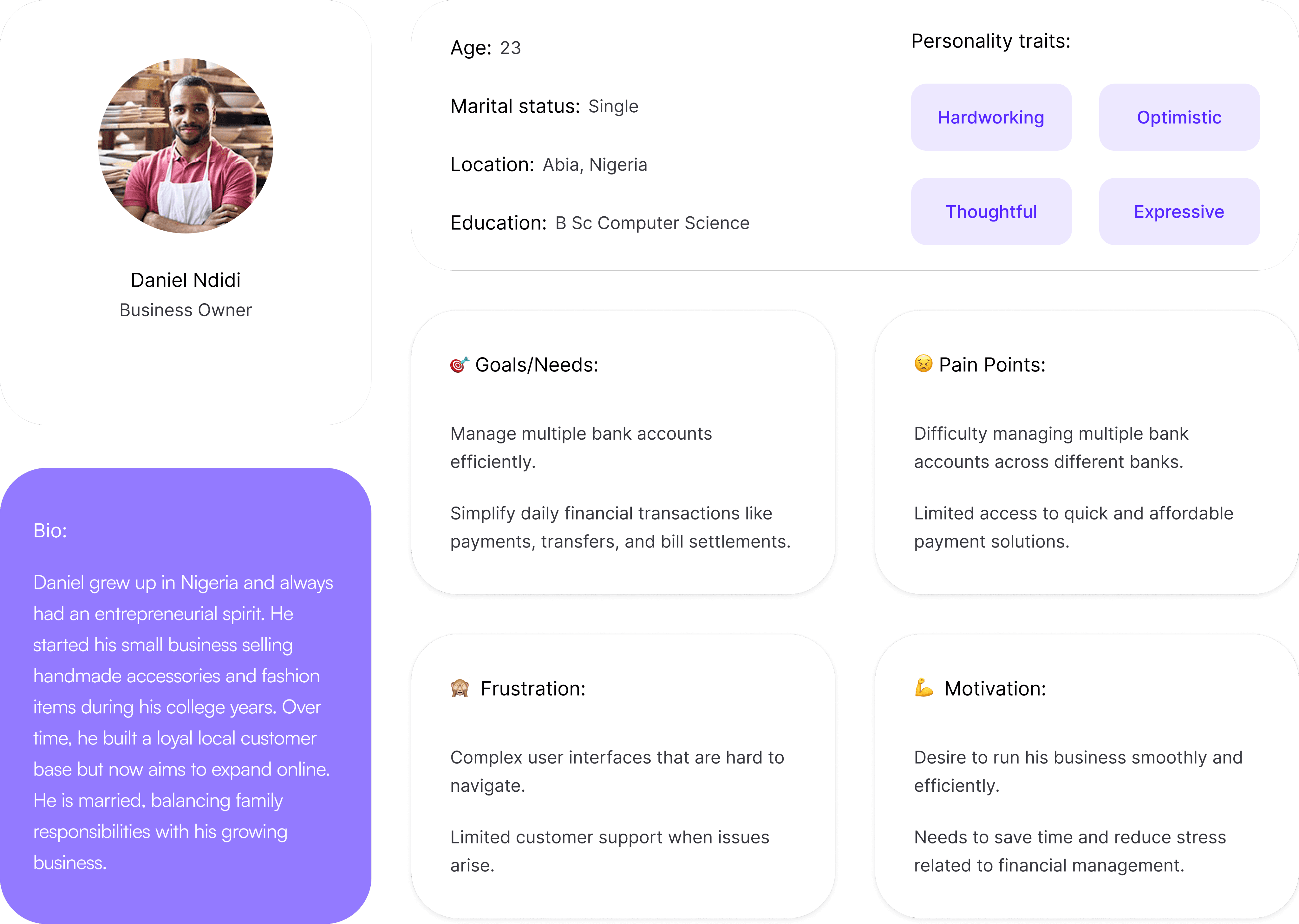
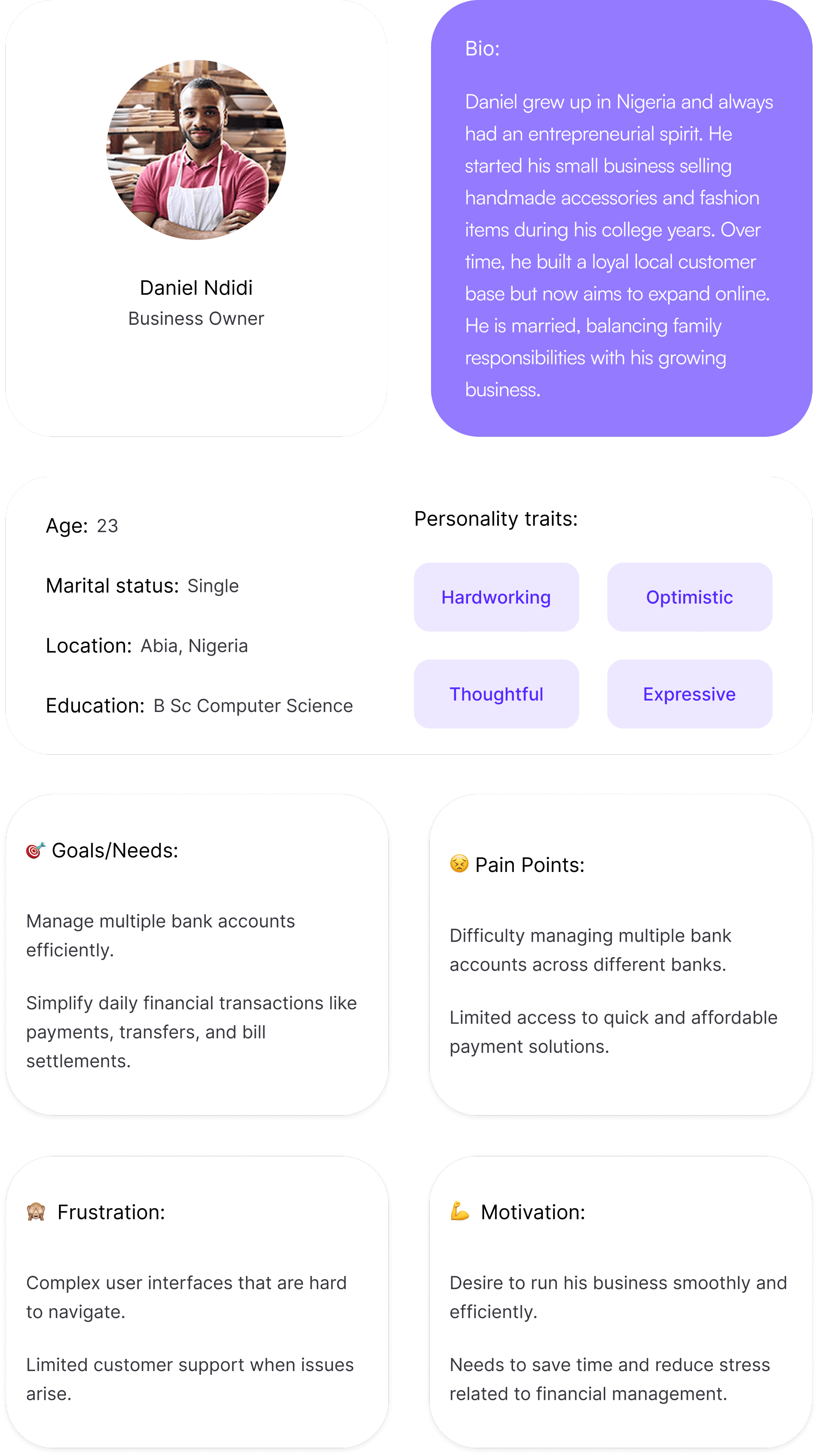
User Persona
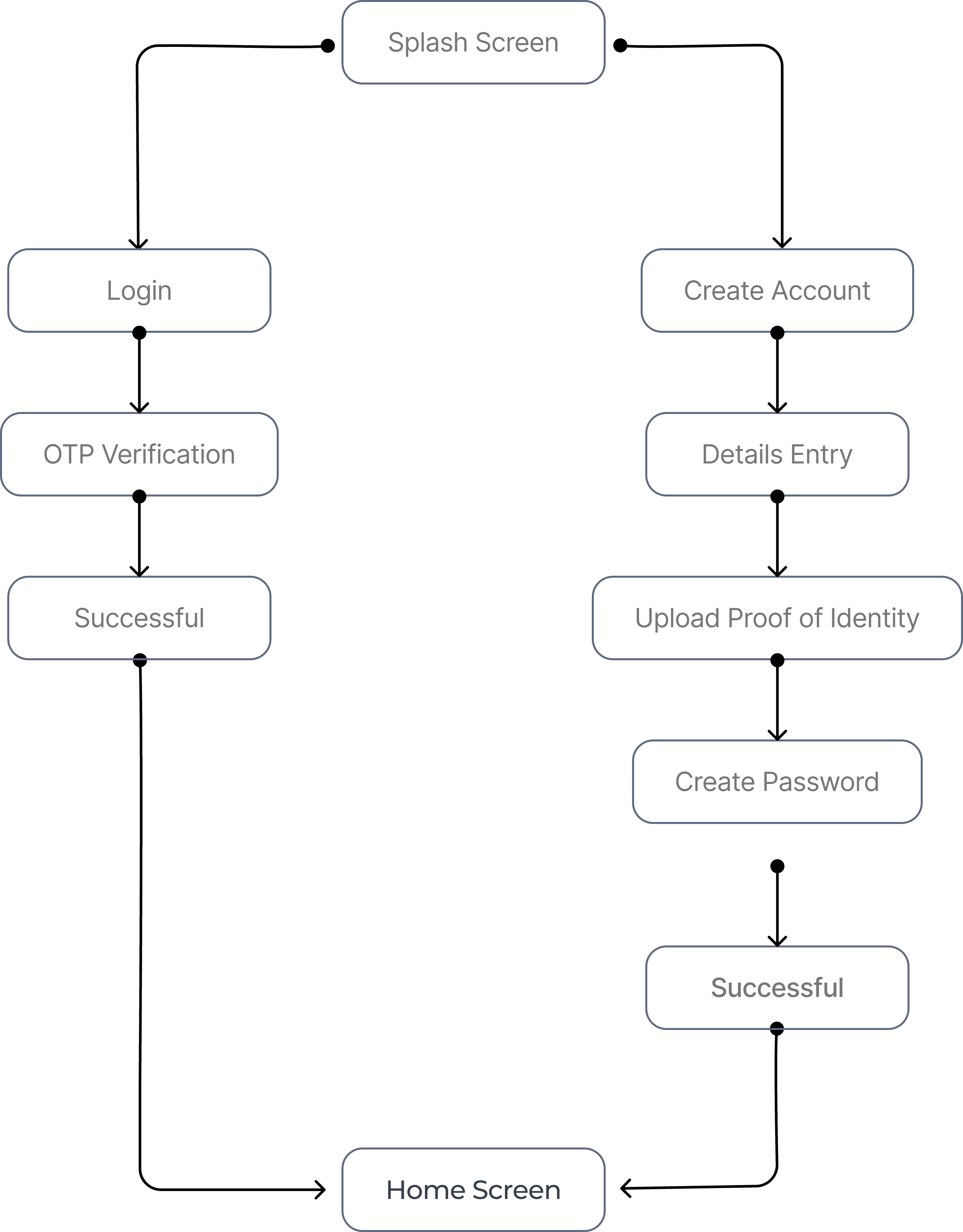
Task Flow 1
User Login & Onboarding Process
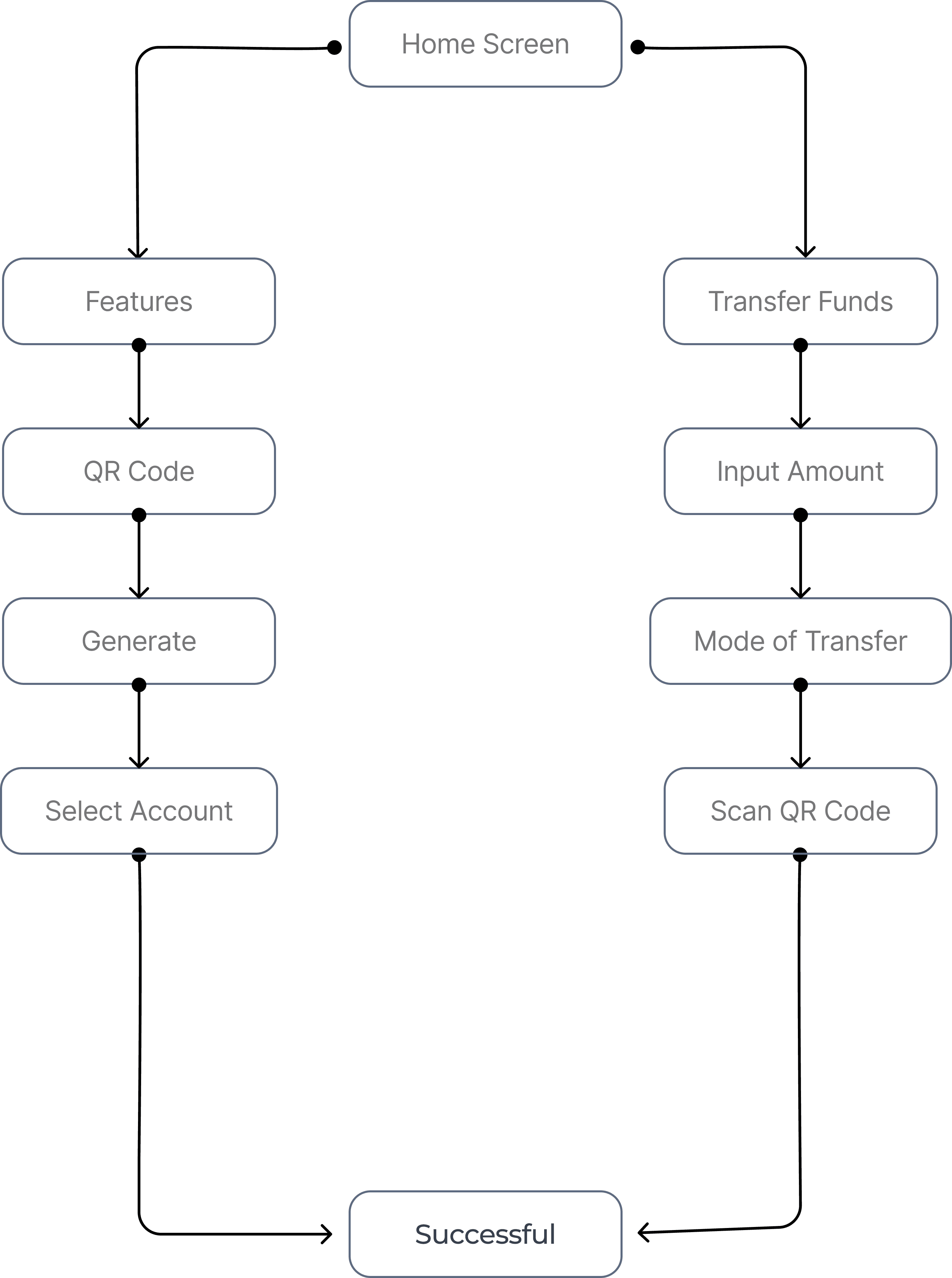
Task Flow 2
Generating QR Code & Transferring via QR Code
Task Flow 3
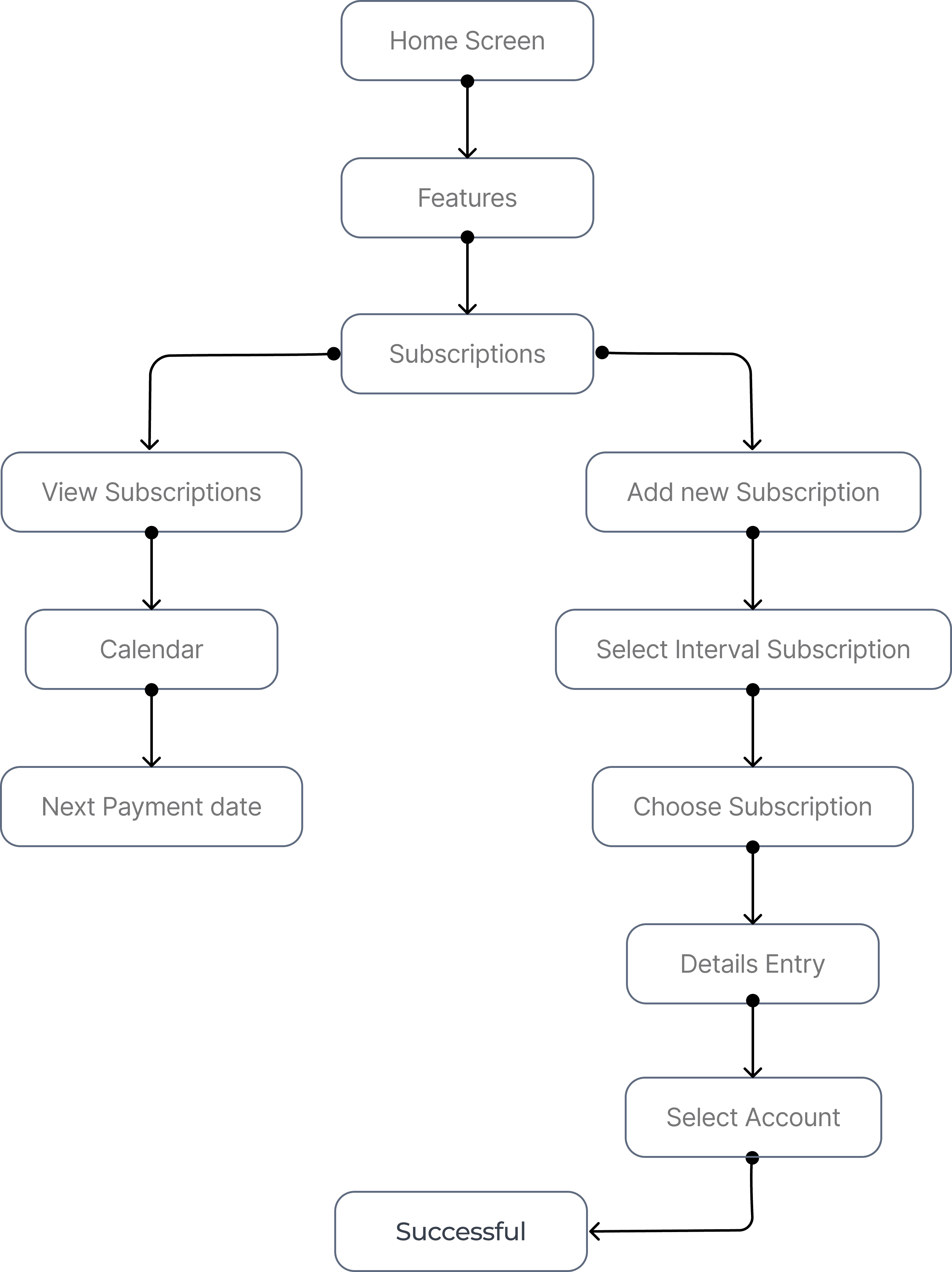
View Subscriptions & Add New Subscription
Sketches/Low-fidelity Wireframes
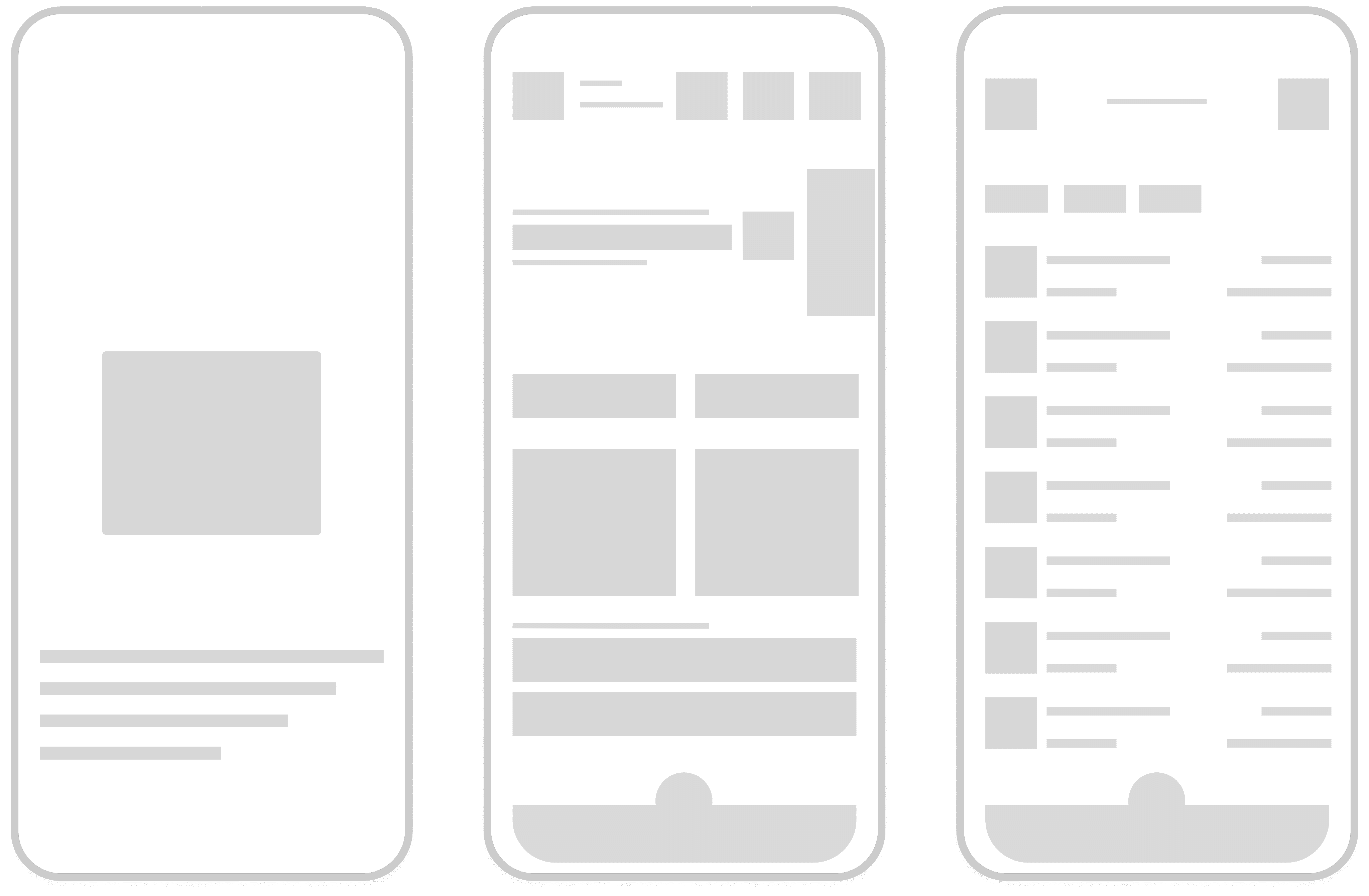
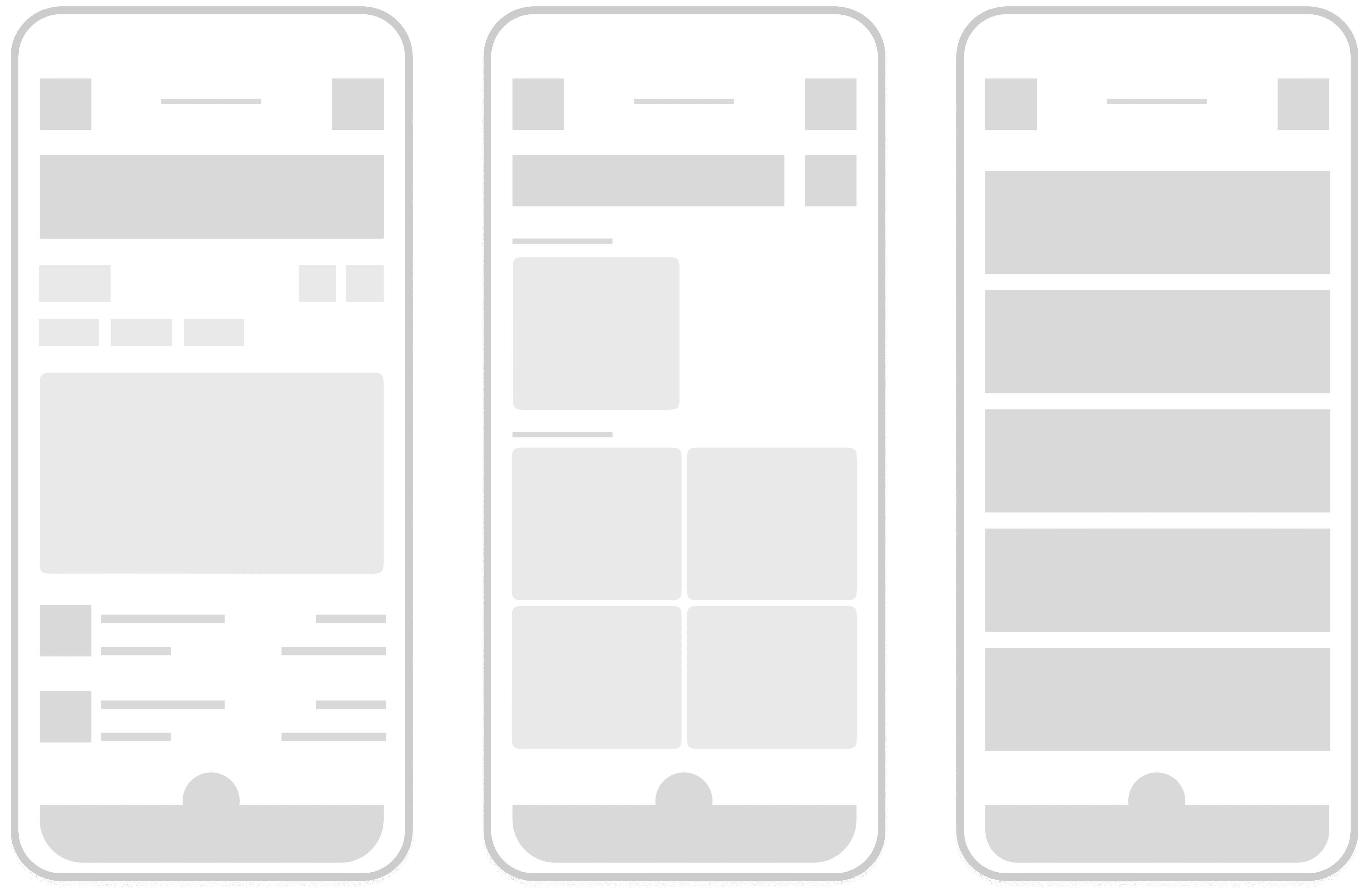
Onboarding Screens
1
2
1
Splash Screen
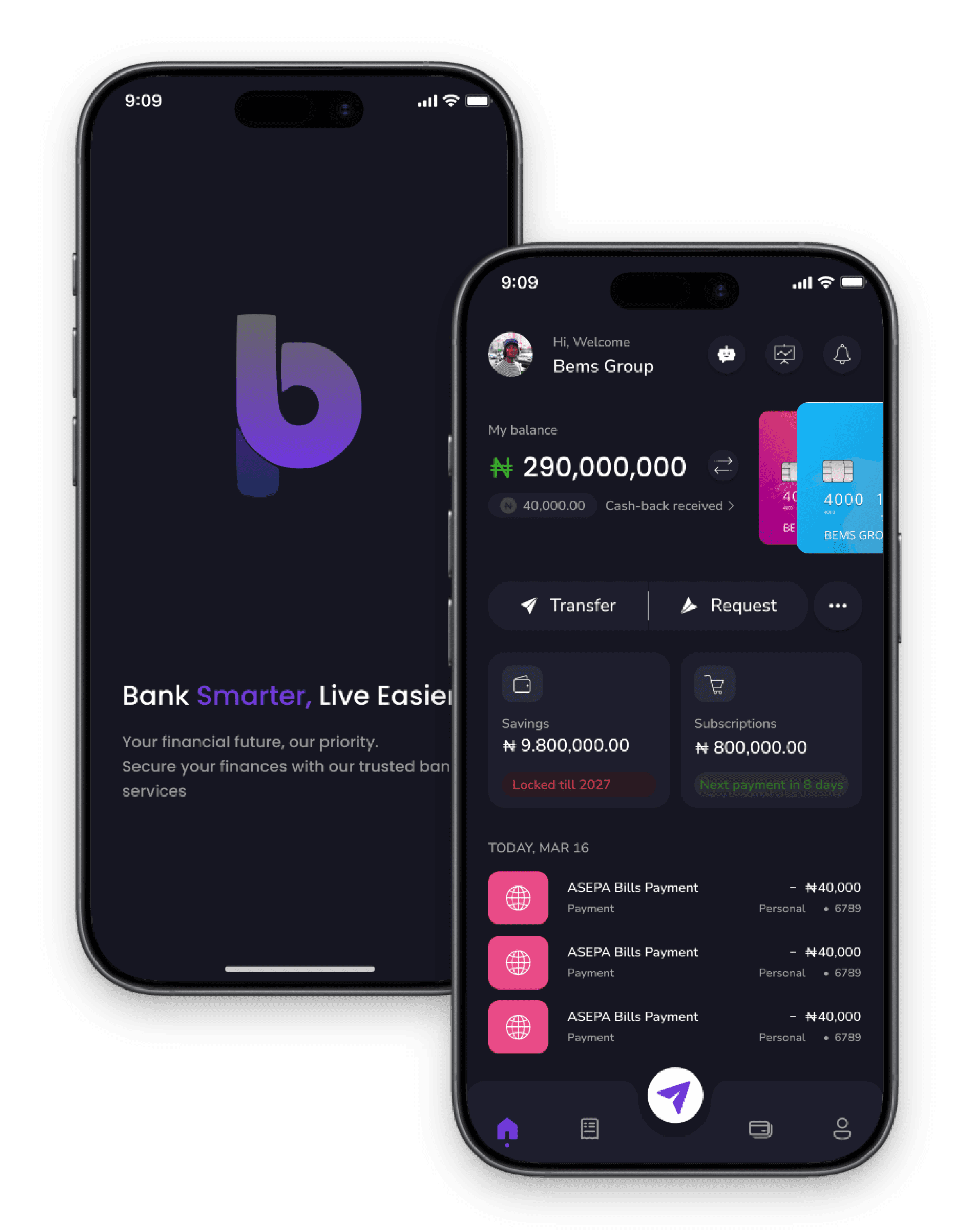
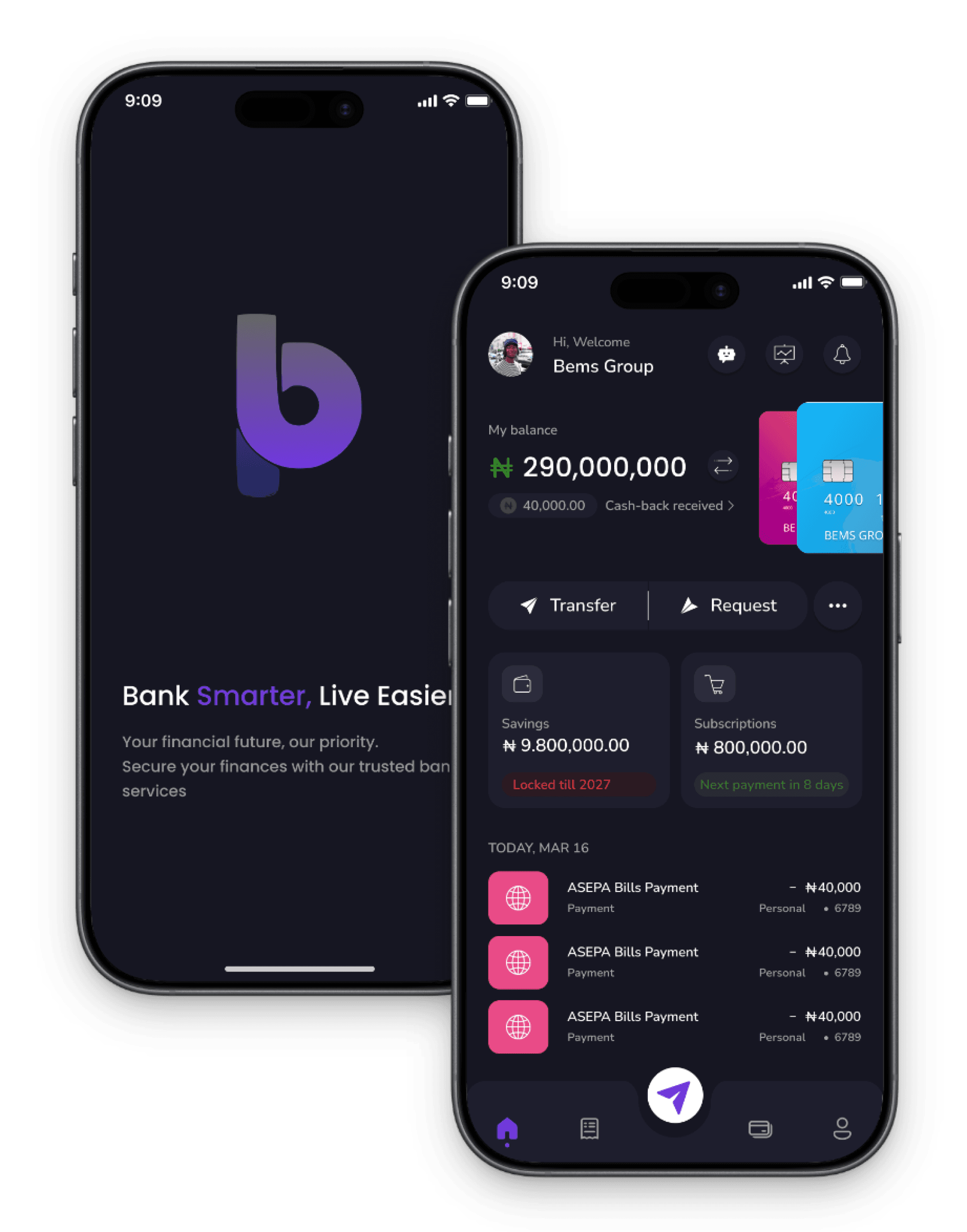
The Splash Screen features the bemspay logo prominently in the center, accompanied by the catchphrase "Bank smarter, live easier." It provides a clean and welcoming introduction to the app, setting the tone for a seamless banking experience.
2
Home Screen
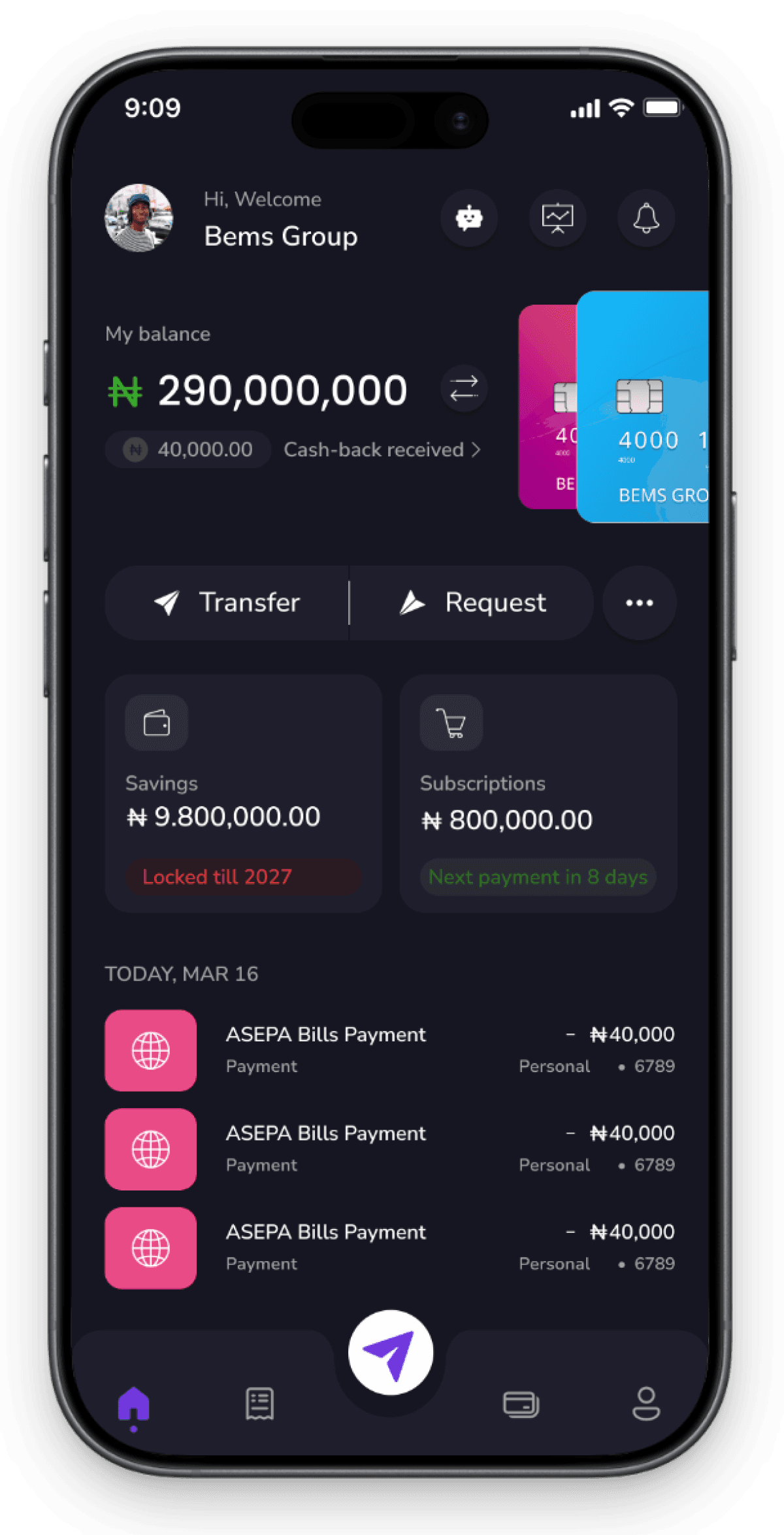
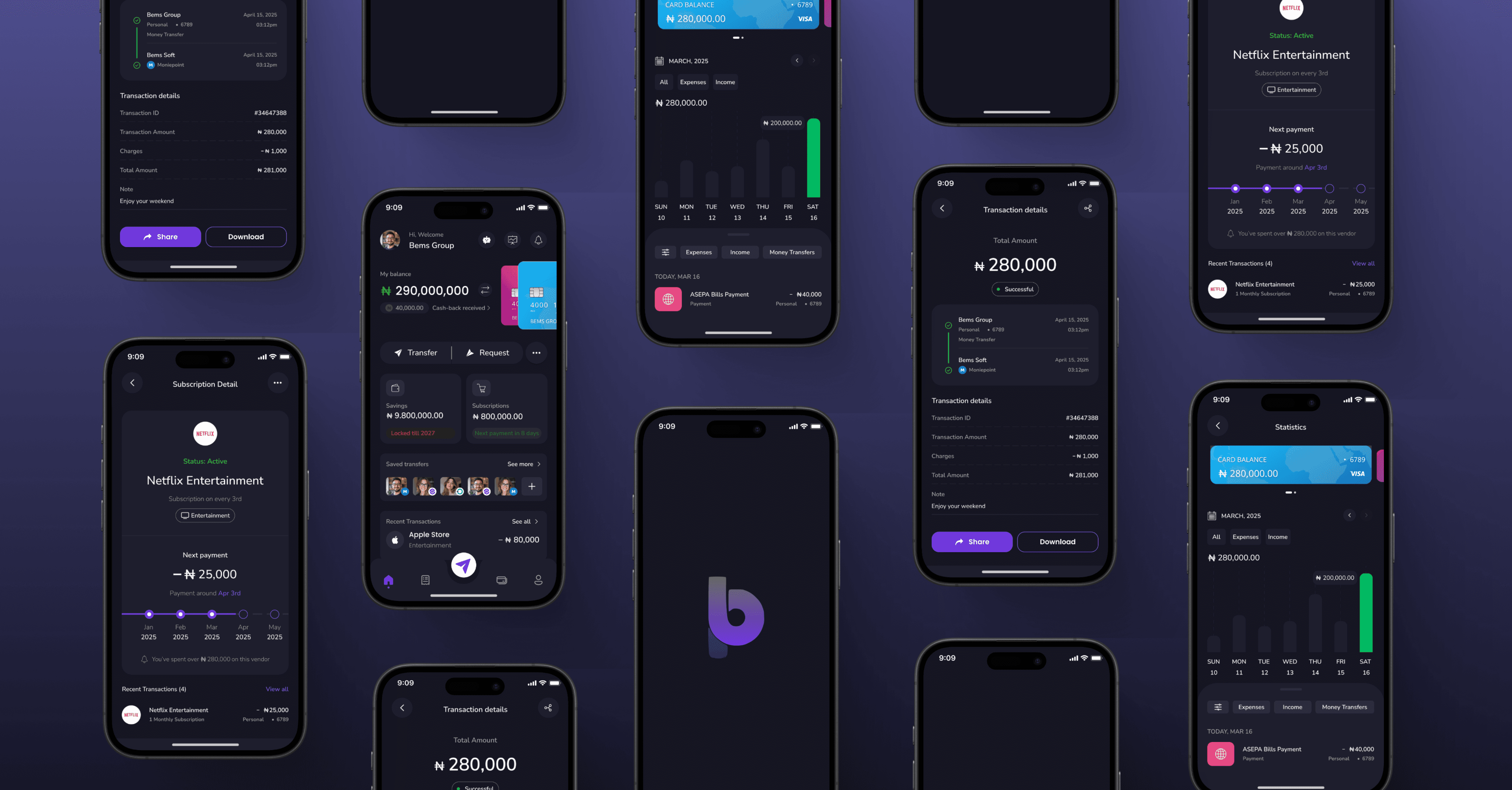
The Home Screen displays the user's main balance at the top, with quick-access buttons for key features like Chatbot, Statistics, Notifications, Subscriptions & Savings, Transfer, and Request Funds. Recent transactions are displayed at the bottom for easy review.
Subscription Screen & Subscription details Screen
Subscription Screen & Subscription details Screen
1
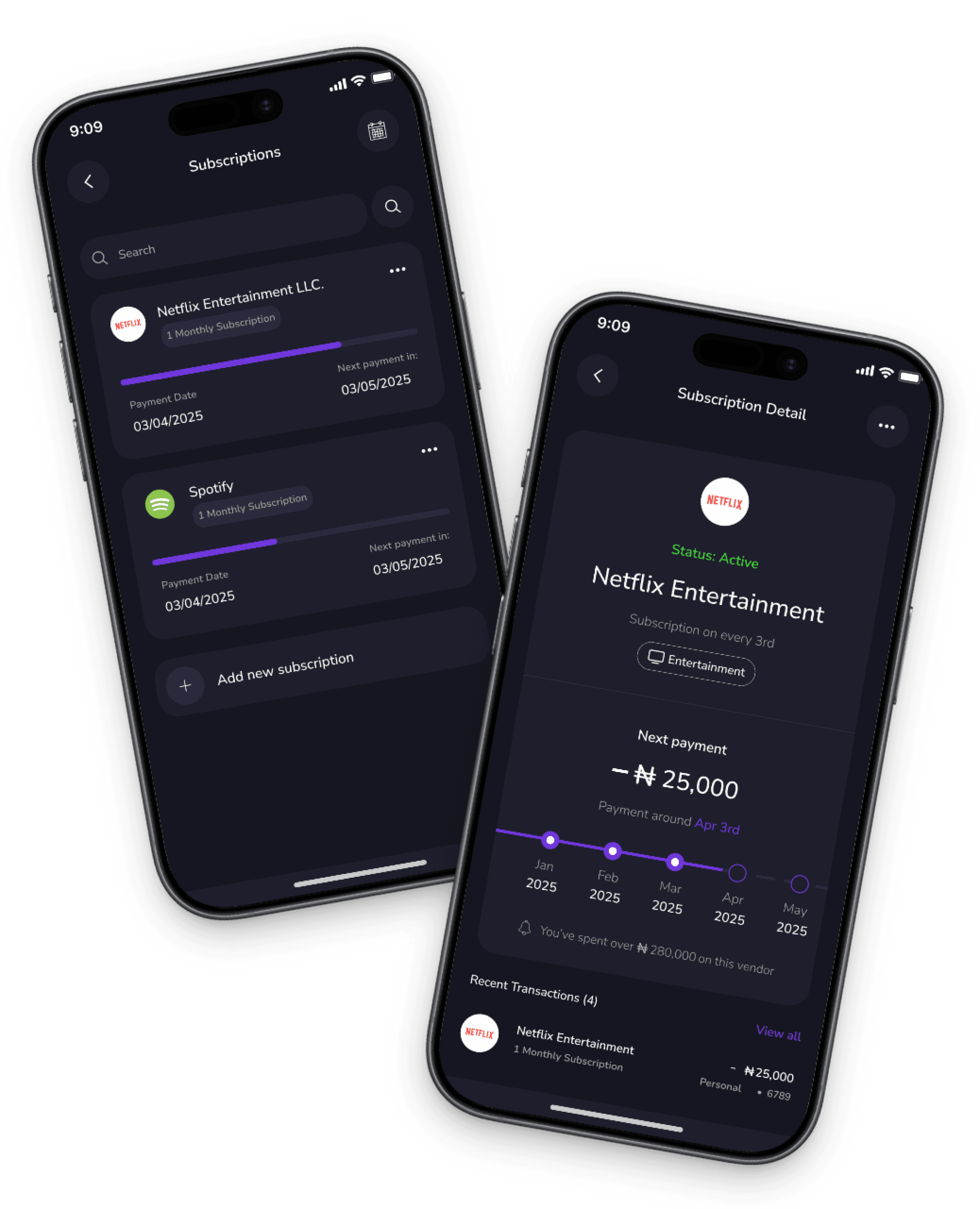
Subscriptions Screen
This screen displays a list of active subscriptions such as Netflix and Spotify. It also includes a calendar that shows the next payment date for each subscription, helping users keep track of upcoming charges and manage their expenses effectively.
2
Subscription details Screen
This screen provides comprehensive information about a specific subscription. It displays the active status, the next payment date, the total amount spent on the subscription, and a list of transaction details, allowing users to review and manage their subscription expenses in detail.
1
2
Subscription Screen & Subscription details Screen
1
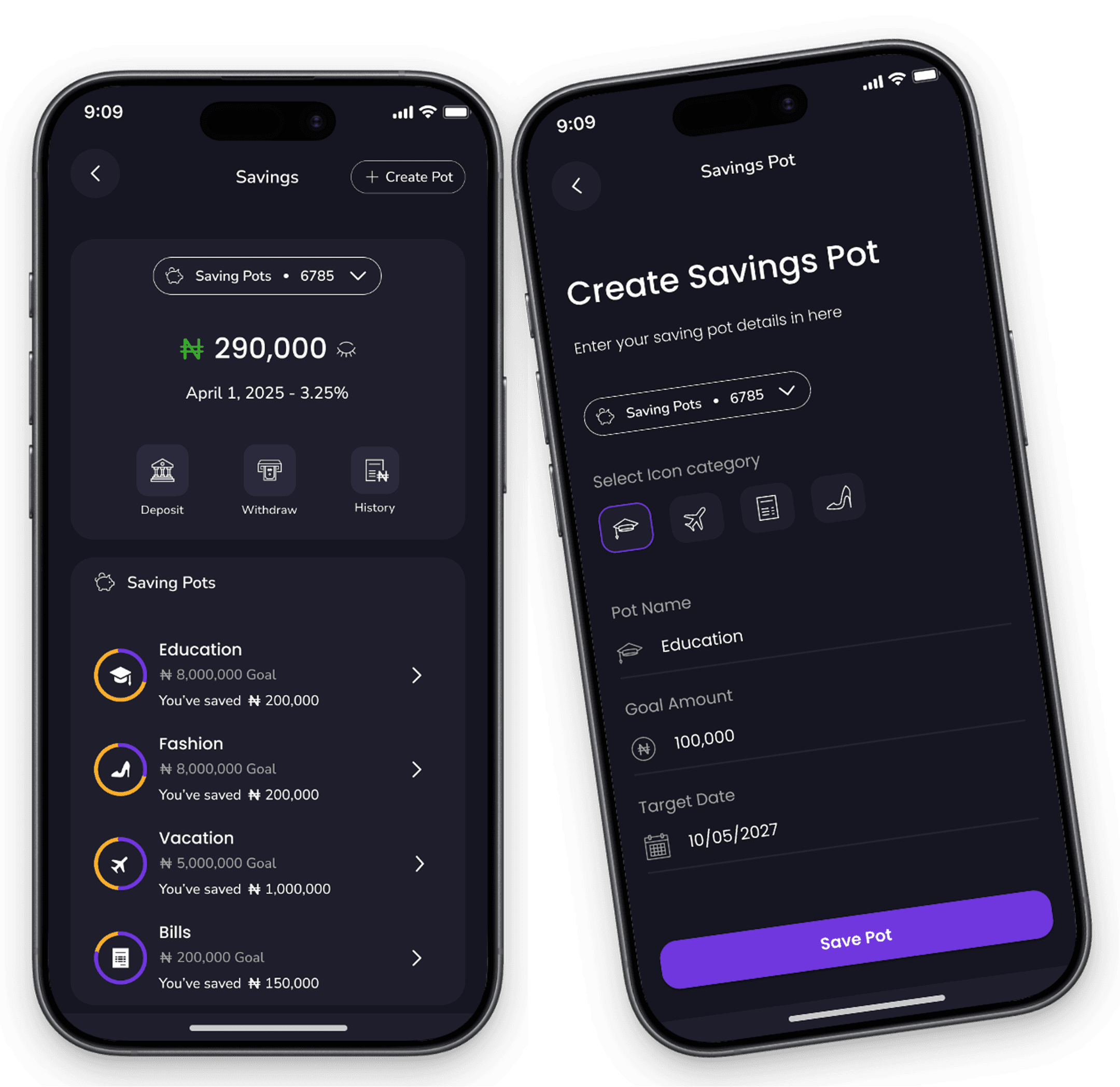
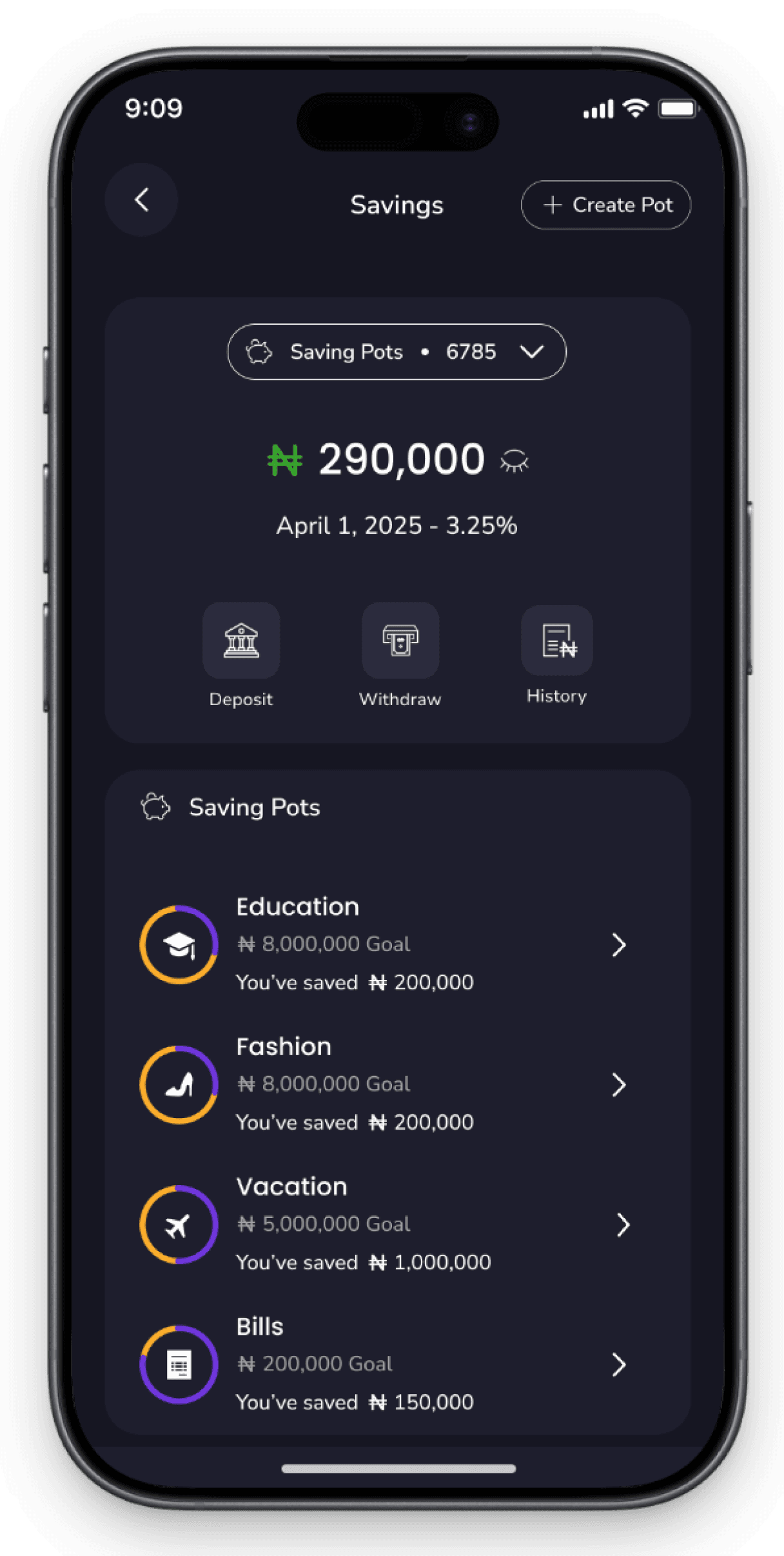
Savings Pot Screen
The Savings Pot screen allows users to create and manage dedicated savings goals. Users can set target amounts, track their progress, and save money automatically or manually toward specific objectives, helping them stay focused and motivated to reach their financial goals.
2
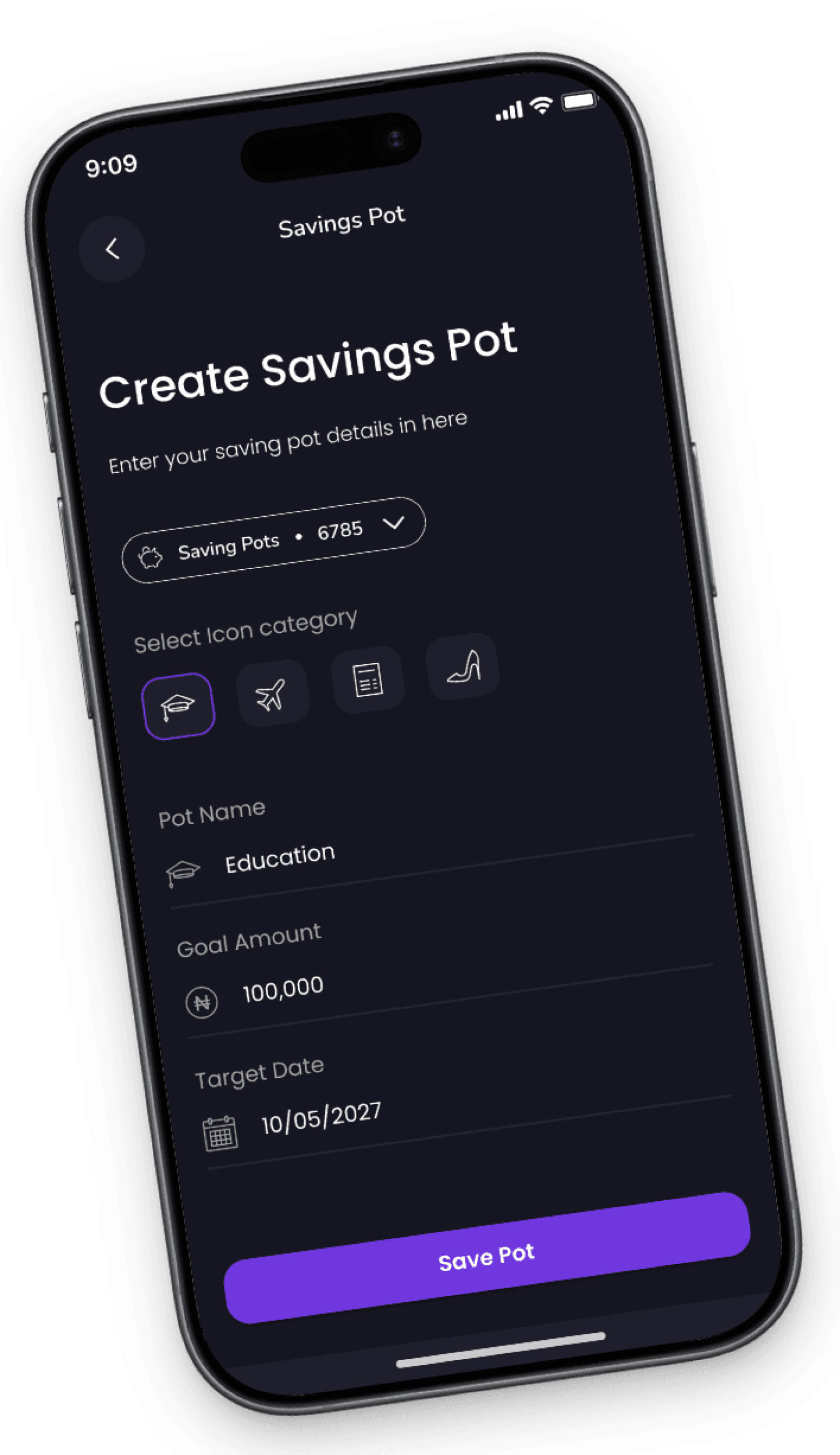
Create Savings Pot Screen
The Create Savings Pot screen enables users to set up a new savings goal by entering details such as the pot name, selecting a category, specifying the amount to save, and choosing a target date to reach their goal.
1
2
Subscription Screen & Subscription details Screen
Subscription Screen & Subscription details Screen
1
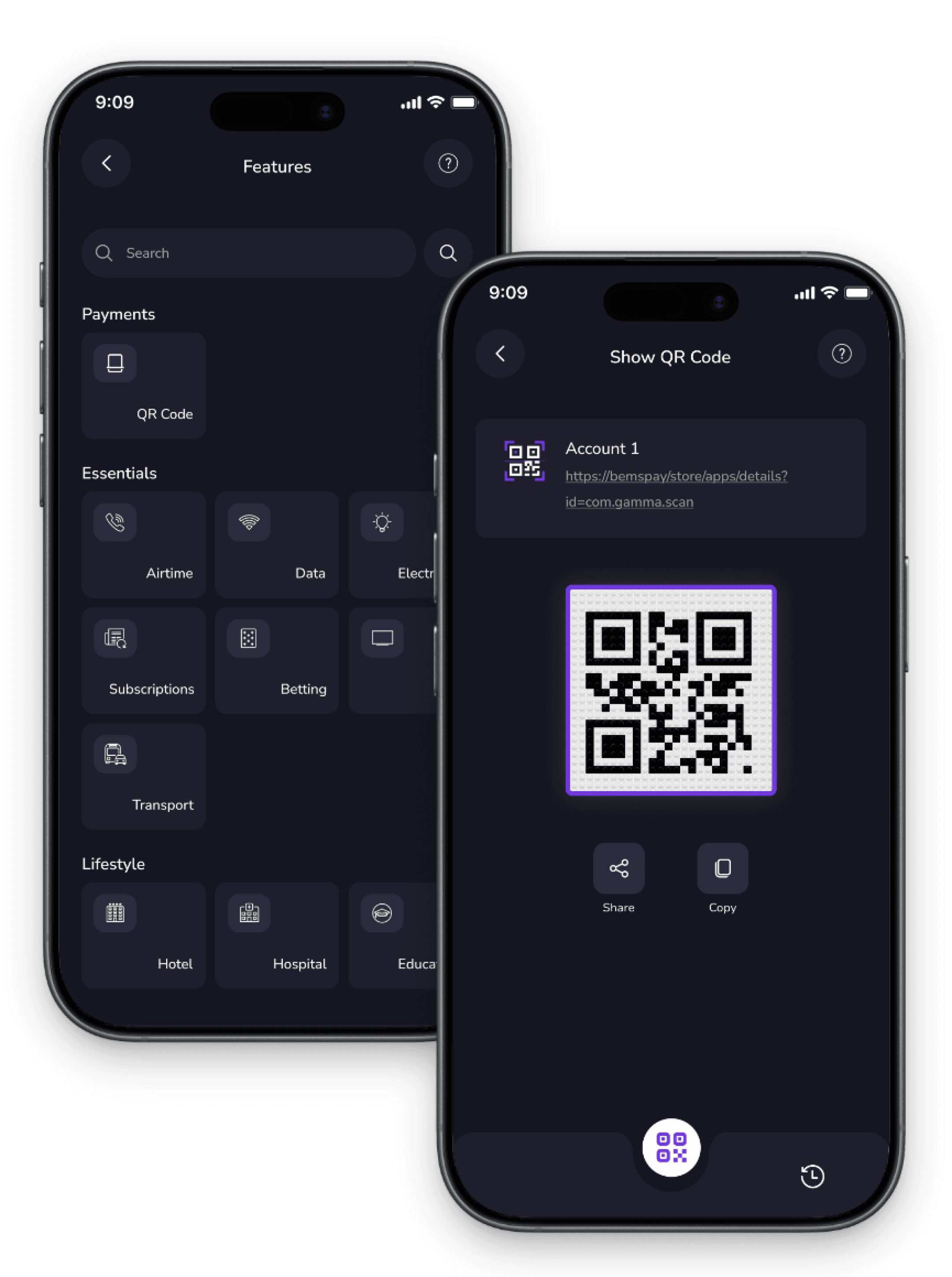
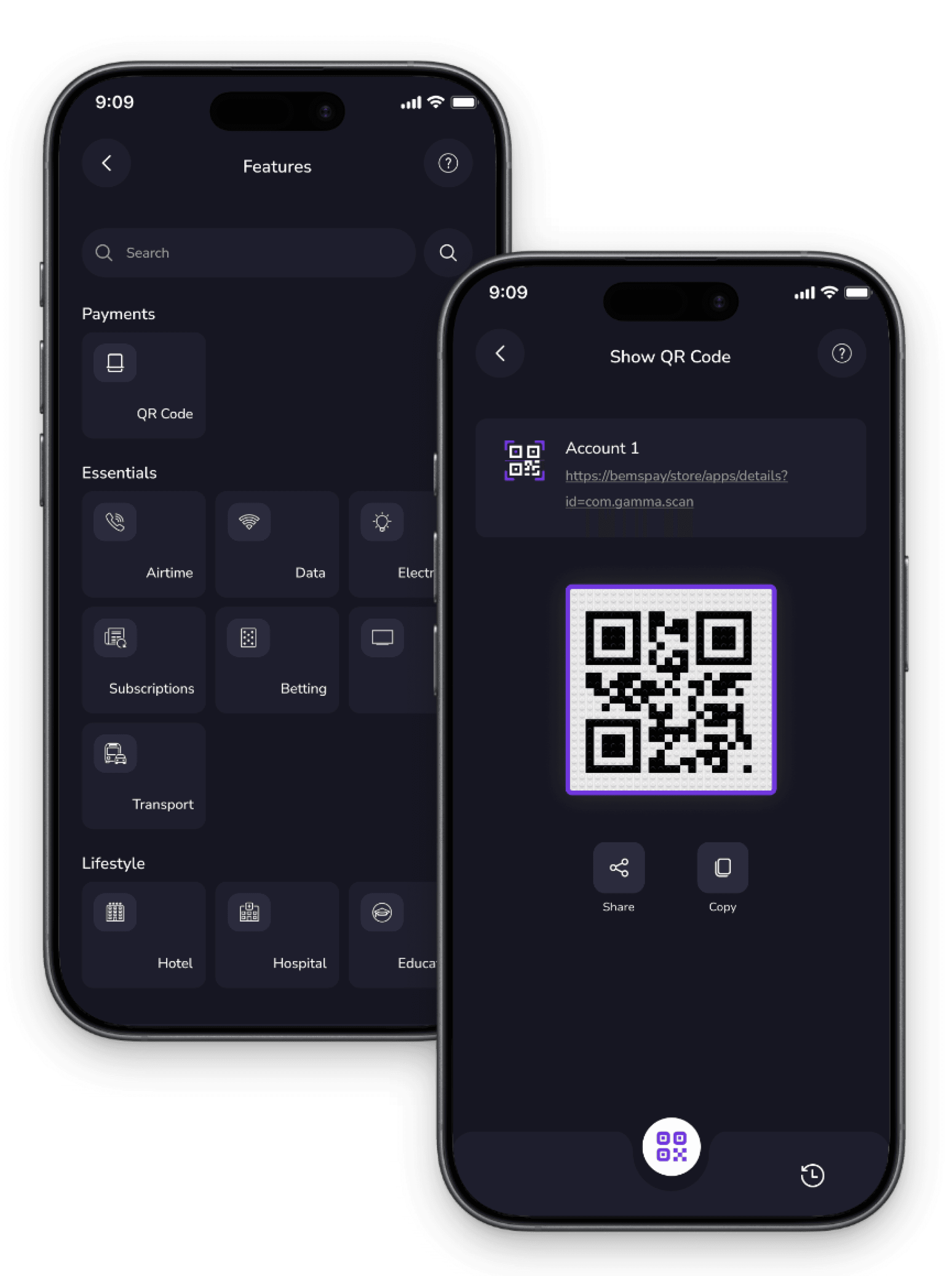
Features Screen
The features screen offers quick access to services like QR payments, airtime, data, electricity, subscriptions, betting, TV recharge, and transport bookings, allowing users to manage transactions easily & conveniently.
2
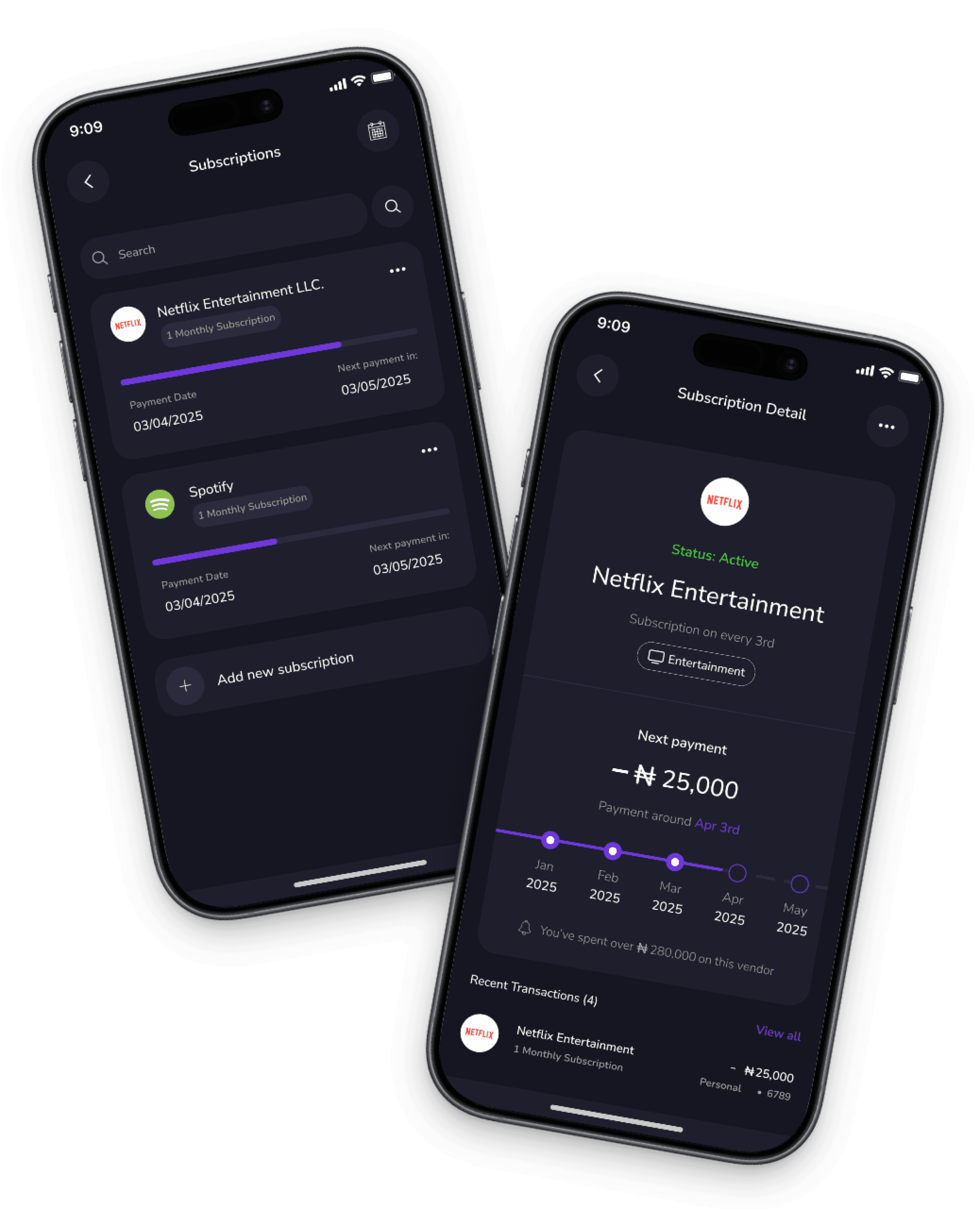
QR Code Screen
This screen allows users to generate and display personalized QR codes for contactless payments. Users can scan QR codes to make payments or share their own code with others for quick and secure transactions.
1
2
1
2
Subscriptions & Subscription details screen
1
Subscriptions Screen
This screen displays a list of active subscriptions such as Netflix and Spotify. It also includes a calendar that shows the next payment date for each subscription, helping users keep track of upcoming charges and manage their expenses effectively.
2
Subscription Details Screen
This screen provides comprehensive information about a specific subscription. It displays the active status, the next payment date, the total amount spent on the subscription, and a list of transaction details, allowing users to review and manage their subscription expenses in detail.
1
2
Savings Pot & Create Savings Pot Screen
1
Savings Pot Screen
The Savings Pot screen allows users to create and manage dedicated savings goals. Users can set target amounts, track their progress, and save money automatically or manually toward specific objectives, helping them stay focused and motivated to reach their financial goals.
2
Create Savings Pot Screen
The Create Savings Pot screen enables users to set up a new savings goal by entering details such as the pot name, selecting a category, specifying the amount to save, and choosing a target date to reach their goal.
1
2
Features Screen & QR Code Screen
1
Features Screen
The features screen offers quick access to services like QR payments, airtime, data, electricity, subscriptions, betting, TV recharge, and transport bookings, allowing users to manage transactions easily & conveniently.
2
QR Code Screen
This screen allows users to generate and display personalized QR codes for contactless payments. Users can scan QR codes to make payments or share their own code with others for quick and secure transactions.
Other High Fidelity Screens
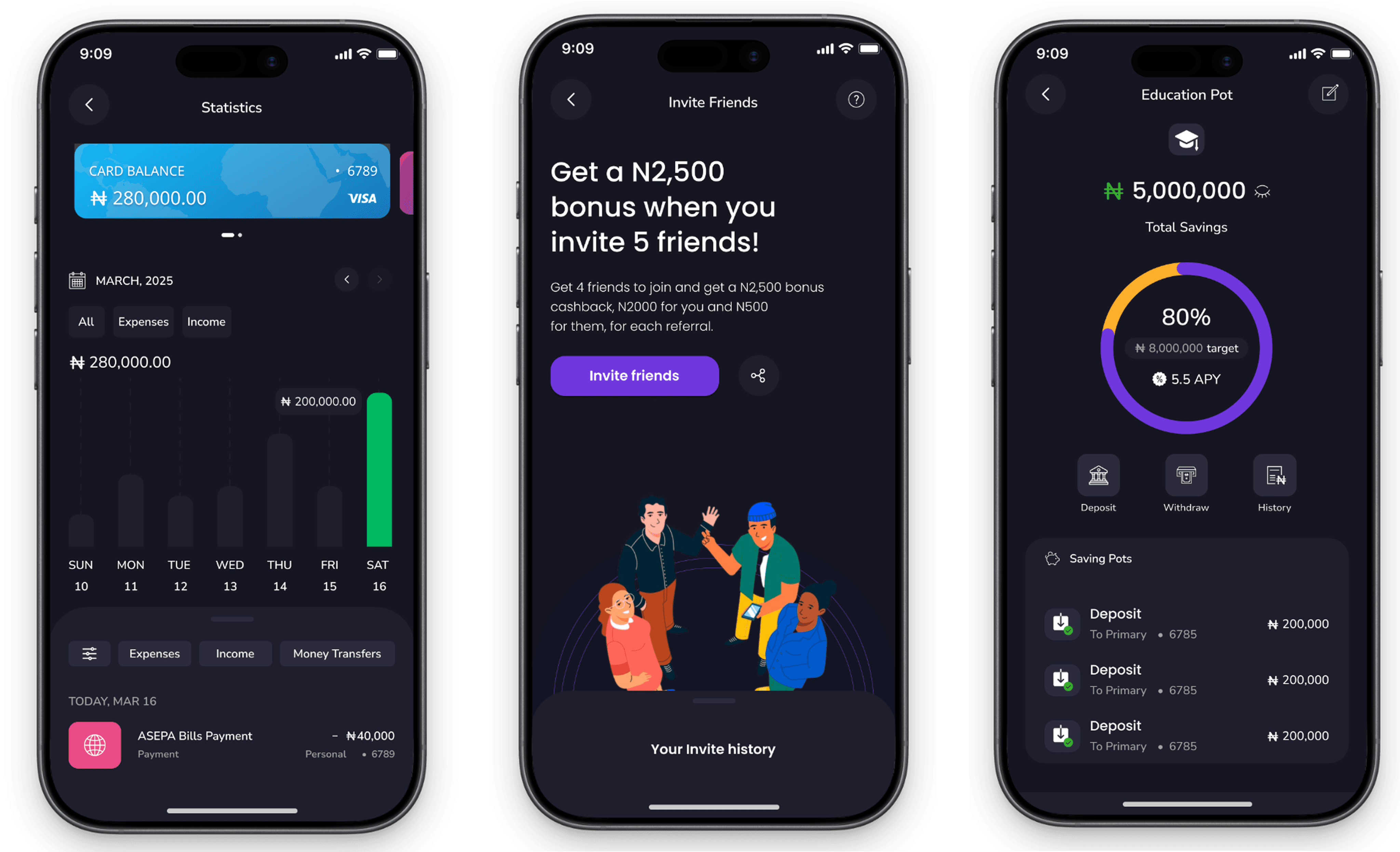
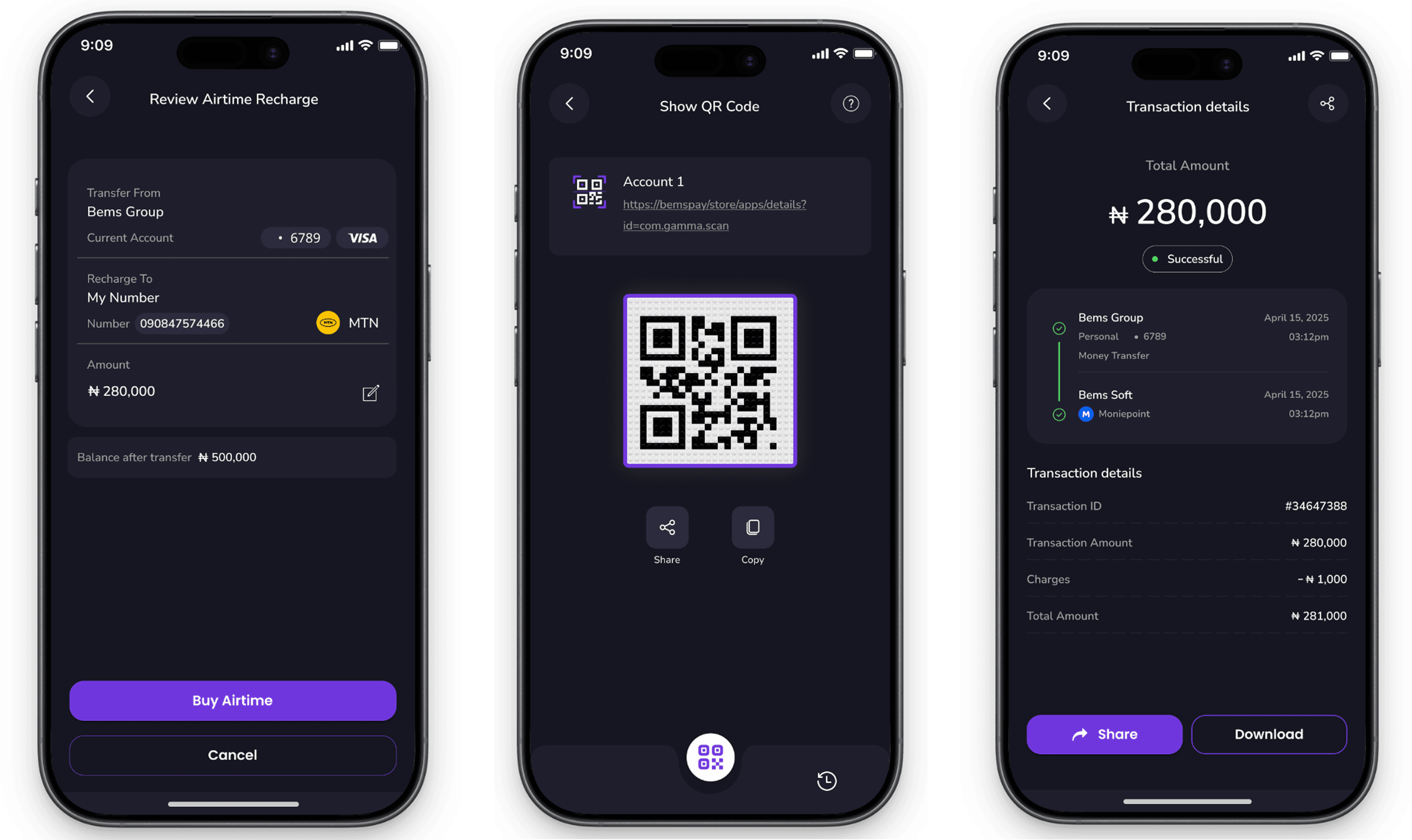
Other High Fidelity Screens
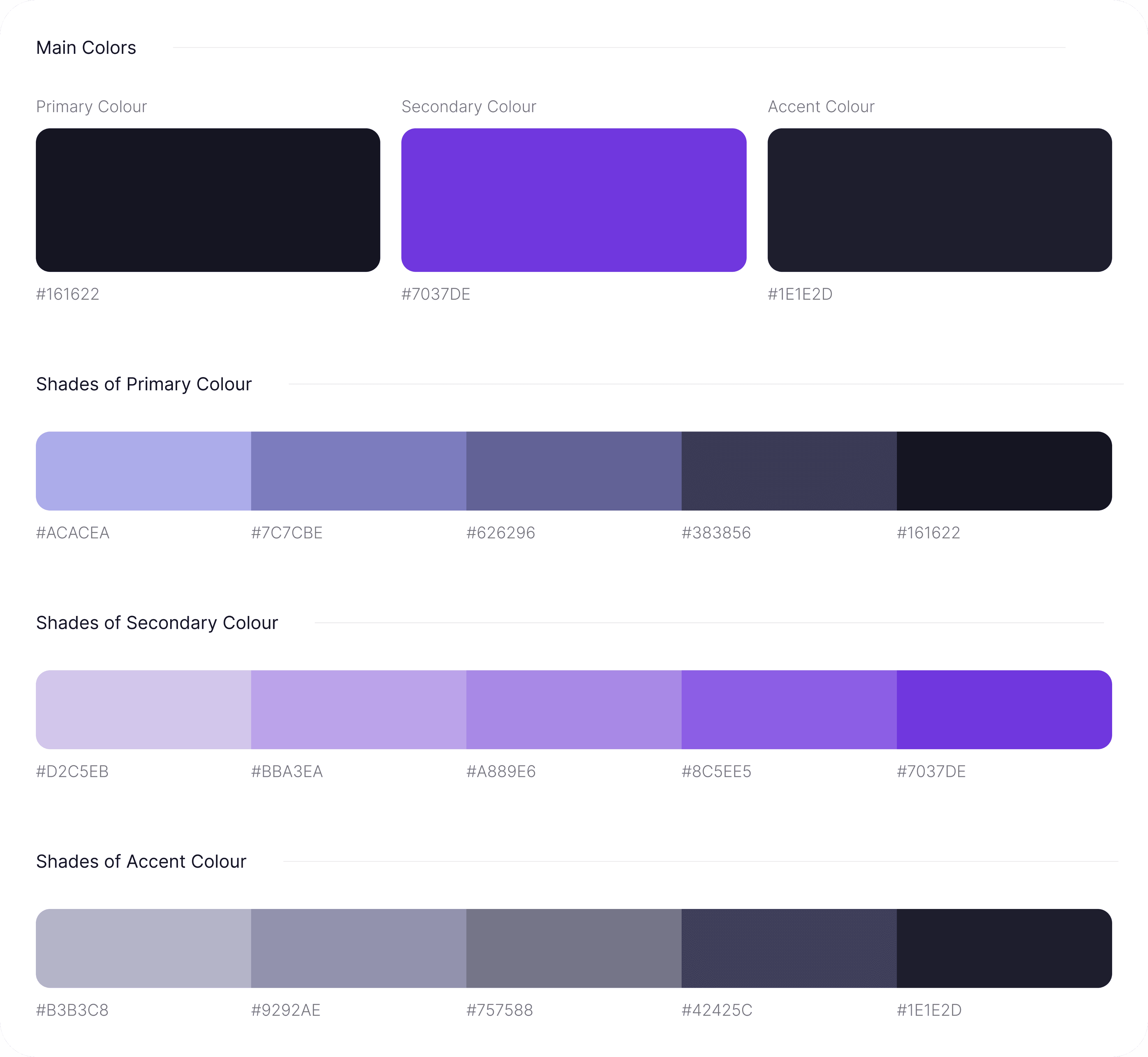
Style Guide
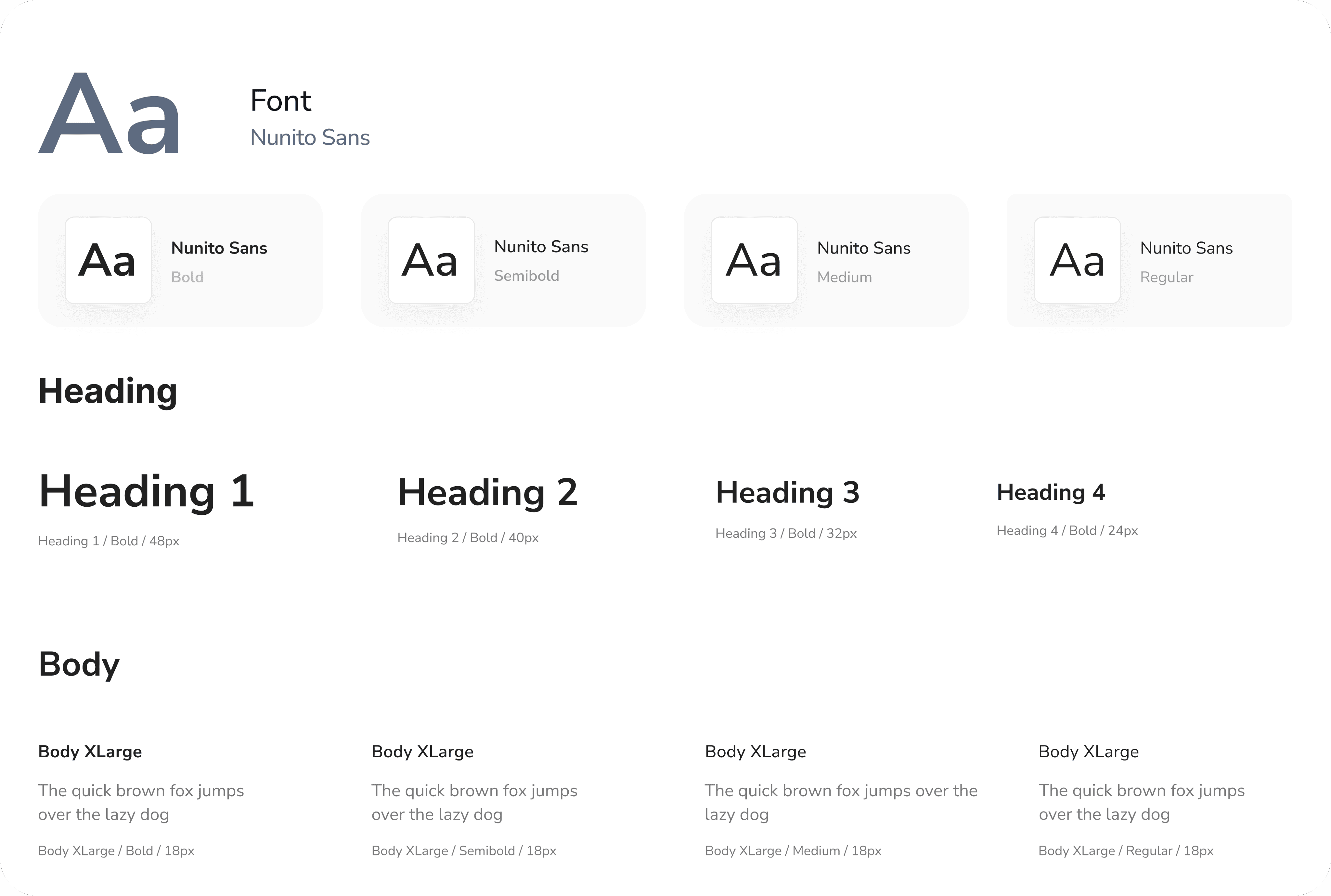
Typography
Proven Results
The design and implementation of Bemspay have resulted in a user-friendly and efficient digital banking experience, significantly enhancing the speed and ease of transferring money. The app's standout QR code feature allows users to quickly scan or generate QR codes for seamless peer-to-peer transactions, eliminating the need for manual account details and reducing transfer time.
Iconography

Have an idea? Let's talk about it!
Fill out the form, or reach out directly. I’ll respond within 24 hours.
Let’s chat!
+2349061588702
designswithgravity@gmail.com


© Copyright 2026. All rights Reserved.
Splash Screen & Home Screen
1
Splash Screen
The Splash Screen features the bemspay logo prominently in the center, accompanied by the catchphrase "Bank smarter, live easier." It provides a clean and welcoming introduction to the app, setting the tone for a seamless banking experience.
2
Home Screen
The Home Screen displays the user's main balance at the top, with quick-access buttons for key features like Chatbot, Statistics, Notifications, Subscriptions & Savings, Transfer, and Request Funds. Recent transactions are displayed at the bottom for easy review.
1
2
Design Process
This process involves understanding user needs and business goals, conducting research, creating wireframes and visual designs, testing with users, iterating based on feedback, and collaborating with development teams to deliver an intuitive, user-centered product.
01
Step
Understand
User Research
User Interview
Competitve Analysis
02
Step
Define
User Personas
Empathy Map
User Journey
03
Step
Ideate
User Flow
Information Architecture
04
Step
Design
Wireframe
Hi-Fi Designs
Prototype
05
Step
Test
Feedbacks
Conclusion
Future Concept
Let’s chat!
+2349033012013
+2349061588702
designswithgravity@gmail.com
© Copyright 2026. All rights Reserved.
Join 150+ professionals elevating their brand
Have an idea? Let's talk about it!
Fill out the form, or reach out directly. I’ll respond within 24 hours.
Design Process
This process involves understanding user needs and business goals, conducting research, creating wireframes and visual designs, testing with users, iterating based on feedback, and collaborating with development teams to deliver an intuitive, user-centered product.
01
Step
Understand
User Research
User Interview
Competitve Analysis
02
Step
Define
User Personas
Empathy Map
User Journey
03
Step
Ideate
User Flow
Information Architecture
04
Step
Design
Wireframe
Hi-Fi Designs
Prototype
05
Step
Test
Feedbacks
Conclusion
Future Concept
Unique Features
Savings Pot Feature: Allows users to set aside money easily into dedicated savings pots, helping them manage their finances and save for specific goals within the app.
Transport Payment Feature: Facilitates convenient payment options for transportation services, enabling users to pay for bus services directly within the app, enhancing transit convenience.
QR Code Payment: Offers a seamless QR code payment capability, allowing users to make quick and contactless payments at merchants or peer-to-peer transactions by scanning the QR code of a Bemspay user.
Subscriptions Management: Enables users to pay for and manage recurring subscriptions such as Netflix, DStv, and Spotify directly through the application, simplifying bill payments and subscription tracking.